
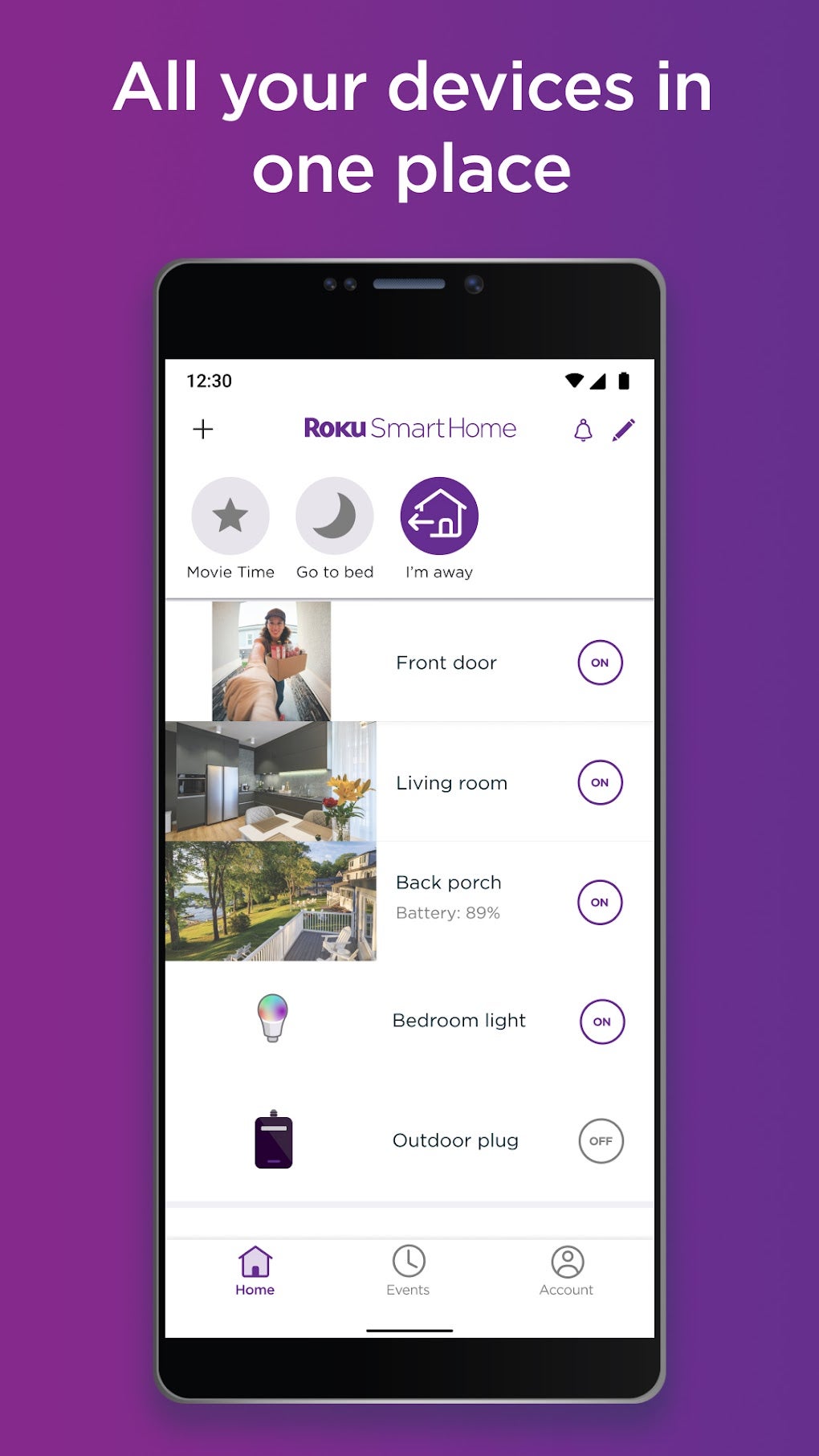
The Roku Smart Home app empowers you to seamlessly manage and monitor your smart home ecosystem from the convenience of your Android device. Gone are the days of juggling multiple apps to control your lights, security cameras, and other smart devices. Roku Smart Home consolidates everything into a single, user-friendly interface, providing a centralized control panel for a more streamlined and efficient smart home experience. Whether you’re securing your property, adjusting lighting, or simply checking in on your home while away, the Roku Smart Home app provides the tools you need for comprehensive home management.
App Functionality and Features
The Roku Smart Home app offers a broad range of features designed to simplify smart home management and enhance security. This includes the ability to monitor and control various smart devices, from security cameras and video doorbells to smart lighting and plugs. This centralized control significantly streamlines the management of your smart home, eliminating the need to navigate multiple individual apps for each device.
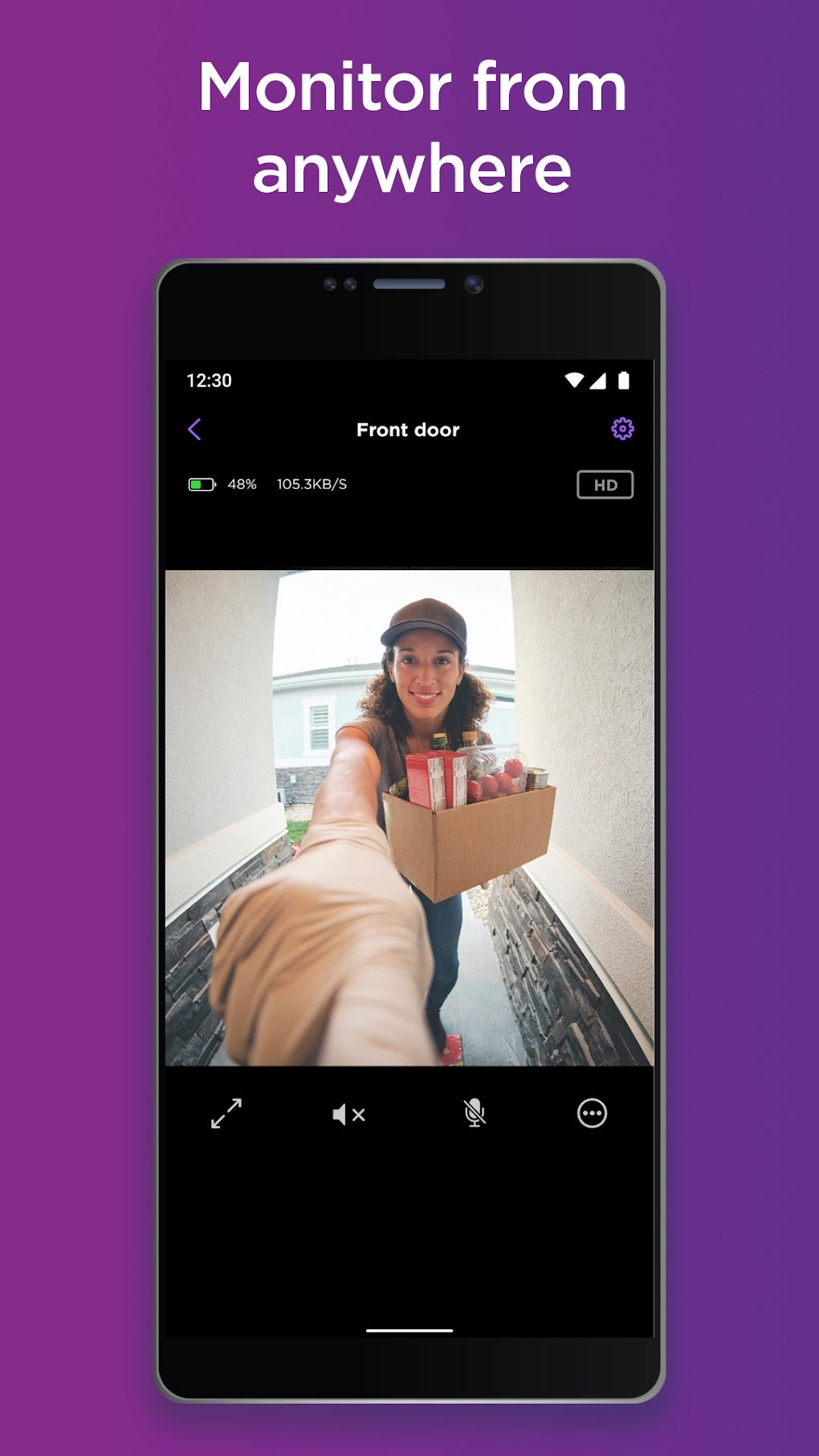
Security and Monitoring: Roku Smart Home provides real-time monitoring capabilities, offering peace of mind whether you’re at home or away. Integrated with your security cameras and video doorbells, the app provides live feeds, allowing you to view what’s happening in your home at any moment. Two-way audio functionality enables communication with individuals at your property, adding another layer of security and convenience. Instant notifications are sent to your device whenever motion is detected or other predefined events occur, ensuring you’re always informed of any activity around your home. The app also offers the ability to record and save video footage for later review, allowing you to document and investigate any suspicious activity.
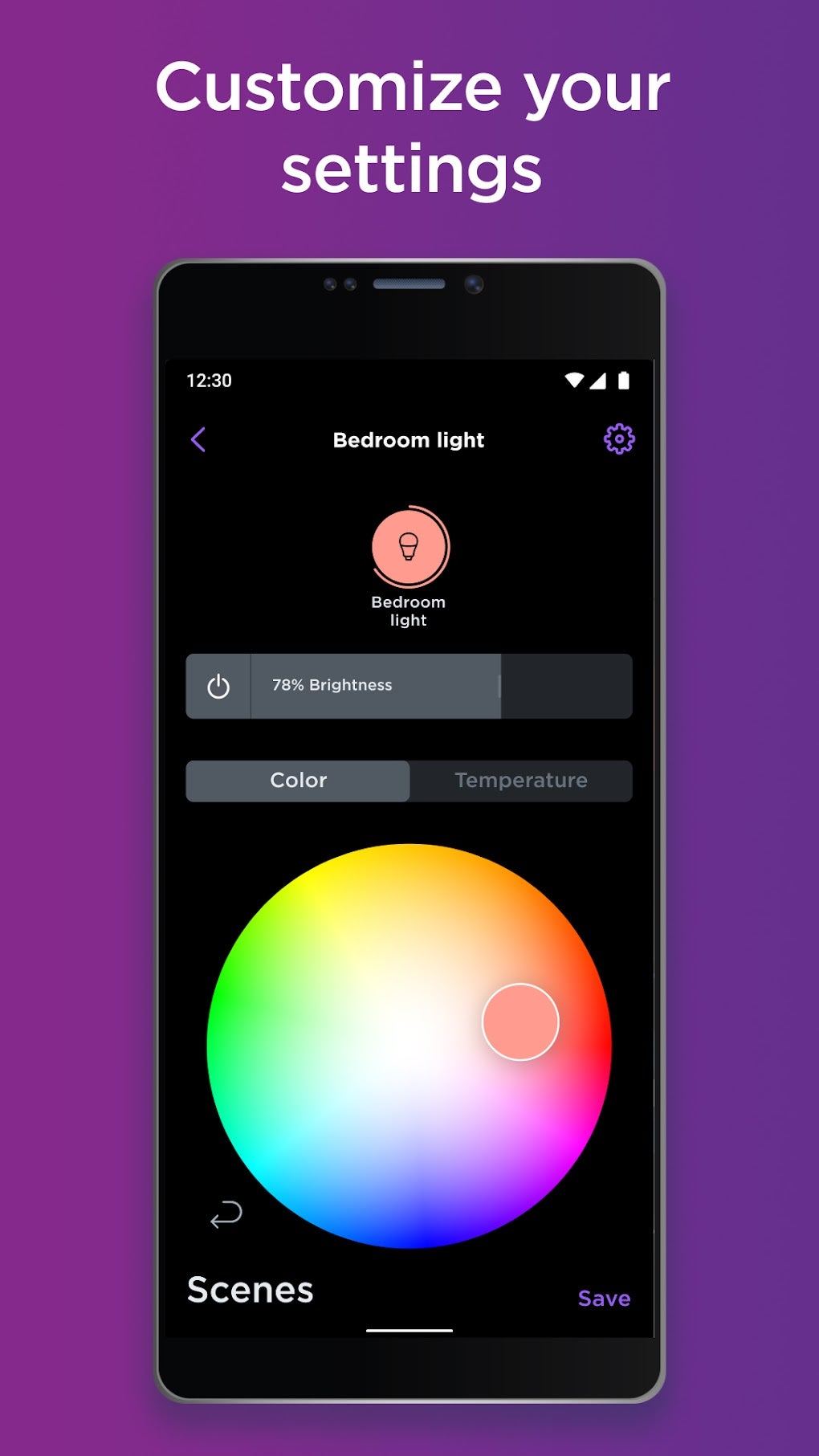
Smart Lighting Control: Take control of your home’s ambiance with the intuitive lighting controls within the Roku Smart Home app. Effortlessly adjust the brightness, color temperature, and even pre-set lighting scenes for different occasions. The ability to customize and save lighting settings streamlines the process, allowing you to easily recall your preferred lighting configurations with a single tap. Imagine setting the perfect lighting scene for movie night or creating a calming atmosphere before bedtime—all at your fingertips.
Device Compatibility and Integration: Roku Smart Home boasts compatibility with a wide range of smart home devices, including but not limited to:
- Security Cameras: Monitor your property with a real-time view of your security cameras.
- Video Doorbells: See and speak to visitors at your door, even when you’re not at home.
- Smart Bulbs: Control the lighting in your home, adjusting brightness, color, and scenes.
- Smart Light Strips: Enhance the ambiance of your rooms with customizable smart light strips.
- Smart Plugs: Manage the power to your appliances and electronics remotely.
- And more… The app continuously expands its compatibility to support a growing number of smart home devices.
User-Friendly Interface: The app’s design prioritizes user experience, ensuring a simple and intuitive interface for effortless navigation and control. Even those unfamiliar with smart home technology will find the app easy to use and understand. The clean layout allows for quick access to key features and settings, making managing your smart home a breeze.
Roku Smart Home App: Installation and Usage
Installing the Roku Smart Home app is a straightforward process. Simply download the app from the Google Play Store onto your compatible Android device. Once installed, launch the app and follow the on-screen instructions to connect it to your existing Wi-Fi network. After successful connection, you will be prompted to add your smart home devices. The app features a clear and simple guide for adding each device, ensuring a smooth and hassle-free integration process. Most devices integrate through a simple pairing process, typically involving identifying and selecting your device from a list, or by scanning a QR code found on the device itself.
Following the initial setup, the app provides a centralized dashboard showcasing all your connected smart home devices. The intuitive interface allows for effortless control and monitoring of each device. You can customize your dashboard to prioritize the devices you use most frequently. Regular updates are released, ensuring the app maintains optimal performance and receives new features and device compatibility enhancements.
Staying Secure with Roku Smart Home
Security is a paramount concern when it comes to smart home technology. The Roku Smart Home app prioritizes data security and privacy through several measures. This includes robust encryption protocols to protect your data during transmission, and secure authentication methods to prevent unauthorized access. The app adheres to industry best practices to maintain the security and integrity of your smart home ecosystem. Regular software updates introduce security patches and enhancements, ensuring that your home and data are well-protected from potential threats.
Roku Smart Home: Beyond the Basics
While the core features of the Roku Smart Home app focus on security and device control, the app aims to enhance your overall lifestyle. It transcends mere automation, integrating seamlessly into your daily routine to provide a more convenient and comfortable living experience. This extends beyond individual device control, introducing advanced features such as automated routines and scheduling. You can program the app to perform specific actions at specific times, such as automatically turning on lights at sunset or setting your thermostat to a comfortable temperature before you arrive home. These automation features free up your time and effort, allowing you to focus on what matters most.
Troubleshooting and Support
Should you encounter any issues while using the Roku Smart Home app, a comprehensive help section is readily available within the app itself. This section provides detailed troubleshooting guides for common problems and offers step-by-step instructions for resolving various issues. You can also access a frequently asked questions (FAQ) section, which may already answer your specific query. If you require more assistance, Roku offers dedicated customer support channels to help resolve any outstanding concerns. You can contact support through various means including email, phone, and live chat. The Roku customer service team is dedicated to assisting users with any challenges they may encounter and strive to provide timely and effective resolutions.
Roku Smart Home: A Comprehensive Overview
In conclusion, the Roku Smart Home app provides a highly convenient and secure way to manage your connected home. Its user-friendly interface, broad device compatibility, robust security features, and advanced automation capabilities make it a compelling choice for anyone seeking to enhance their smart home experience. From basic device control to advanced scheduling, Roku Smart Home offers a complete solution for streamlining your daily routine and securing your property. The consistent updates and commitment to improving user experience solidify Roku’s position as a leader in the smart home technology space. Download the Roku Smart Home app today and transform your home into a seamlessly integrated and intelligent living space.
File Information
- License: “Free”
- Latest update: “July 14, 2025”
- Platform: “Android”
- OS: “Android 13.0”
- Language: “English”
- Downloads: “3.8K”
- Download Options: “Google Play”


