
Roundcube Webmail is a free and open-source webmail client that provides a user-friendly interface for managing emails. Unlike proprietary email clients with extensive feature sets, Roundcube focuses on delivering core email functionality within a streamlined, browser-based environment. While it may lack some of the bells and whistles found in platforms like Gmail, its simplicity, flexibility, and open-source nature make it a compelling choice for users seeking a lightweight and customizable email solution. This review delves into the strengths and weaknesses of Roundcube Webmail, exploring its features, usability, security considerations, and overall suitability for various user needs.
Core Features and Functionality
Roundcube Webmail’s primary strength lies in its core email management capabilities. It provides a straightforward interface for composing, sending, receiving, and organizing emails. Users can easily create and manage folders, filter messages based on various criteria (sender, subject, keywords), and utilize search functionality to quickly locate specific emails. The interface is designed to be intuitive and easy to navigate, minimizing the learning curve for new users.
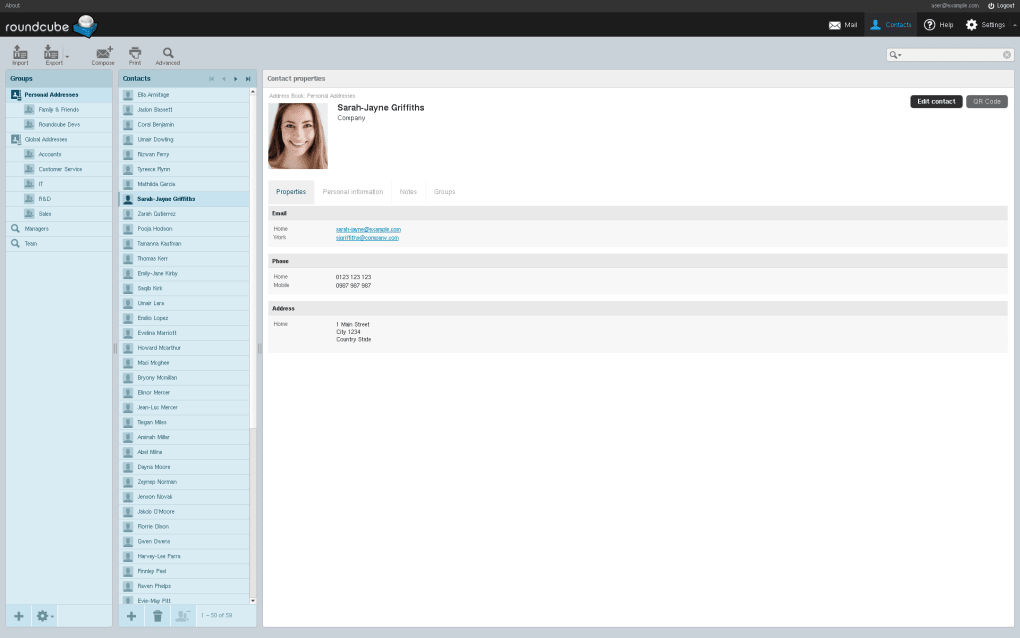
One of Roundcube’s noteworthy features is its robust address book. This integrated address book supports Lightweight Directory Access Protocol (LDAP), enabling seamless integration with existing directory services. The LDAP integration allows users to search for and select contacts efficiently, even as they type, enhancing the overall productivity of email management.
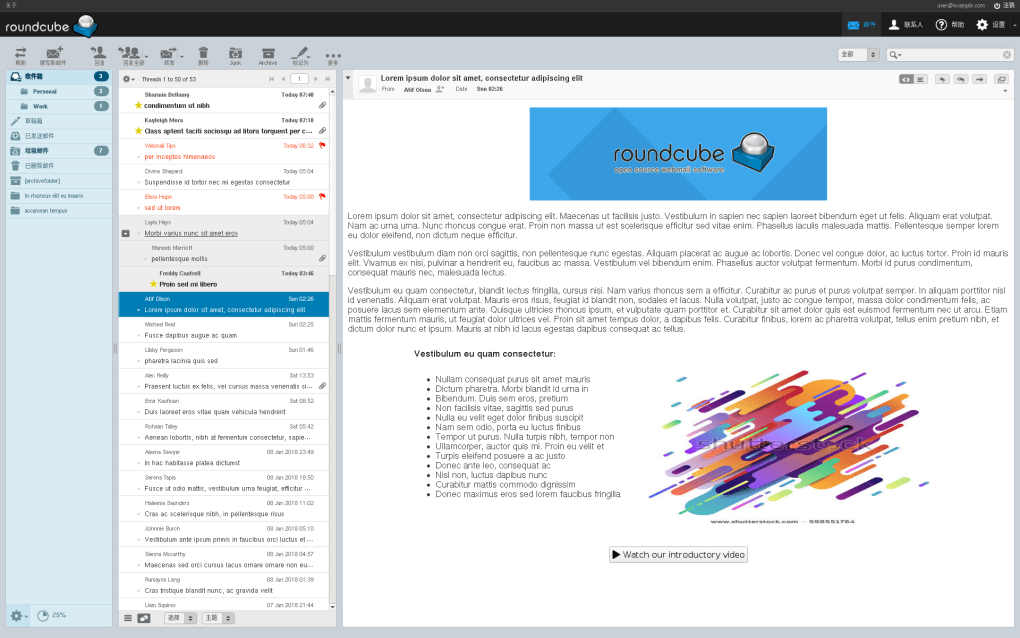
Furthermore, Roundcube supports HTML email, allowing users to send and receive emails formatted with rich text, images, and other multimedia elements. This functionality enhances the aesthetic appeal and readability of emails, making it suitable for both personal and professional communication.
Beyond its core functionality, Roundcube’s true power lies in its extensibility through plugins. A vast library of plugins extends its capabilities, adding features such as calendar integration, contact management enhancements, spam filtering improvements, and various other customizations. This modular design allows users to tailor Roundcube to their specific requirements, making it adaptable to a wide range of use cases.
Usability and User Experience
Roundcube Webmail boasts a clean and uncluttered interface, which contributes significantly to its ease of use. The minimalist design prioritizes functionality and avoids unnecessary complexities, leading to a user-friendly experience even for individuals less tech-savvy. The navigation is straightforward, and essential functions are readily accessible, allowing users to quickly perform common email tasks.
The interface’s simplicity also contributes to faster loading times compared to more feature-rich webmail clients. This speed is especially beneficial for users with slower internet connections or older hardware. While the minimal design enhances speed and ease of use, some users may find it less visually appealing compared to more aesthetically sophisticated email platforms.
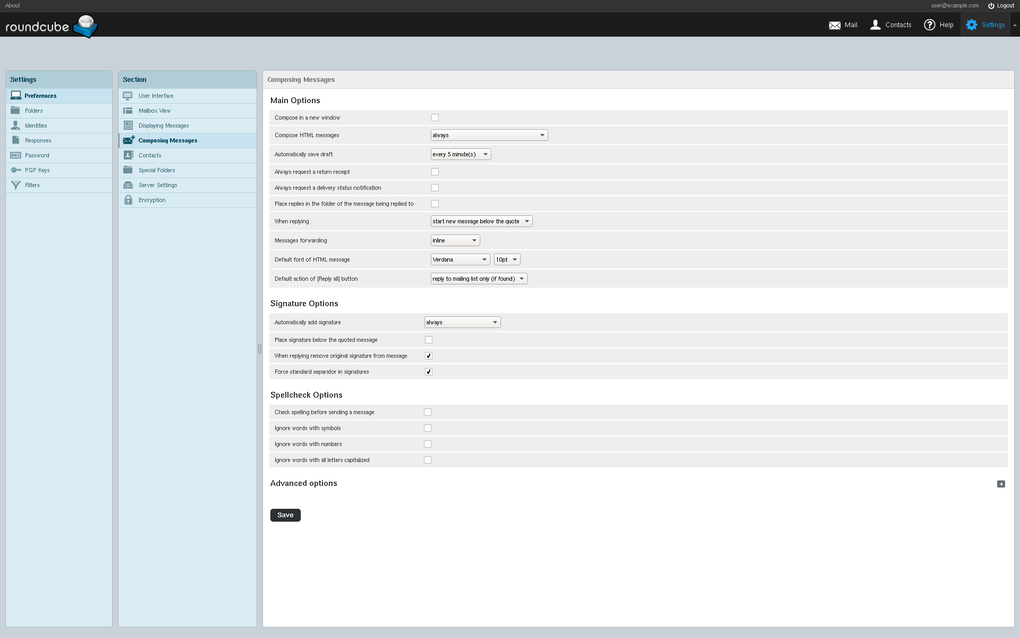
The built-in spell checker is a useful addition, reducing errors and improving the professionalism of outgoing emails. This feature, while seemingly minor, contributes to a smoother and more efficient email writing process.
.png)
Security and Privacy
As an open-source project, Roundcube’s code is publicly available for review and scrutiny, enhancing its transparency and security. This open nature allows security researchers to identify and report potential vulnerabilities, contributing to a more secure environment. However, the responsibility for implementing and maintaining robust security measures rests primarily on the server administrator.
While Roundcube itself provides a secure framework, the security of the entire system heavily relies on the security practices of the hosting provider and the administrator’s configuration. Factors such as strong passwords, two-factor authentication, and regular software updates are crucial for maintaining a secure email environment. Users should ensure their hosting provider implements appropriate security measures and keeps the Roundcube installation up to date with the latest security patches. This shared responsibility necessitates vigilance from both the developers and users to ensure optimal security.
Comparison with Alternative Email Clients
Roundcube Webmail stands apart from other email clients in its open-source nature and flexible architecture. Compared to proprietary options like Microsoft Outlook or Gmail, it offers a different approach to email management. While it may not possess the expansive feature set of these commercial platforms, its flexibility and customization potential through plugins often make up for this difference.
Microsoft Outlook, for instance, offers a rich feature set, including advanced calendar functionality, task management, and extensive integration with other Microsoft products. However, it comes with a price tag and requires a dedicated desktop application. Gmail, another popular choice, is a free, cloud-based service with a broad range of features, including powerful search, integrated chat, and high storage capacity. However, it comes with the limitations inherent in a cloud-based system, including reliance on Google’s infrastructure and data privacy concerns.
Roundcube, on the other hand, offers a balance between functionality and control. While it requires a server-side installation, this approach allows for greater customization and control over data privacy. This makes it an attractive option for users prioritizing data security and the ability to tailor their email experience to their precise needs.
Conclusion
Roundcube Webmail presents a strong case as a versatile and reliable webmail client. Its open-source nature, lightweight design, intuitive interface, and extensive plugin support combine to create a flexible email solution suitable for various users and environments. While it may lack some of the extensive features of commercial alternatives, its adaptability and emphasis on core email functionality make it a compelling option for those seeking a customizable, secure, and user-friendly email management system. The need for server-side installation might deter some users, but for those comfortable with this approach, Roundcube offers a compelling blend of simplicity and power. The responsibility for security and maintenance lies partly with the user, emphasizing the importance of regular updates and strong security practices on the server. Ultimately, the suitability of Roundcube depends on individual needs and technical comfort levels, but for users who value control, customization, and a straightforward email experience, Roundcube Webmail stands as a robust and viable choice.
File Information
- License: “Free”
- Latest update: “December 12, 2023”
- Platform: “Windows”
- OS: “Windows 8”
- Language: “English”
- Downloads: “18.1K”
- Size: “6.03 MB”


