
In the complex ecosystem of modern operating systems, applications often rely on a myriad of external components to function correctly. These components, known as runtime libraries, provide the foundational code and resources that programs need to execute specific tasks. When these libraries are missing, outdated, or unregistered, users can encounter frustrating errors, from applications failing to launch to mysterious “DLL file missing” messages. Addressing this common pain point, RuntimePack emerges as a vital, free utility designed to streamline the management and installation of these critical runtime components for Windows operating systems. Developed by JamesZero, RuntimePack offers a consolidated solution, saving users from the tedious and often confusing process of identifying and installing individual libraries.
At its core, RuntimePack is a specialized tool engineered to assemble and integrate essential runtime libraries directly into your Windows environment. Unlike more piecemeal approaches or its competitors, such as Delphi Runtime and Visual Basic Runtime, which might necessitate the installation of multiple third-party programs or fragmented components, RuntimePack stands out for its comprehensive and user-friendly design. It intelligently includes all the indispensable runtime libraries within a single package, making it exceptionally convenient. A standout feature is its ability to automatically detect and select the appropriate Microsoft Visual C++ Redistributable package required for your specific PC architecture, eliminating guesswork and ensuring compatibility.
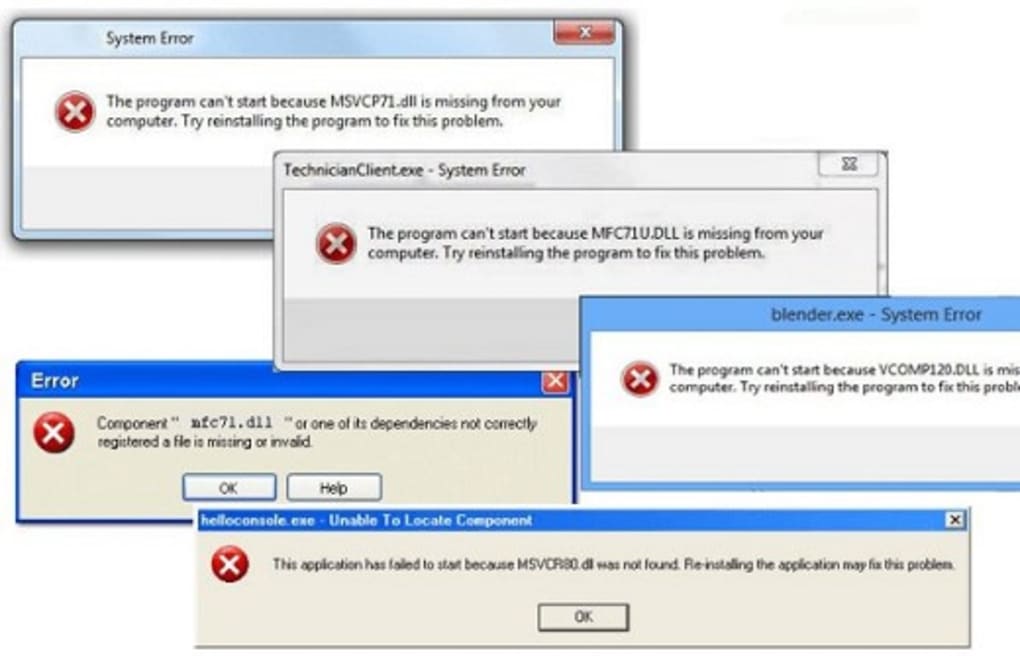
Understanding Runtime Libraries and Their Importance
To fully appreciate the utility of RuntimePack, it’s crucial to grasp the concept of runtime libraries and why they are so vital for the smooth operation of your Windows PC. At the heart of nearly every software application lies a dependency on shared code modules, which are essentially collections of pre-written functions and resources that programs can call upon as needed. These modules are often referred to as “runtime libraries” because they are loaded into memory and utilized by a program “at runtime” – that is, when the program is actually running.
The most common types of these shared libraries on Windows include Dynamic-link Libraries (DLLs), Object Linking and Embedding (OLE) custom controls (OCX files), and device drivers (DRV files).
- Dynamic-link Libraries (DLLs): DLLs are fundamental to Windows. They contain code and data that multiple programs can use simultaneously. This sharing mechanism conserves memory and reduces the overall size of executable files. For instance, a DLL might contain functions for drawing graphics, handling network communications, or performing complex mathematical calculations. When an application needs to perform one of these actions, it simply calls the relevant function within the DLL, rather than having to include all that code within its own executable file.
- OCX Files (OLE Custom Controls): OCX files are essentially specialized DLLs that contain controls or objects that can be embedded into applications to provide specific functionalities, such as a calendar control, a media player interface, or a complex data grid. They are widely used in application development, particularly with environments like Visual Basic, to add rich interactive elements to software.
- DRV Files (Device Drivers): While RuntimePack primarily focuses on DLLs and OCXs related to software execution, DRV files are another critical type of library that enables communication between the operating system and hardware devices.
When these files are missing, corrupted, or not properly registered with the operating system, applications that rely on them will fail to function. Common error messages like “The program can’t start because [DLL_name].dll is missing from your computer” or “A required component is missing” are direct indicators of such problems. These issues frequently arise after upgrading Windows, installing lightweight versions of software, or when a program’s uninstaller fails to clean up properly, leaving behind orphaned dependencies that other applications might still need.
The complexity is further compounded by the variety of software development frameworks, each requiring its own set of runtime libraries. Microsoft Visual C++ Redistributable packages, for example, are essential for applications developed using Visual C++. Different versions of Visual Studio (e.g., 2008, 2010, 2013, 2015-2022) each require their specific redistributable packages, and installing the wrong one or an incomplete set can lead to persistent errors. Manually tracking down, downloading, and installing each of these dependencies can be a daunting and time-consuming task for even experienced users, let alone those less technically inclined. This is precisely where RuntimePack steps in, offering a much-needed simplification.
The Core Functionality of RuntimePack: A Unified Solution
RuntimePack addresses the intricate challenge of managing runtime libraries by providing a consolidated, automated solution. Its design philosophy centers on ease of use and comprehensiveness, making it an invaluable tool for maintaining a healthy and error-free Windows environment. The program’s core functionality revolves around a few key mechanisms that differentiate it from manual installation or fragmented alternatives.
First and foremost, RuntimePack acts as a central repository for a vast collection of essential runtime libraries. This includes a wide array of DLL and OCX files that are commonly required by applications across various Windows versions. These files often become “lost” or “unregistered” within the operating system due to various software installations, updates, or uninstallation processes. When a program fails to find a critical DLL or OCX file, it results in device errors, preventing the application from launching or functioning correctly. By providing a single package that contains these often-missing components, RuntimePack significantly increases the chances of resolving such errors with minimal user intervention.
Detecting System Architecture and Resolving Common Errors
One of RuntimePack’s most intelligent features is its ability to automatically detect the device’s system architecture. Windows operating systems and the applications that run on them come in different bit versions, primarily 32-bit (x86) and 64-bit (x64). Software components, including runtime libraries, must match the system’s architecture to function properly. Installing a 64-bit library on a 32-bit system (or vice-versa, depending on the application context) can lead to further errors. RuntimePack eliminates this potential compatibility headache by coming in both x64 and x86 bit versions, making it compatible with both Windows desktops and computers.
When you execute RuntimePack on your computer, it performs an initial scan to identify your device’s architecture. It then uses this information to determine which specific DLL and VC++ runtime libraries (whether 32-bit or 64-bit) are needed. This intelligent detection ensures that the installation process is tailored to your system, enabling the correct runtime program to be installed according to its corresponding architecture. This automated selection is particularly beneficial when dealing with Microsoft Visual C++ Redistributable packages, which are notoriously tricky due to their many versions and architecture-specific requirements. RuntimePack’s ability to pick out the exact package needed simplifies a process that often confounds even experienced users.
The typical scenario where RuntimePack shines is when you encounter error messages indicating missing DLL files or when a program simply “stops working” or fails to start up after an update or a new installation. These errors commonly signify that a dynamic-link library file is either incomplete, corrupted, or cannot be identified by the operating system. Instead of embarking on a manual search for the specific missing file (a process fraught with risks, including downloading malicious software from unreliable sources), RuntimePack provides a trusted and comprehensive solution. By running RuntimePack, users can expect these fundamental library issues to be patched, restoring functionality to their affected applications.
In essence, RuntimePack serves as a convenience layer, abstracting away the underlying complexities of runtime component management. It compiles all the necessary features and files (DLL, OCX, DRV, though primarily focusing on DLL and OCX for application runtimes) into one consolidated package, saving users considerable time and effort that would otherwise be spent separately compiling or locating each component. This unified approach not only simplifies the installation process but also contributes to greater system stability by ensuring that a consistent and complete set of runtime libraries is present.
Beyond Installation: The Advantages and Specifics of RuntimePack
While RuntimePack’s primary function is to simplify the installation of runtime libraries, its advantages extend beyond mere convenience. The design and implementation choices made by JamesZero contribute to a robust tool that significantly enhances a user’s ability to maintain their PC effectively.
One of the most compelling aspects of RuntimePack is its design and bundling using Microsoft’s RTM (Release To Manufacturing) implementation of the VC++ runtime libraries. This ensures that the installed components are official, stable, and compatible with the broader Windows ecosystem. Using RTM builds minimizes the risk of introducing new incompatibilities or vulnerabilities that might arise from unofficial or modified runtime packages. This commitment to using standard and verified components underpins the tool’s reliability.
The practical benefits for users are numerous:
- Error Resolution: As mentioned, its direct impact on resolving “DLL missing” or “program won’t start” errors is significant. For many users, these are among the most frustrating and seemingly intractable issues. RuntimePack provides a straightforward remedy.
- Time-Saving: The alternative to RuntimePack is often hours spent searching online forums, downloading individual files, and attempting manual registration, which can be error-prone. RuntimePack automates this, saving invaluable time.
- System Stability: By ensuring that all necessary runtime components are correctly installed and registered, RuntimePack contributes to a more stable computing environment. Applications are less likely to crash or behave erratically due to missing dependencies.
- Ease of Use: The program’s design prioritizes user-friendliness. Its automatic detection of system architecture and required components simplifies a complex technical task into a few clicks.
Despite its comprehensive nature, it’s important to manage expectations. As the developer acknowledges, “it does not fix all of your problems.” While RuntimePack can patch most common runtime-related issues, it cannot resolve problems stemming from fundamental software bugs, hardware failures, corrupted operating system files unrelated to runtime libraries, or severe malware infections. Its scope is specifically focused on the runtime environment. Nevertheless, for its intended purpose, RuntimePack is considered one of the best runtime library installation packages available.
Product Specifications and Availability
Understanding the technical details of RuntimePack provides further insight into its capabilities and suitability for various systems. As of its latest update, RuntimePack V20.03.03, released on July 15, 2022, continues to support modern Windows operating systems, specifically Windows 8.1 and above.
- License: Free
- Version: 20.03.03 (Last Update: July 15, 2022)
- Platform: Windows
- OS: Windows 8.1 and above
- Language: English (also available in multiple other languages for global accessibility)
- Size: 77.75 MB
- Developer: JamesZero
The relatively compact size of 77.75 MB is notable, considering the breadth of libraries it encapsulates. This means it’s not a heavy download and won’t significantly impact system resources during installation. Its availability in various languages further enhances its global utility, making it accessible to a broader user base.
Navigating the Ecosystem: Alternatives and Broader System Maintenance
While RuntimePack offers a powerful, consolidated solution, it exists within a broader ecosystem of utilities aimed at system maintenance and dependency management. Understanding these alternatives and related tools can provide a more complete picture of how RuntimePack fits into a comprehensive PC care strategy.
For users experiencing specific issues, there are other tools that focus on narrower aspects of runtime management or offer different approaches:
- vcruntime140.dll: This is often seen as a standalone component, a specific runtime library for Microsoft Visual Studio. If only this particular DLL is missing, a direct download and manual placement might seem like a quicker fix, but RuntimePack would include this and many others, saving the user from identifying the exact missing file.
- Visual Basic Runtime Files: Similar to vcruntime140.dll, these are specific files needed to run applications developed with Visual Basic. While RuntimePack likely includes many common VB runtime components, dedicated “Visual Basic Runtime Files” packages exist for older or highly specific VB dependencies.
- DLL Helper & DLL-Files Fixer: These programs are designed specifically to help users find and replace missing or corrupted DLL files. They often feature large databases of DLLs and tools to register them. While effective, they might require users to identify the specific DLL causing the problem, whereas RuntimePack takes a more proactive, blanket approach to install a wide range of common dependencies.
- Microsoft .NET Runtime: This refers to Microsoft’s software development framework, crucial for applications built with .NET technologies. While RuntimePack focuses on VC++ and general DLL/OCX files, .NET applications require the appropriate .NET Runtime installed separately. Modern Windows versions often have .NET Framework built-in or automatically install newer .NET Core/5+ runtimes, but specific versions might still be needed.
Beyond direct runtime fixes, RuntimePack sits alongside other essential utilities in the “Utilities & Tools” category, often found in sections dedicated to “File managers” (though RuntimePack itself isn’t a file manager, it’s a utility often grouped with maintenance tools), “Data Recovery,” “File Compression,” and “Screen Capture.” Tools like ZArchiver, NanaZip (a free file manager), MiniTool Partition Wizard, and Teracopy highlight the variety of utilities Windows users rely on for everyday tasks and system health. RuntimePack is particularly valuable for users who frequently install new software, especially older titles, or encounter legacy applications, as these are often the culprits behind runtime errors.
Pros and Cons of RuntimePack (Summarized):
Pros:
- Assembles runtime components: Consolidates multiple necessary libraries into one package.
- Contains essential runtime libraries: Includes a broad range of DLL and OCX files to cover common dependencies.
- Includes DLL and OCX files: Directly addresses the most frequent causes of “missing file” errors.
- Detects system architects: Automatically identifies 32-bit or 64-bit systems to ensure correct installation.
- Easy to install: Simplifies a complex technical task into a user-friendly process.
- Does not require third-party programs: Avoids the need for additional installations, unlike some alternatives.
- Automatically picks VC++ Redistributable: Eliminates manual selection and ensures compatibility.
Cons:
- Best suited for patching programs: While highly effective for runtime errors, it’s not a panacea for all system problems. It won’t fix software bugs or non-runtime related OS issues.
Broader System Maintenance Context: Regular use of tools like RuntimePack should be part of a broader PC maintenance strategy. This strategy might include:
- Keeping your operating system and drivers updated.
- Running antivirus and anti-malware scans regularly.
- Using disk cleanup and defragmentation tools.
- Managing startup programs to improve boot times.
- Regularly backing up important data.
In this context, RuntimePack acts as a specialized yet universally applicable tool for handling a specific, but very common, class of software-related issues. Its convenience and effectiveness make it an indispensable utility for ensuring that applications can run as intended, free from the disruptions caused by missing or unregistered runtime components.
Conclusion: A Unified Solution for Windows Runtime Health
In summary, RuntimePack by JamesZero stands out as an exceptionally valuable and free tool for Windows users. It offers a much-needed, consolidated approach to managing and installing runtime components, which are crucial for the proper functioning of virtually all software applications. By bundling a comprehensive array of essential DLL and OCX files, and intelligently detecting system architecture to deploy the correct Microsoft Visual C++ Redistributable packages, RuntimePack effectively resolves the common and frustrating “missing file” errors that plague many PC users.
Its user-friendly nature, eliminating the need for complex manual installations or multiple third-party programs, makes it accessible to a wide audience, from casual users to those performing routine system maintenance. While it’s not a universal fixer for all computer problems, its targeted effectiveness in patching runtime-related issues significantly contributes to system stability and a smoother user experience. For anyone seeking to ensure their applications launch and run without a hitch, RuntimePack represents a highly recommended solution, simplifying a traditionally intricate aspect of Windows software management. Downloads for RuntimePack, along with other essential utilities and software reviews, can be found on reputable software portals like PhanMemFree.org, where its utility and convenience are frequently highlighted.
File Information
- License: “Free”
- Version: “20.03.03”
- Latest update: “July 15, 2022”
- Platform: “Windows”
- OS: “Windows 8.1”
- Language: “English”
- Downloads: “7.9K”
- Size: “77.75 MB”


