
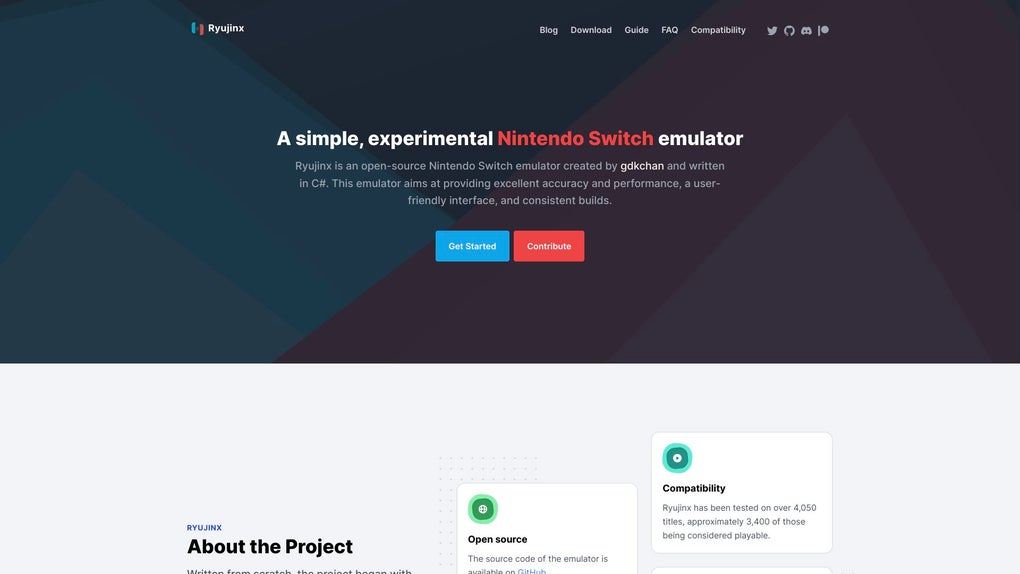
Ryujinx is an open-source Nintendo Switch emulator designed for macOS, offering impressive performance and accuracy in emulating Nintendo Switch games. Developed using C#, this emulator boasts cross-platform compatibility, extending its reach beyond macOS to encompass Windows and Linux operating systems. While Ryujinx provides a compelling solution for playing Nintendo Switch titles on Mac, it’s crucial to acknowledge its demanding system requirements. Game performance is intrinsically linked to compatibility, emphasizing the importance of consulting the official Ryujinx website’s compatibility list before diving into your gaming library. The setup process for adding games requires a degree of technical understanding and patience, but the emulator’s intuitive interface simplifies the overall experience once users grasp the fundamentals. Before embarking on your emulation journey, thorough research on the Ryujinx website is recommended to ensure a smooth and successful experience.
Ryujinx for Mac: Performance and Compatibility
Ryujinx’s success hinges on its ability to accurately replicate the Nintendo Switch’s architecture, allowing users to experience a broad spectrum of Switch games on their macOS devices. This impressive compatibility extends to a significant portion of the Switch’s game library, making it a valuable tool for Mac users who desire access to this extensive collection. However, the performance of individual games varies significantly, reflecting the inherent complexities of emulation. The emulator’s reliance on the host machine’s resources means high-end system specifications are essential for optimal gameplay. A powerful CPU, substantial RAM, and a dedicated graphics card are not mere suggestions but critical components for smooth, lag-free gameplay. Games with demanding graphics or complex physics engines will naturally place a heavier load on the system, potentially leading to reduced frame rates or graphical glitches.
The Ryujinx team consistently updates the emulator, incorporating performance optimizations and enhanced compatibility with newer games. Staying current with the latest releases is highly recommended, as these updates often bring significant improvements in both stability and performance. Monitoring the official website for news and release notes allows users to leverage these optimizations and enhance their gaming experience. While the core emulation engine is meticulously crafted for accuracy, certain titles may still experience performance issues. In these instances, experimenting with different graphics settings and adjusting the emulator’s configuration can help alleviate some of the performance bottlenecks.
Apps and Games: Expanding the Possibilities
Ryujinx itself isn’t just an emulator; it’s a multifaceted application that allows users to navigate and manage their game libraries with surprising ease. The intuitive interface provides a clear pathway for adding games, configuring settings, and managing save files. This simplified approach is a marked improvement over some older emulators, making it more accessible to users unfamiliar with the intricacies of emulation. The addition of games to the Ryujinx library usually involves locating the game files (ROMs), which are obtained independently of the emulator itself. The process typically involves navigating to a specific directory and selecting the game files, allowing Ryujinx to recognize and add them to the game library. The emulator’s internal management system then handles loading and launching the chosen titles.
Beyond simply running games, Ryujinx offers a range of customization options. Users can fine-tune graphics settings to optimize performance or enhance visual fidelity, allowing for a tailored gaming experience. These options range from straightforward adjustments, like resolution scaling, to more advanced configurations affecting shader compilation and texture filtering. While not explicitly designed for casual users, the configurability allows experienced users to meticulously optimize the emulator for specific games, pushing the boundaries of performance and graphical quality. The user’s familiarity with emulation and system configuration will directly influence their ability to fine-tune the experience.
The games themselves are, of course, the core of the Ryujinx experience. The ability to play Nintendo Switch titles on a macOS system opens up a vast library of games, ranging from action-packed adventures to immersive simulations. However, the experience is only as good as the compatibility of the specific games being played. The official compatibility list on the Ryujinx website serves as an invaluable resource, guiding users towards games with high probabilities of successful emulation. This list is constantly evolving, with newer games regularly assessed and their compatibility status updated.
News and Updates: Staying Ahead of the Curve
The active development of Ryujinx is a testament to the commitment of its developers. Regular updates introduce performance enhancements, bug fixes, and compatibility improvements, continually refining the user experience. Staying informed about these updates is crucial for maximizing the emulator’s potential. The official Ryujinx website and associated forums serve as primary channels for the latest news and announcements. These platforms provide access to release notes detailing the specific improvements and changes in each update. Participating in the community forums also enables users to connect with other Ryujinx users, share their experiences, and seek assistance with any technical issues.
Understanding the development process and release cycle of Ryujinx helps users manage expectations and optimize their experience. New releases typically introduce substantial improvements, but they can also introduce unforeseen issues. The community forums often serve as a rapid response system, with developers and users collaboratively troubleshooting and addressing issues as they emerge. This dynamic community fosters a supportive environment where users can learn from each other and benefit from collective knowledge. Regularly checking the official website and engaging with the community forums ensures users remain up-to-date on the latest developments and can take full advantage of the emulator’s capabilities.
Ryujinx for Business: Exploring Potential Applications
While Ryujinx is primarily known as a gaming emulator, its potential applications extend beyond personal entertainment. Its capabilities could be leveraged in specific business contexts, particularly those involving game development, testing, and analysis. For instance, game developers could utilize Ryujinx to test their games’ compatibility and performance across different hardware configurations before releasing them on the Nintendo Switch. This allows for early identification and resolution of potential issues, ultimately improving the quality of the final product.
Furthermore, Ryujinx could play a role in game analysis and research. By emulating game environments, researchers could study gameplay mechanics, player behavior, and other relevant aspects. This could lead to valuable insights for game designers and marketers, allowing for better-informed decisions during the game development and marketing phases. However, it’s critical to remember that using Ryujinx for commercial purposes should always adhere to the legal rights associated with the games being emulated. Unauthorized use of copyrighted material remains strictly prohibited, and any commercial applications should align with applicable copyright laws and licensing agreements.
Mac Compatibility and System Requirements
Ryujinx’s compatibility with macOS is a key selling point, offering a viable alternative for Mac users looking to access the vast Nintendo Switch game library. However, it’s crucial to understand that emulating a console as complex as the Nintendo Switch is computationally intensive. This means Ryujinx demands significant system resources, and performance will vary depending on the user’s hardware specifications. A high-end Mac system with a powerful processor (CPU), ample RAM, and a dedicated, high-performance graphics card (GPU) is necessary for optimal performance. Budget-friendly Macs or those with outdated components may struggle to run demanding games smoothly.
The specific system requirements are not fixed, as game performance varies greatly depending on the complexity of the individual game. However, a general guideline would involve at least a high-end Intel processor or an equivalent Apple Silicon chip, a minimum of 16GB of RAM (although 32GB is recommended for smoother performance), and a dedicated GPU with substantial VRAM. Users should check the Ryujinx website for the most up-to-date and game-specific recommendations before attempting to emulate any titles. Ignoring these recommendations can lead to frustrating performance issues, such as slowdowns, stuttering, and graphical glitches. The official Ryujinx website offers a detailed breakdown of recommended system configurations and provides guidance on optimizing settings for better performance.
Frequently Asked Questions (FAQs)
This section addresses common questions users have regarding Ryujinx:
Where can I find the official steps for adding games? The official Ryujinx website provides detailed instructions and tutorials on adding games to your library. These instructions often include videos and step-by-step guides.
Does the application run on macOS devices? Yes, Ryujinx is designed to run on macOS, but requires a sufficiently powerful system to ensure optimal performance.
Which settings help boost performance on macOS? Various settings can impact performance. Experimenting with reduced resolution, lower graphical details, and adjusting shader compilation settings can improve performance. The Ryujinx website provides a comprehensive guide to these settings.
Can I remove the emulators that were packaged with individual games? No, Ryujinx does not package emulators with individual games. Ryujinx itself is the emulator, and game-specific data is loaded and managed within the emulator’s interface.
Where are my save files and how can I keep them? Ryujinx save files are typically stored in a dedicated folder within the Ryujinx application directory. Regular backups are recommended to prevent data loss.
How do I add games to the library after consolidation? After consolidating your game library, the process of adding new games usually remains the same; you navigate to the game files and use the Ryujinx interface to add them.
Where in the emulator can I toggle motion controls? Motion control options are typically found within the game’s individual settings or configuration menus within Ryujinx.
Does this emulator officially support piracy? No, Ryujinx itself does not support piracy. Using the emulator to play games you don’t legally own is a violation of copyright law. It is crucial to only use legally acquired game ROMs with Ryujinx.
File Information
- License: “Free”
- Latest update: “June 12, 2025”
- Platform: “Mac”
- OS: “macOS 10.15”
- Language: “English”
- Downloads: “11.8K”


