
Safe Exam Browser (SEB) is a free, open-source software application designed to create a secure environment for conducting online examinations and assessments. It transforms a standard computer into a locked-down workstation, restricting access to various resources and functionalities to prevent cheating and ensure the integrity of the assessment process. Developed by Educational Development and Technology (LET) and ETH Zurich, SEB has become a widely adopted tool in educational institutions worldwide, providing a robust and reliable solution for online testing. This comprehensive guide will explore the functionalities, features, and advantages of Safe Exam Browser, focusing particularly on its Windows implementation.
SEB’s Core Functionality and Components
At its core, SEB functions as a highly secure web browser environment. It achieves this security through a combination of features designed to restrict access to potentially compromising resources and functionalities. These restrictions are crucial in creating a fair and reliable online testing environment, particularly in unsupervised settings where students may be tempted to cheat. The software accomplishes this by limiting access to external websites, applications, system functions, and other potentially disruptive elements.
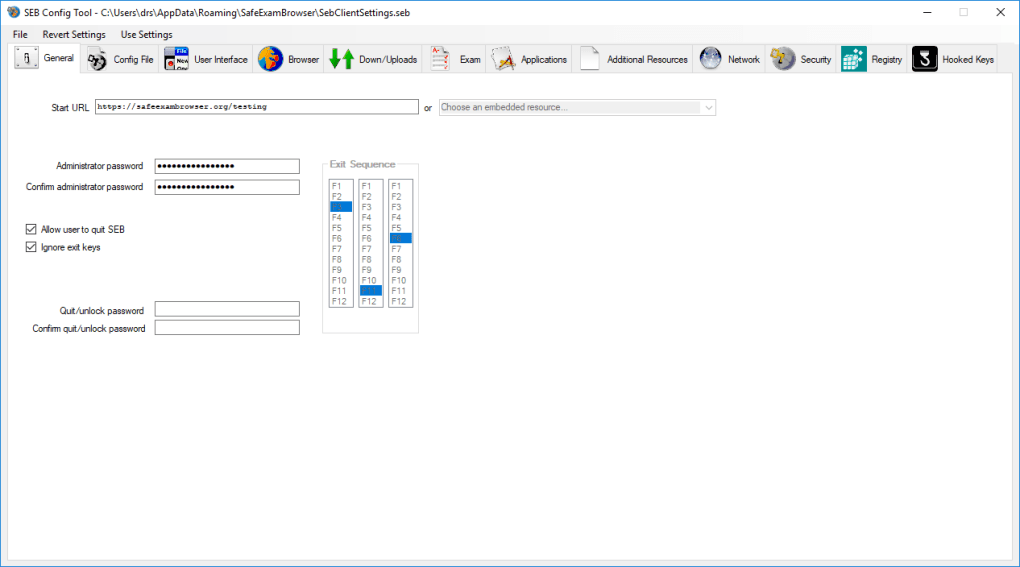
The software comprises three primary components:
-
Browser Interface: This component provides the user interface for accessing the online exam. It directly connects to the Learning Management System (LMS) hosting the examination, displaying the exam content within a restricted browsing environment. Crucially, this interface lacks standard navigation features such as an address bar, search engine, and other elements that could facilitate cheating. The specific browser engine utilized varies depending on the operating system: the Windows version traditionally employs the Mozilla Gecko engine (through XULRunner or Firefox), while the macOS and iOS versions use the WebKit engine.
-
Kiosk Application (Windows): This is a standalone application specific to the Windows version of SEB. It creates a locked-down desktop environment, disabling various system functions and keyboard shortcuts that could be exploited to access unauthorized resources. The kiosk application prevents access to the standard operating system, effectively isolating the user to the Safe Exam Browser itself. This provides an additional layer of security, especially on shared or publicly accessible computers.
-
Communication with the LMS: SEB interacts directly with the learning management system via a pre-configured URL. This connection is typically established over a local area network (LAN) or the internet. The software’s design relies on the secure integration with the LMS’s quiz module, leveraging plugins or extensions to facilitate seamless communication and prevent unauthorized access to assessment materials. This integration is crucial, as it enables the LMS to authenticate the user, verify the integrity of the SEB version being used, and monitor exam progress. This ensures that only the approved version of the SEB is used and that the exam parameters are correctly implemented.
Compatibility and Integration with Learning Management Systems
SEB boasts broad compatibility with a range of widely used learning management systems. Popular platforms like Moodle, ILIAS, and OpenOLAT frequently support SEB integration, offering seamless compatibility for conducting secure online assessments. This compatibility extends to the quiz modules within these LMS platforms. The software often employs skins or extensions within the LMS to provide a streamlined interface, restricting access to non-essential functionalities and focusing solely on exam navigation and question interaction.
Earlier versions required the separate installation of SEB and LMS extensions to establish this connectivity. However, modern versions of SEB are integrated more directly into the latest versions of popular LMSs, simplifying the setup and installation process. This streamlined integration is a significant improvement for administrators, reducing the technical complexity of implementing and managing secure online assessments.
Security Features and Customization
One of SEB’s most significant strengths lies in its robust security features. The software provides a highly secure testing environment through several mechanisms:
-
Restricted Access: SEB restricts access to virtually all system functions, applications, and websites outside of the designated exam environment. This includes blocking access to system settings, file explorers, task managers, and other potentially exploitable functionalities.
-
Authentication: The LMS can verify the integrity of the SEB installation and the accuracy of exam settings through a comprehensive authentication process. This prevents unauthorized changes to the examination parameters, ensuring fairness and security.
-
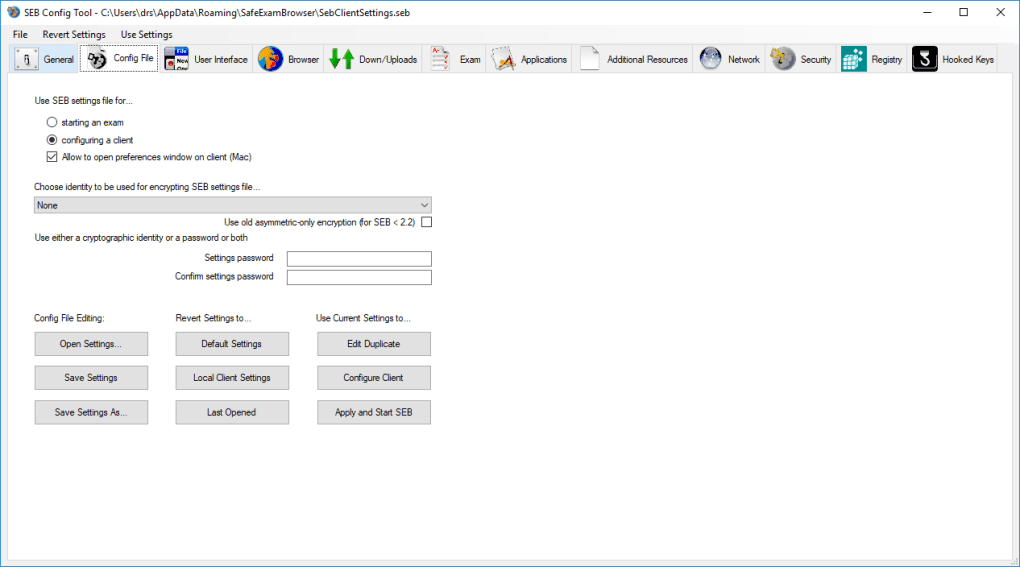
Customizable Configuration: SEB allows for customized configuration for each exam. This enables administrators to fine-tune the security parameters to meet the specific requirements of each assessment. Exam settings can be tailored to accommodate various levels of security and access restrictions.
-
High-End Encryption: The software utilizes encryption protocols to protect the exam content and communication between the client and server, ensuring confidentiality and integrity.
-
Operating System Compatibility: SEB is available for multiple operating systems, including Windows, macOS, and iOS. Although the implementation details differ across these operating systems, the core security features remain consistent, providing a consistent and reliable exam experience across different platforms.
-
Uniform Platform (Latest Versions): The latest versions of SEB represent a unified platform. This means there is a higher level of consistency in features and configurations across different operating systems. This contributes to streamlined administration and simplifies the management of online exams across different student devices.
SEB for Windows: A Detailed Look
The Windows version of SEB employs a two-component architecture: the kiosk application and the integrated Firefox browser (running in XUL runtime mode). The kiosk application is responsible for creating the secure desktop environment, disabling system commands, keyboard shortcuts, and right-click functionalities. This creates a highly restricted environment, effectively isolating the exam from external interference.
The Firefox browser (or, in older versions, XULRunner) then provides the interface for accessing the online exam. This browser interface is stripped down, lacking standard navigation elements like a URL bar and search functionality, further enhancing security. The browser connects directly to the LMS using a pre-configured URL, launching the designated exam directly without any ability for the user to navigate elsewhere.
SEB for macOS and iOS: A Monolithic Approach
In contrast to the two-component architecture of the Windows version, the macOS and iOS versions of SEB are monolithic applications. They integrate the browser engine directly into the application, rather than relying on a separate browser runtime environment. This utilizes the WebKit engine, common to Safari and other web browsers, providing a consistent rendering experience. The core security and functionality remain the same, with restricted access to other applications and system functions, direct communication with the LMS, and a stripped-down browser interface.
Advantages and Disadvantages of Safe Exam Browser
Advantages:
- Enhanced Security: Provides a highly secure environment for online examinations, minimizing the potential for cheating.
- Wide Compatibility: Works with many popular learning management systems.
- Easy to Use: The user interface is simple and intuitive, requiring minimal technical knowledge from both administrators and students.
- Cross-Platform Support: Available for Windows, macOS, and iOS, ensuring broad accessibility.
- Free and Open Source: Available free of charge, fostering widespread adoption and community support.
- Customizable Configuration: Allows for flexible customization to meet specific exam requirements.
Disadvantages:
- Manual Configuration: Requires some degree of manual configuration, which may present a challenge for users with limited technical expertise. While the process is generally straightforward, initial setup may require some attention to detail.
- Dependence on LMS Integration: The software’s effectiveness relies heavily on proper integration with the learning management system. Any issues with the LMS integration can directly impact the functionality of SEB.
- Limited Browser Functionality: The stripped-down browser interface may present usability challenges for students accustomed to more feature-rich browsers.
Conclusion
Safe Exam Browser offers a robust and reliable solution for conducting secure online assessments. Its comprehensive security features, wide compatibility, and cross-platform support make it a valuable tool for educational institutions and organizations seeking to ensure the integrity of online examinations. While some manual configuration is required, the benefits of enhanced security and fairness significantly outweigh the drawbacks, making SEB a strong choice for online assessment needs. Continuous updates and improvements further solidify its position as a leading solution in this critical area of online education and assessment.
File Information
- License: “Free”
- Latest update: “April 30, 2025”
- Platform: “Windows”
- OS: “Windows 8.1”
- Language: “English”
- Downloads: “89.9K”
- Size: “324.25 MB”


