
Samsung Game Launcher is a free application designed to optimize the mobile gaming experience on compatible Samsung devices. It acts as a central hub, providing a suite of tools aimed at improving performance, managing notifications, and enhancing overall gameplay. This detailed review explores the features, benefits, and limitations of this handy utility.
Core Features and Functionality
The primary function of Samsung Game Launcher is to streamline and improve mobile gaming. This is achieved through a collection of features that address common frustrations encountered while playing games on smartphones. These features can significantly enhance the user experience, transforming the device into a more dedicated and efficient gaming platform.
One of the key features is the ability to adjust game resolution. By lowering the resolution, users can conserve battery life, a crucial factor for extended gaming sessions. This is particularly useful for power-hungry games that tend to drain battery quickly. The app allows for fine-grained control over the visual fidelity, allowing for a balance between performance and visual quality.
Another significant feature is the ability to record in-game footage. This function allows gamers to capture their gameplay and share it with others, facilitating content creation and community engagement. This built-in screen recording capability eliminates the need for third-party apps, streamlining the process. The recording options are usually customizable, enabling users to adjust video quality and resolution to suit their needs and device capabilities.
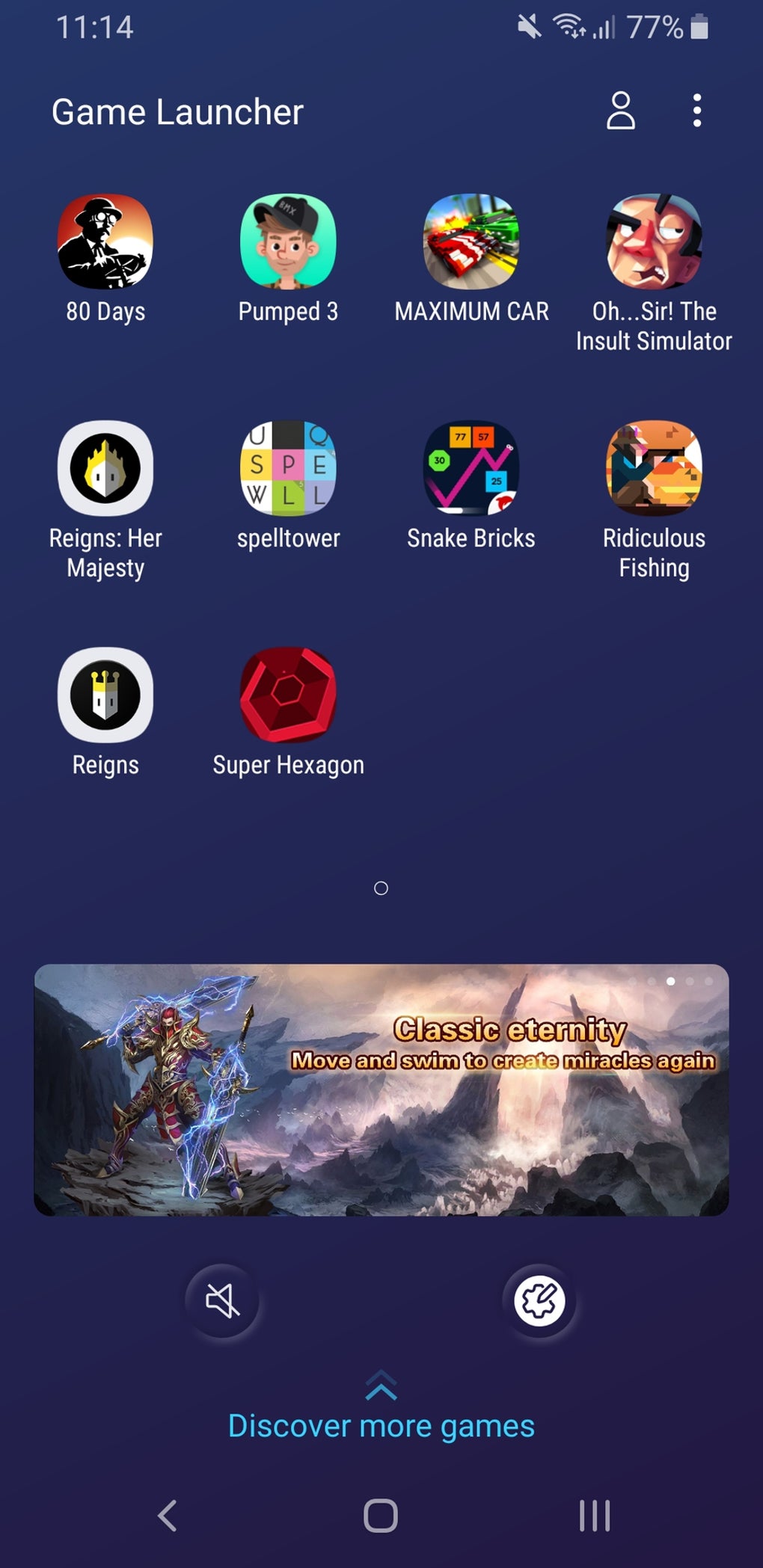
Furthermore, Samsung Game Launcher offers a game-specific notification management system. It allows users to easily mute or disable notifications from other applications while playing games, eliminating distractions and ensuring uninterrupted gameplay. This feature is immensely helpful, particularly for games requiring focus and precise timing.
To improve gameplay control, key locking is available. This prevents accidental touches and inputs during gameplay, thereby improving the gaming experience. The accidental triggering of functions while playing games is a common nuisance, and the key locking feature in Samsung Game Launcher solves this effectively.
Beyond these core functions, the app often integrates with other Samsung services and features, enhancing the overall user experience within the Samsung ecosystem. This integration can provide benefits like optimized game performance based on device capabilities and access to exclusive game-related content.
User Interface and Experience
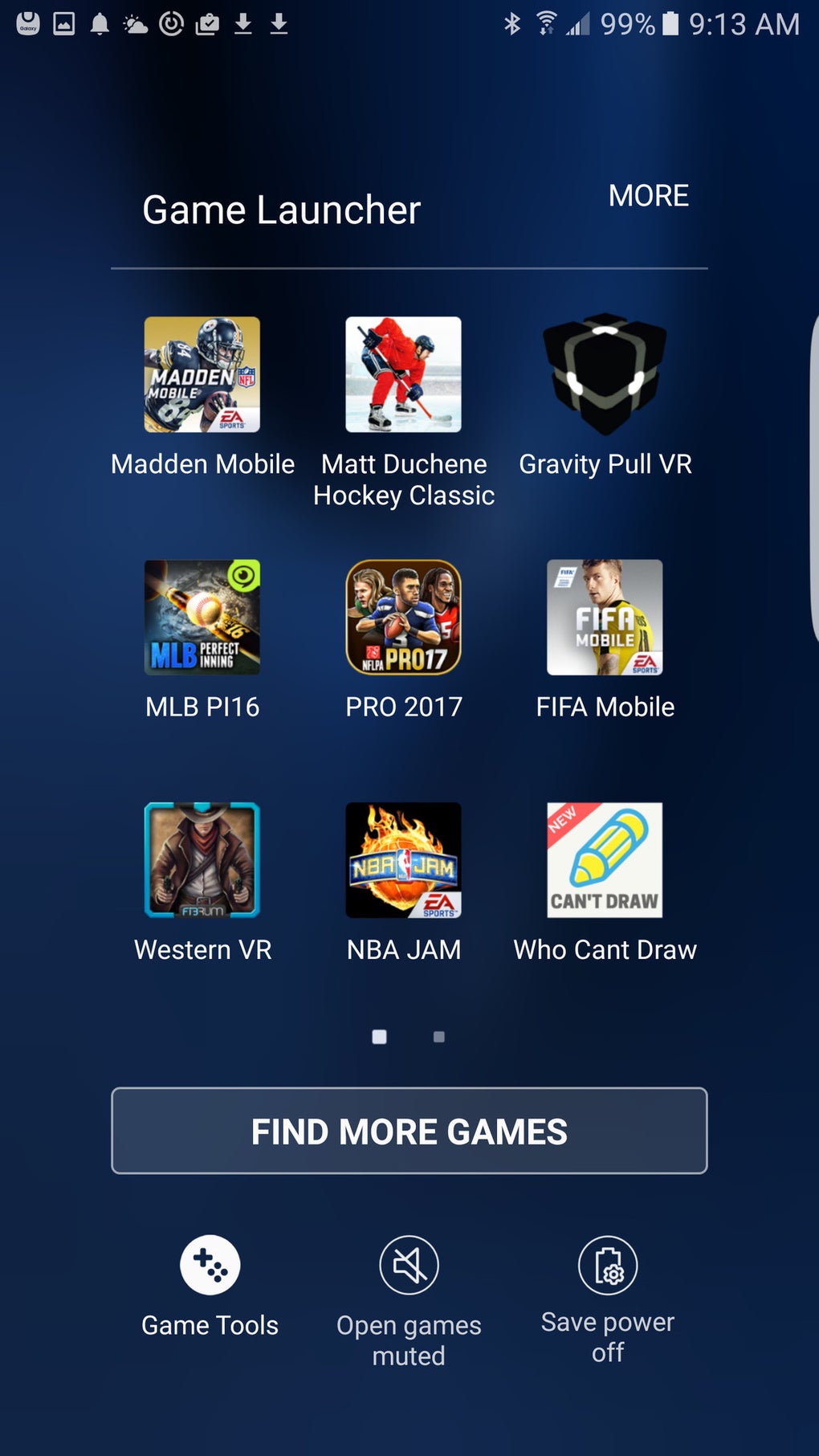
The user interface of Samsung Game Launcher is generally straightforward and intuitive, though some users have reported a lack of visual appeal. While the functionality is readily accessible, the design is arguably somewhat bland and uninspired compared to some more visually engaging gaming applications. However, the priority appears to be on ease of use and functionality rather than aesthetics. The clear layout prioritizes ease of access to core functions, facilitating quick adjustments and control over in-game settings.
The app’s ease of use is one of its major strengths. Navigating through the different options and customizing settings is generally straightforward. Even users unfamiliar with similar gaming optimization tools should find the app relatively user-friendly.
Compatibility and Device Limitations
While Samsung Game Launcher is designed for Samsung devices, its compatibility isn’t universal. It only works on specific Samsung phones and tablets, usually those running a minimum specific version of Android and featuring the necessary hardware capabilities. The app’s description or website should clearly specify the compatible device models. Checking for compatibility before installing is always advisable to avoid disappointment. This limitation naturally restricts the potential user base to only those owning compatible Samsung devices.
Advantages and Disadvantages
Advantages:
- Enhanced gaming experience: The combination of features such as resolution adjustment, screen recording, notification management, and key locking considerably improves the mobile gaming experience.
- Battery life optimization: Adjusting game resolution and managing background processes directly contributes to extended battery life, a significant advantage for prolonged gaming sessions.
- Seamless integration: The app often integrates smoothly with other Samsung services, offering a cohesive user experience within the Samsung ecosystem.
- Ease of use: The intuitive interface makes the app user-friendly, even for those new to such optimization tools.
- Free to use: The application is readily available at no cost, making it accessible to a wide range of users.
Disadvantages:
- Limited compatibility: The app’s functionality is restricted to certain Samsung devices, excluding a significant portion of Android users.
- Bland interface: The user interface is functional but lacks visual appeal, which may be a drawback for users who appreciate visually engaging apps.
- Learning curve for some features: Some advanced features might require a small learning curve for new users to fully understand and utilize effectively.
- Useless without gaming: The app is essentially redundant for users who don’t frequently play games on their Samsung devices. It offers limited value outside of its gaming-specific features.
Alternatives to Samsung Game Launcher
Several alternative applications offer similar functionality for Android devices, some of which may provide broader compatibility or additional features. These include:
- Xiaomi Game Turbo: A similar app developed for Xiaomi smartphones that offers comparable features such as game optimization, performance enhancements, and notification control.
- Oppo Game Space: A dedicated game optimization tool developed by Oppo for their devices. It often includes similar features to Samsung Game Launcher.
- Other game boosters: Numerous third-party applications provide similar functions for broader compatibility across various Android devices. However, these third-party options may carry potential security risks or come with intrusive advertisements. Using reputable and established applications is crucial to minimize these risks.
Conclusion
Samsung Game Launcher provides a valuable set of tools for enhancing the mobile gaming experience on compatible Samsung devices. The combined benefits of performance optimization, notification management, and screen recording make it a useful utility for dedicated mobile gamers. However, its limited compatibility and somewhat bland interface are noteworthy drawbacks. Users should carefully consider their needs and device compatibility before deciding whether this application aligns with their gaming preferences. Alternative applications may be more suitable for users with non-Samsung devices or those seeking additional functionalities beyond those offered by Samsung Game Launcher. Ultimately, the effectiveness of Samsung Game Launcher depends heavily on the individual user’s gaming habits and device.
File Information
- License: “Free”
- Latest update: “May 24, 2023”
- Platform: “Android”
- OS: “Android 8.0”
- Language: “English”
- Downloads: “561K”
- Size: “17.55 MB”
- Download Options: “APK, Google Play”
- Filename: “samsung-game-launcher-6-0-07-6.apk”


