
Samsung Notes is a versatile mobile application designed for both personal and professional use. This powerful note-taking tool goes beyond simple text entry, offering a rich feature set that caters to diverse needs, from quick memos to elaborate creative projects. Developed by Samsung Electronics Co., Ltd., Samsung Notes is a free application available on Android and other platforms, seamlessly integrating into the Samsung ecosystem while maintaining broad accessibility. This review will delve into its features, usability, pros and cons, and compare it to similar note-taking applications.
Core Features and Functionality
At its heart, Samsung Notes functions as a robust note-taking application. Users can easily create notes using a variety of input methods, including typing on a keyboard, handwriting using a stylus or finger, drawing with various brush styles and colors, inserting images, and even incorporating voice recordings. This multifaceted approach ensures that users can capture information in their preferred method, making it adaptable for different situations and personal preferences.
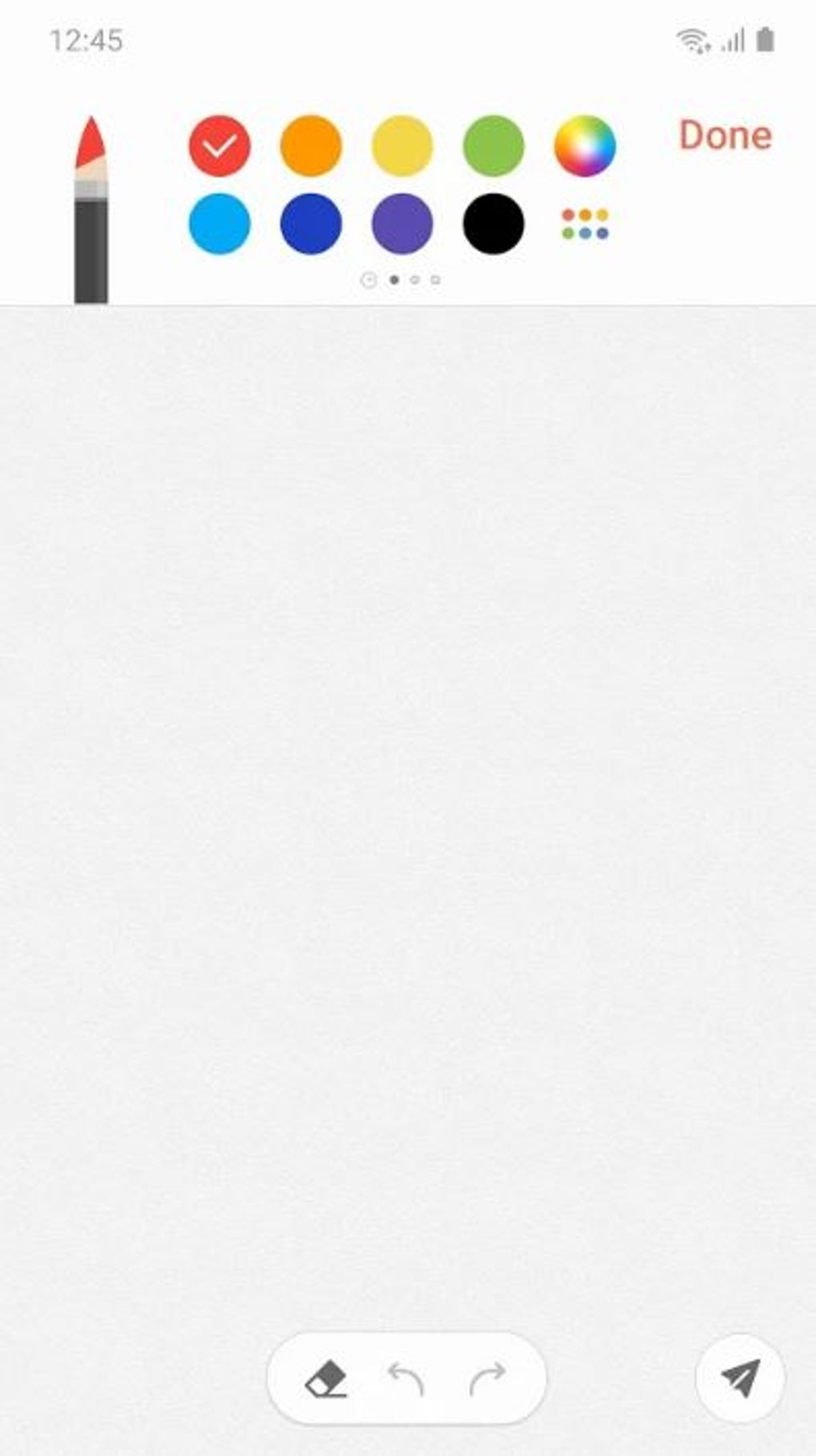
The application’s interface is intuitive and user-friendly, even for those unfamiliar with note-taking apps. The main screen provides quick access to the core features: keyboard input, handwriting tools, drawing tools, image insertion, and voice recording. This straightforward layout minimizes the learning curve and allows users to immediately begin creating notes. The top of the screen displays icons for quick access to these features, further enhancing ease of use.
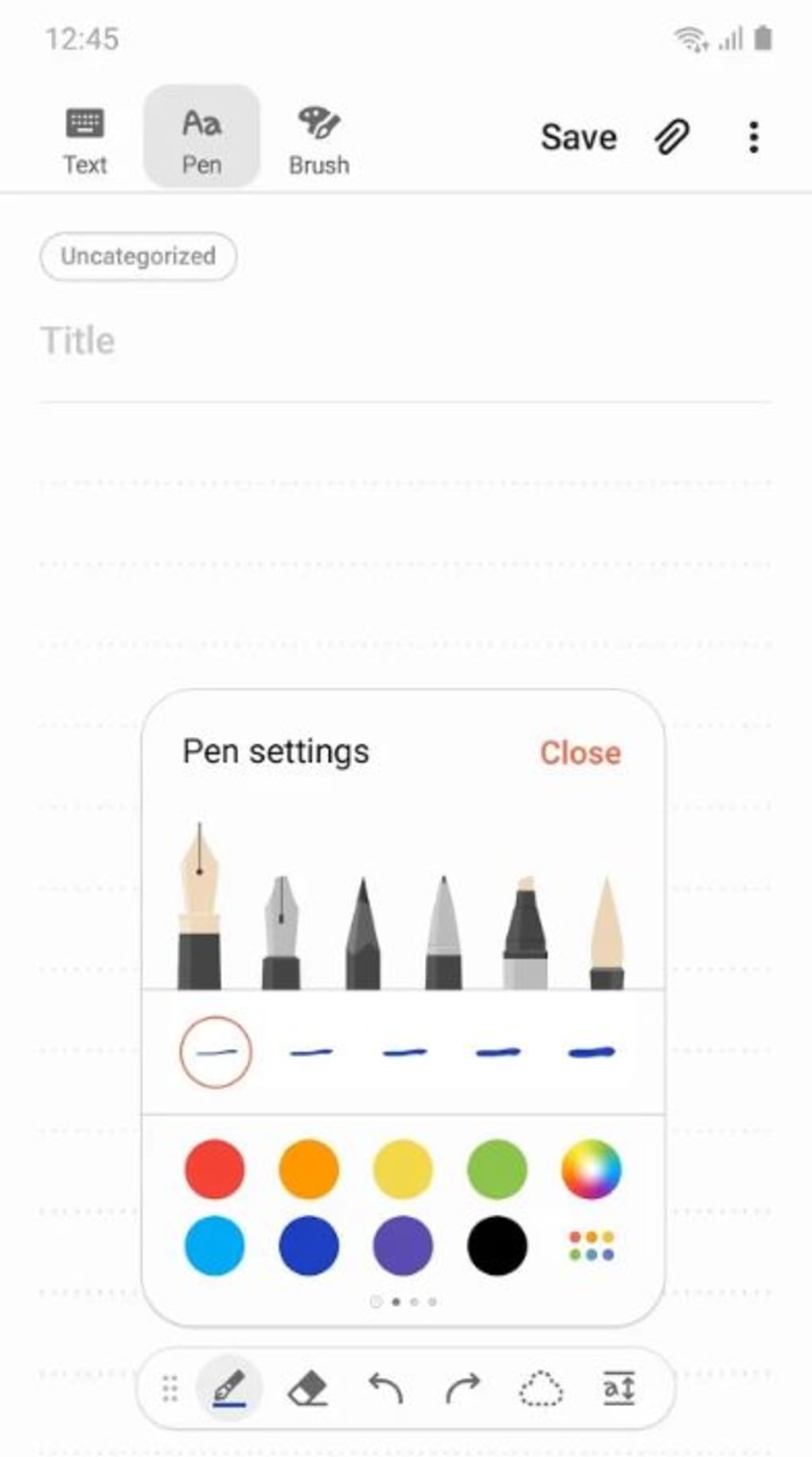
Beyond basic note-taking, Samsung Notes provides several advanced features that distinguish it from simpler applications. Users can customize the appearance of their notes by selecting from a variety of pen and brush types, adjusting their size and color. A built-in color mixer allows for even more nuanced control over the visual aspects of notes, making it suitable for sketching and drawing. The inclusion of an eraser tool allows for precise editing of handwritten notes, while a selection tool provides the ability to move, resize, and manipulate individual elements within a note.
Organization and Management of Notes
Samsung Notes offers robust features for organizing and managing notes. Users can create folders to categorize their notes, making it easy to locate specific information within a large collection. The app also supports tagging, enabling efficient searching and filtering of notes based on keywords or topics. This organized approach is crucial for maintaining productivity and preventing information overload.
For users invested in the Samsung ecosystem, Samsung Notes provides seamless integration with Samsung Cloud. This allows for automatic synchronization of notes across multiple devices, ensuring that users always have access to their information regardless of the device they are using. This feature is especially valuable for those who use multiple Samsung devices, such as smartphones, tablets, and computers.
Importing and Exporting Data
Samsung Notes allows for the import of notes from other note-taking applications, specifically S Note and Memo. This feature facilitates a smooth transition for users migrating from older Samsung applications or other note-taking platforms. The import process is straightforward, and the app is designed to handle the transfer of data with minimal disruption.
Data export is also supported, enabling users to back up their notes or transfer them to other applications or platforms. This capability is essential for maintaining data security and facilitating portability.
Security and Privacy Features
Understanding the importance of data security, Samsung Notes offers a note locking feature. Users can set a password to protect sensitive notes, ensuring that only authorized individuals can access them. This security feature adds an extra layer of protection for confidential information. The password protection mechanism is simple yet effective, enhancing the privacy of users’ notes.
Furthermore, the integration with Samsung Cloud provides an additional level of data security, as notes are backed up to Samsung’s secure servers. This ensures that even if a device is lost or damaged, the user’s notes can be recovered.
Creative Capabilities and Beyond Basic Note-Taking
Samsung Notes transcends the limitations of a typical note-taking app by enabling users to create visually appealing and expressive notes. The incorporation of advanced drawing features transforms it into a versatile digital sketching platform. Users can freely doodle, create illustrations, or even design more intricate artwork. The ability to incorporate images, voice recordings, and music enhances the richness of notes, making them more memorable and engaging. The combination of text, images, audio, and hand-drawn elements provides unique possibilities for creativity and personalized note-taking.
Sharing is made easy via social media platforms, allowing the quick and simple distribution of creations and notes to friends, colleagues, or online communities. For artists, sketches can be instantly shared via PEN.UP, a platform specifically designed for artwork distribution and engagement.
Comparison with Other Note-Taking Apps
While Samsung Notes offers a comprehensive feature set, it’s essential to compare it to competing applications. Several popular note-taking apps offer similar functionalities, but Samsung Notes stands out through its seamless integration with the Samsung ecosystem and its unique emphasis on both productivity and creative expression. For users deeply embedded in the Samsung environment, the synchronization and import/export options with other Samsung applications are significant advantages. The creative capabilities and robust artistic tools also differentiate it from some competitors that focus primarily on text-based notes.

However, apps like Evernote or OneNote offer superior organizational features, cross-platform compatibility, and advanced search functionalities. These alternatives might be preferred by users who prioritize highly structured note management and cross-device accessibility beyond the Samsung ecosystem. Ultimately, the best choice depends on individual needs and preferences.
Pros and Cons of Samsung Notes
Pros:
- Feature-rich: Combines basic note-taking with advanced drawing and creative tools.
- Intuitive interface: Easy to learn and use, regardless of prior experience with note-taking apps.
- Seamless Samsung integration: Smooth synchronization and data transfer within the Samsung ecosystem.
- Customizable: Extensive options for pen/brush styles, colors, and note organization.
- Free: Accessible to a wide range of users without any cost.
- Security features: Offers note locking for added privacy and data protection.
- Creative potential: Enables users to create visually rich and engaging notes.
Cons:
- Limited cross-platform compatibility: Primarily optimized for Samsung devices, with less seamless integration with other platforms.
- Some hidden features may be difficult to find: The abundance of features might lead to some difficulty in initially discovering less obvious functionalities.
- Dependence on Samsung ecosystem: The full range of benefits is best realized within the Samsung environment.
Conclusion
Samsung Notes provides a powerful and versatile solution for note-taking and creative expression. Its intuitive interface, rich feature set, and seamless integration with Samsung devices make it a strong contender in the crowded field of note-taking applications. While it might not be the perfect choice for users seeking extensive cross-platform compatibility or highly specialized organizational tools, it excels in its combination of productivity and creativity. The inclusion of both straightforward note-taking features and advanced artistic capabilities makes it suitable for a wide range of users, from students and professionals to artists and casual users. Its free availability further enhances its appeal, providing a compelling option for those seeking a versatile and powerful note-taking experience.
File Information
- License: “Free”
- Latest update: “May 5, 2025”
- Platform: “Android”
- OS: “Android 13.0”
- Downloads: “54.3K”
- Download Options: “Google Play”


