
Samsung Smart Switch Mobile is a free Android application designed to simplify the process of transferring data from an old device to a new Samsung Galaxy phone. This intuitive application streamlines the migration of your personal content and settings, ensuring a smooth transition to your new device. Whether you’re upgrading from an older Samsung phone, switching from an iOS or Blackberry device, or even migrating from another Android phone, Smart Switch Mobile offers a comprehensive and user-friendly solution. This in-depth guide will explore the features, functionalities, and benefits of Samsung Smart Switch Mobile, providing a clear understanding of how it simplifies the often-daunting task of data transfer.
Effortless Data Transfer: Contacts, Photos, and More
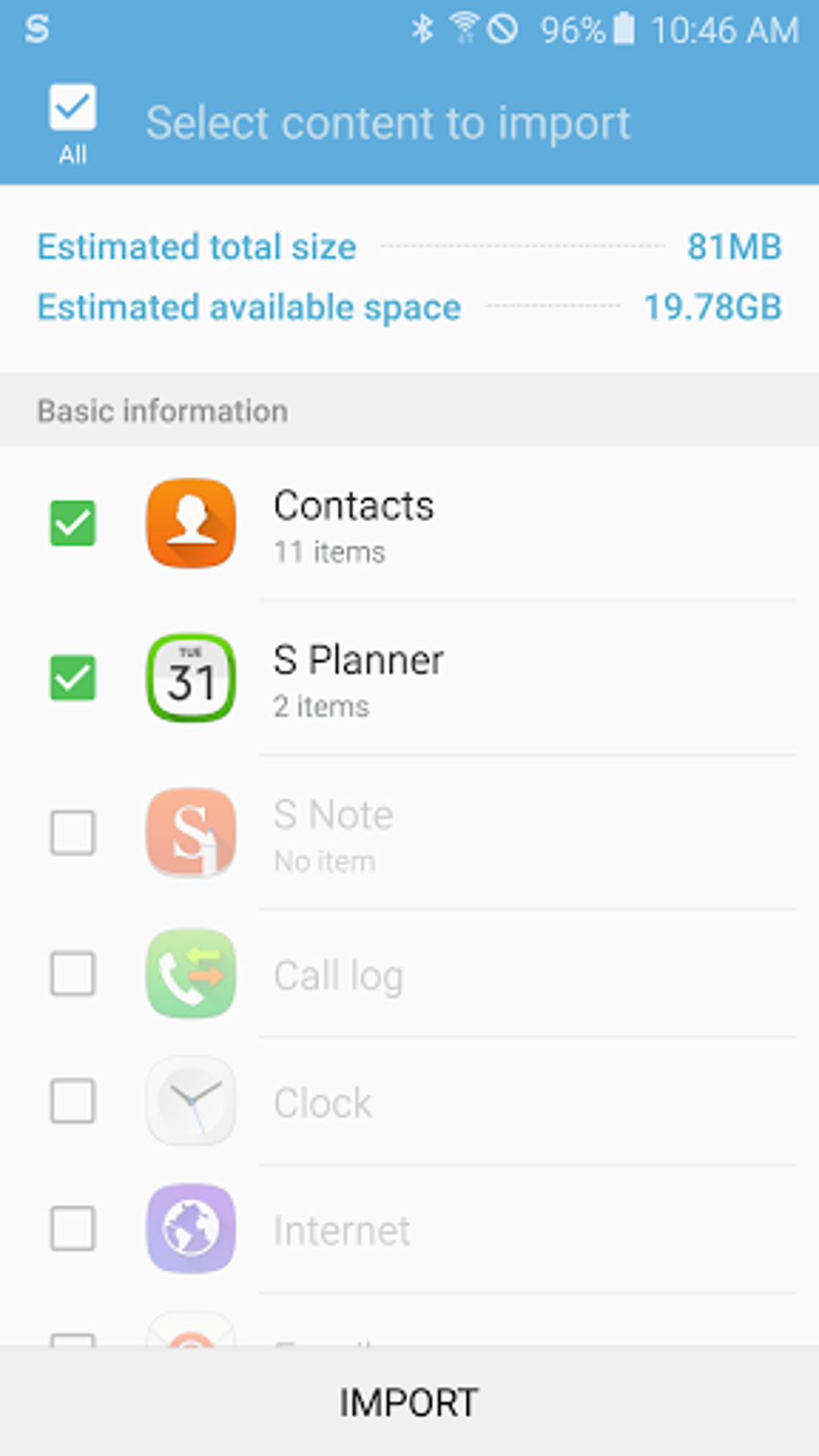
One of the primary advantages of Samsung Smart Switch Mobile is its ability to seamlessly transfer a wide range of data types. This includes, but is not limited to:
-
Contacts: Effortlessly migrate your entire contact list, complete with details such as phone numbers, email addresses, and physical addresses. The app ensures that your contact folders and organization are maintained during the transfer, preserving your established structure.
-
Photos and Videos: Transfer your treasured memories from your camera roll and image galleries. The app handles large media libraries efficiently, preserving image quality and metadata.
-
Calendar Entries: Keep your schedule intact. Samsung Smart Switch Mobile transfers your calendar events, appointments, reminders, and deadlines to your new device, ensuring you don’t miss a beat.
-
Messages: Preserve your important text conversations. The application transfers your message archives, allowing you to pick up where you left off without losing any valuable communication history.
-
Applications: While the app doesn’t directly transfer applications, it provides suggestions for alternative applications compatible with your new device if your old apps are not supported. This feature is particularly useful for users concerned about app compatibility during device changes.
The transfer process is designed to be user-friendly, providing clear on-screen instructions throughout. The app guides you through each step, minimizing the chances of error and ensuring a successful data migration. This user-centered approach significantly reduces the stress associated with transferring data, making the entire process manageable and straightforward.
Beyond the Basics: Flexibility and Customization
Samsung Smart Switch Mobile offers more than just basic data transfer. The app provides considerable flexibility and control over the transfer process, allowing users to customize their migration to their specific needs. This level of control empowers users to select precisely which data they want to transfer, offering the option to streamline the process by omitting unwanted or unnecessary files. This selective transfer feature is particularly useful for users who want to declutter and optimize their new device’s performance by only transferring essential data.
The app supports both wireless and wired connections, providing users with multiple options depending on their preferences and device capabilities. A wireless connection is convenient for ease of use, while a wired connection offers a faster and potentially more reliable transfer, especially for larger data sets. This flexibility caters to various user scenarios and connectivity options.
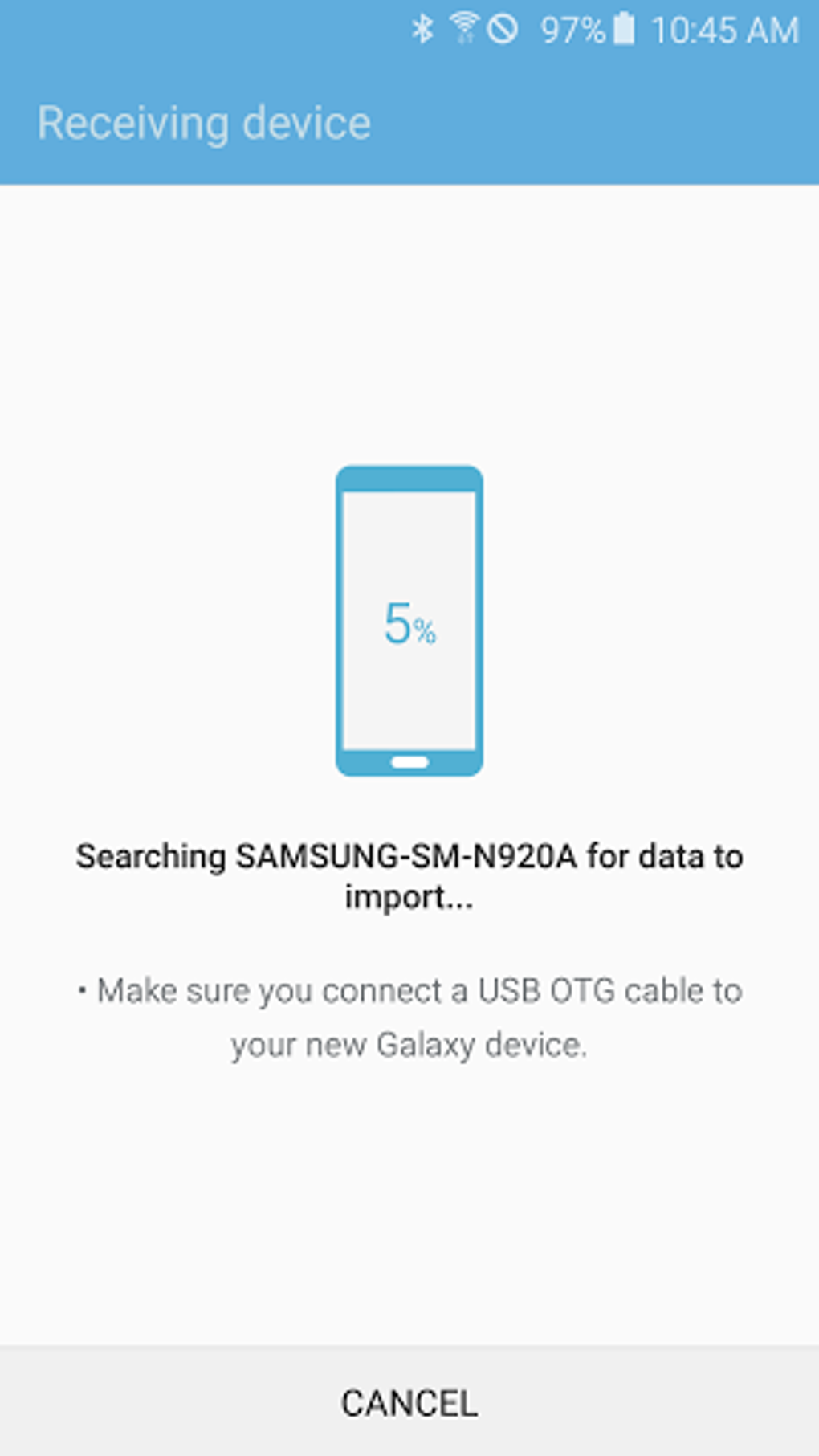
Furthermore, Samsung Smart Switch Mobile supports data transfer from a variety of devices, including:
-
iOS devices (iPhones, iPads): Transfer your data from your Apple device to your Samsung Galaxy without losing crucial information.
-
BlackBerry devices: Seamlessly move your data from your Blackberry device to your new Samsung phone.
- Android devices: Transfer data between different Android devices, simplifying upgrades or device changes within the Android ecosystem.
This broad device compatibility makes Samsung Smart Switch Mobile a versatile tool for a wide range of users, irrespective of their previous device platform.
Data Security and Backup: Peace of Mind
Data security is a paramount concern for any data transfer application, and Samsung Smart Switch Mobile addresses this with careful consideration. The app employs robust security measures to protect your data during the transfer process. While the specifics of these measures aren’t publicly detailed for security reasons, the overall process is designed to safeguard your information.
Additionally, the app offers backup capabilities, enabling users to create backups of their data before commencing the transfer process. This precautionary measure provides an extra layer of security and ensures that your data remains safe even in the event of unexpected issues during the transfer. The backup feature significantly reduces the risk of data loss, offering users peace of mind during the transition to a new device.
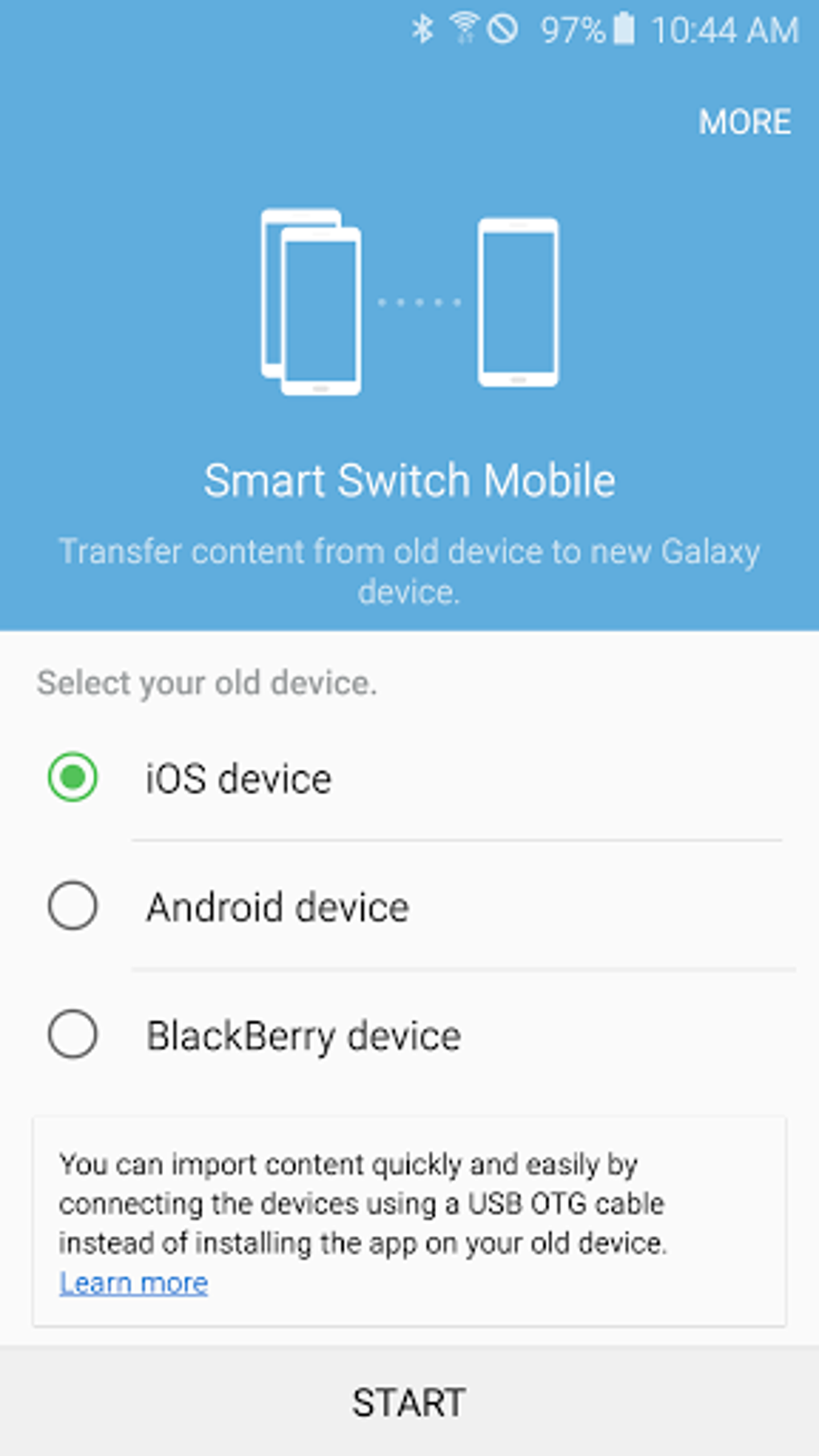
Furthermore, the app provides continuous feedback and progress updates throughout the transfer process. This transparent approach keeps users informed, alleviating anxiety and allowing them to monitor the transfer’s progress. The real-time updates contribute to the overall user-friendly experience by maintaining transparency and accountability.
Finding Alternatives and Optimizing Your New Device
Samsung Smart Switch Mobile doesn’t just focus on transferring data; it also assists users in optimizing their new device experience. As mentioned earlier, the app can suggest alternative applications if your preferred apps from your old device aren’t directly compatible with your new Samsung Galaxy.
This feature helps users navigate the app ecosystem of their new device, ensuring they can easily find comparable applications to maintain their workflow and digital lifestyle. The app goes beyond merely transferring data, actively aiding users in adapting to their new device environment.
This proactive approach to app compatibility helps users quickly become comfortable with their new phone, maximizing the benefits of their upgrade.
Conclusion: A Streamlined Mobile Transition
Samsung Smart Switch Mobile provides a comprehensive and user-friendly solution for transferring data to a new Samsung Galaxy phone. Its intuitive interface, broad device compatibility, and robust data security measures make it a valuable tool for anyone upgrading their mobile device. The app’s ability to transfer a wide range of data types, its flexible transfer options, and its focus on user experience contribute to a smooth and stress-free transition to a new device. Whether you’re a seasoned tech user or a first-time smartphone upgrader, Samsung Smart Switch Mobile is a powerful tool that simplifies a complex process, allowing you to seamlessly continue your digital life on your new Samsung Galaxy phone.
File Information
- License: “Free”
- Latest update: “June 14, 2025”
- Platform: “Android”
- OS: “Android 13.0”
- Downloads: “60.5K”
- Size: “40.98 MB”
- Download Options: “Google Play”
- Filename: “com-sec-android-easymover-376504130-70879902-1e47465ee7147477725ff6edd86854c3.apk”


