
Grand Theft Auto: San Andreas, a cornerstone of the open-world gaming landscape, continues to captivate players years after its release. Its vast and detailed map, compelling storyline, and diverse gameplay mechanics have cemented its place in gaming history. However, even the most engaging games can feel repetitive after repeated playthroughs. This is where modding comes in, offering a powerful way to revitalize the experience and explore new possibilities within the game’s framework. The San Andreas Mod Installer significantly simplifies this process, making it accessible to even novice modders. This comprehensive guide explores the San Andreas Mod Installer, its capabilities, and how it transforms the San Andreas experience.
Streamlining the Modding Process: A User-Friendly Approach
Modding games can often feel like navigating a complex maze, requiring technical expertise and patience. The San Andreas Mod Installer, however, cuts through this complexity, providing a user-friendly interface that simplifies the installation of modifications. Instead of manually searching for files, modifying game directories, and risking game instability through improper installation, the installer guides users through each step. It pinpoints the necessary locations within the game’s files, ensuring the seamless integration of mods. This ease of use is a significant advantage, opening the world of modding to a broader audience.
The installer’s intuitive design reduces the technical burden, allowing players to focus on exploring the diverse range of mods available. This user-centric approach is a key strength, making modding accessible to players who may not be comfortable with intricate file manipulation and game modification. The simplified process ensures a smoother, more enjoyable modding experience, fostering creativity and enhancing the longevity of the game.
Expanding the San Andreas Universe: A World of Possibilities
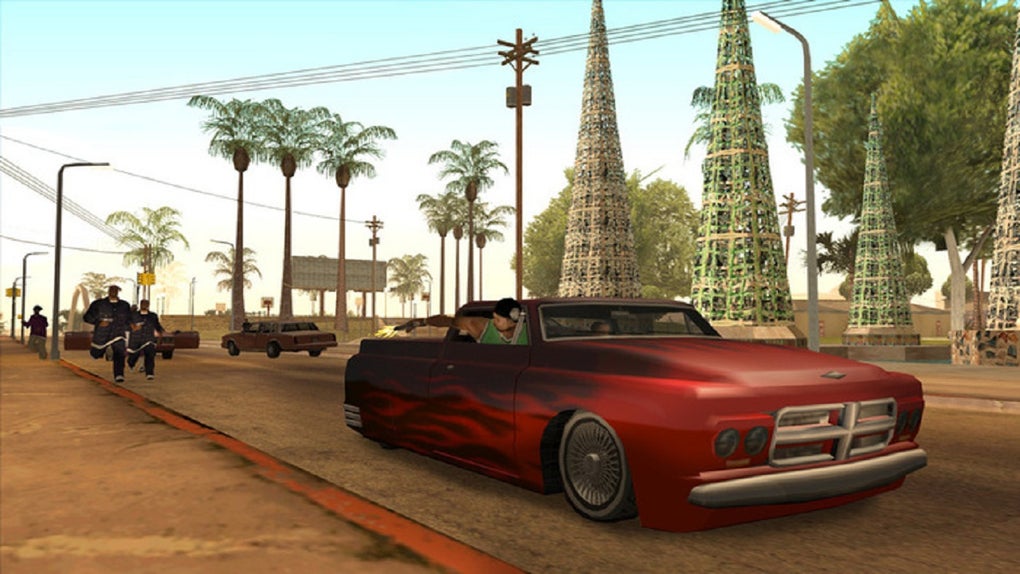
The San Andreas Mod Installer unlocks a vast universe of possibilities, breathing new life into the already expansive world of Grand Theft Auto: San Andreas. The range of modifications available is staggering, encompassing virtually every aspect of the game. Players can add new vehicles, from classic cars to futuristic concepts, transforming the city streets into a diverse and dynamic automotive landscape. New maps dramatically expand the game’s geography, introducing entirely new areas to explore, each with unique features and challenges.
Custom missions introduce fresh storylines and gameplay scenarios, extending the game’s narrative and challenging players with unique objectives. These modifications aren’t limited to just additions; they often enhance existing features, improving graphics, adding realistic physics, or enhancing the overall visual fidelity. The potential for creativity is virtually unlimited, providing a personalized gaming experience unlike any other.
The installer’s ability to handle various types of mods, from simple vehicle replacements to complex map expansions, is a testament to its versatility and power. This comprehensive functionality ensures that players can access a wide range of modifications, tailoring their San Andreas experience to perfectly match their preferences.
Beyond the Basics: Exploring Mod Types and Functionality
The San Andreas Mod Installer isn’t confined to basic modifications. Its compatibility extends to a wide spectrum of mod types, enriching various aspects of the gameplay.
-
Vehicle Mods: This is perhaps the most popular category of San Andreas modifications. New vehicles, ranging from classic muscle cars to futuristic spacecraft, are readily available. These mods often replace existing vehicles or add entirely new ones, creating a diverse and engaging driving experience. Some mods even feature detailed vehicle physics, enhancing the realism and providing a more satisfying driving experience.
-
Map Mods: These mods significantly expand the game’s world, adding new areas, cities, and environments to explore. These new regions often feature unique architecture, terrain, and landmarks, creating a sense of discovery and exploration. Some mods may even integrate these new maps seamlessly into the existing game world, enhancing the overall sense of scale and immersion.
-
Mission Mods: Custom missions inject fresh storylines and gameplay scenarios into the game. These can range from simple side quests to complex, multi-part narratives that challenge players with unique objectives and scenarios. These mods often add new characters, locations, and storylines, expanding the narrative possibilities beyond the original game’s scope.
-
Graphical Enhancements: Mods focusing on visual fidelity can dramatically improve the game’s appearance. These mods may improve textures, lighting, shadows, and other graphical elements, resulting in a more visually stunning and immersive experience. These improvements often enhance the game’s overall atmosphere, making the world of San Andreas even more believable and engaging.
- Gameplay Tweaks: Some mods focus on altering the core gameplay mechanics, providing a more challenging or customized experience. These modifications may increase enemy AI, adjust weapon balances, or introduce new gameplay features. This level of customization allows players to tailor the game to their preferred difficulty and playstyle.
A Seamless Installation Process: Step-by-Step Guide
While the San Andreas Mod Installer simplifies the modding process considerably, understanding the basic steps ensures a smoother installation. Here’s a general overview:
-
Download and Install: Download the San Andreas Mod Installer from a trusted source. Install the program to a location on your hard drive.
-
Locate Game Directory: The installer will prompt you to locate the directory where Grand Theft Auto: San Andreas is installed. Ensure you select the correct directory to avoid conflicts or errors.
-
Select Mods: Browse the available mods and select the ones you wish to install. The installer typically provides information on each mod’s functionality and compatibility.
-
Installation Process: Initiate the installation process, which generally involves extracting the mod files into the appropriate game directory. The installer will guide you through each step and display progress updates.
-
Verification: After the installation is complete, verify the installation by launching Grand Theft Auto: San Andreas and checking if the mods are working correctly. This may involve checking for new vehicles, maps, or missions, depending on the types of mods installed.
-
Troubleshooting: If any issues arise during or after the installation process, consult the installer’s documentation or online resources for troubleshooting guidance. Many common issues have simple solutions, and online communities can provide assistance.
Conclusion: Rekindling the San Andreas Experience
The San Andreas Mod Installer serves as a powerful tool for revitalizing the Grand Theft Auto: San Andreas experience. Its user-friendly interface, coupled with its comprehensive support for various mod types, makes modding accessible to players of all skill levels. Whether you’re a seasoned modder or a newcomer to the world of game modifications, the San Andreas Mod Installer significantly reduces the technical hurdles, allowing you to focus on enhancing and customizing your gameplay. By unleashing the potential of this legendary game, the San Andreas Mod Installer provides a pathway to countless hours of renewed enjoyment and exploration. It’s a testament to the enduring appeal of San Andreas and the power of community-driven content creation, offering a continuously evolving and personalized gaming experience that keeps the game fresh and exciting, years after its original release.
File Information
- License: “Free”
- Version: “1.1”
- Latest update: “December 14, 2018”
- Platform: “Windows”
- OS: “Windows 7”
- Language: “English”
- Downloads: “1.4M”
- Size: “3.70 MB”


