
SAP Lumira is a powerful business intelligence tool designed for efficient data analysis and visualization. Its intuitive drag-and-drop interface allows users of all skill levels to explore complex datasets, uncover hidden trends, and create compelling presentations. While geared towards business professionals, particularly business analysts, its free personal edition makes it accessible to individuals as well. This comprehensive guide delves into the features, capabilities, and overall utility of SAP Lumira.
Understanding SAP Lumira’s Core Functionality
At its heart, SAP Lumira excels at simplifying the process of extracting meaningful insights from large datasets. Its strength lies in its ability to handle massive amounts of data with remarkable speed and efficiency. This capability is crucial in today’s data-driven business environment, where organizations are constantly inundated with information from various sources. Unlike traditional spreadsheet software, which can struggle with substantial datasets, SAP Lumira is optimized for big data processing, allowing users to perform complex calculations and analyses without significant performance lag.
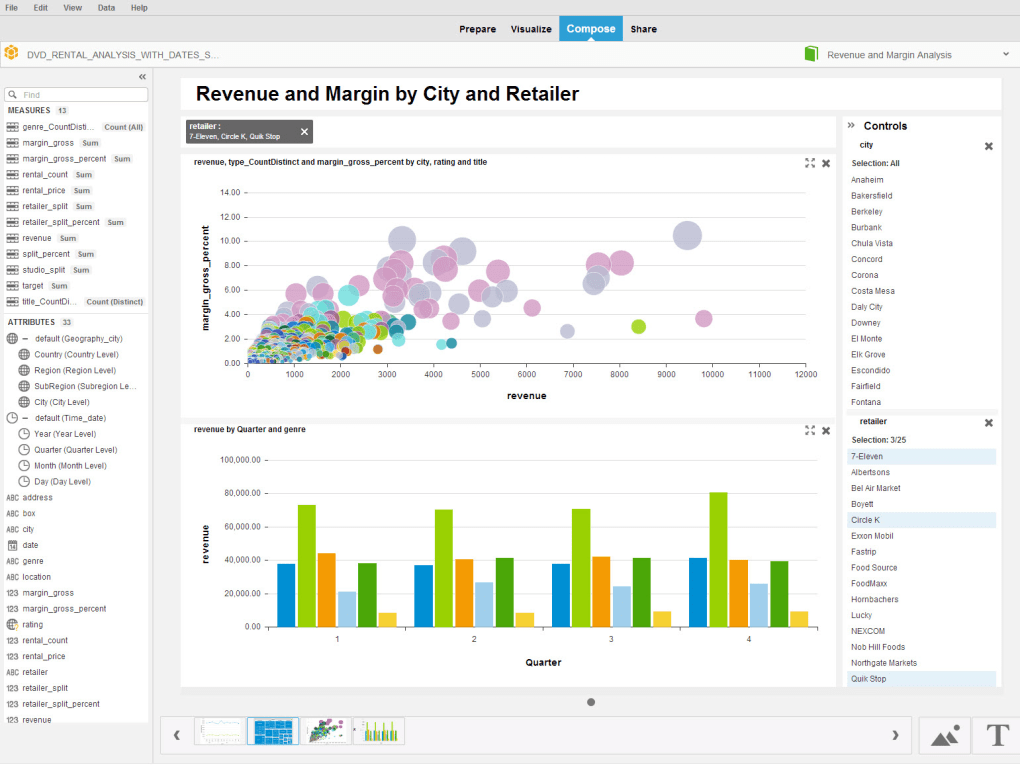
One of the key aspects contributing to Lumira’s ease of use is its intuitive drag-and-drop interface. Users can visually manipulate data, create charts, and generate reports without requiring extensive programming knowledge. This visual approach drastically reduces the time and effort required for data analysis, empowering users to focus on interpreting results rather than wrestling with complex formulas or scripting languages. The software provides a variety of pre-built visualizations, including charts, graphs, maps, and dashboards, allowing users to present their findings in a clear and compelling manner.
Data Visualization and Presentation Capabilities
SAP Lumira’s visualization capabilities are a significant asset. Beyond simply presenting data, the software enables users to craft engaging and insightful visualizations that communicate complex information effectively. The ability to create interactive dashboards allows for dynamic exploration of data, giving stakeholders the ability to drill down into specific aspects of the analysis and gain a more nuanced understanding of the results.
The software supports a wide array of chart types, allowing users to select the most appropriate visualization for their specific data and analytical goals. This flexibility is crucial for effective communication, as different chart types are better suited for highlighting different aspects of the data. For example, bar charts excel at comparing categories, while line charts are ideal for showcasing trends over time. The ability to customize these visualizations with different colors, fonts, and layouts ensures that the final presentation is both informative and visually appealing.
The ability to share visualizations via desktop, mobile, or online platforms further enhances Lumira’s value. This sharing capability is particularly important in collaborative environments, where multiple stakeholders need access to the analytical results. Whether it’s sharing a report with colleagues, presenting findings to executives, or disseminating information to clients, Lumira’s sharing features ensure that insights are readily available to those who need them.
Comparing SAP Lumira to Alternative Solutions
While SAP Lumira stands out for its big data handling capabilities and user-friendly interface, it’s essential to compare it to other data analysis tools. Compared to spreadsheet software like Microsoft Excel, Lumira offers a significant advantage in handling large and complex datasets. Excel, while versatile, can become slow and cumbersome when dealing with millions of rows of data. Lumira, on the other hand, is optimized for this type of workload.
Compared to other dedicated business intelligence platforms, Lumira often presents a more accessible learning curve. Some competing platforms may require specialized training or programming skills to utilize their full functionality. Lumira’s drag-and-drop interface and intuitive design make it easier to learn and use, reducing the time needed to become proficient in the software.
The Benefits and Limitations of SAP Lumira
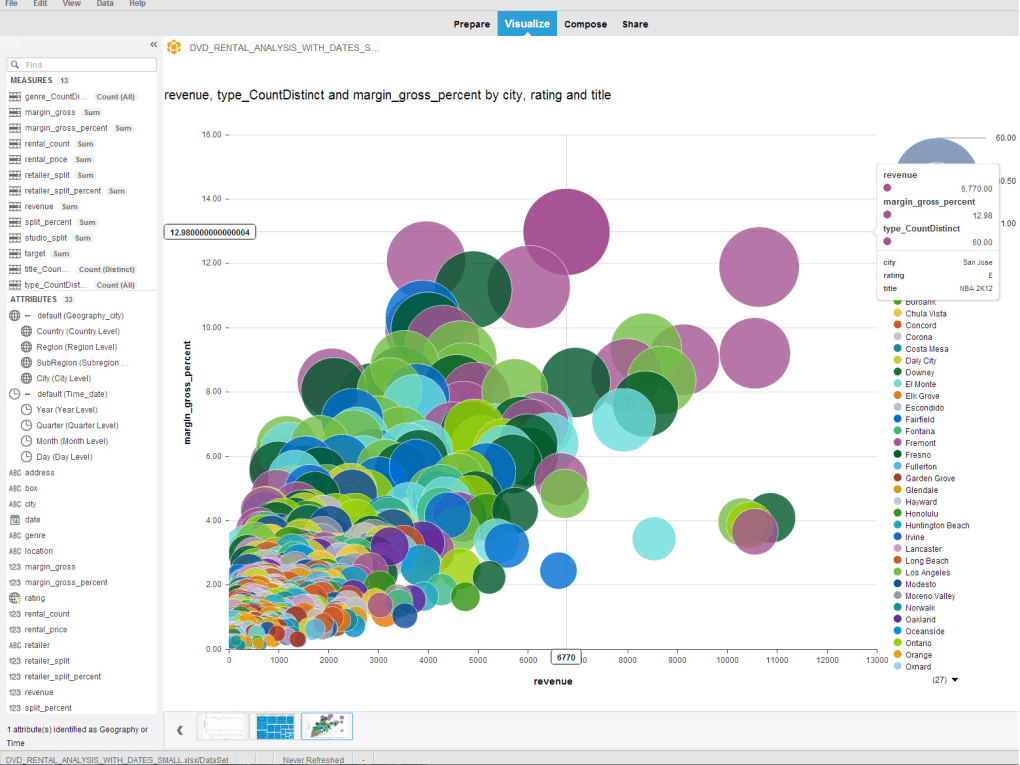
SAP Lumira offers several key advantages: Its capacity to manage large datasets efficiently is unparalleled among user-friendly options; its intuitive interface significantly reduces the learning curve; and its flexible visualization options allow users to present data in clear and engaging ways. The free personal edition makes the software accessible to a broader audience, removing the financial barrier to entry that some competing platforms present. The ability to share visualizations across different platforms fosters better collaboration and communication.
However, Lumira is not without its limitations. For users unfamiliar with data analysis concepts, the initial learning curve, while less steep than some competitors, can still present a challenge. The software’s complexity may initially overwhelm novice users, requiring some time and effort to master its full range of capabilities. While the free personal edition is excellent for individual use, the professional edition, with its advanced features, comes at a cost. Therefore, businesses considering a large-scale deployment should factor in the licensing fees.
Conclusion: SAP Lumira’s Place in the Data Analysis Landscape
SAP Lumira occupies a unique position in the data analysis landscape. It bridges the gap between ease of use and powerful functionality, making it suitable for a wide range of users, from business analysts to individuals seeking to analyze their personal data. Its ability to handle big data efficiently, coupled with its intuitive interface and robust visualization capabilities, makes it a compelling option for anyone needing to extract meaningful insights from complex datasets. While not devoid of limitations, its advantages in speed, accessibility, and visualization make it a valuable tool in the ever-growing world of business intelligence and data analysis. The free personal edition serves as a great entry point, allowing users to explore the software’s capabilities and determine if it’s the right fit for their specific needs before considering the more advanced features of the professional edition.
File Information
- License: “Free”
- Version: “1”
- Latest update: “June 3, 2014”
- Platform: “Windows”
- OS: “Windows 7”
- Language: “English”
- Downloads: “34.7K”
- Size: “302.66 MB”


