
ScanToPDF is a versatile software application designed to streamline the process of converting scanned documents and image files into PDF format. Whether you’re a home user needing to digitize personal papers or an office professional managing large volumes of documents, ScanToPDF offers a straightforward and efficient solution for converting paper-based information into a readily accessible digital format. This comprehensive guide explores the features, benefits, and applications of ScanToPDF, providing a detailed overview of its capabilities and how it can enhance your document workflow.
ScanToPDF: Key Features and Benefits
ScanToPDF’s user-friendly interface and robust feature set make it a powerful tool for document conversion. Its core functionality centers around converting various image formats and scanned documents into high-quality PDF files. However, its advantages extend far beyond simple conversion, offering a range of features designed to improve organization, searchability, and overall efficiency. These key features include:
-
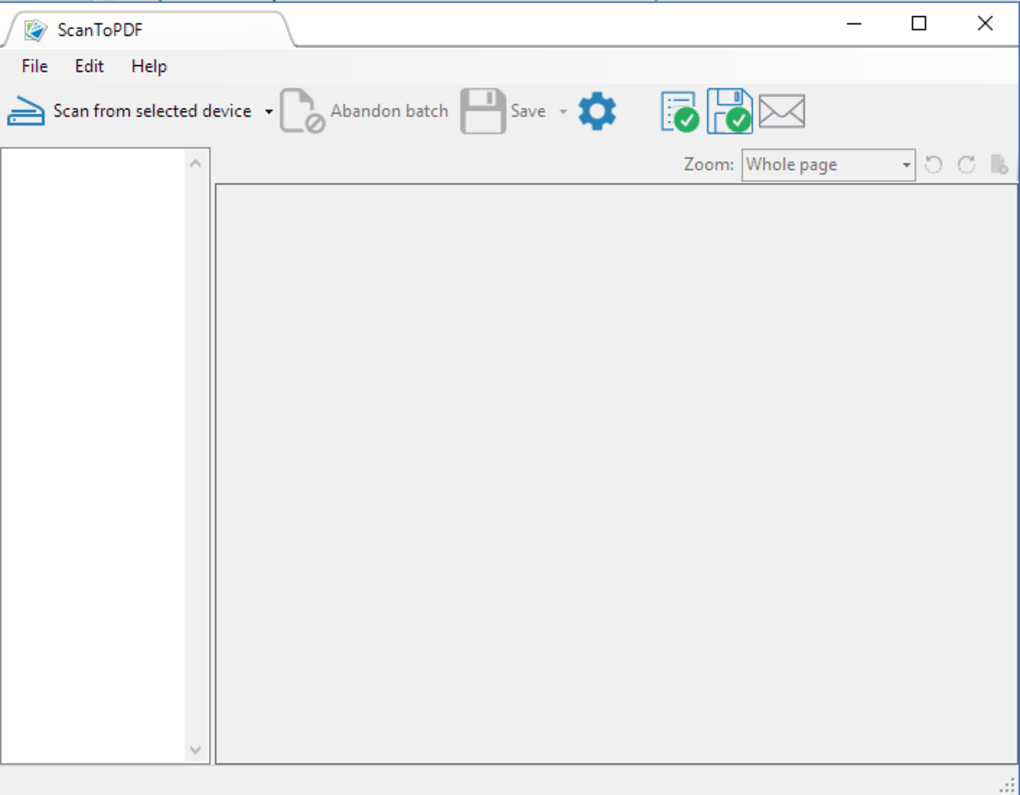
Thumbnail Display: A convenient thumbnail preview allows users to quickly visualize the pages of a document before conversion, ensuring accurate selection and ordering. This visual aid is particularly helpful when dealing with multiple files or large documents.
-
Page Manipulation: ScanToPDF offers flexible page manipulation capabilities. Users can insert pages into existing PDFs, append pages to existing files, and easily reorder pages using a drag-and-drop interface. This flexibility significantly streamlines the process of creating and modifying PDF documents.
-
Optical Character Recognition (OCR): The inclusion of OCR functionality is a significant advantage. This allows ScanToPDF to convert scanned text images into searchable text within the PDF. This is crucial for making scanned documents readily accessible through search engines and improving overall searchability. Converting scanned documents into searchable PDFs significantly enhances information retrieval and simplifies document management.
-
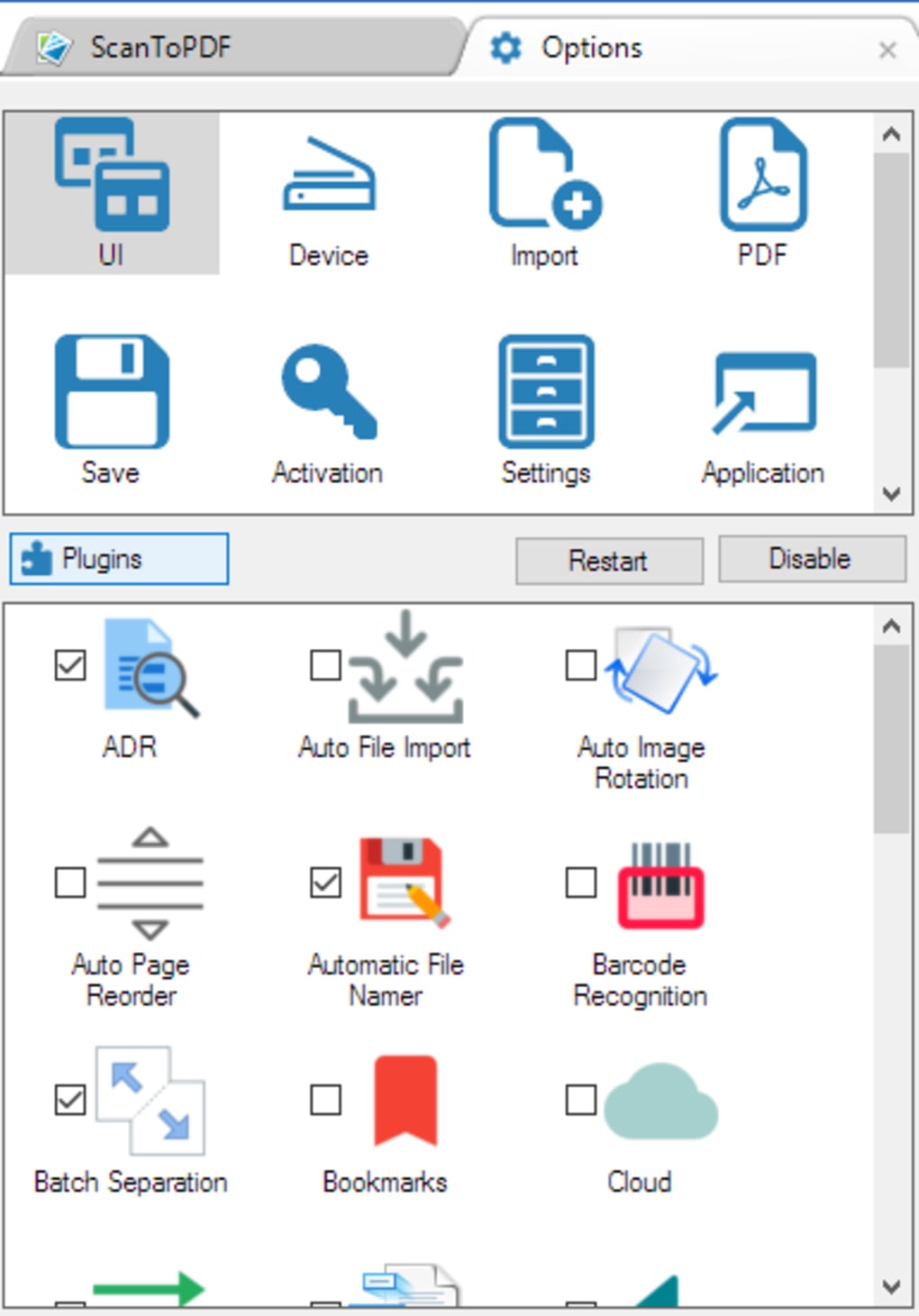
Application Integration: ScanToPDF can be integrated with various applications, enhancing its workflow capabilities and allowing for seamless transfer of converted documents to other programs. The specific integrations will depend on the version and configuration of the software.
-
Scan-to-Email Functionality: The software facilitates the direct emailing of converted PDF documents as attachments. This feature eliminates the need for manual file saving and attachment processes, simplifying document sharing and communication.
-
Administrative Control: Users can define the desired file path for saving the converted PDFs, maintaining control over file organization and storage location. This administrative control is especially important for users with specific file management requirements or those working within a networked environment.
-
Comprehensive PDF Description: The software allows for the inclusion of comprehensive details within the PDF document itself. This capability supports better metadata management and facilitates efficient organization and retrieval of digital files.
-
Page Re-ordering: The intuitive drag-and-drop interface simplifies the task of rearranging pages within a document. This ensures that the final PDF accurately reflects the desired order of pages, crucial for maintaining the integrity of the document.
-
Adobe® Viewer Pre-definition Settings: ScanToPDF supports pre-defined settings for Adobe® viewers, ensuring seamless compatibility and optimal viewing experiences for recipients.
-
Adobe® Catalog Indexing: The ability to index documents for Adobe® Catalog enhances the discoverability of the converted PDFs within the catalog system. This feature is invaluable for users managing large collections of digital documents.
-
Batch Scanning: The batch scanning option enables simultaneous conversion of multiple documents or files, saving time and enhancing productivity, particularly for users processing large numbers of files.
-
Automated Filename Generation: ScanToPDF offers automatic filename generation using incrementing numbers, barcodes, or timestamps. This eliminates the need for manual naming, reducing the potential for errors and promoting efficient file management.
ScanToPDF: Applications Across Various Industries
The versatility of ScanToPDF makes it suitable for a broad range of applications across diverse industries and personal needs. The software’s ability to efficiently convert scanned documents and images into searchable PDFs translates into increased productivity and improved document management in various sectors.
Business Applications: In business settings, ScanToPDF proves invaluable for digitizing physical documents like contracts, invoices, receipts, and reports. This simplifies archiving, searching, and sharing crucial business information. The software’s batch scanning feature significantly speeds up the processing of large volumes of paperwork, contributing to improved office efficiency and reduced administrative overhead. Features like automated filename generation and integration with email clients further optimize workflow within a business environment.
Education Applications: Educational institutions can benefit from ScanToPDF’s ability to create searchable PDFs from scanned textbooks, research papers, and student assignments. This improves accessibility for students and faculty, streamlining the management and distribution of educational materials. The OCR feature allows for easy searching within digitized documents, providing efficient access to specific information.
Healthcare Applications: In healthcare, the software aids in digitizing patient records, medical images, and insurance forms. This enhances the efficiency of patient information management, improves access to medical history, and streamlines administrative tasks. The ability to create searchable PDFs from scanned documents ensures quick retrieval of important patient information, contributing to improved patient care.
Legal Applications: Law firms often deal with extensive paper documentation. ScanToPDF offers a solution for digitizing legal documents, contracts, and case files. The searchable PDFs created by the software simplify research and retrieval of crucial information, contributing to faster and more efficient legal processes. The security features implicit in good document management also enhance the security of sensitive client information.
Government Applications: Government agencies at all levels can use ScanToPDF to manage large volumes of paperwork, including official records, permits, and applications. The conversion to searchable PDFs enhances efficiency and access to information, optimizing public service operations and improving transparency.
Personal Applications: Beyond business and professional contexts, ScanToPDF is beneficial for personal use. Individuals can easily digitize family photos, important documents, and personal records, improving organization and preserving valuable memories. The ability to create searchable PDFs from scanned documents allows for easy retrieval of specific information.
Alternative Applications and Comparison
While ScanToPDF offers a robust set of features for PDF conversion, it’s important to consider alternative applications available in the market. Several other software packages offer similar functionalities, each with its own strengths and weaknesses. A comparison of these alternatives would need to consider factors such as pricing models (free vs. paid), feature sets (OCR capabilities, batch processing, editing features), user interface, and system resource requirements. Factors like integration capabilities with other software packages and support for various file formats would also be relevant aspects of a comparison. The optimal choice will depend on individual user needs and priorities.
System Requirements and Availability
ScanToPDF is available for Windows operating systems. The specific system requirements may vary depending on the version of the software, but generally, a reasonably modern computer with sufficient processing power and memory should be able to run the application efficiently. The software’s user interface is designed for ease of use, making it accessible to users with varying levels of technical expertise. Multilingual support further enhances its accessibility to a global audience. Detailed system requirements are typically listed on the software’s download page or in the accompanying documentation.
In conclusion, ScanToPDF presents a valuable solution for efficiently converting scanned documents and image files into easily manageable and searchable PDF formats. Its comprehensive feature set, coupled with its user-friendly interface, makes it a suitable tool for both personal and professional use across a range of applications. While alternative solutions exist, ScanToPDF’s balance of functionality and accessibility makes it a strong contender in the document conversion software market. Considering individual needs and conducting appropriate comparisons with alternatives will ensure the selection of the most suitable software for specific requirements.
File Information
- License: “Trial version”
- Latest update: “May 13, 2016”
- Platform: “Windows”
- OS: “Windows 8”
- Language: “English”
- Downloads: “10.8K”
- Size: “33.37 MB”


