
scrcpy is a powerful, open-source tool that allows you to mirror your Android device’s screen onto your computer. This comprehensive guide will explore its capabilities, functionalities, and considerations for users seeking a seamless and efficient way to interact with their Android devices on a larger screen. From initial setup to advanced features, we’ll delve into everything you need to know about harnessing the full potential of scrcpy.
Understanding scrcpy’s Functionality and Applications
scrcpy functions as a screen mirroring application, enabling you to seamlessly project your Android smartphone or tablet display onto your computer monitor. This isn’t just a passive display; scrcpy provides interactive control, letting you use your mouse and keyboard to navigate your Android device as if it were directly connected to your computer. This functionality opens up a wide range of possibilities for both casual and power users.
One primary application of scrcpy is enhanced productivity. Imagine effortlessly responding to notifications, reading messages, or answering calls without needing to pick up your phone. This is particularly useful when you’re working on your computer and need to stay connected. Scrcpy streamlines this process, keeping you connected and reducing context switching.
Beyond productivity, scrcpy caters to various other needs. For developers, it simplifies testing and debugging Android applications. Gamers can record gameplay footage directly from their devices onto their computer, capturing high-quality video without the need for external capture cards. Similarly, content creators can utilize scrcpy to create tutorials or demonstrations, using their Android device as the primary source while maintaining full control over the displayed content.
The versatility of scrcpy extends to managing files. The software allows for easy file transfer between your computer and Android device, removing the need for cumbersome file-sharing methods. This simple yet powerful feature simplifies workflow for those frequently transferring files between these platforms.
In summary, scrcpy’s core strength lies in its ability to transform your Android device into an extension of your computer, bridging the gap between these two platforms with ease and efficiency. Its capabilities extend far beyond simple screen mirroring, offering a sophisticated and integrated user experience.
Setting Up and Connecting with scrcpy
Before delving into the advanced features, it’s crucial to understand the setup and connection process. The setup is relatively straightforward, but involves a few key steps to ensure a successful connection.
Firstly, you need to download the appropriate scrcpy executable for your operating system (Windows, macOS, or Linux). The official scrcpy website provides readily accessible download links and instructions for each platform. The installation process generally involves simply extracting the downloaded archive to a convenient location on your computer; no complex installations or administrative privileges are usually required.
Secondly, and perhaps the most critical step, is enabling USB debugging on your Android device. This setting allows scrcpy to communicate with your Android device and establish the necessary connection for screen mirroring. The exact location of this setting may differ slightly depending on your Android version and device manufacturer, but it’s usually found within the “Developer options” section of your Android device’s settings menu. If “Developer options” isn’t visible, you might need to enable it by repeatedly tapping the “Build number” in the “About phone” section of your settings.
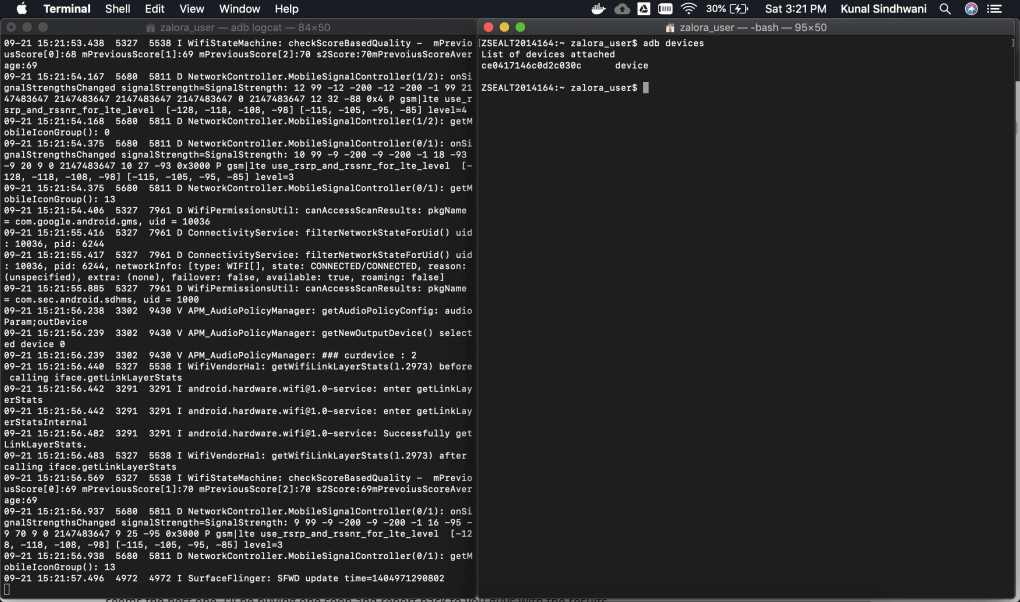
Once USB debugging is enabled, connect your Android device to your computer via a USB cable. Then, navigate to the directory where you extracted the scrcpy files and execute the scrcpy command from your terminal or command prompt. If the connection is successful, your Android device’s screen should appear on your computer monitor within a few seconds.
For wireless connections, scrcpy supports connecting via TCP/IP. This requires enabling ADB over TCP/IP on your Android device, finding your device’s IP address, and then executing the scrcpy command with the appropriate IP address and port number. While convenient, wireless connectivity might experience occasional lag or instability depending on your network conditions.
Following these steps will typically establish a stable connection between your Android device and computer, enabling seamless screen mirroring and interactive control.
Exploring the Features and Capabilities of scrcpy
scrcpy boasts an impressive array of features designed to enhance user experience and cater to diverse needs. Let’s explore some of its key functionalities:
-
Interactive Control: As previously mentioned, scrcpy’s ability to provide interactive control is a core strength. You can use your computer’s mouse and keyboard to navigate your Android device’s interface, making it easy to perform tasks without physically interacting with the phone itself. This makes multitasking exceptionally efficient.
-
Screen Recording: scrcpy can record your Android screen, saving the video in MP4 format with H.264 video encoding. This feature is useful for creating tutorials, documenting processes, or simply capturing gameplay footage.
-
Customizable Controls: You can modify the keyboard shortcuts within scrcpy to suit your preferences. This allows for personalized workflows and more efficient control of your mirrored device. This level of customization enhances the software’s adaptability.
-
File Transfer: scrcpy supports file transfer between your computer and Android device. This feature eliminates the need to use other applications or methods for file exchange, providing a convenient option within the existing mirroring setup.
-
Resolution Control: You can adjust the mirroring resolution to suit your computer’s display and your preference. This allows for optimal viewing and scaling on various screen sizes. High resolution may impact performance, so finding the right balance is important.
-
Orientation Control: The mirrored screen can be rotated between landscape and portrait modes to match the application or task being performed on the Android device. This flexibility ensures optimal viewing for various applications.
-
Screen Rotation: You can control the screen rotation of your Android device using scrcpy shortcuts. This is particularly handy for creating content or presentations.
-
Power Control: Certain shortcuts within scrcpy allow you to manage your Android device’s power state, providing options to turn the screen off, reboot the device, or even shut it down.
-
Wireless Connectivity (with caveats): While scrcpy primarily utilizes a USB connection, it also offers wireless connectivity via TCP/IP. However, it’s important to note that wireless mode is not always as stable as the wired connection, and may experience higher latency and occasional disconnections due to network fluctuations.
Safety and Security Considerations
One of scrcpy’s advantages is its open-source nature, which promotes transparency and allows for community scrutiny of its code. This makes it easier to assess its safety and security. scrcpy is designed to only mirror your screen; it does not install any additional software or access your device beyond what is necessary for screen mirroring. It does not require root access, enhancing its security and minimizing potential vulnerabilities.
However, always download scrcpy from the official website or trusted repositories. Downloading from unofficial sources increases the risk of downloading malicious software that might be disguised as scrcpy. Always ensure you are using the legitimate version to maintain security.
As with any software connecting to your device, it’s advisable to remain aware of the permissions granted to scrcpy. Understanding what data is being accessed and why is crucial for informed consent and ensuring security.
Furthermore, ensuring the security of your Android device itself is paramount. Using strong passwords, regularly updating your software, and practicing safe browsing habits will further protect your data even when using screen-mirroring software.
scrcpy vs. Alternatives: A Comparative Analysis
Several alternative screen mirroring solutions exist, each with its strengths and weaknesses. Comparing scrcpy to these alternatives helps to understand its unique position in the market:
-
Vysor: Vysor is a popular screen mirroring tool, but it has a freemium model, meaning it offers limited functionality in its free version. scrcpy, being open-source and free, offers full functionality without any limitations.
-
ApowerMirror: Similar to Vysor, ApowerMirror is a commercial application that typically involves a subscription cost. scrcpy’s free and open-source nature provides a significant cost advantage.
-
Wondershare MirrorGo: Another commercial option, Wondershare MirrorGo, offers features similar to scrcpy but comes with a price tag. scrcpy provides a free and functionally equivalent alternative.
The primary difference lies in the licensing model. While alternatives offer varying levels of functionality depending on their paid plans, scrcpy provides a fully featured, completely free, and open-source solution, making it an attractive option for users who value cost-effectiveness and transparency.
Conclusion: Is scrcpy Right for You?
If you seek a powerful, free, and open-source Android mirroring tool, scrcpy is an excellent choice. Its straightforward setup, extensive features, and interactive control make it a highly versatile solution for various applications. Whether you need to enhance productivity, create content, or simply enjoy a larger screen experience for your Android device, scrcpy’s functionality caters to a wide range of user needs. Its lightweight nature and minimal system requirements make it a practical solution for most users, while its open-source nature fosters trust and transparency. However, it is important to consider the potential challenges associated with wireless connectivity and the absence of audio forwarding, depending on your specific needs. But, overall, scrcpy remains a top contender in the world of Android mirroring tools.
File Information
- License: “Free”
- Latest update: “July 16, 2025”
- Platform: “Windows”
- OS: “Windows 7”
- Language: “English”
- Downloads: “137.6K”
- Size: “7.29 MB”


