
Screen Recorder Free No Ads presents itself as a straightforward and user-friendly screen recording application for Android devices. This review delves into its functionality, strengths, weaknesses, and overall user experience to determine if it lives up to its promise of a free, ad-free screen recording solution.
Key Features and Functionality
Screen Recorder Free No Ads offers a basic but functional set of features designed for simple screen recording and capturing screenshots. The core functionality revolves around two primary actions: recording video of the screen’s activity and capturing static screenshots. This simplicity is a double-edged sword; while it makes the app incredibly easy to use for beginners, it also lacks the advanced features found in many competitor apps.
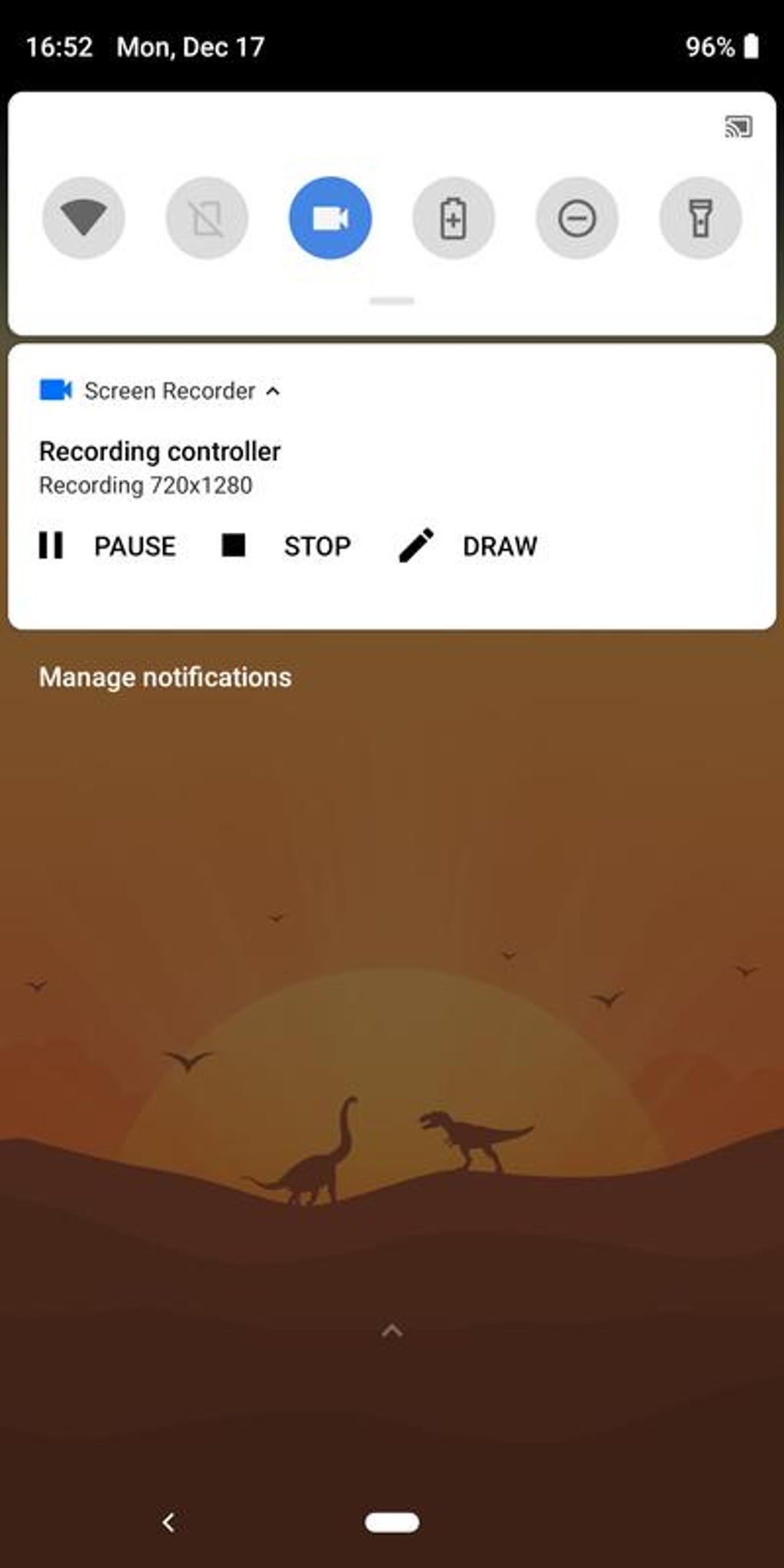
The app’s interface is intentionally minimalist, prioritizing ease of use over complexity. Users will find the controls intuitive and straightforward, requiring minimal learning curve. The recording process itself is smooth and relatively efficient, although the quality of the recording may depend on the device’s capabilities and the chosen resolution settings.
Beyond basic screen recording and screenshot capture, Screen Recorder Free No Ads offers some basic editing capabilities. Users can trim recorded videos to remove unwanted sections and add watermarks for copyright protection or personal branding. While these features are rudimentary, they provide a degree of post-recording customization, enhancing the app’s functionality beyond simple recording.
.jpg)
One noteworthy feature is its multilingual support. The app caters to a diverse user base by offering a selection of languages, thereby improving accessibility and usability for users worldwide. Additionally, the application claims compatibility with many third-party face cam applications, suggesting possibilities for incorporating additional video elements to enhance recordings, such as video commentary or tutorials. This capability broadens its potential uses beyond simple screen captures and extends to more interactive content creation.
The app also offers day and night themes, allowing users to customize the interface based on their preferred visual style and lighting conditions. This simple personalization option can greatly impact the user experience, ensuring a more comfortable and efficient workflow.
Performance and System Requirements
Screen Recorder Free No Ads boasts a remarkably small memory footprint. Requiring only 3.6 megabytes of free space, it’s a lightweight application that should be compatible with most Android devices, even those with limited storage capacity. This minimizes the impact on device performance and makes it an accessible option for a broader range of users.
However, the low system requirements do present some trade-offs. The app’s ability to compress recorded videos appears limited or nonexistent, resulting in larger file sizes compared to more advanced alternatives. The lack of compression might become a significant drawback for users frequently recording long videos or those with limited storage space on their devices.
Advantages and Disadvantages
Pros:
- Ad-free experience: As its name suggests, the app operates without intrusive advertisements, ensuring an uninterrupted user experience. This is a substantial advantage compared to many free screen recording applications that rely on advertising revenue, potentially disrupting the workflow.
- Ease of use: The intuitive interface and straightforward functionality make the app ideal for beginners and those who prioritize simplicity. Users can quickly grasp the core functions and start recording without extensive setup or training.
- Low system requirements: The app’s small size and minimal resource consumption make it compatible with a broad spectrum of Android devices, regardless of their processing power or storage capacity.
- Multilingual support: The availability of multiple languages enhances accessibility for a global user base. This improves inclusivity and usability for users who may not be comfortable with English.
- Basic editing tools: The inclusion of trimming and watermarking capabilities provides some degree of post-recording customization, albeit basic.
Cons:
- Limited editing capabilities: While basic editing tools are provided, advanced features like transitions, effects, or merging are absent. This restricts its use for users who need more sophisticated video editing tools.
- File size: The inability to compress recorded videos results in larger file sizes, consuming significant storage space. This issue becomes particularly relevant for long recording sessions.
- Occasional file deletion: The app description mentions that files may be deleted without apparent reason. This potential data loss is a significant drawback, raising concerns about the app’s reliability and data security.
- Permission requirements: The app may require extensive permissions to operate, potentially raising privacy concerns for users wary of granting excessive access to their devices. Transparency about the necessity of each permission would enhance user trust.
- Difficult editing tools: The review mentions potential difficulties in using the editing tools, suggesting usability issues despite the stated simplicity of the app’s interface. This incongruity needs further investigation.
Alternatives and Comparisons
Several alternative screen recording applications are available on the Android platform, offering a range of features and functionalities. Some popular alternatives include AZ Screen Recorder, DU Recorder, and Mobizen Screen Recorder. These apps typically offer a wider array of features such as video compression, advanced editing tools, and the ability to record internal audio, capabilities which are absent in Screen Recorder Free No Ads. However, these alternatives may include advertisements or require in-app purchases to unlock full functionality. Choosing the appropriate application depends on the user’s specific needs and priorities.
Conclusion
Screen Recorder Free No Ads provides a simple, ad-free solution for basic screen recording and screenshot capture on Android devices. Its ease of use and low system requirements make it a suitable option for beginners. However, the lack of video compression, potential for data loss, and limited editing capabilities significantly restrict its appeal to more demanding users. While it fulfills its basic promise of a free and ad-free experience, those seeking advanced features or robust reliability might find more comprehensive alternatives better suited to their needs. Before installation, users should carefully consider the trade-offs between simplicity and functionality and weigh them against the potential risks of data loss as mentioned in the app description. The app’s performance should be evaluated thoroughly on the target device before relying on it for crucial recordings.
File Information
- License: “Free”
- Latest update: “May 8, 2025”
- Platform: “Android”
- OS: “Android 13.0”
- Downloads: “313.7K”
- Size: “4.88 MB”
- Download Options: “APK, Google Play”
- Filename: “com-kimcy929-screenrecorder-328-55965226-d61e9cd0b89adbbecf73272a674b356f.apk”


