
ScreenFlow is a leading screencasting application specifically designed for macOS devices. It offers a powerful combination of screen recording capabilities, comprehensive video editing tools, and user-friendly interface, making it a versatile choice for creating high-quality screencasts, tutorials, presentations, and more. This guide explores ScreenFlow’s features, ease of use, advanced functionalities, and what sets it apart from other screen recording software.
ScreenFlow for Mac: Features and Functionality
ScreenFlow excels in its ability to capture everything happening on your Mac screen with exceptional quality. It records not only screen activity but also allows simultaneous recording from your device’s microphone, iSight camera, and speaker audio, enabling the creation of engaging and informative screencasts with clear commentary. The software boasts a simple, intuitive interface, making it accessible to both beginners and experienced users. Its efficient monitoring of mouse movements and screen strokes ensures precise capture of actions, ideal for creating software demos, tutorials, and presentations. A useful zoom function allows for highlighting specific areas of the screen, adding a professional touch to your videos.
The software’s high frame rate and stable performance, unlike some competitors like SopCast, Debut Free Video Recording, and Wirecast, prevents lag and unexpected crashes, guaranteeing smooth recording and playback. The combination of high-quality video recording, advanced editing capabilities, and seamless video broadcasting makes ScreenFlow a comprehensive solution for various video creation needs.
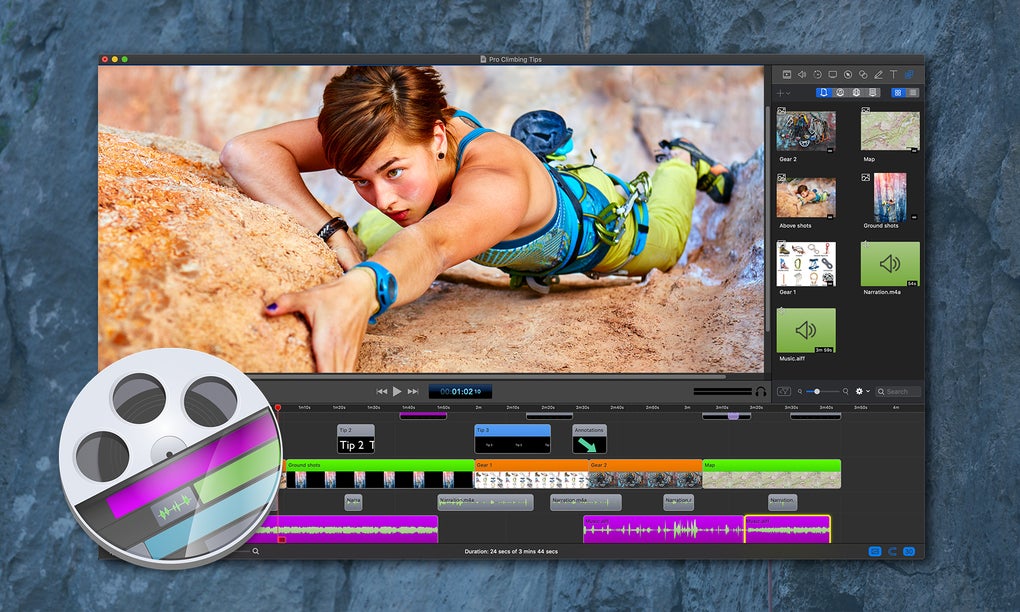
Beyond basic screen recording, ScreenFlow shines in its advanced editing capabilities. Users can leverage a range of professional-grade tools such as 2D and 3D Pan and Zoom, Mouse Callouts, Drop Shadow, Picture-in-Picture, Foreground Window Callouts, and Reflection to enhance their videos and create visually engaging content. The software’s ability to visualize waveforms of audio content is a particularly useful feature for precise editing, allowing users to easily identify and remove unwanted noises, coughs, or pauses, ensuring a polished final product.
Ease of Use and User Interface
ScreenFlow’s design prioritizes simplicity and user-friendliness. Its clean and intuitive interface features an overlay window that allows for one-click video recording, initiated by a prominent red button. Users can choose to record the entire screen or a specific section, providing flexibility for various recording scenarios. This ease of use combined with its powerful features makes ScreenFlow accessible to a wide range of users, from casual screencasters to professional video editors.
Advanced Features and Technologies
While the “Cast Screen” feature remains a cornerstone of ScreenFlow’s functionality, its advanced features significantly enhance the user experience. The software seamlessly integrates with several macOS technologies, including Core Image and Audio, Core Animation, Automator Support, and Core Data, ensuring efficient and robust performance. The built-in video editor allows for post-production adjustments to recordings, providing flexibility and control over the final product.
This editor empowers users to easily replay recordings, adjust video properties such as cropping, opacity, position, and scale, and configure recording settings, audio properties, text settings, annotation properties, and callout properties. These settings can be customized and saved as defaults for future recordings, streamlining the workflow.
ScreenFlow’s social sharing features allow for effortless upload of videos to various platforms such as Vimeo, YouTube, Facebook, and other social networking sites. It also integrates with cloud storage services like Google Drive and Dropbox, providing convenient storage and sharing options.
What’s New in the Latest Version?
The latest version of ScreenFlow boasts several new features and improvements that elevate its already impressive capabilities. The software now supports 2D and 3D video transitions, automatically creating smooth transitions between clips, enabling users to create professionally polished videos with minimal effort.
A dedicated “YouTube Export” feature allows for direct upload of videos to YouTube, simplifying the sharing process. Users can now adjust clip speed or freeze specific frames, providing greater control over pacing and highlighting important moments. High-quality audio and video speed adjustments enable the creation of time-lapse sequences or extended segments as needed. The ability to export specific portions of the timeline, coupled with enhanced visual adjustments including color correction, contrast, brightness, and saturation adjustments, as well as live audio scrubbing, provides unparalleled editing precision.
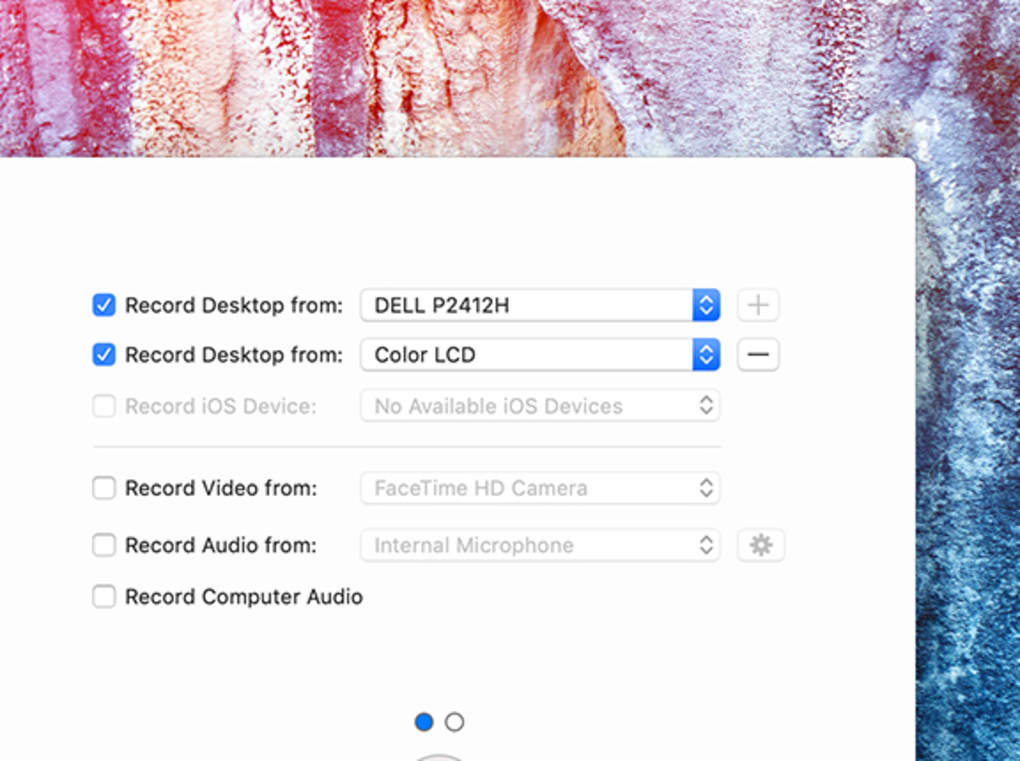
ScreenFlow’s optimization for macOS requires Mac OS X Leopard 10.5 or later, a Quartz Extreme graphics card, an Intel or G4-based CPU, and a programmable GPU for optimal performance of certain functionalities and effects. While designed for both Intel and PPC architectures, it’s important to note that files created on one platform are not compatible with the other.
ScreenFlow for Different Use Cases
Apps
ScreenFlow’s versatility extends to various applications, from creating software tutorials and app demos to showcasing features and functionalities. The ability to capture precise mouse movements and keystrokes makes it ideal for demonstrating workflows and user interfaces.
Games
While not specifically designed for game recording, ScreenFlow can be used to capture gameplay footage. The high-quality recording capabilities, coupled with the ability to add commentary and highlight key moments through editing tools, makes it a viable option for creating game walkthroughs or Let’s Plays.
News
ScreenFlow can be utilized for creating news reports and broadcasts involving screen recordings of data, presentations, or other visual information. The simultaneous recording of screen activity and audio commentary allows for the creation of comprehensive news packages.
For Business
In a business context, ScreenFlow is invaluable for creating training videos, product demonstrations, and marketing materials. Its ease of use and professional output quality make it a cost-effective solution for creating high-quality business communications.
ScreenFlow: A Comprehensive Evaluation
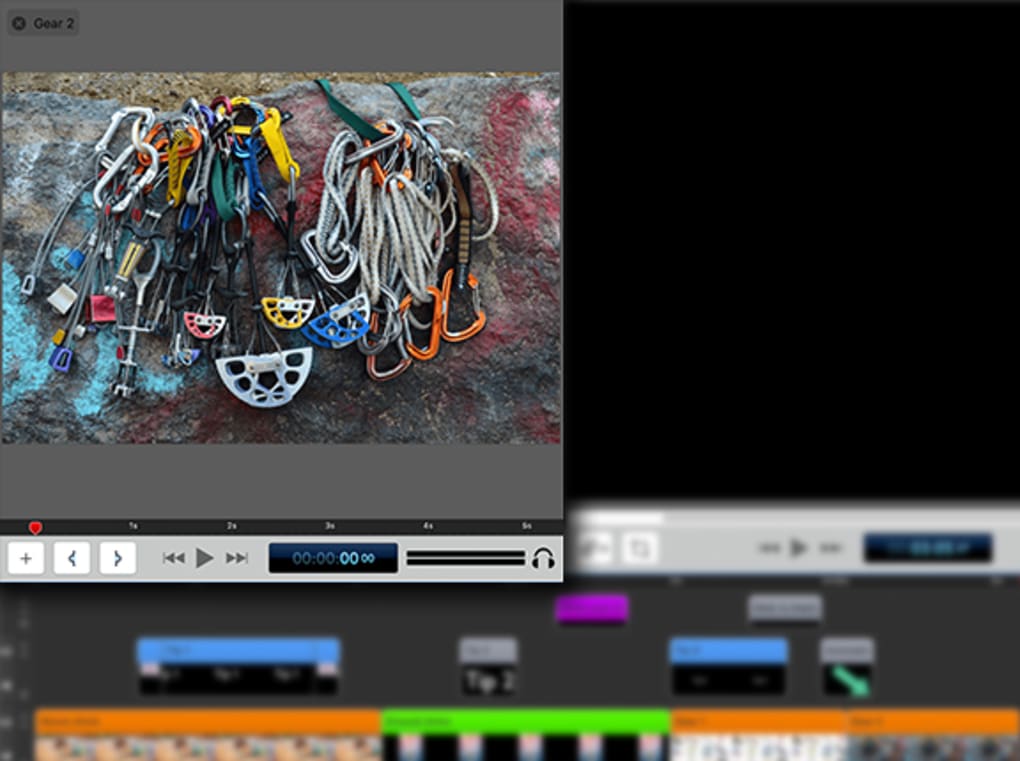
ScreenFlow offers a compelling blend of user-friendly design and powerful features. Its intuitive interface makes screen recording and video editing accessible to all users, while its advanced capabilities cater to professional needs. The inclusion of a robust video editor, along with support for various file formats and social media integrations, enhances its overall value proposition. While the free version offers a taste of its capabilities, upgrading to the premium version unlocks access to the full range of advanced features.
However, it’s worth noting that ScreenFlow currently lacks support for text or subtitles, a feature many users might find beneficial. Moreover, some users have reported issues with export times and watermarks in earlier versions, although the developers actively address these concerns with updates. Overall, ScreenFlow remains a powerful and versatile screencasting solution, particularly well-suited for Mac users seeking a balance of user-friendliness and advanced features. The software’s lightweight nature and minimal system resource usage make it an ideal choice for users seeking a smooth, efficient screen recording experience. Its ability to easily export files in popular formats and seamlessly upload to various social media and cloud storage platforms further enhances its overall functionality and usability.
Pros:
- Comes with various visual and audio effects
- Supports simultaneous screen and audio recording
- Offers numerous new features in the latest version
- Features a powerful and intuitive built-in video editor
- Easy to use and understand
- High quality recording capabilities
- Seamless integration with multiple social media and cloud storage platforms
Cons:
- Lacks direct support for text or subtitles (although this may be addressed in future updates).
- Export times were reportedly lengthy in older versions (but have likely been improved)
App Specs:
- License: Trial version (freemium model)
- Version: 10.0.10 (as of December 20, 2023)
- Platform: macOS
- Language: English (and potentially others)
- Downloads: 459.9K (as of the data provided)
- Size: 88.80 MB
- Developer: Telestream Inc.
The information provided here is based on publicly available data and user reviews. Individual experiences may vary.
File Information
- License: “Trial version”
- Latest update: “December 20, 2023”
- Platform: “Mac”
- OS: “Mac OS X”
- Language: “English”
- Downloads: “459.8K”
- Size: “88.80 MB”


