
ScreenHunter is a free screen capture software designed for Windows users. While boasting a straightforward approach to capturing screen images and videos, its functionality is limited, particularly in its free version. This review delves into the software’s features, usability, advantages, disadvantages, and ultimately assesses its value proposition in the crowded landscape of screen recording applications.
Key Features and Functionality
ScreenHunter provides a basic but functional set of tools for capturing screen activity. Its core functions revolve around taking screenshots (still images) and recording screen videos. The interface, while simple, lacks the modern design aesthetics found in many contemporary alternatives. It features five main tabs: Capture, Save Image, Save Video, Options, and Tools.
The Capture tab is the central hub of the application. Users can initiate screen captures with a single click, selecting a specific region of the screen, a window, or the entire desktop. This straightforward approach is its greatest strength; the ease of initiating a capture is undeniably convenient.
The Save Image tab allows users to specify the desired format for their captured screenshots. Supported formats include JPG, PNG, PDF, GIF, and BMP, providing flexibility for various applications and needs. Users also choose the file name and save location.
The Save Video tab mirrors the functionality of the image saving tab, but for video recordings. Users select between MP4 and FLV formats, and further customize parameters such as video resolution, recording length, frames per second (FPS), and audio input. A significant limitation of the free version is the 10-minute recording cap. This constraint significantly impacts its usefulness for extended recordings like lectures or gameplay sessions.
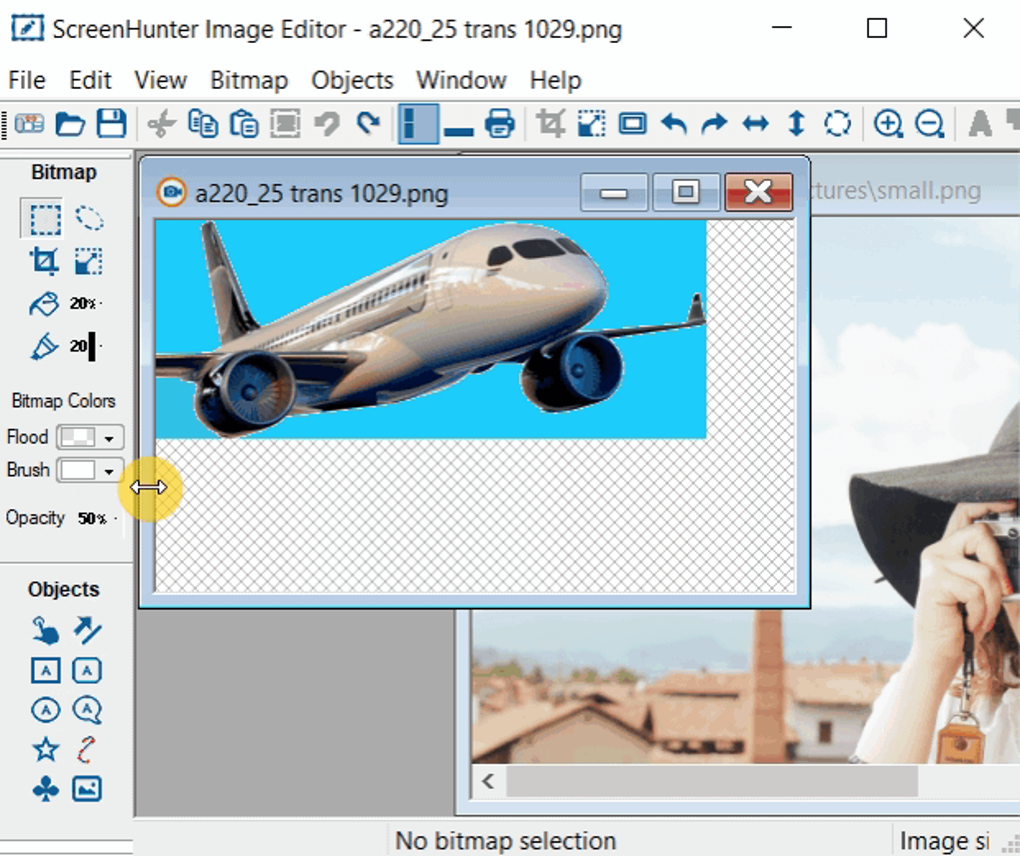
The Options tab allows for customization of hotkeys, output settings, and other program preferences. The Tools tab provides access to additional utilities, though the exact features within this tab are not explicitly detailed in the available information.
Use Cases and Target Audience
ScreenHunter finds its most practical application in scenarios requiring quick and simple screen captures. Its ease of use makes it accessible to users with minimal technical expertise. Several key use cases emerge:
-
Online Education: Students can easily capture screenshots or short video clips of online lectures or tutorials for later review. This is particularly valuable for highlighting specific points or complex processes within a larger presentation. However, the 10-minute recording limit in the free version restricts its utility for longer online courses.
-
Tutorial Creation: The video capture feature, despite its time limitations, is suitable for creating short, concise tutorials. Users can demonstrate software functions or processes by recording their screen activity. This can be highly beneficial for sharing knowledge or providing step-by-step instructions.
-
Gaming: Gamers can utilize ScreenHunter to capture short gameplay segments. While the 10-minute limit restricts its use for lengthy gameplay recordings, it can be sufficient for capturing specific highlights or demonstrating particular techniques.
-
General Documentation: The software is well-suited for creating visual records of processes. Users can document workflows, website navigation steps, or software procedures through either screenshots or short videos. This form of documentation can prove invaluable for future reference or troubleshooting.
Limitations and Drawbacks
While ScreenHunter achieves its core purpose of screen capture, it suffers from several notable limitations that affect its overall appeal:
-
Outdated Interface: The user interface (UI) presents a dated and simplistic design. It lacks the modern, intuitive aesthetic found in many competing applications. This visual aspect can be off-putting to users accustomed to sleek, contemporary software designs.
-
Limited Recording Time (Free Version): The 10-minute recording limit for the free version is a significant drawback. This restriction severely hampers its usefulness for longer recordings, representing a considerable obstacle for its intended use cases. This essentially renders the software unsuitable for prolonged activities like lengthy lectures or extended gameplay sessions.
-
Basic Editing Capabilities: The software offers only rudimentary editing capabilities. While basic annotations or modifications might be possible, it lacks the advanced editing tools and features available in many other screen capture applications. Users seeking comprehensive post-processing will likely need to rely on separate video editing software after capturing their recordings with ScreenHunter.
-
Lack of Advanced Features: Compared to its competitors, ScreenHunter lacks advanced features such as scheduling recordings, annotating during recording, webcam integration, and sophisticated editing functionalities. These omissions limit its usefulness for professional users or those requiring more advanced features.
Comparison with Alternative Software
Numerous alternative screen recording and capture programs exist, many offering more comprehensive features and modern interfaces. Applications like OBS Studio (open-source and free), FastStone Capture, and Icecream Screen Recorder provide more advanced functionalities, including longer recording times, comprehensive editing capabilities, and aesthetically pleasing user interfaces. The choice of a particular application hinges on the specific needs and priorities of the user; ScreenHunter’s appeal lies solely in its simplicity and accessibility for basic tasks.
Verdict: Should You Use ScreenHunter?
ScreenHunter’s value proposition is best understood within its limitations. It’s a functional tool for basic screen capture tasks, particularly for short recordings and straightforward screenshots. Its simplicity and ease of use are undeniable advantages for novice users who require a straightforward, no-frills application. However, the outdated interface and severe recording time limitations in its free version drastically curtail its broader appeal.
Users seeking a robust, feature-rich solution with advanced editing capabilities and a modern interface should look towards more comprehensive alternatives. The 10-minute recording limit makes it unsuitable for extended captures, negating its potential value in many contexts. The free version essentially functions as a limited-use trial of the paid software. Therefore, ScreenHunter’s worth depends entirely on whether its simple, basic functionality and the 10-minute recording limitation align with the specific demands of the intended user. If basic, short recordings are all that are needed, it will suffice; for anything beyond this, alternative options are highly recommended.
File Information
- License: “Free”
- Latest update: “July 4, 2024”
- Platform: “Windows”
- OS: “Windows Vista”
- Language: “English”
- Downloads: “257.3K”
- Size: “140.24 MB”


