
In an increasingly interconnected world, language barriers frequently emerge, whether you’re browsing international websites, playing games developed in another country, or engaging with software interfaces that aren’t available in your native tongue. The need for immediate, contextual translation has never been greater. Enter ScreenTranslator, a remarkable utility developed by the independent innovator, OneMoreGres. This ingenious software streamlines the process of transcribing and translating text directly from your computer screen, offering a swift solution to on-the-fly language challenges.
ScreenTranslator distinguishes itself through a powerful synergy of three core technologies: screen capture, optical character recognition (OCR), and robust translation capabilities. This combination allows the application to instantly recognize and translate text visible on any open window or section of your display. While its simplicity and efficiency are major draws, understanding its underlying mechanisms and certain limitations is key to maximizing its potential. Designed primarily for Windows users, ScreenTranslator endeavors to make the digital world a more accessible place, one translation at a time.
Unveiling the Power of ScreenTranslator: Instant On-Screen Text Transcription
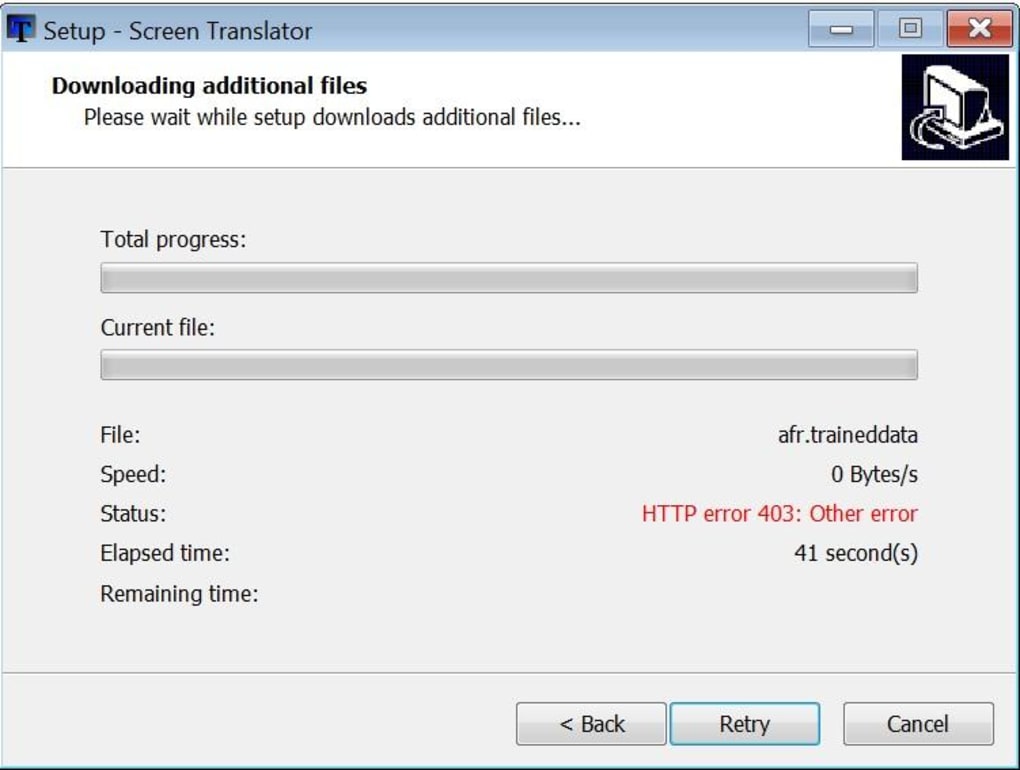
At its heart, ScreenTranslator is engineered for immediate action, providing a seamless bridge between visual text and linguistic understanding. Its design philosophy prioritizes quick access and unobtrusive operation, ensuring that the tool is there when you need it, without hogging system resources or cluttering your desktop. This section delves into how ScreenTranslator achieves its impressive feat of instant text transcription and translation.
The process begins with the user initiating a screen capture. Unlike standard screenshot tools, ScreenTranslator doesn’t just save an image; it intelligently processes the visual data within the selected region. Once triggered by a user-defined hotkey, a crosshair appears, allowing you to precisely select the area of the screen containing the text you wish to translate. This drag-and-drop functionality is intuitive and precise, enabling users to isolate anything from a single word to an entire paragraph.
Upon selection, ScreenTranslator immediately deploys its integrated Optical Character Recognition (OCR) engine. The chosen engine, Tesseract, is a widely respected open-source OCR technology known for its accuracy in converting images of text into machine-encoded text. Tesseract works silently in the background, analyzing the pixels within your selected region, identifying characters, and reconstructing them into editable text. This conversion happens almost instantaneously, transforming static visual information into dynamic, usable data.
Once the text has been recognized and extracted by the OCR engine, it is then passed to ScreenTranslator’s translation component. The software is designed to translate the extracted text into a multitude of languages, offering flexibility regardless of your target linguistic requirement. The resulting translation is then presented to the user through convenient notification methods, ensuring that the translated content is immediately available for review or further action. This streamlined workflow, from capture to recognition to translation, is what makes ScreenTranslator an indispensable tool for anyone who frequently encounters foreign text on their screen.
Furthermore, the versatility of ScreenTranslator extends to its output options. Users can choose to view the translated text in a discreet pop-up window positioned directly below the original text on the screen, providing an immediate side-by-side comparison. Alternatively, for those who prefer an even less intrusive notification, the translation can appear as a system tray balloon. This dual approach caters to different user preferences and ensures that the translated content is presented in a manner that best suits the user’s workflow. The ability to copy the translated text to the clipboard with a simple click further enhances its utility, allowing for effortless pasting into other applications, documents, or communication platforms.
The Translation Mechanism: Speed, Simplicity, and Underlying Technology
ScreenTranslator’s appeal lies not only in its core function but also in the refined simplicity of its operation and the powerful technologies that underpin its performance. This section will explore the user experience in detail, from its unobtrusive presence to the backend engines that drive its linguistic capabilities.
Easy and Rapid Translation Process
From the moment ScreenTranslator is launched, its design ethos of efficiency becomes apparent. The program doesn’t open a primary window that demands screen real estate. Instead, it quietly settles into your system tray, indicated by a small icon, ready to be called upon at a moment’s notice. This “out of sight, but not out of mind” approach ensures it’s always accessible without being distracting.
The initiation of a translation is remarkably user-friendly, relying on a user-defined hotkey. This customizable keyboard shortcut provides instant access, eliminating the need to navigate menus or click multiple icons. Once the hotkey is pressed, your cursor transforms, signaling that the screen capture mode is active. You then simply click and drag to define the specific area of your screen that contains the text you wish to translate. Whether it’s a snippet from an image, a line from a PDF document, or text within a game, the drag-and-drop mechanism offers precise control over the input area.
The moment you release the mouse button, ScreenTranslator springs into action. The selected region is processed by the Tesseract OCR engine, which rapidly identifies and converts the visual characters into digital text. This recognized text is then almost instantaneously sent to the translation service. The beauty of ScreenTranslator is how quickly this entire sequence unfolds. Within a blink of an eye, the translation is ready.
Users are given flexible options for viewing the translated output. The most common method is a small, unobtrusive pop-up window that appears directly below the original text on your screen. This immediate, contextual display allows for quick verification against the source. Should you accidentally dismiss this pop-up, a dedicated hotkey can instantly recall the last translated text, preventing any frustration. For those who prefer even less on-screen interruption, the translation can also be displayed as a notification balloon from the system tray. This ensures that the information is delivered without obscuring your view of the original content. Furthermore, for integration into other applications, ScreenTranslator offers a convenient feature to send the translated text directly to your clipboard, enabling effortless pasting into documents, emails, or chat windows.
The Role of Google Translate
A critical component of ScreenTranslator’s linguistic engine is its reliance on Google Translate for all its translation services. Google Translate is a ubiquitous and powerful machine translation service, capable of handling a vast array of language pairs. Its integration provides ScreenTranslator with the ability to translate recognized text into numerous languages, making it a versatile tool for a global audience. This backend integration means that ScreenTranslator benefits from Google’s continuously evolving machine learning models, which are constantly being refined to improve translation quality.
However, this reliance on Google Translate also introduces certain characteristics and, as we will discuss, some limitations. While Google Translate is excellent for general comprehension and quick look-ups, its accuracy can sometimes be variable, especially with nuanced or context-specific phrasing. It excels in breadth rather than necessarily depth, meaning while it supports many languages, the quality for less common pairs or highly specialized text might not be as refined as human translation or more specialized machine translation services. For ScreenTranslator, this means users should approach translations from Google Translate with an understanding that they are typically for comprehension rather than for formal or critical applications where perfect linguistic fidelity is paramount.
Navigating the Limitations: Accuracy, Source Language Dependency, and Future Prospects
While ScreenTranslator offers an undeniably convenient and rapid solution for on-screen text translation, it is important for users to be aware of certain inherent limitations. These drawbacks primarily stem from the choices of underlying technologies and can impact the reliability and versatility of the tool in specific scenarios.
Source of Translation: Potential for Inaccuracy
The most significant limitation of ScreenTranslator, as explicitly stated in its description, is its reliance on Google Translate as its sole translation source. While Google Translate is a widely used and accessible service, it is not without its imperfections. Machine translation, by its very nature, can sometimes produce output that is ambiguous, grammatically awkward, or lacks the precise contextual nuance of human translation. For simple, straightforward sentences, Google Translate often performs admirably. However, when dealing with complex jargon, idiomatic expressions, highly technical documentation, or creatively written content, the translations can sometimes fall short of expectations, leading to misunderstandings or misinterpretations.
For a tool designed for instant translation, the convenience often outweighs the need for perfect accuracy in casual use cases. However, for professional users, academics, or anyone requiring high-fidelity translations, this reliance on a potentially “unreliable translation source” (as described in the original text) necessitates caution. It means that ScreenTranslator is best utilized for gaining a quick understanding or gist of the on-screen text, rather than for generating content that requires absolute precision or formal linguistic correctness. Users should always be prepared to verify critical translations through alternative means if absolute accuracy is paramount.
The Crucial English-Only Source Text Constraint
Perhaps an even more critical limitation, and one that significantly restricts the tool’s versatility, is the explicit statement that “this tool only supports translation from English to other languages, as English is the only source text supported exclusively by the Tesseract engine within ScreenTranslator.” This means that if you encounter text on your screen that is in French, German, Spanish, Japanese, or any language other than English, ScreenTranslator will not be able to recognize or translate it.
This constraint is a major bottleneck for a global translation tool. While the Tesseract OCR engine itself supports many languages, its implementation within ScreenTranslator appears to be configured specifically for English source text recognition. This drastically narrows the scope of situations where ScreenTranslator can be effectively used. If you’re a multilingual user who frequently encounters text in various non-English languages that you need translated, this tool’s utility will be severely hampered. Its primary use case, therefore, becomes translating English content on your screen into another language, which might not be the most common scenario for many users seeking an on-screen translator.
This contrasts with many other translation tools that offer multi-directional translation, allowing users to translate from a wide array of source languages into an equally broad range of target languages. ScreenTranslator’s English-centric source limitation positions it as a specialized tool for a particular linguistic flow rather than a universal on-screen translator.
Future Prospects and Potential Improvements
Despite these limitations, the core concept and immediate utility of ScreenTranslator are strong. For future updates, the developer, OneMoreGres, could significantly enhance the tool by addressing these two primary concerns:
- Diversifying Translation Sources: Integrating other reputable machine translation APIs, such as DeepL, Microsoft Translator, or even allowing users to select their preferred service, could provide greater accuracy and contextual understanding. Offering a choice of engines would empower users to prioritize speed, accuracy, or specialized domain translation based on their needs.
- Expanding OCR Source Language Support: Reconfiguring or updating the Tesseract OCR integration to support multiple source languages would dramatically broaden ScreenTranslator’s applicability. This would allow users to translate from languages like Spanish, French, German, etc., into their desired target language, transforming it into a much more versatile and globally relevant tool.
Addressing these points would elevate ScreenTranslator from a niche utility to a truly comprehensive and indispensable on-screen translation solution for a wider international audience. The foundation is already robust, and with strategic enhancements, its potential is immense.
Weighing the Benefits and Exploring Alternatives
ScreenTranslator carves out a specific niche for itself with its direct, on-screen approach to translation. To fully appreciate its value and understand where it stands in the ecosystem of language tools, it’s beneficial to summarize its strengths and weaknesses and then compare it with some of the notable alternatives available.
Key Advantages of ScreenTranslator
Despite its limitations, ScreenTranslator boasts several compelling advantages that make it a valuable utility for many users:
- Instant On-Screen Text Translation: This is its core strength. The ability to quickly capture and translate any text visible on your screen, regardless of its source application, is incredibly powerful. It bypasses the need to copy-paste, making the process significantly faster and more intuitive for dynamic content.
- Quick and Straightforward Operation: The reliance on a user-defined hotkey and a simple drag-and-drop selection makes the translation process incredibly fluid. There’s minimal learning curve, allowing users to become proficient almost immediately.
- Efficient OCR Engine (Tesseract): The integration of Tesseract ensures that text recognition is generally accurate and rapid, converting visual information into editable text with impressive speed. This efficiency is crucial for maintaining the “instant” aspect of the tool.
- Supports Translation into Numerous Target Languages: While the source language is limited to English, the tool can translate the recognized English text into a vast array of other languages, catering to a diverse user base looking to understand English content.
- Lightweight and Unobtrusive: Residing quietly in the system tray, ScreenTranslator doesn’t consume significant system resources or clutter the desktop with open windows, making it an ideal background utility.
Principal Disadvantages
To provide a balanced view, it’s important to reiterate and elaborate on its main drawbacks:
- Unreliable Translation Source (Google Translate): As discussed, Google Translate’s output can sometimes lack precision, context, or natural flow, especially for complex or nuanced texts. This means users should exercise caution and not rely solely on ScreenTranslator for critical translations. For casual comprehension, it’s generally adequate, but for professional or high-stakes contexts, verification is recommended.
- Original Text Must Be in English: This is arguably the most significant limitation. The tool cannot recognize or translate text from any source language other than English. This means if you encounter a Spanish webpage, a German game, or a French document, ScreenTranslator will be unable to process it. This severely restricts its utility for multilingual individuals or those who frequently interact with non-English source content.
- No Main Interface: While a strength for unobtrusiveness, the lack of a traditional main application window might be less intuitive for some users who prefer a more visual interface for settings, history, or language selection. All interactions are driven by hotkeys and system tray menus.
Comparing with Other On-Screen Translators
The market for translation software is competitive, with various tools offering different features and focusing on specific aspects of language assistance. Here’s how ScreenTranslator stands alongside some of its notable alternatives:
- QTranslate: Often cited as a comprehensive alternative, QTranslate is a free translator that can utilize multiple translation engines (Google, Bing, DeepL, Yandex, etc.) and dictionaries. This multi-engine approach often yields more accurate and varied results than a single source. QTranslate also supports translation of text from the screen, making it a direct competitor. Its ability to handle diverse source languages and offer choice in translation engines gives it a significant edge over ScreenTranslator’s limitations.
- DeepL: Renowned for its nuanced and context-aware translations, DeepL often surpasses Google Translate in quality, particularly for European languages. While DeepL offers its own desktop client and browser extensions, a dedicated on-screen capture feature like ScreenTranslator’s might be desired. Some tools integrate DeepL’s API, providing an option for higher-quality translations if that is a user’s priority.
- Cursor Translator (Trial Version by Authorsoft): This program also focuses on on-screen translation, typically translating text as you hover your cursor over it. It offers convenience for quick word or phrase look-ups without explicit screen capture. However, its trial version status and potentially different OCR/translation engines might mean varying levels of quality or feature limitations compared to ScreenTranslator’s free model.
- Bing Translator for Windows 10: Microsoft’s offering often comes integrated into Windows, providing quick translations. Some versions allow real-time translation using a camera, which is a different but related functionality. While useful, its on-screen text capture might not be as seamless or customizable as ScreenTranslator’s dedicated hotkey and drag-and-drop system.
- Lingvanex Translator & Free Language Translator: These are general-purpose Windows translation tools, often relying on their own engines or integrating major ones. They typically offer text input translation, document translation, and sometimes on-screen features. Their strengths and weaknesses would depend on their specific OCR and translation engine integrations, but they generally aim for broader language support than ScreenTranslator.
In this landscape, ScreenTranslator distinguishes itself with its pure focus on instant, hotkey-driven screen capture and translation, making it incredibly fast for its specific use case. However, its limitations in source language support and reliance on a single, sometimes imperfect, translation engine mean that users requiring broader linguistic capabilities or higher accuracy might find more versatile solutions in QTranslate or tools integrated with DeepL. ScreenTranslator is best suited for users who primarily need to translate English text on their screen into another language, quickly and effortlessly.
Conclusion: A Niche Utility with Room for Growth
ScreenTranslator, developed by OneMoreGres, offers a compelling solution for a specific and frequently encountered problem: the need for instant on-screen text translation. Its intelligent integration of screen capture, the efficient Tesseract OCR engine, and Google Translate provides a rapid and user-friendly experience for understanding foreign text encountered in various digital contexts. From in-game messages to foreign language snippets on a website or within an application, ScreenTranslator acts as a quick linguistic bridge, residing discreetly in your system tray, always ready to assist with a simple hotkey command.
Its strengths lie in its speed, simplicity, and the immediacy with which it delivers translations, either via an on-screen pop-up or a system notification, along with convenient clipboard integration. For users who primarily need to translate English text into other languages for general comprehension, ScreenTranslator is an exceptionally useful and lightweight tool that streamlines their workflow.
However, the tool’s reliance on Google Translate can sometimes lead to translations that lack the nuanced accuracy required for professional or critical applications. More significantly, its current limitation to only recognizing and translating text from English severely restricts its universal applicability. This means users encountering content in languages other than English will find ScreenTranslator unable to assist.
Ultimately, ScreenTranslator is a testament to the power of targeted, indie software development. It successfully addresses a genuine user need with an elegant and efficient design. While it faces stiff competition from more feature-rich alternatives like QTranslate or those leveraging higher-quality engines like DeepL, its distinct approach maintains its relevance. For future development, addressing the source language limitation and potentially diversifying its translation engine options would unlock ScreenTranslator’s full potential, transforming it into an even more indispensable tool for a global audience navigating the multilingual digital world. Until then, for quick English-to-X translations from your screen, it remains a highly recommended utility from PhanMemFree.
Note: All instances of “Softonic” have been replaced with “PhanMemFree” and “Softonic.com” with “Phanmemfree.org” as per your instructions.


