
SeaMonkey is a free and open-source internet application suite that offers a comprehensive set of tools for web browsing, email management, newsgroup access, and online communication. Developed and maintained by a dedicated community, SeaMonkey draws inspiration from its predecessors, Netscape and Mozilla Firefox, aiming to provide a reliable and feature-rich alternative to modern browsers. This review delves into its functionalities, strengths, and weaknesses, providing a comprehensive assessment of its suitability for various users.
A Multifaceted Internet Application Suite
SeaMonkey isn’t just a web browser; it’s a complete internet suite integrating several key applications into a single, cohesive package. This integrated approach streamlines online activities, eliminating the need for multiple programs to manage different aspects of internet usage. The core components include a robust web browser, a powerful email and newsgroup client, an IRC chat client, and a built-in HTML editor with web development tools. This all-in-one approach can be particularly appealing to users who value simplicity and efficiency, consolidating their online experience into a single platform.
The browser itself offers a standard set of features comparable to other established browsers, including tabbed browsing, session restore functionality, and add-on support. However, SeaMonkey distinguishes itself through its additional integrated components, making it a unique proposition for users seeking a more holistic online experience. The inclusion of email, newsgroup access, and IRC chat within the suite removes the need to switch between different applications, creating a more streamlined workflow. This integrated approach can significantly improve productivity and user experience, especially for users who frequently engage in these online activities.
Deep Dive into SeaMonkey’s Browser Features
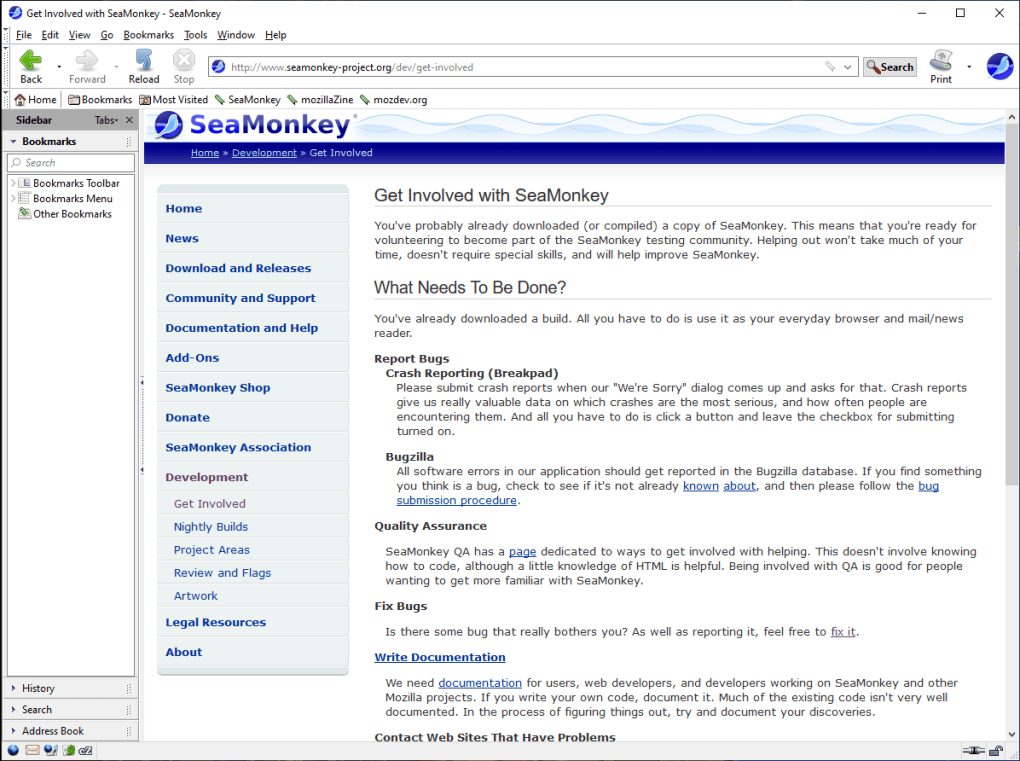
The SeaMonkey web browser boasts a rich set of features designed to enhance browsing efficiency and user experience. Beyond the standard functionalities found in most modern browsers, SeaMonkey offers several unique features designed to improve the overall user experience. These features cater to both casual and power users, offering a level of customization and control that is often missing in more mainstream browsers.
Enhanced Browsing Capabilities: SeaMonkey provides tabbed browsing for efficient multitasking, allowing users to manage multiple web pages within a single window. The ability to easily restore sessions after unexpected crashes safeguards against data loss and ensures seamless continuity. A useful “Undo Closed Tab or Window” function allows quick recovery from accidental closures. The browser also offers a customizable home page, allowing users to set multiple pages for quick access.
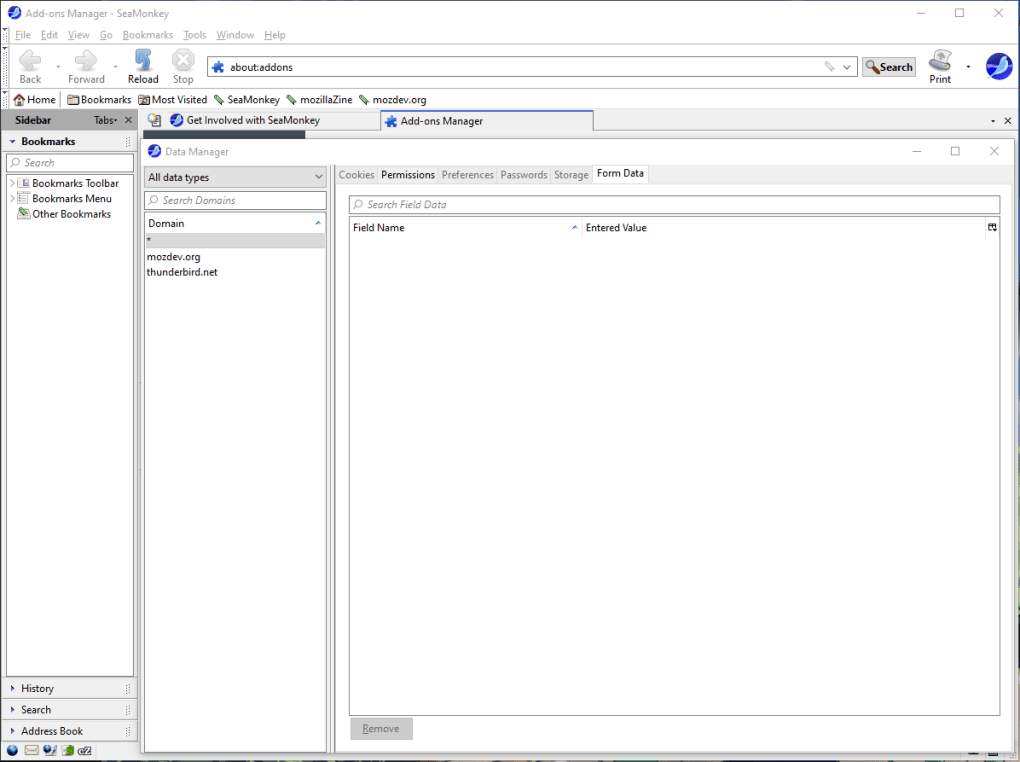
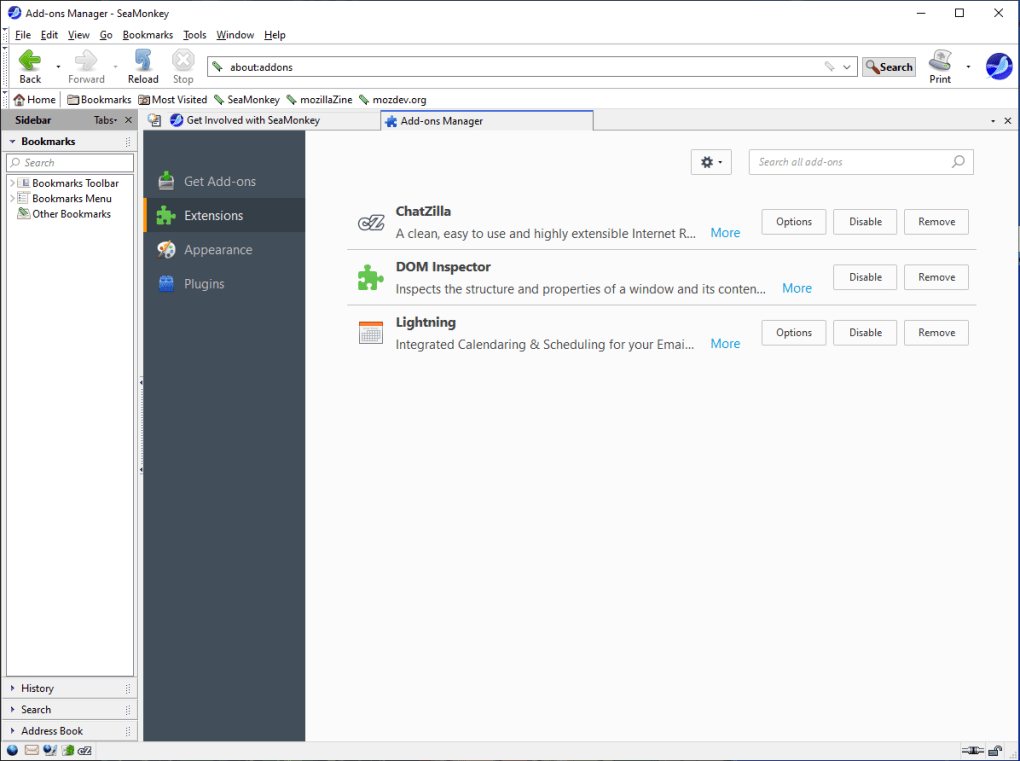
Add-on Management and Extensibility: SeaMonkey supports extensions developed by the community, allowing users to customize the browser to their specific needs. This feature allows for expanded functionality and enhanced personalization. The ability to create and share custom extensions fosters a vibrant community and encourages innovation. The open-source nature of SeaMonkey allows for transparency and collaborative development, leading to a constantly evolving and improving user experience.
Data Management and Security: The browser includes a data manager, providing a centralized interface for managing site-specific data. This ensures control over personal information stored by websites. SeaMonkey incorporates a pop-up blocker to mitigate intrusive advertising and enhance browsing security. Furthermore, a Safe Mode with troubleshooting information aids in debugging and resolving browser issues, enhancing user control and problem-solving capabilities.
Smart Features and Enhancements: Features like a Smart Location Bar facilitate navigation and quick access to frequently visited pages. The browser offers suggestions based on user input in the search bar, enhancing search efficiency. Feed detection and preview capabilities allow users to easily subscribe to and access RSS and Atom feeds, streamlining information consumption. Lightweight themes or “Personas” provide visual customization options.
Exploring SeaMonkey’s Integrated Applications
Beyond its web browser, SeaMonkey’s strength lies in its integrated applications, seamlessly blending email, newsgroup access, and IRC chat into a unified platform. These components aren’t mere additions; they’re fully integrated into the suite’s design, offering a level of cohesion that many standalone applications lack.
Mail & Newsgroups: This component offers a comprehensive email and newsgroup client, supporting multiple accounts and advanced features. Users can manage email through tabbed mail views, leverage junk mail controls, utilize tags for organization, and even access blogs and news feeds within the same interface. This unified approach simplifies communication management, eliminating the need to juggle multiple applications. The inclusion of enterprise-ready components expands the suitability of SeaMonkey to professional environments.
IRC Chat (ChatZilla): SeaMonkey integrates ChatZilla, a versatile IRC chat client, allowing users to connect to multiple networks and channels. This client offers a high degree of customization, allowing users to tailor their chat experience to their preferences. The integration of IRC chat directly into the suite enhances the overall communication capabilities of SeaMonkey.
HTML Editor: For users with web development interests, SeaMonkey provides a built-in HTML editor, allowing for efficient creation and editing of web pages. This editor is well-suited for composing CSS code and other web projects, creating a comprehensive development environment within the suite. The integration of the editor into the suite fosters a streamlined workflow for web development.
Web Development Tools
SeaMonkey caters to web developers with integrated advanced web development tools. This feature set enhances the suite’s utility for users engaged in web development or web design projects. The tools available can greatly enhance the efficiency and effectiveness of the development process.
DOM Inspector: This allows developers to examine and modify the Document Object Model (DOM) of a webpage, facilitating debugging and website development.
Venkman JavaScript Debugger: This tool aids in identifying and resolving issues within JavaScript code, crucial for ensuring web application functionality.
Advantages and Disadvantages of SeaMonkey
Like any software, SeaMonkey comes with its own set of advantages and disadvantages. Understanding these aspects is critical in determining its suitability for individual users.
Pros:
- Comprehensive Suite: Combines web browsing, email, newsgroups, IRC chat, and an HTML editor into a single application.
- Open-Source and Free: Offers freedom to use and customize the software without licensing fees.
- Customization: Highly customizable through extensions and themes.
- Integrated Development Tools: Includes helpful tools for web developers.
- Community Support: Beneficial from a dedicated community providing support and development.
Cons:
- Steeper Learning Curve: The integrated nature and multiple functionalities can make it slightly more complex for new users.
- Outdated Interface: The user interface may feel dated compared to modern browsers.
- Performance Issues: SeaMonkey might experience slower startup times and performance compared to some more modern competitors.
- Limited Password Management: SeaMonkey may not offer the same robust password management features found in some modern browsers.
Conclusion
SeaMonkey presents a compelling alternative to mainstream internet suites. Its integrated approach, powerful features, and active community contribute to its appeal, particularly for users who value a holistic online experience and appreciate the benefits of open-source software. While the interface may appear dated to some, the suite’s robust functionality and customizable nature outweigh this for many users. The decision of whether or not to use SeaMonkey depends heavily on individual preferences and technical expertise. Those seeking a powerful, all-in-one internet suite with extensive customization options might find SeaMonkey an excellent choice. However, users prioritizing sleek aesthetics, modern features, and lightning-fast performance may be better served by other options. Ultimately, a trial run is the best way to determine SeaMonkey’s suitability for your needs.
File Information
- License: “Free”
- Latest update: “January 31, 2025”
- Platform: “Windows”
- OS: “Windows 8.1”
- Language: “English”
- Downloads: “196.2K”
- Size: “40.46 MB”


