
SeaTools is a free, powerful, and versatile hard drive diagnostic utility designed to assess the health and performance of both Seagate and other hard drives. This indispensable tool allows users to perform a range of tests to detect potential hardware issues, data corruption, and other problems that could compromise the integrity of their data. Its user-friendly interface simplifies the often complex process of hard drive diagnostics, making it accessible to both novice and experienced computer users. This detailed review explores the capabilities, benefits, and limitations of SeaTools, providing readers with a thorough understanding of this essential utility.
Understanding SeaTools’ Functionality
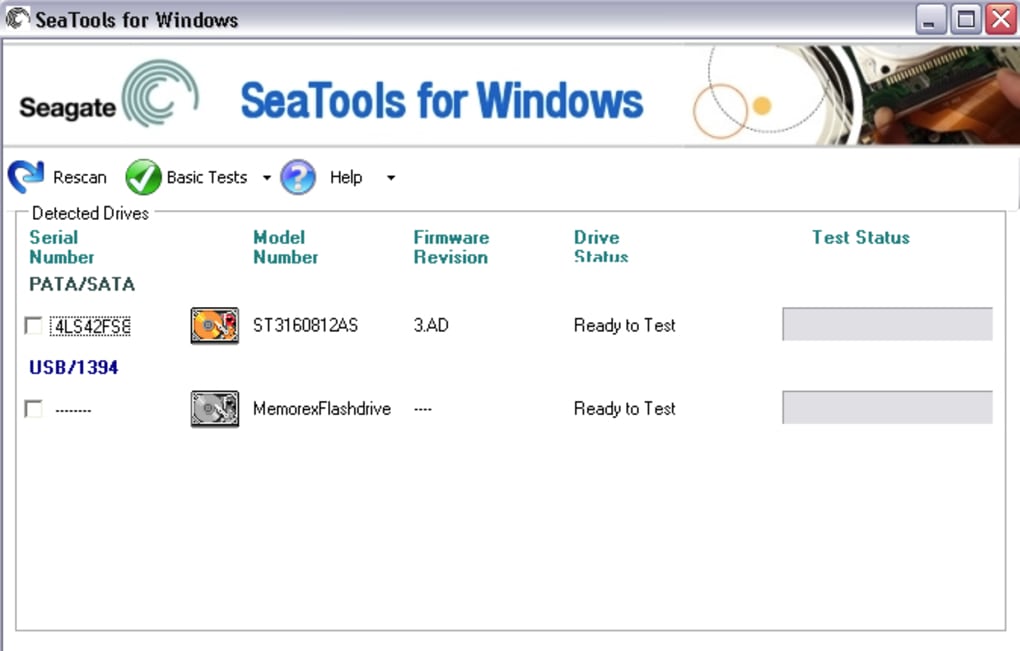
SeaTools excels in its ability to comprehensively analyze the health of your hard drive, both internally and externally. This detailed examination goes beyond simple surface-level checks, delving into the intricacies of the drive’s physical and logical components. Upon launching the application, SeaTools automatically detects all installed hard drives in your system, presenting vital information such as the drive’s model number, firmware revision, and current status. This immediate display of key information allows users to quickly identify the drives requiring attention.
The core strength of SeaTools lies in its array of diagnostic tools. Users can choose from a variety of tests tailored to different needs and levels of detail. For a quick assessment, the S.M.A.R.T. (Self-Monitoring, Analysis and Reporting Technology) check or the Short Drive Self Test provides a rapid overview of the drive’s condition. While these tests offer a concise summary, they may not reveal subtle or deeply embedded issues. For a more thorough examination, users can opt for the more comprehensive Long Generic test or the Advanced test. These tests delve deeper into the drive’s architecture, identifying potential problems that might be missed by quicker checks. The detailed reports generated by these extensive tests are invaluable in pinpointing the source of any problems, facilitating quicker resolutions.
A Deep Dive into SeaTools’ Diagnostic Tests
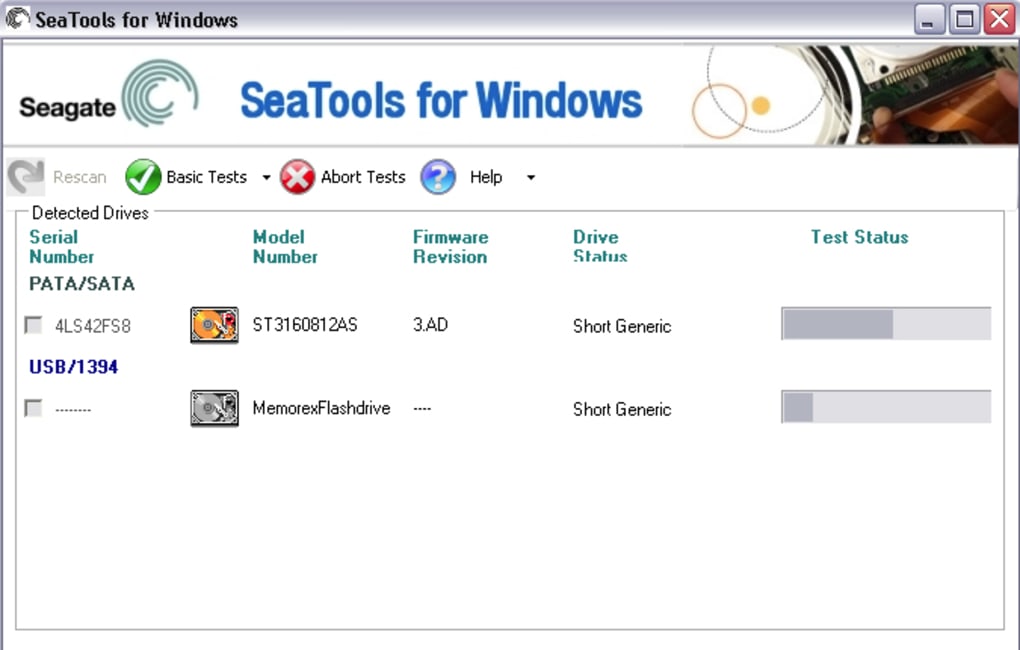
The diagnostic options within SeaTools cater to a broad range of user needs, from quick checks to in-depth analyses. Let’s examine the various test types in more detail:
- S.M.A.R.T. Check: This quick test leverages the drive’s built-in S.M.A.R.T. capabilities. S.M.A.R.T. monitors various aspects of drive health, providing crucial indicators of potential problems. SeaTools interprets this data to provide a concise overview of the drive’s overall condition. While quick, this check may not detect all issues.
-
Short Drive Self Test: Similar to the S.M.A.R.T. check, the Short Self Test provides a rapid assessment of the drive’s health. It focuses on key components and functionalities, providing an initial evaluation of the drive’s operational status. Like the S.M.A.R.T. check, it’s suitable for quick checks but might not detect more subtle problems.
-
Long Generic Test: For a more in-depth analysis, the Long Generic Test is indispensable. This comprehensive test thoroughly examines all aspects of the hard drive, identifying potential problems that may not surface during shorter tests. This can include surface scans for bad sectors, read/write head alignment checks, and other critical assessments of drive functionality. The extended duration of this test is justified by its comprehensive analysis, providing users with a detailed picture of their drive’s health.
-
Advanced Test: This test represents the most comprehensive diagnostic option in SeaTools. It performs an even more rigorous examination than the Long Generic Test, typically involving more intricate assessments and extended test durations. The Advanced Test is suitable for users needing the most thorough evaluation of their hard drive’s health, especially when investigating more complex or persistent issues. The detailed report it generates is crucial for diagnosing and addressing serious hard drive problems.
SeaTools: Benefits and Limitations
SeaTools offers several key advantages that make it a valuable tool for maintaining hard drive health:
-
Ease of Use: Despite its powerful diagnostic capabilities, SeaTools boasts an intuitive and user-friendly interface. The clear menu structure and straightforward options ensure that even novice users can easily navigate the program and perform diagnostic tests.
-
Comprehensive Diagnostics: The variety of diagnostic tests provided by SeaTools caters to different needs. From quick checks to extensive evaluations, users can choose the appropriate level of testing based on their specific requirements. This flexibility allows for efficient problem identification and resolution.
-
Detailed Reporting: The detailed reports generated by SeaTools offer precise insights into the drive’s condition. This granular level of information is invaluable for troubleshooting and making informed decisions about drive maintenance or replacement.
-
Free and Accessible: SeaTools’ free availability makes it accessible to a broad user base. This eliminates the cost barrier often associated with professional diagnostic tools, ensuring that everyone can benefit from its powerful capabilities.
-
Support for Various Interfaces: SeaTools supports a wide range of hard drive interfaces, including SATA, USB, ATA, and SCSI, making it compatible with a vast array of drives. This broad compatibility enhances its utility and applicability across diverse systems and setups.
However, SeaTools also has some limitations:
-
Time-Consuming Tests: The more comprehensive diagnostic tests can take a significant amount of time to complete. Users need to be prepared for the potential duration, especially with the Long Generic and Advanced tests.
-
Limited Detail in Quick Tests: While quick tests provide a rapid overview, they lack the detail and depth of analysis offered by the longer tests. Users needing a comprehensive assessment should opt for the more extensive options.
- Windows-Only Availability: Currently, SeaTools is primarily available for Windows operating systems. Users of other operating systems, such as macOS or Linux, cannot directly utilize the tool.
SeaTools and Its Place in the Market
SeaTools stands out among hard drive diagnostic utilities due to its combination of powerful functionality, user-friendly interface, and free availability. It effectively competes with other diagnostic tools like CrystalDiskInfo, HDD Health, and GSmartControl, offering a compelling alternative with its extensive testing capabilities and detailed reporting. While some of these alternative tools may offer additional features or cross-platform support, SeaTools’ comprehensive diagnostic suite and ease of use make it a strong contender in the market. The choice between SeaTools and other diagnostic utilities ultimately depends on individual needs and preferences, with SeaTools being a robust choice for those prioritizing a powerful and user-friendly experience for Windows users.
Conclusion
SeaTools emerges as a highly valuable and versatile tool for hard drive diagnostics. Its user-friendly design, coupled with its comprehensive testing capabilities and detailed reporting, provides users with a powerful means to assess and maintain their hard drive health. While some limitations exist, primarily concerning the time required for comprehensive tests and exclusive availability on Windows, the advantages of SeaTools make it a compelling and recommended tool for any user seeking to maintain the integrity and longevity of their hard drives. Its free availability further enhances its accessibility, making it a readily available resource for preventing costly data loss and ensuring optimal hard drive performance.
File Information
- License: “Free”
- Latest update: “July 12, 2023”
- Platform: “Windows”
- OS: “Windows Vista”
- Language: “English”
- Downloads: “4.6K”
- Size: “49.83 MB”


