
Avast Secure Browser is a free web browser prioritizing online security and privacy. Built upon the Chromium open-source framework (the same foundation as Google Chrome), it enhances the core functionality with a robust suite of built-in security and privacy tools, presented through a user-friendly interface. This review delves into its features, performance, ease of use, and overall effectiveness in protecting users’ online activities.
Security Features: A Fortress for Your Online Life
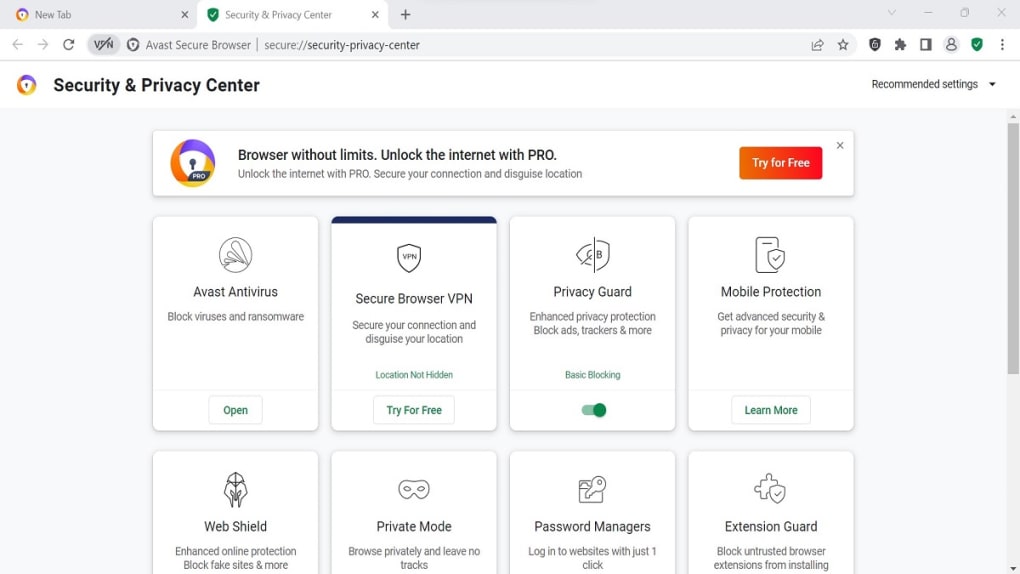
Avast Secure Browser boasts an impressive arsenal of security features designed to protect users from various online threats. The browser’s core strength lies in its integrated Security & Privacy Center, a centralized console managing several key security aspects. This centralized approach streamlines security management, offering users a single point of control for multiple protection layers.
One of the standout features is the active anti-virus integration. This feature ensures continuous monitoring and protection against malware, viruses, and other malicious software, enhancing the overall security posture of the browsing experience. The integration is seamless, working in the background without impacting performance significantly.
The Extension Sandbox is another crucial feature focusing on mitigating threats from potentially malicious browser extensions. By isolating extensions in a controlled environment, the browser prevents rogue extensions from accessing sensitive user data or disrupting system functions. This proactive approach limits the potential damage from compromised or malicious extensions, adding an extra layer of security.
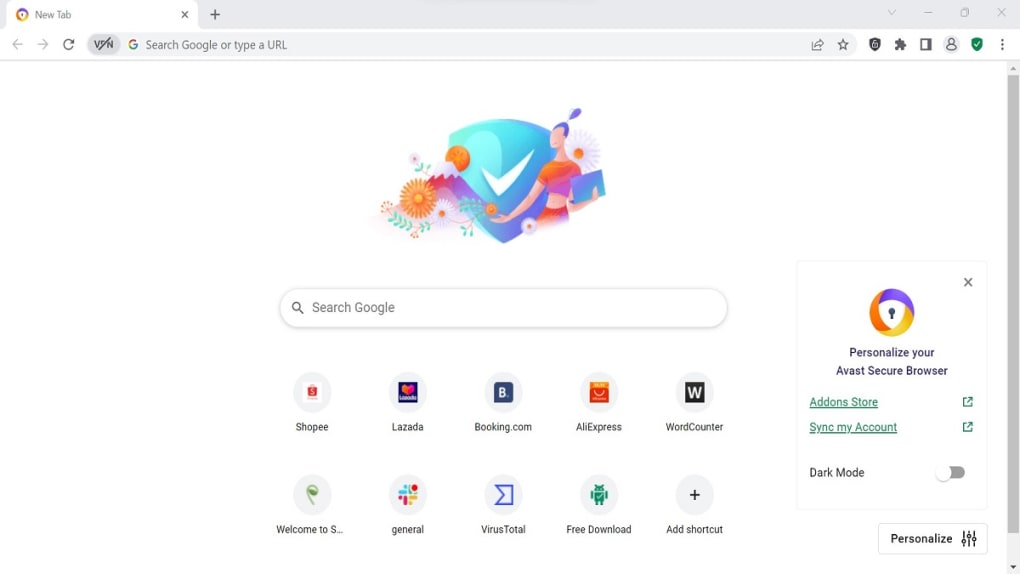
Safe Browsing provides real-time protection against phishing websites and malicious downloads. By cross-referencing website URLs and download files against Avast’s comprehensive threat database, the browser alerts users of potential risks before they interact with harmful content. This functionality effectively prevents users from inadvertently navigating to phishing sites or downloading malware.
Privacy is equally important, and Avast Secure Browser addresses this with several strong features. Private Browsing mode offers anonymous browsing, effectively preventing the browser from storing browsing history, cookies, and other tracking data. This ensures a higher level of privacy compared to standard browsing modes. Furthermore, the Anti-Tracking feature actively blocks third-party trackers, reducing the amount of data collected about user browsing habits.
The browser supports HTTPS encryption, ensuring secure communication between the user’s browser and websites supporting secure connections. This protects sensitive information like passwords and credit card details from interception during transmission. In conjunction with HTTPS, the Do Not Track feature allows users to control the level of tracking they permit, giving them more agency over their online footprint.
The built-in AdBlock feature not only enhances browsing speed by blocking ads but also prevents malicious ads that could potentially carry malware or exploit vulnerabilities. By filtering out unwanted ads, the browser contributes to a smoother, faster browsing experience, while simultaneously enhancing security by preventing malicious ad-based attacks. Additionally, the option to disable Flash enhances security by removing a commonly exploited plugin from the system.
The Privacy Cleaner offers the ability to quickly and easily remove browsing history, cookies, and other personal data. This allows users to maintain their privacy by swiftly clearing browsing traces, particularly useful before using a shared device or logging out of accounts.
Performance and Usability: Speed and Simplicity
Avast Secure Browser, despite its robust security features, doesn’t compromise on speed and ease of use. Based on the Chromium engine, the browser offers a familiar and intuitive interface for users accustomed to Chrome or other Chromium-based browsers. The transition should be relatively seamless for users switching from other browsers.
A key performance feature is the built-in ad blocker, which noticeably improves loading times by eliminating the need for the browser to download and render ads. The impact on speed is considerable, enhancing the overall browsing experience and efficiency.
The Performance Manager dynamically optimizes CPU and RAM usage by suspending inactive tabs. This feature conserves system resources, preventing unnecessary consumption and ensuring the browser remains responsive and efficient, even when multiple tabs are open. This extends battery life, a notable benefit for laptop users.
Similarly, the Battery Saver mode prioritizes power efficiency, enhancing battery life for mobile users or those with limited power resources. By actively managing power consumption, the browser ensures longer operational times and reduces battery drain when streaming or browsing extensively.
Additional Features and Integrations
Avast Secure Browser also integrates with other Avast products, enhancing its functionality. The integration with Avast SecureLine VPN provides a secure and private connection to the internet, masking the user’s IP address and encrypting their online traffic. However, this VPN functionality requires a separate subscription to Avast SecureLine VPN. A free trial is available, allowing users to explore the VPN’s capabilities before committing to a paid subscription.
The Password Manager securely stores and auto-fills login credentials, saving users from the burden of remembering numerous passwords. This enhances convenience and improves overall security by discouraging the use of easily guessable or reused passwords. The integrated Hack Check feature verifies if the user’s credentials have been compromised in any known data breaches, providing a proactive warning and prompting users to take action if necessary. The Webcam Guard offers granular control over which websites can access the user’s webcam, preventing unauthorized access and enhancing privacy. Stealth Mode enhances privacy by disabling the storage of browsing history, cookies, and caches, forcing websites to use encrypted connections.
The Avast Sync feature allows seamless synchronization of bookmarks and browsing history across multiple devices. This synchronization enhances user convenience and ensures consistent access to browsing data across different platforms, provided that the user has the Avast Sync feature enabled on all devices.
Limitations and Considerations
While Avast Secure Browser offers a comprehensive suite of security and privacy features, it’s important to acknowledge some limitations. Some advanced features, like the Bank Mode, require the installation of additional Avast products, such as Avast Antivirus. While this integration significantly enhances the security features, it also requires users to use other Avast software. This might be a drawback for users preferring to avoid using multiple security products or those who don’t wish to install additional applications on their system.
Similarly, the VPN integration with Avast SecureLine VPN necessitates a subscription to this separate service, thus adding an additional cost to the overall security solution. While the free trial allows evaluation, the long-term use of the VPN adds a financial component that some users might find undesirable.
Conclusion: A Powerful and Versatile Browser
Avast Secure Browser stands as a strong contender in the crowded browser market. It successfully combines robust security features, a user-friendly interface, and performance optimizations. The integrated Security & Privacy Center centralizes security management, simplifying the user experience. The built-in ad blocker, Performance Manager, and Battery Saver enhance browsing speed and efficiency, making it a practical option for various users.
While some advanced features require additional Avast products or subscriptions, the core security and privacy functionality makes Avast Secure Browser a worthwhile option for users seeking a comprehensive and secure browsing experience. Its ease of use, speed, and commitment to user privacy make it a compelling choice for both novice and experienced internet users. The browser’s focus on proactive security measures, combined with its user-friendly interface, makes it an effective and accessible tool for navigating the online world safely and efficiently.
File Information
- License: “Free”
- Latest update: “July 11, 2023”
- Platform: “Windows”
- OS: “Windows 10”
- Language: “English”
- Downloads: “435.2K”


