
Secure Folders Free is a Windows-based application designed to enhance the security and privacy of your files and folders. This software provides a straightforward method for controlling access to sensitive information on your computer, offering features such as hiding, locking, and setting read-only permissions. Its portability allows for use across multiple computers without the need for repeated installations, making it a convenient choice for users seeking a readily available security solution. This review delves into the capabilities, limitations, and overall effectiveness of Secure Folders Free.
Key Features and Functionality
Secure Folders Free offers a streamlined approach to file and folder protection. Its primary function revolves around three core actions: hiding, locking, and setting read-only access. These features work in conjunction to provide varying levels of protection tailored to specific needs.
Hiding: This function makes designated folders or files invisible from the standard Windows file explorer interface. While this doesn’t offer encryption or true security against determined individuals with sufficient technical skills, it provides a basic layer of obscurity, deterring casual browsing.
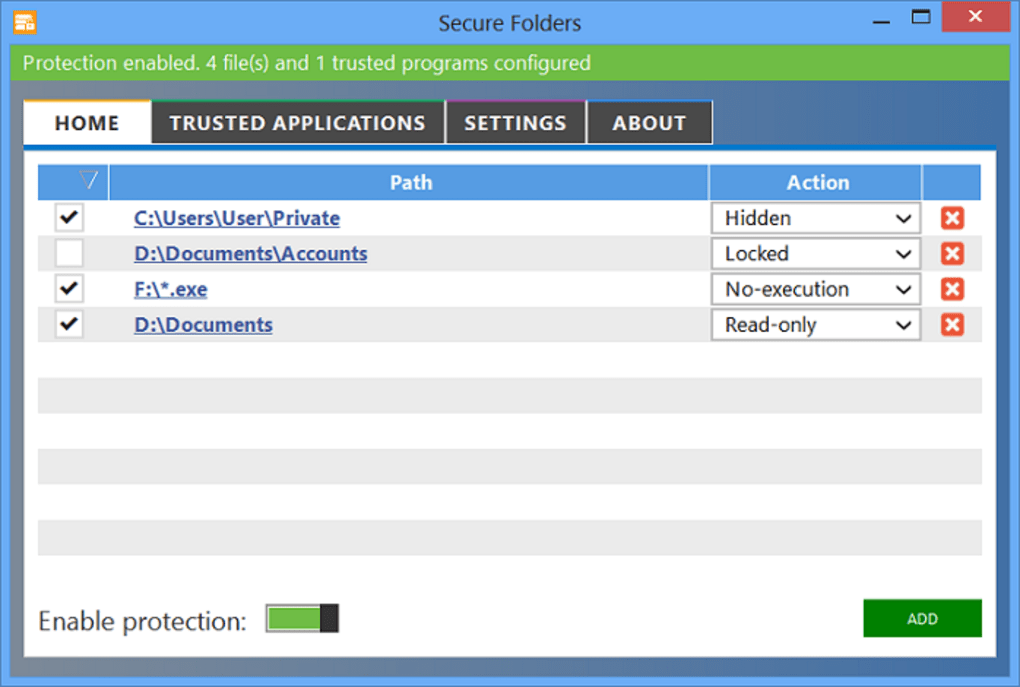
Locking: The locking feature restricts access to the protected items, preventing unauthorized modification or deletion. This adds a more significant layer of security compared to simple hiding, effectively preventing casual access. While the specifics of the locking mechanism aren’t explicitly detailed, it functions to restrict access beyond mere visual concealment.
Read-Only Access: For situations where some level of access is permissible but modification is undesirable, the read-only function allows viewing but prohibits any changes to the protected files or folders. This is particularly useful for sharing documents or data where preserving the integrity of the information is paramount.
Execution Control: A crucial aspect of Secure Folders Free is its ability to deny the execution of programs within a specified folder. This adds an extra layer of security by preventing the launching of malicious software or unauthorized applications. This feature is particularly important in protecting against potential threats from compromised files or malicious downloads.
Portability: Unlike many security applications that require installation on each individual computer, Secure Folders Free can be installed on a USB drive. This allows users to easily carry their security settings and apply them to any Windows computer, ensuring consistent protection across multiple devices without the need for repeated software installations.
Security and Stealth
The software emphasizes its stealth capabilities, claiming that even advanced users will find its presence difficult to detect. While the specifics of its security algorithms aren’t publicly available, this implies the use of techniques to mask its operation within the Windows operating system. This stealth feature contributes to its effectiveness as a security tool by preventing malicious actors from easily disabling or circumventing its protection. However, it’s crucial to note that no security software is completely impenetrable; sophisticated attackers with advanced skills may still find ways to bypass any such measures.
The level of encryption employed by Secure Folders Free isn’t explicitly stated. This lack of transparency leaves some uncertainty regarding its resilience against sophisticated attacks. Users expecting military-grade encryption should explore alternative, more transparent options.
User Interface and Ease of Use
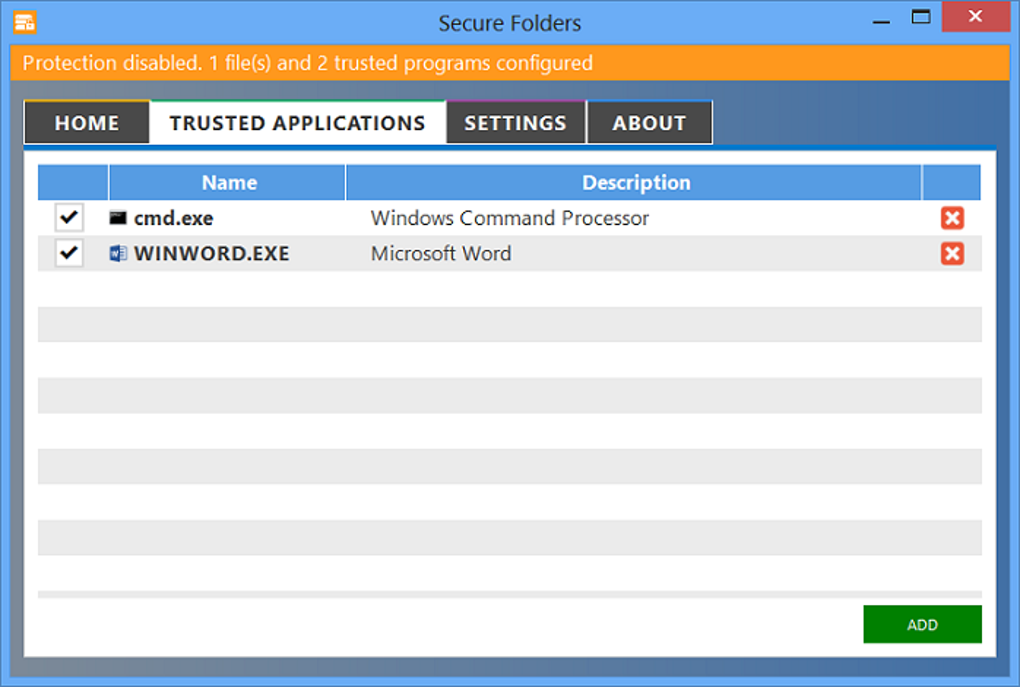
Secure Folders Free prioritizes simplicity and user-friendliness. The interface, though lacking sophisticated visual appeal, is intuitive and easy to navigate. The lack of complex menus and options streamlines the process of protecting files and folders, making it accessible even for users with limited technical expertise. This ease of use is a significant advantage, especially for users who prioritize simplicity over highly configurable advanced settings.
However, a more detailed manual or online help documentation would be beneficial, particularly for advanced users who might want to explore the full potential of its features. Such resources would help to clarify any ambiguities regarding the security measures employed and to provide a more comprehensive understanding of the software’s capabilities.
Limitations and Considerations
While Secure Folders Free offers practical functionality, it’s essential to understand its limitations.
Absence of Encryption: The software’s main drawback is its lack of built-in encryption. Hiding and locking, while providing basic security, are insufficient against determined individuals who possess sufficient technical expertise to access system files. Strong encryption is crucial for truly protecting sensitive data against unauthorized access. The software’s reliance on hiding and locking alone makes it less suitable for scenarios demanding high levels of data protection.
Limited Features: Compared to more comprehensive security suites, Secure Folders Free offers a limited feature set. Users seeking features like granular control over access permissions, real-time monitoring, or integration with other security tools might find it lacking. Its focus is on basic file and folder protection, and users requiring more extensive security functionality should explore more comprehensive software solutions.
Potential for Bypass: While the software aims for stealth, experienced users with knowledge of the Windows operating system could potentially find methods to circumvent its protection measures. Users should not consider it foolproof protection against highly determined or sophisticated attacks.
Outdated Software: The last update of Secure Folders Free dates back several years (July 17, 2014), suggesting the software might be outdated. This raises concerns about compatibility with newer operating systems and vulnerabilities to modern exploits. The lack of recent updates presents a significant security risk, as newer operating systems and malware techniques constantly evolve, and the software might fail to effectively address these challenges.
Alternatives and Comparisons
Several alternative applications offer similar functionality with additional features or improved security. Some alternatives include:
- Secure Folder: This application offers similar hiding and locking features, but often with additional security options.
- Folder Password Lock Pro: This software provides password protection for folders, offering a higher level of security than simple hiding.
- BitSec Secure Folder: This software incorporates encryption, enhancing the security of protected files significantly.
- System Vault: This free application provides a convenient method for hiding files and folders.
These alternatives, among many others, offer a broader range of features and security measures. Choosing the right option depends on specific needs and security requirements.
Conclusion
Secure Folders Free provides a simple and easily accessible solution for basic file and folder protection. Its ease of use and portability are significant advantages. However, its lack of encryption and outdated status are major drawbacks. For users requiring strong security against sophisticated threats or those seeking more comprehensive functionality, exploring more advanced and regularly updated alternatives is strongly recommended. While suitable for simple file concealment and protection against casual access, Secure Folders Free falls short in situations demanding robust, up-to-date security measures and encryption. Users should weigh its simplicity against its security limitations before deployment, prioritizing robust, modern security software for critical data protection.
File Information
- License: “Free”
- Latest update: “July 17, 2014”
- Platform: “Windows”
- OS: “Windows XP”
- Language: “English”
- Downloads: “40.5K”
- Size: “3.84 MB”


