
SecureCRT, developed by VanDyke Software, is a powerful terminal emulation program renowned for its robust security features and extensive functionality. It provides a secure and efficient way to access remote computer systems, manage files, and automate tasks, making it an indispensable tool for system administrators, developers, and anyone needing reliable and secure remote access. This guide delves into the key features, benefits, and applications of SecureCRT.
Secure Remote Access and Data Protection
In today’s interconnected world, the security of data transmitted over networks is paramount. Vulnerabilities in systems and networks expose sensitive information to potential interception by malicious actors. SecureCRT addresses these concerns by employing strong encryption protocols to protect data during transmission. This encryption safeguards passwords, user accounts, and other sensitive information from unauthorized access. The implementation of various authentication methods further enhances security, allowing users to verify their identity and control access to their systems.
Beyond basic encryption, SecureCRT offers a multi-layered approach to data protection. It supports a wide range of authentication protocols, including SSH, Telnet, and Serial, each offering different levels of security and compatibility. SSH (Secure Shell), in particular, is a widely adopted protocol known for its strong encryption and authentication capabilities, providing a high level of protection against eavesdropping and unauthorized access. The choice of authentication method depends on the security requirements of the specific environment and the capabilities of the remote systems. For instance, using public key authentication offers enhanced security compared to password-based authentication.
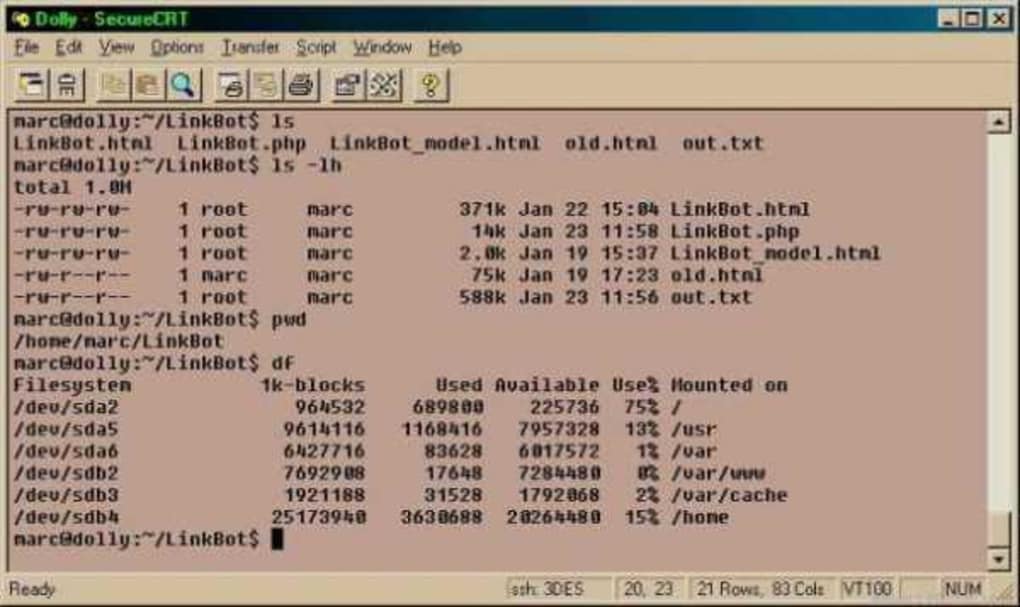
SecureCRT’s secure remote access capabilities extend beyond simple terminal sessions. It facilitates secure file transfers using SFTP (SSH File Transfer Protocol), ensuring the confidentiality and integrity of files exchanged between local and remote systems. Data tunneling capabilities allow for the creation of secure channels for sensitive data transmission within an organization’s network or between geographically separated locations. This ensures that even if the underlying network is insecure, the data remains protected.
Terminal Emulation and Customization
SecureCRT emulates a variety of popular terminal consoles, providing compatibility with a wide range of systems and applications. This broad support is crucial for users working with diverse environments, ensuring seamless integration with their existing infrastructure. The emulated terminals include:
- VT100, VT102, VT220: These are widely used standards for terminal emulation, ensuring compatibility with a vast array of legacy and modern systems.
- ANSI: A standard for controlling text formatting and color on terminals.
- SCO ANSI: A variant of the ANSI standard.
- Wyse 50/60: Emulation for specific Wyse terminals.
- Xterm: A popular terminal emulator used extensively in Unix-like systems.
- Linux Consoles: Emulation of various Linux terminal environments.
This extensive emulation capability makes SecureCRT adaptable to a broad spectrum of environments, from mainframes to modern Linux servers. The program’s flexibility extends beyond simple terminal emulation. It offers extensive customization options, allowing users to tailor the appearance and behavior of the terminal to their specific preferences. Users can adjust font types and sizes, color schemes, keyboard shortcuts, and other settings to optimize their workflow and enhance productivity.
Session Management and Automation
Efficient management of multiple sessions is crucial for users working with several remote systems simultaneously. SecureCRT provides advanced session management capabilities, allowing users to organize their connections, save frequently used settings, and quickly switch between different sessions. This feature enhances productivity, particularly for administrators and developers who regularly manage multiple servers or devices. The program allows users to save session configurations, including connection details, terminal settings, and authentication parameters, eliminating the need to re-enter these settings each time a connection is established.
SecureCRT’s automation capabilities further enhance its efficiency. The program supports scripting using VBScript and JScript, enabling users to automate repetitive tasks such as file transfers, system administration commands, and other routine operations. This automation significantly streamlines workflows, reduces manual effort, and minimizes the risk of human error. By automating these tasks, administrators can focus on more complex and strategic responsibilities, improving overall system management efficiency.
Security Features and Enhancements
Beyond the core security features of encryption and authentication, SecureCRT incorporates additional security enhancements to protect user data and systems. These features include:
- Secure File Transfer: As previously mentioned, SecureCRT utilizes SFTP for secure file transfers, safeguarding data integrity and confidentiality during file exchange.
- Session Management: SecureCRT’s session management features contribute to security by providing a structured approach to managing connections, reducing the risk of accidental exposure or unauthorized access.
- Password Management: SecureCRT can integrate with password management tools, providing a centralized and secure location for storing and managing credentials.
- Regular Updates: VanDyke Software regularly releases updates to address security vulnerabilities and improve performance, ensuring the program remains secure and reliable.
- Strong Encryption: SecureCRT utilizes strong encryption algorithms, offering robust protection against data interception and unauthorized access.
These security features combined with the program’s flexibility and ease of use make SecureCRT a compelling choice for users requiring secure and reliable remote access capabilities.
Alternative Applications and Comparison
While SecureCRT offers a robust solution for secure terminal emulation, several alternative applications exist, each with its own strengths and weaknesses. Some notable alternatives include:
- PuTTY: A free and open-source SSH and Telnet client known for its simplicity and ease of use. However, PuTTY’s feature set is more limited compared to SecureCRT.
- MobaXterm: A comprehensive terminal emulator and network utility that bundles several tools, including an SSH client, X server, and file transfer capabilities. While offering a wider range of features, MobaXterm’s interface can be less intuitive than SecureCRT.
- XShell: A commercial terminal emulator with a focus on user-friendliness and ease of use. It offers features similar to SecureCRT, but may not have the same level of advanced customization options.
The choice of terminal emulator ultimately depends on individual needs and preferences. SecureCRT’s strength lies in its balance of comprehensive features, robust security, and user-friendliness, making it a suitable choice for users demanding a powerful and reliable solution. However, for users requiring only basic SSH or Telnet functionality, a simpler and free option like PuTTY may suffice.
Conclusion
SecureCRT is a versatile and powerful tool for secure remote access, file management, and terminal emulation. Its combination of strong security features, extensive customization options, and advanced session management capabilities make it a valuable asset for system administrators, developers, and anyone requiring a reliable and secure connection to remote systems. While alternative solutions exist, SecureCRT’s balance of features, security, and ease of use makes it a compelling choice for many users in a variety of professional contexts. Its robust security features and regular updates help ensure the safety and integrity of data transmitted and stored, making it a valuable investment for businesses and individuals concerned about data security.
File Information
- License: “Trial version”
- Latest update: “July 18, 2025”
- Platform: “Windows”
- OS: “Windows 8.1”
- Language: “English”
- Downloads: “190.1K”
- Size: “36.67 MB”


