
SecurStick is a free utility software designed for Windows operating systems, primarily focused on encrypting files stored on USB drives and other removable storage devices. While offering a straightforward approach to data protection, it’s crucial to understand its strengths and limitations before employing it for sensitive data. This review delves into SecurStick’s functionality, ease of use, security implications, and overall effectiveness.
SecurStick’s Functionality: Creating a Secure Encrypted Space
SecurStick addresses a common vulnerability: the lack of inherent security features in USB flash drives. The software tackles this by creating a virtual “secure area” on the USB drive. This is achieved by essentially creating a new, encrypted virtual drive within the existing USB storage space. The user is prompted to create a password, which must be entered twice for confirmation, ensuring accuracy. Once the secure area is established, users can then encrypt their files via simple drag-and-drop (copy-paste or move operations). The encryption process is completed only after exiting the SecurStick application.
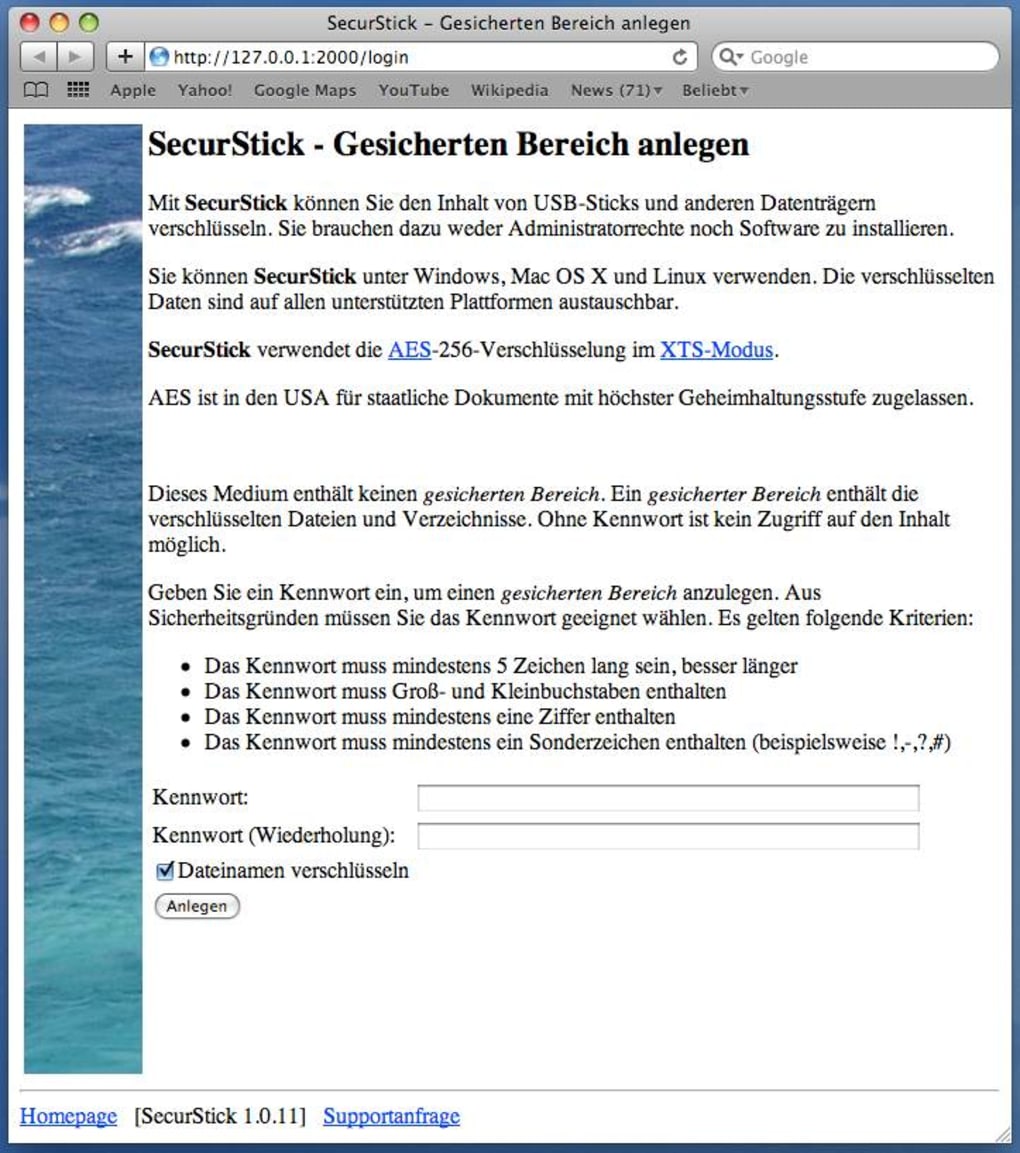
This method differs from full-disk encryption solutions. SecurStick doesn’t encrypt the entire USB drive; instead, it creates a separate, encrypted partition or container within the drive. This means that any files not moved into this dedicated secure area remain unencrypted and therefore vulnerable. The encrypted files within the SecurStick container, however, are rendered inaccessible without the correct password.
A notable feature is the software’s ability to browse non-encrypted data on the USB drive alongside the encrypted content. This dual-access capability allows for convenient management of both encrypted and unencrypted files within a single device. The encrypted files remain interoperable across different operating systems, meaning they can be accessed from various Windows versions and potentially other systems with compatible encryption methods (though this isn’t explicitly guaranteed).
Ease of Use and User Interface: Simplicity and Obsolete Design
SecurStick prioritizes simplicity in its file encryption process. The core functionality is straightforward: create a secure area, set a password, and move files into the encrypted space. This ease of use is a definite advantage for users unfamiliar with complex encryption software. However, this simplicity comes at the cost of a user interface that has been described as outdated and visually unappealing. Its design appears to be significantly behind modern software design standards. While functionality might be the primary concern for users, a more intuitive and modern interface would improve the overall user experience.
Security Aspects: Limitations and Considerations
While SecurStick offers a layer of protection, it’s crucial to understand that it’s not a foolproof solution. The software’s encryption strength is not explicitly detailed, and the age of the software raises concerns about its ability to withstand modern attacks. It’s primarily suitable for protecting data from casual access, not sophisticated cyberattacks or determined intruders. The use of a simple password-based encryption system makes it vulnerable to brute-force attacks if a weak password is chosen.
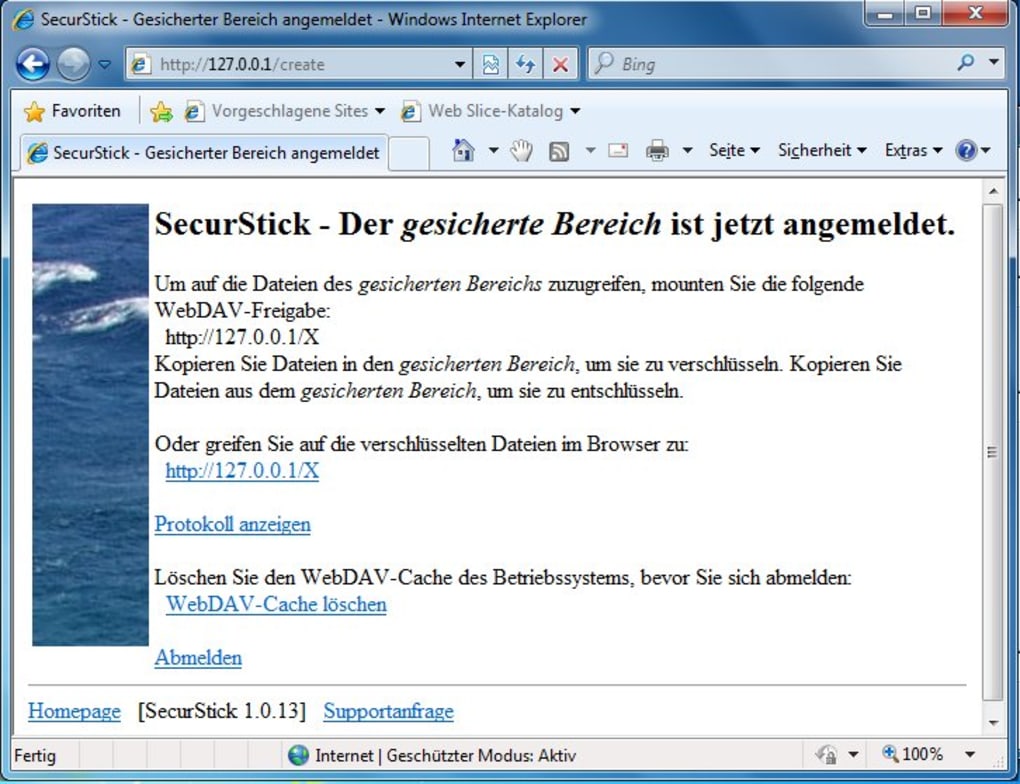
The software’s claim of “administration level security” is potentially misleading. While it provides a secure container, it doesn’t necessarily integrate with operating system-level security features to the extent of a fully featured, enterprise-grade encryption solution. The security level is highly dependent on the strength of the user-chosen password.
Furthermore, the software’s compatibility with all USB drives is not guaranteed. There are reports of incompatibility with certain USB devices, suggesting potential limitations in its driver support or handling of various storage formats. This inherent limitation could render the software useless for some users depending on their specific USB hardware.
Pros and Cons of SecurStick: Weighing the Benefits and Drawbacks
Pros:
- Simplicity: SecurStick is incredibly easy to use, making it accessible to even non-technical users. The encryption process is straightforward, involving simple file transfer actions.
- Free of Charge: The software is completely free to download and use, making it a cost-effective option for those needing basic file encryption on USB drives.
- Portability: Encrypted files are readily accessible across different operating systems, enhancing convenience for users who might switch between machines.
- Separate Encrypted Area: The creation of a separate secure area prevents accidental encryption of all files on the USB drive, offering granular control over which data is protected.
Cons:
- Outdated Interface: The user interface appears dated and could benefit significantly from a modern redesign. This could potentially impact usability for users accustomed to modern software design.
- Limited Security: SecurStick’s encryption strength and overall security are not explicitly defined. It’s vulnerable to strong password attacks and may not stand up to sophisticated intrusion attempts. It is not suitable for extremely sensitive data that requires the highest level of protection.
- Compatibility Issues: The software has shown compatibility issues with some USB drives, which is a significant drawback.
- Private Use Only: The software is explicitly stated to be for private use only and may not meet the security requirements for professional or business applications.
- Not Absolutely Secure: The software itself openly acknowledges that file encryption on USB drives is not absolutely secure, highlighting its inherent limitations.
Conclusion: SecurStick – A Basic Tool with Limitations
SecurStick provides a simple solution for basic file encryption on USB drives. Its ease of use is a significant advantage for users seeking a straightforward method to protect their files. However, its outdated interface and limited security features make it unsuitable for protecting highly sensitive data or for users who require robust, enterprise-level encryption. The lack of transparency regarding encryption strength and potential compatibility issues raise concerns regarding its overall reliability. While suitable for simple protection against casual access, users should carefully consider its limitations and explore more robust solutions if dealing with critical or confidential information. Before using SecurStick, it’s recommended to back up important data, as any errors during the encryption or decryption process could potentially lead to data loss. Users are also strongly advised to choose a strong and unique password to maximize the security provided by the software. Ultimately, SecurStick serves as a basic tool that should be evaluated based on the specific needs and risk tolerance of the user.
File Information
- License: “Free”
- Latest update: “May 23, 2023”
- Platform: “Windows”
- OS: “Windows XP”
- Language: “English”
- Downloads: “2.1K”
- Size: “316.55 KB”


