
The Settings App, a free utility application from KF Software House, offers a powerful and streamlined approach to managing individual Android application settings. This comprehensive guide explores its functionalities, benefits, and limitations, providing a detailed overview for both novice and experienced users. Forget endlessly navigating individual app menus – Settings App centralizes your configuration, saving you time and effort.
Streamlining App Settings: One Interface, Multiple Profiles
The core functionality of the Settings App revolves around providing a unified interface for configuring individual app settings. Instead of digging through the settings of each application individually, users can access and modify a wide range of parameters from a single, centralized location. This efficiency is further enhanced through the app’s support for multiple profiles per application. This means you can create distinct configurations tailored to specific use cases or scenarios. For example, you might have one profile optimized for battery life, another for gaming, and yet another for work-related tasks. Switching between these profiles is instantaneous, allowing for rapid adaptation to your immediate needs.
Imagine you frequently toggle your phone’s brightness, orientation, Wi-Fi, and Bluetooth based on the app you are using. With Settings App, you can pre-configure these settings within individual app profiles. One profile might prioritize battery life by dimming the screen and disabling Wi-Fi and Bluetooth, while another profile for gaming may maximize brightness, enable Wi-Fi for online play, and keep Bluetooth activated for your gaming controller. This dynamic control eliminates the repetitive manual adjustment of settings, significantly improving efficiency and user experience.
Advanced Configuration Options: Schedules and Quick Toggles
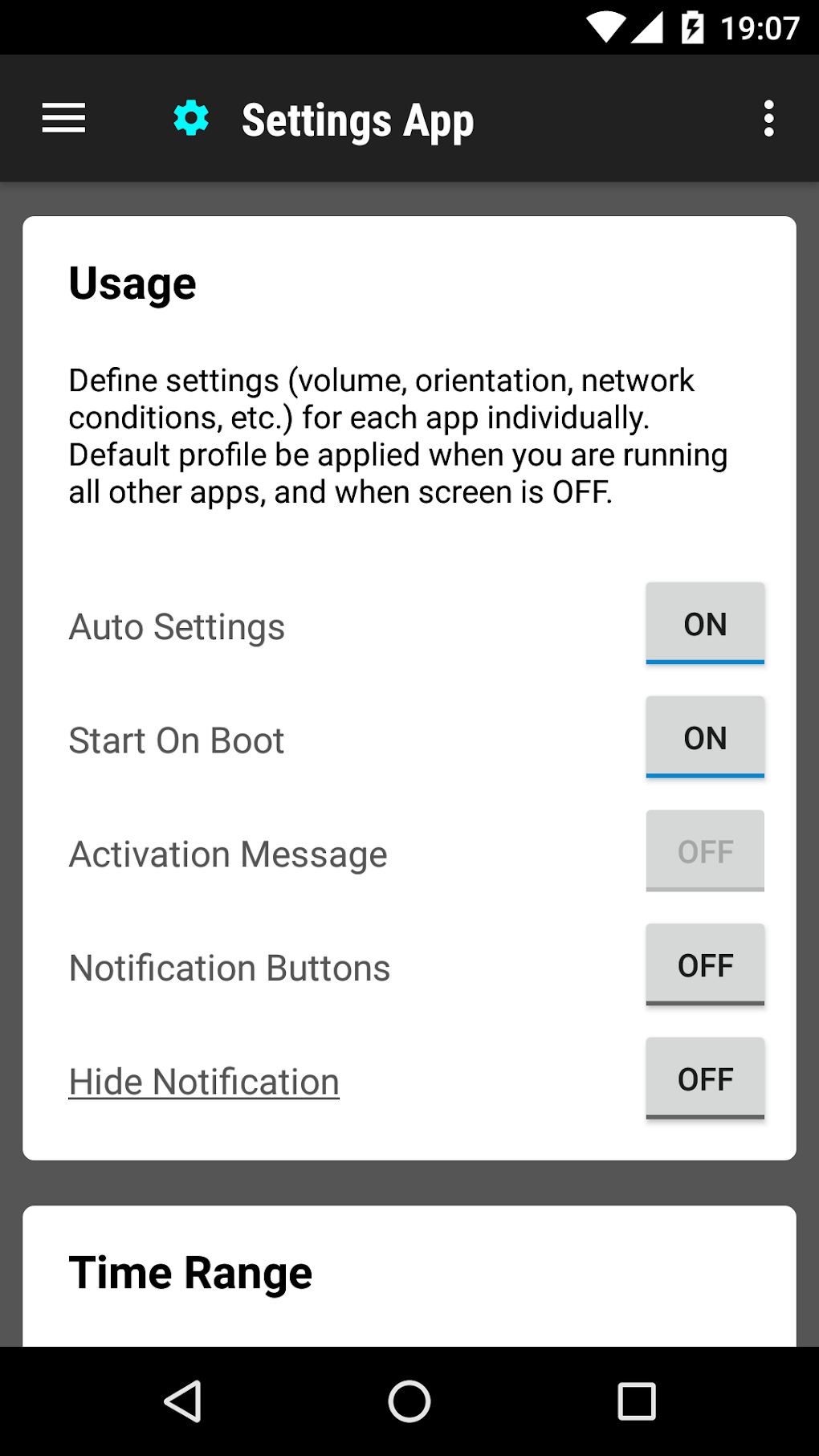
Settings App extends beyond simple parameter adjustments. Its advanced features significantly enhance its versatility and user-friendliness. Notably, the app allows users to schedule profiles to activate automatically at specific times of the day. This automated control ensures optimal settings are consistently maintained throughout your daily routine. Need a low-power profile for nighttime use? Schedule it to activate automatically each evening. Prefer a high-performance profile during your workday? Simply set a schedule to reflect your preferences.
Moreover, Settings App offers the convenience of adding quick toggles to your Android notification area. This provides immediate access to crucial settings without navigating through menus. These customizable toggles can represent individual profiles or specific settings like Wi-Fi, Bluetooth, or screen rotation, placing frequently adjusted options directly at your fingertips.
Mastering the Learning Curve: Unlocking the App’s Potential
While the Settings App provides significant benefits in terms of centralized app configuration, it’s important to acknowledge an initial learning curve. The app’s extensive functionality and customizable options require some time to master fully. The sheer number of parameters that can be managed and customized might initially feel overwhelming.
However, this initial investment of time is worthwhile. Once familiar with the interface and its functionalities, the app’s efficiency and ease of use become apparent. The app’s developers could consider providing more extensive tutorials or in-app guidance to help new users navigate the numerous settings and options. This would significantly reduce the learning curve and allow users to quickly harness the full power of the Settings App.
Comparison to Alternative Applications
The Android market offers several alternative applications focused on app settings management. However, Settings App differentiates itself through its comprehensive approach to profile management and scheduling. While some competitors may offer a subset of the Settings App’s features, they often lack the depth and versatility of profile creation, scheduling options, and notification area toggles. This comparative advantage positions Settings App as a compelling solution for power users seeking granular control over their app configurations. A detailed feature comparison against several competing apps would provide a more complete understanding of its strengths and how it positions itself within the market.
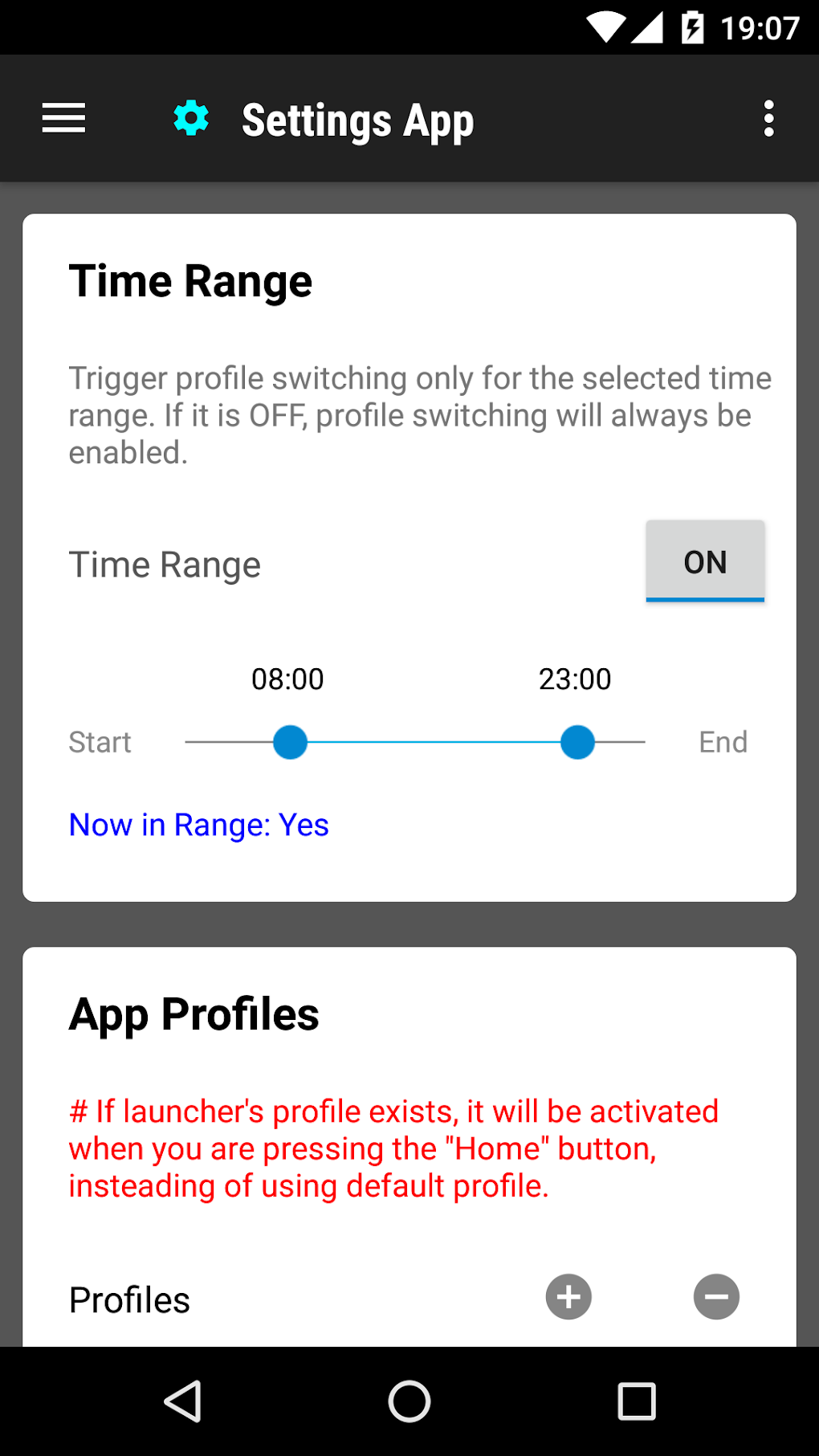
A thorough comparative analysis would consider factors such as ease of use, customization options, interface design, and overall performance. For example, a comparison could highlight Settings App’s strength in profile management and scheduling compared to simpler apps that lack these features. It could also explore potential drawbacks, such as the learning curve, and compare it against more user-friendly but less feature-rich competitors. This comparative analysis would help potential users make an informed decision based on their individual needs and preferences.
System Requirements and Compatibility
The Settings App is designed for Android devices. Specific Android OS version requirements should be clearly stated to ensure compatibility. The app’s performance might also vary across different devices and Android versions, depending on factors such as processor speed, RAM, and internal storage capacity. Users should refer to the app’s official page or online resources for up-to-date information on compatibility and system requirements.
Conclusion: Empowering Android Users Through Centralized Configuration
The Settings App presents a compelling solution for Android users seeking enhanced control and efficiency in managing individual application settings. Its capacity for multiple profiles, scheduling, and notification area toggles significantly improves the user experience. While an initial learning curve exists, the app’s robust features and time-saving capabilities make it a valuable tool for anyone wishing to fine-tune their Android device to meet their specific needs. The app’s developers should continue to prioritize user feedback and refine the app’s design and functionality, potentially incorporating additional features and improvements based on user requests. This commitment to user experience will be critical in ensuring the long-term success and widespread adoption of Settings App.
File Information
- License: “Free”
- Latest update: “December 12, 2024”
- Platform: “Android”
- OS: “Android 13.0”
- Downloads: “15K”
- Size: “11.36 MB”
- Download Options: “APK, Google Play”
- Filename: “info-kfsoft-android-appsetting-172-68604109-538f92212c7fc0acc13e975ddba33334.apk”


