
Shadow Defender presents a unique approach to computer security, creating a virtualized environment where system changes are isolated, protecting your main operating system from potential threats. This in-depth review examines its functionality, strengths, weaknesses, and overall effectiveness as a security tool.
How Shadow Defender Works: The Virtual Sandbox Approach
Shadow Defender operates by establishing a “Shadow Mode,” a virtualized layer on top of your existing operating system. All system modifications – file changes, program installations, registry edits – occur within this isolated environment. This means that even malicious software, if executed, will only affect the temporary Shadow Mode, leaving your primary operating system untouched. Upon rebooting your computer, the Shadow Mode is discarded, restoring your system to its previous, pristine state. This approach provides a robust layer of protection against various threats, including malware, ransomware, and accidental system modifications. The core functionality lies in its ability to effectively sandbox user actions, preventing permanent changes to the underlying operating system. This makes it particularly useful for testing potentially risky software or exploring unfamiliar applications without the fear of irreversible damage.
The software achieves this through a combination of techniques, including file system redirection and virtual registry entries. While the specifics are complex and remain largely proprietary, the end result is a clean separation between the user’s actions and the underlying system files. This design philosophy places a strong emphasis on the rollback capability, offering a fail-safe mechanism to revert any undesirable changes with a simple system restart. The simplicity of the recovery process makes Shadow Defender particularly attractive to less technically proficient users who may not be comfortable with more intricate system restoration procedures.
User Interface and Functionality: Simplicity and Limitations
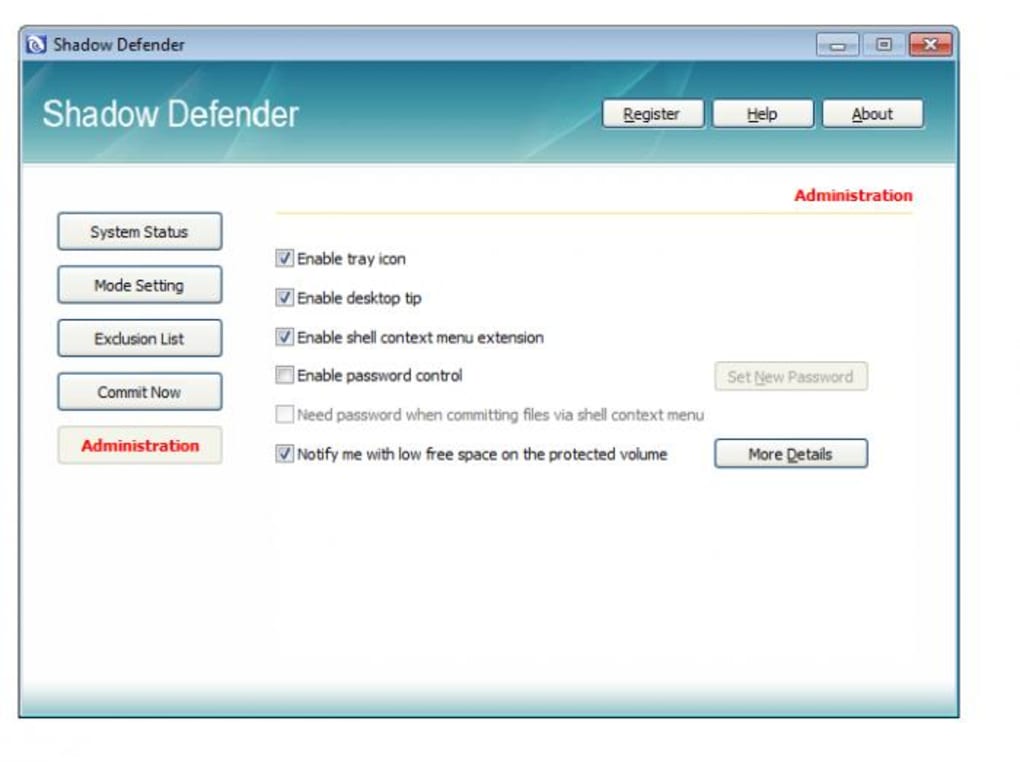
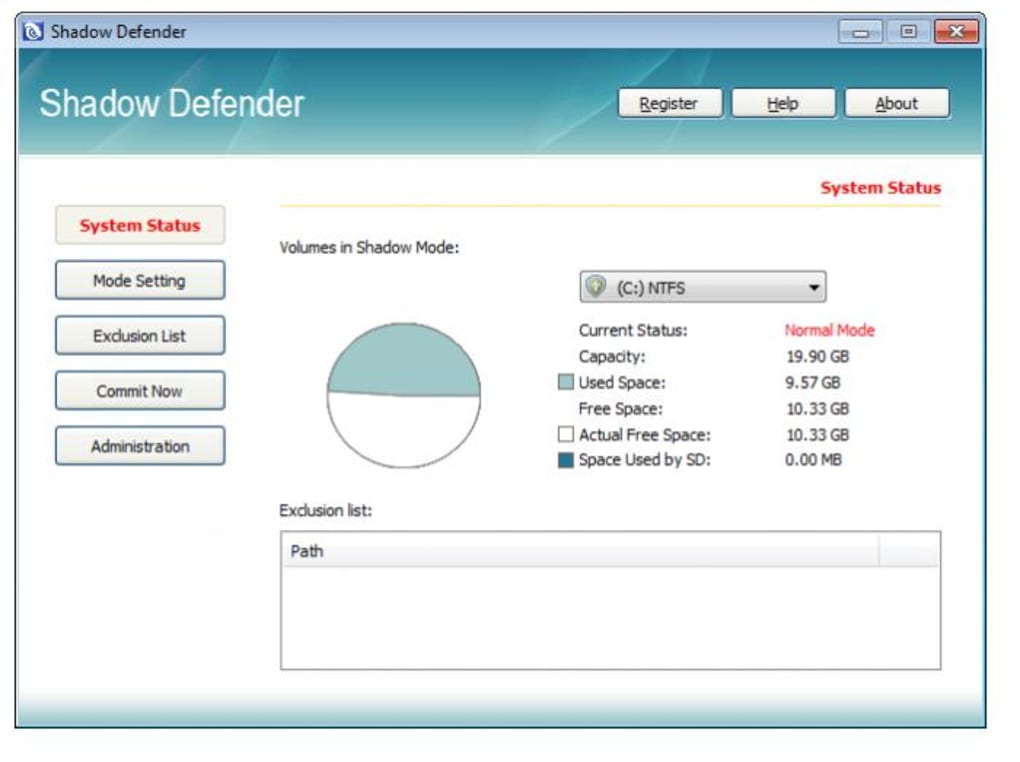
Shadow Defender’s user interface is designed for simplicity. The main window presents a clear and concise set of options: enabling and disabling Shadow Mode, managing excluded folders, and accessing the configuration settings. This minimalist design is both a strength and a weakness. While it makes the software easy to learn and use, it also limits customization and advanced configuration options. The lack of granular control over the virtualization process can be a drawback for power users seeking more fine-tuned adjustments.
The inclusion of an “Exclude Folders” option allows users to specify directories that remain outside the Shadow Mode’s virtual environment. This is crucial for allowing permanent changes to specific files and folders, such as personal documents or project files. However, users need to carefully select these exclusions, as any folders included will be vulnerable to modifications even while Shadow Mode is active. This requires a level of forethought and understanding of the software’s limitations. Incorrectly configuring excluded folders could inadvertently expose sensitive data or system components to potential threats.
The “Commit Now” feature, as noted in the original review, remains somewhat opaque. While the user manual may offer clarification, its lack of immediate intuitive understanding is a point of concern. Ideally, this feature’s function should be more transparent to ensure users fully comprehend the implications of its activation. Improved documentation and clearer in-app explanations are necessary to enhance usability.
Configuration and Customization: A Need for Expansion
The configuration options within Shadow Defender are rather basic. While password protection is a valuable feature, enhancing the security of the application, the limited customization capabilities restrict its flexibility. For instance, the inability to schedule Shadow Mode activation and deactivation automatically limits its usability in certain scenarios. Adding options for automated scheduling based on time of day, specific events, or application launches would greatly enhance its overall usefulness.
Furthermore, the lack of integration with other security software and the need for a reboot to activate or deactivate Shadow Mode present clear limitations. Seamless integration with other security solutions could strengthen its overall effectiveness, forming a more comprehensive security ecosystem. The reboot requirement also disrupts workflow, which could be mitigated with alternative approaches that do not require restarting the system.
Strengths of Shadow Defender: Innovation and Simplicity
Shadow Defender’s innovative approach to system protection remains its primary strength. The concept of a disposable virtual environment provides a simple yet effective method of safeguarding the operating system against various threats. This is especially valuable for users who may not have the technical expertise to manage more complex security solutions or those who simply prefer a user-friendly interface with easy recovery mechanisms. The simple user interface contributes significantly to its ease of use, making it accessible to a wide range of users, regardless of their technical proficiency.
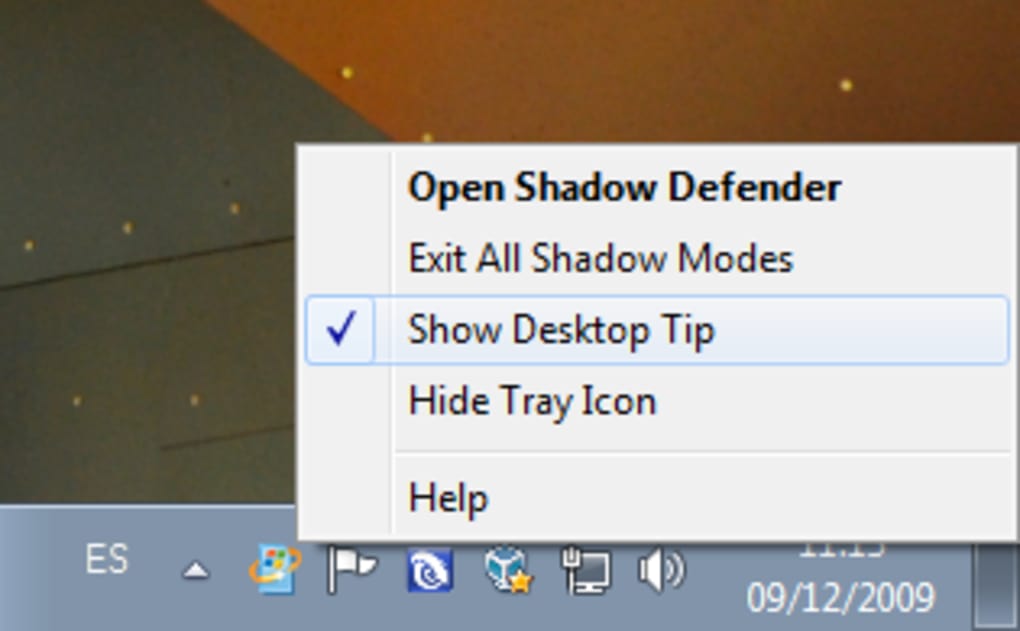
The password protection feature adds an extra layer of security, preventing unauthorized access to the Shadow Mode and its configuration settings. This is a crucial element, especially for users handling sensitive information. The strong emphasis on data protection and the readily available rollback functionality makes Shadow Defender a compelling option for users prioritizing data security and system integrity.
Weaknesses of Shadow Defender: Limitations and Usability Issues
Despite its strengths, Shadow Defender has several weaknesses. The limited configuration options and the need for a system reboot to switch Shadow Mode on or off represent significant drawbacks. This inflexibility limits its practical application in certain scenarios, especially for users requiring seamless and on-the-fly protection.
The lack of granular control over the virtualization process may also be a concern for advanced users. A more robust and customizable system would cater to a wider range of technical expertise and user needs. Further refinement of the user interface and a more intuitive approach to the “Commit Now” feature would improve the overall user experience.
Comparison to Alternatives: Sandboxie and Microsoft Defender
Shadow Defender’s functionality overlaps with other security solutions, such as Sandboxie and Microsoft Defender. Sandboxie offers similar virtualization capabilities, providing isolated environments for running applications. However, Sandboxie typically requires more technical expertise to configure and utilize effectively. Microsoft Defender, on the other hand, is a comprehensive antivirus and antimalware suite offering real-time protection against threats. While Microsoft Defender provides broader protection, it doesn’t offer the same level of system rollback capabilities as Shadow Defender.
The choice between these options depends on individual user needs and priorities. For users prioritizing simplicity and ease of use with robust rollback features, Shadow Defender could be a strong contender. However, users requiring comprehensive real-time protection against a wider range of threats may find Microsoft Defender more suitable. Sandboxie presents an alternative for users who need highly customizable sandboxed environments, though it demands a steeper learning curve.
Conclusion: A Niche Security Solution
Shadow Defender occupies a specific niche in the computer security landscape. Its innovative approach to system virtualization provides a valuable layer of protection for users seeking a simple, easy-to-use solution with strong rollback capabilities. However, its limitations in terms of configuration options, the need for reboots, and the less-than-intuitive “Commit Now” feature restrict its overall appeal to a narrower audience. While not a replacement for a comprehensive security suite, Shadow Defender can be a valuable addition to a user’s security arsenal, particularly for those prioritizing the protection of their operating system from accidental or malicious changes. Future updates incorporating enhanced customization options, improved user interface design, and addressing the outstanding questions surrounding the “Commit Now” feature would significantly broaden its appeal and effectiveness.
File Information
- License: “Trial version”
- Latest update: “May 20, 2024”
- Platform: “Windows”
- OS: “Windows 2000”
- Language: “English”
- Downloads: “23K”
- Size: “3.71 MB”


