
SHAREit Lite is a free, lightweight file transfer utility developed by SHAREit Technologies Co. Ltd. Designed as a streamlined alternative to the full SHAREit application, it offers a quicker and more efficient method for sharing files between devices. This review will explore its features, benefits, drawbacks, and overall effectiveness as a file-transfer solution in the modern mobile landscape.
Core Functionality and Features
SHAREit Lite’s primary function is the rapid transfer of files between devices without relying on an internet connection. This direct connection bypasses the limitations of Bluetooth, resulting in significantly faster transfer speeds, a crucial advantage in situations with limited or no internet access. The app supports a wide array of file types, including but not limited to:
- Videos: High-definition videos, regardless of size, can be transferred efficiently.
- Photos: Transferring image files, from single pictures to entire albums, is a simple process.
- Documents: Various document formats, including Word, Excel, PDF, and more, are supported.
- Ebooks: Transferring digital books for offline reading is facilitated by the app.
- Music Files: Sharing music playlists and individual audio tracks is seamless.
- APK Files: The ability to share application installation files (.apk) is a noteworthy feature, streamlining the process of installing apps on other devices.
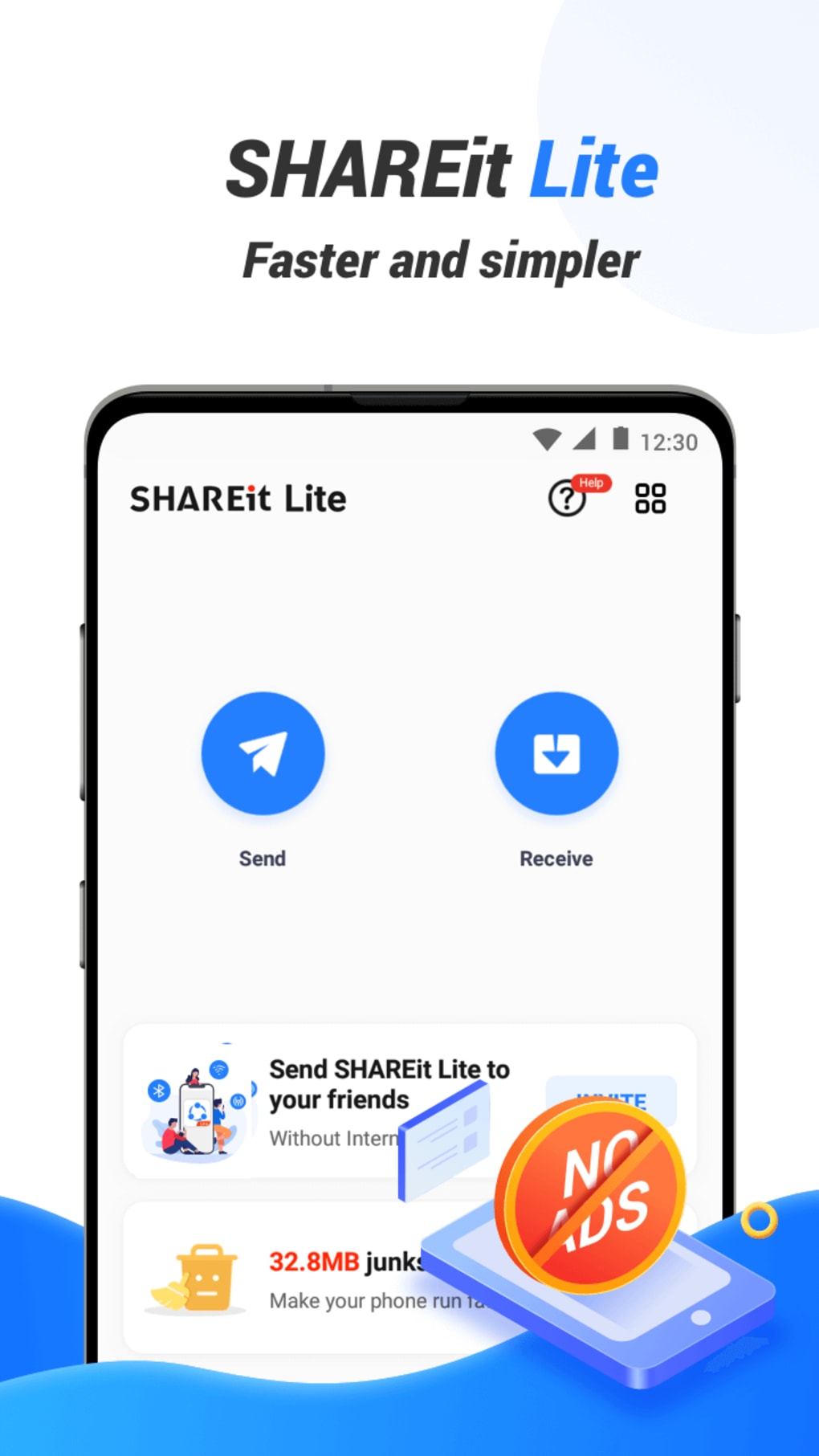
Beyond the core file-sharing function, SHAREit Lite also includes a built-in file library. This allows users to store received files within the app for future access, serving as a convenient temporary storage solution, particularly beneficial for devices with limited internal storage space. The user interface is designed for simplicity, employing large, clear fonts and a two-tone color scheme for intuitive navigation, echoing the design philosophy of the original SHAREit app.
Advantages and Disadvantages of SHAREit Lite
SHAREit Lite offers several key advantages:
- Speed: The most significant advantage is its speed. Direct device-to-device transfer bypasses internet limitations and significantly outpaces Bluetooth transfer speeds. This makes it ideal for sharing large files quickly.
- Offline Functionality: The app’s core function works entirely offline, making it a valuable tool in areas with unreliable or unavailable internet connectivity.
- Cross-Platform Compatibility: SHAREit Lite operates across different operating systems, enabling seamless file sharing between Android and other supported platforms, provided the app is installed on all participating devices.
- Wide File Type Support: As mentioned previously, the app’s compatibility extends to a large variety of file types, catering to a wide range of user needs.
- Built-in File Library: The integrated file library simplifies file management and provides convenient temporary storage.
However, SHAREit Lite also has some notable drawbacks:
- Excessive Permissions: One of the most significant criticisms leveled against the app is its request for a broad range of permissions. Users have expressed concern about the seemingly excessive access it requests, raising privacy and security questions. This is a crucial point to consider before installation, carefully reviewing the permissions requested and understanding their implications.
- Connectivity Issues: While generally reliable, some users have reported occasional connectivity problems during file transfers. These issues, while not pervasive, detract from the app’s overall reliability.
- Redundancy in Modern Devices: The rise of built-in features like QuickShare (Android) and AirDrop (Apple) somewhat diminishes the app’s necessity for many users. These integrated solutions offer similar functionality, potentially reducing the need for a third-party app.
- Bloatware and Unrelated Features: The presence of unrelated features, such as a YouTube-style element, adds bloat and detracts from the app’s focused functionality. This unnecessary content contributes to a larger app size than might be expected for a simple file-sharing utility.
SHAREit Lite Compared to the Original SHAREit Application
SHAREit Lite functions as a lighter, more focused version of the original SHAREit app. While it retains the core file-transfer capabilities, it lacks some of the additional features found in the full-fledged application. This simplification is intended to improve speed and efficiency, making it a more streamlined choice for users primarily concerned with quick and easy file transfers. However, this streamlined approach also comes at the cost of some functionalities. Users who require the broader range of features present in the original SHAREit application may find SHAREit Lite lacking.
SHAREit Lite: A Verdict for Potential Users
SHAREit Lite provides a viable option for users who regularly need to share files offline or in environments with unreliable internet connections. Its speed and cross-platform compatibility are significant advantages. However, the potentially excessive permission requests, occasional connectivity problems, and inclusion of unrelated features are significant drawbacks to consider. For users seeking a purely functional, efficient file-transfer tool without any extraneous features, this might not be the ideal choice. The availability of built-in file sharing solutions on many modern devices further reduces its overall necessity.
Ultimately, the decision of whether or not to use SHAREit Lite depends on individual needs and priorities. Users who prioritize speed and offline functionality, and are comfortable with the app’s permission requests, may find it beneficial. However, users concerned about privacy, seeking a minimal installation, or already utilizing built-in file-sharing features might be better served by alternative methods.
Alternatives to SHAREit Lite
The market offers a number of alternative file-transfer apps, each with its own strengths and weaknesses. Some popular alternatives include:
- Built-in Solutions: QuickShare (Android) and AirDrop (iOS) are excellent choices for users already within the respective ecosystems, offering similar functionality without the need for third-party installations.
- Xender: Xender is a popular cross-platform file transfer app known for its speed and ease of use.
- Zapya: Zapya also provides high-speed, cross-platform file transfers, offering additional features such as group sharing.
- Send Anywhere: Send Anywhere focuses on sending files using unique links, enabling transfer even across different devices and operating systems.
Carefully comparing the features and privacy policies of these alternative applications with SHAREit Lite is recommended before making a decision. The best choice will depend on individual preferences and specific requirements.
Conclusion
SHAREit Lite presents a mixed bag. Its speed and offline functionality are strengths, particularly valuable in specific scenarios. However, concerns surrounding permissions, occasional connectivity issues, and unnecessary bloatware need careful consideration. Users should weigh these factors against their individual needs and the availability of built-in alternatives before deciding whether SHAREit Lite is the right file-transfer solution for them. Ultimately, its suitability is context-dependent and requires careful evaluation based on individual priorities and technical considerations.
File Information
- License: “Free”
- Latest update: “March 14, 2025”
- Platform: “Android”
- OS: “Android 13.0”
- Language: “English”
- Downloads: “208.4K”
- Size: “66.70 MB”
- Download Options: “APK, Google Play”
- Filename: “shareit-lite-3-17-59-ud.apk”


