
SharkSpace - Game Turbo is a free utility application designed for Android devices, aiming to elevate the mobile gaming experience by optimizing system performance and resource management. This comprehensive tool tackles lag, enhances gameplay smoothness, and provides users with a suite of features designed to maximize their device’s potential for gaming. Its focus on resource prioritization, temperature monitoring, and junk cleaning sets it apart from simpler gaming boosters. This in-depth analysis will explore the app’s functionalities, benefits, limitations, and its place within the competitive landscape of Android gaming optimization tools.
Core Functionalities: Boosting Performance and Maintaining Efficiency
At its heart, SharkSpace - Game Turbo functions as a sophisticated resource manager, prioritizing system resources and network bandwidth to ensure optimal performance during gaming sessions. This prioritization means that when a game is running, SharkSpace actively manages RAM allocation, CPU usage, and network traffic to minimize stuttering, lag, and dropped connections. This isn’t merely a simple “boost” button; it’s a dynamic process that continuously monitors and adjusts resource allocation based on real-time needs.
One of the key strengths of SharkSpace - Game Turbo lies in its real-time monitoring capabilities. Users can track crucial system metrics such as RAM usage, CPU temperature, and network ping. This level of transparency allows gamers to understand the performance demands of their games and identify potential bottlenecks. The ability to monitor RAM usage is particularly valuable, as it allows users to proactively manage their gaming sessions, closing unnecessary background apps to free up RAM and prevent performance dips. Similarly, the network ping monitoring helps to pinpoint network-related issues that might be contributing to lag.
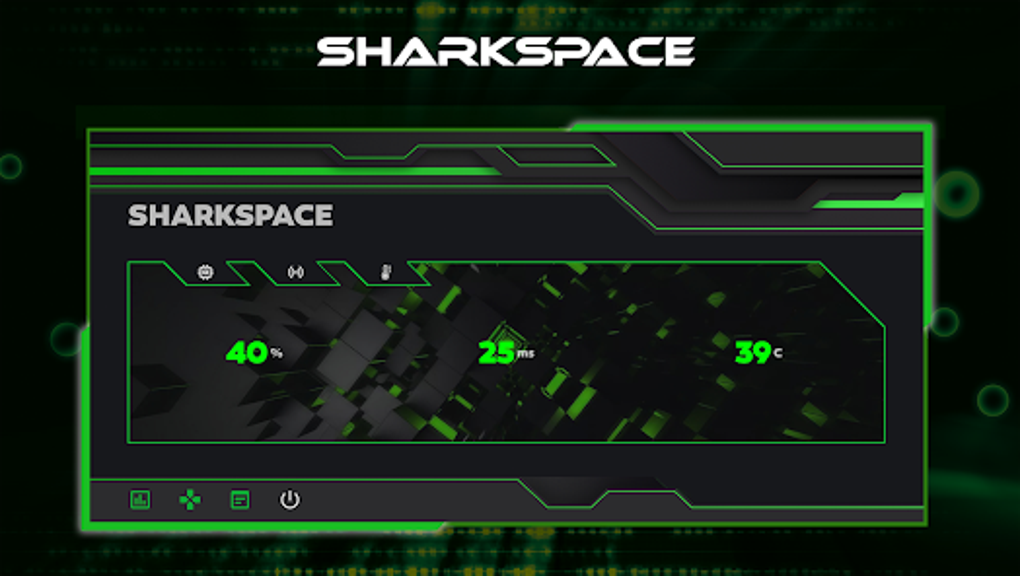
Beyond resource management and monitoring, SharkSpace - Game Turbo boasts a built-in advanced cooling system management feature. This functionality monitors the device’s temperature during gameplay, helping to prevent overheating, a common issue that can lead to performance throttling and even device damage. By actively managing the device’s temperature, SharkSpace ensures that the device remains stable and performs at its peak throughout extended gaming sessions.
Further enhancing its utility, the app includes a powerful junk cleaner. This feature efficiently identifies and removes unnecessary files, temporary data, and cache, freeing up valuable storage space and improving overall system performance. By eliminating clutter, the junk cleaner not only enhances gaming performance but also contributes to a smoother, more responsive user experience across all device functions. The freed-up space can also help ensure the device has sufficient resources to handle demanding games without compromising performance.
Finally, SharkSpace - Game Turbo introduces a unique and appealing feature – a custom nickmaker. This allows gamers to personalize their in-game profiles with creative and unique nicknames, adding a layer of personalization that enhances the overall gaming experience beyond just performance optimization. This seemingly small addition contributes to the app’s overall appeal, offering more than just raw performance enhancements.
User Experience and Interface Design
SharkSpace - Game Turbo prioritizes user-friendliness. The app’s interface is designed to be intuitive and easy to navigate, even for users unfamiliar with system optimization tools. The key features are clearly presented, and the real-time monitoring dashboards provide readily digestible information, allowing users to quickly grasp their device’s performance status. The clean and uncluttered design avoids overwhelming the user with excessive data or complex settings. This focus on simplicity makes the app accessible to a wide range of users, regardless of their technical expertise.
The real-time monitoring dashboards are particularly well-designed, providing at-a-glance insights into crucial metrics without requiring users to sift through complex data streams. This ensures that users can quickly identify potential problems and take appropriate action. The color-coded displays and clear indicators make it easy to understand system performance at a glance.
Comparison with Other Android Gaming Optimization Tools
The Android app market is saturated with gaming optimization tools, each boasting unique features and capabilities. SharkSpace - Game Turbo stands out from the crowd by offering a comprehensive suite of tools, rather than focusing on a single aspect of optimization. While some competitors might excel in RAM management, others might focus on CPU throttling, or solely on junk cleaning. SharkSpace combines these functionalities into a single, streamlined package, offering a holistic approach to performance enhancement.
Compared to simpler gaming boosters, which often consist of a single “boost” button with limited functionality, SharkSpace provides granular control and real-time monitoring, allowing users to understand and manage their device’s performance more effectively. This level of control offers a more personalized optimization experience, adapting to the specific needs of each user and gaming session.
The inclusion of the custom nickmaker also sets SharkSpace apart, adding a unique element of personalization that many competing apps lack. While many apps focus solely on performance, SharkSpace recognizes the importance of the overall gaming experience, incorporating features that enhance both performance and personalization.
Limitations and Considerations
While SharkSpace - Game Turbo offers significant advantages, it’s crucial to acknowledge its limitations. The most significant constraint is its exclusive compatibility with Android devices. Users with iOS devices will find the app incompatible and will need to seek alternative solutions. This limitation significantly reduces its potential user base, restricting its reach to a portion of the mobile gaming community.
Another factor to consider is the potential for conflicts with other optimization tools or system-level modifications. While SharkSpace is designed to work seamlessly with most Android devices, users with extensively modified systems or multiple performance enhancement apps installed might encounter unexpected behavior or conflicts. It’s always recommended to carefully consider the interaction of multiple optimization tools, to avoid potential conflicts that could negatively affect system stability or performance.
Conclusion: SharkSpace - Game Turbo - A Powerful Contender
SharkSpace - Game Turbo presents a compelling proposition for Android gamers seeking a comprehensive performance optimization solution. Its combination of resource prioritization, real-time monitoring, temperature control, junk cleaning, and the unique custom nickmaker feature provides a holistic approach to improving the mobile gaming experience. The intuitive user interface further enhances its appeal, making it accessible to both casual and hardcore gamers. While its Android-only compatibility is a limitation, the app’s capabilities and comprehensive features make it a strong contender in the increasingly competitive market of Android gaming optimization tools. For users seeking a single app to manage various aspects of their device’s gaming performance, SharkSpace - Game Turbo offers a powerful and user-friendly solution. The real-time monitoring provides invaluable insights into device performance, empowering users to make informed decisions about managing their gaming sessions and maximizing their device’s potential.
File Information
- License: “Free”
- Version: “1.0.3”
- Latest update: “August 15, 2024”
- Platform: “Android”
- OS: “Android 9.0”
- Language: “English”
- Downloads: “52.8K”
- Size: “14.53 MB”
- Download Options: “APK, Google Play”
- Filename: “sharkspace-game-turbo-v1.0.3.apk”


