
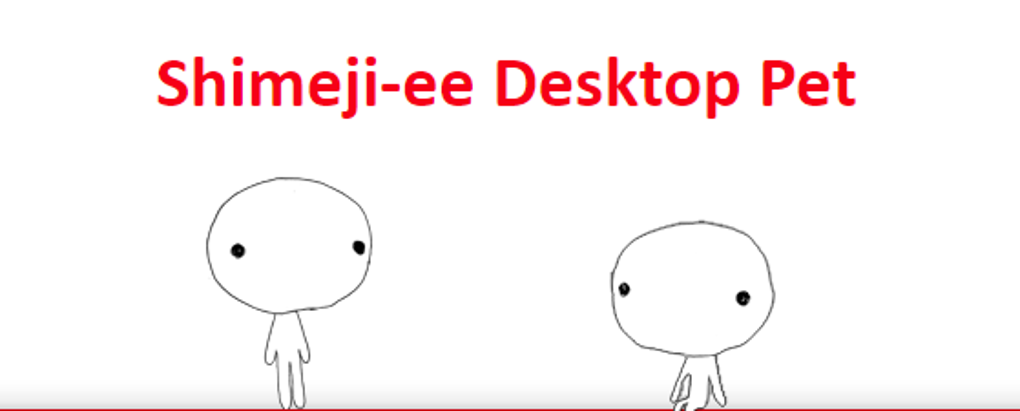
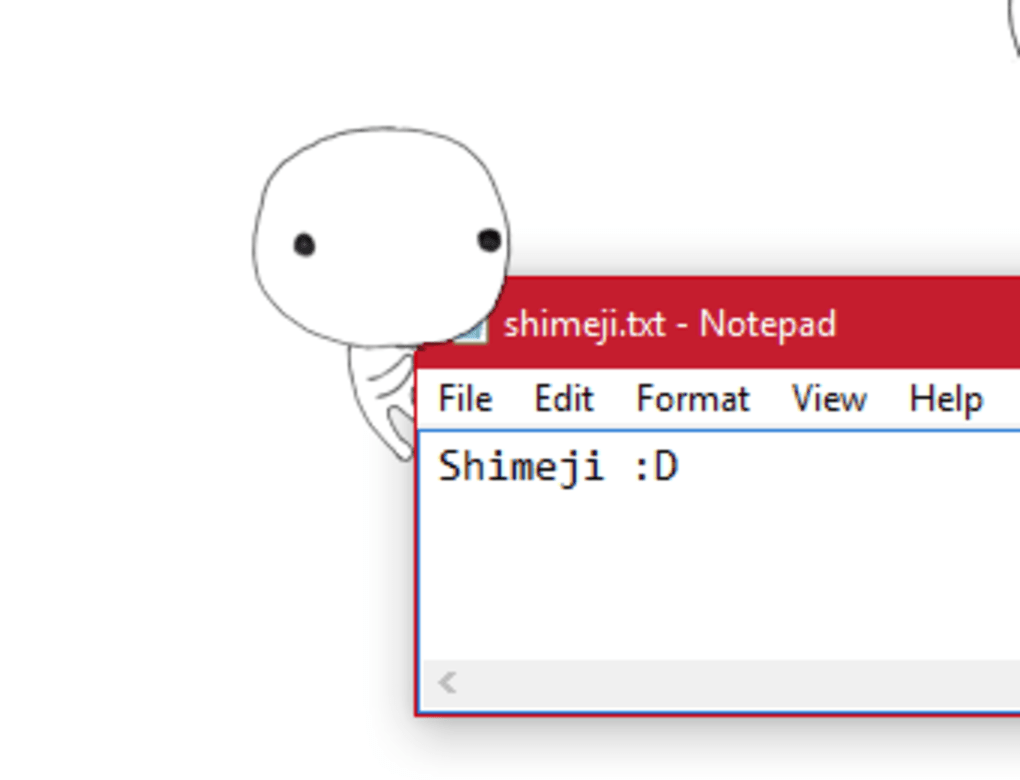
Shimeji-ee is a free, open-source program that brings animated characters to your Windows desktop, adding a playful and customizable touch to your computing experience. These charming digital companions interact with your windows, icons, and other UI elements, providing a fun and engaging alternative to traditional desktop wallpapers or widgets. Think of it as decorating your digital workspace with adorable and mischievous virtual pets.
A Customizable Cast of Characters
Originally created by Yuki Yamada and subsequently enhanced by Kilkakon, Shimeji-ee boasts a vast and ever-growing library of characters. These aren’t just static images; they’re fully animated creatures that roam your screen, climbing, crawling, and interacting with your applications and browser windows. The available characters range from popular anime and manga figures to beloved cartoon characters and original creations, offering a diverse collection to suit every user’s taste. You’ll find characters from franchises such as Death Note, Pusheen, Rick and Morty, Steven Universe, Undertale, X-Men, and One-Punch Man, among many others. The community’s contributions ensure a continuously expanding roster of options.
The true power of Shimeji-ee, however, lies in its open-source nature. This means the code is readily available for modification and expansion. While you can enjoy the program out of the box with its extensive character selection, users with programming skills can delve into the code to create their own characters, customize existing ones, or even introduce entirely new behaviors and interactions. This fosters a vibrant community of creators who continuously contribute to the project, enriching the experience for all users.
Beyond the Basics: Customization and Coding
Shimeji-ee’s simplicity belies its surprisingly deep level of customization. While the core functionality is straightforward – downloading, extracting, and running the .jar file – the true potential unfolds when you start exploring the customization options. The program allows for significant alterations to your digital companions’ appearance and behavior.
Modifying your characters requires working with XML files. Although some familiarity with XML editing is beneficial, it’s not strictly necessary. The program provides a good foundation and many online resources and tutorials are available to guide both novice and experienced users. The customization process involves adjusting various parameters within these files, allowing you to tweak aspects such as:
- Appearance: Change colors, add clothing, modify physical features, and create entirely new looks for your characters.
- Behavior: Control how your characters interact with the environment, introducing new animations, reactions, and interactions with other characters or elements on your screen.
- Sound Effects: Add custom sound effects to enhance their movements and interactions, adding another layer of personality to your digital companions.
The complexity of the coding process isn’t overwhelming. The core mechanics involve three key concepts:
- Affordances: These are environmental cues that determine how a character interacts with an object or situation. For example, a character might react differently to a window, a link, or a specific image.
- ScanMove: This is the process where characters detect and move towards these affordances. This allows for dynamic and context-aware interactions.
- Interaction Sequences: Once a character interacts with an affordance, its behavior may change, prompting either a continuation of existing animations or the initiation of new behaviors.
Even without extensive programming experience, many modifications are possible. The developers have provided comprehensive documentation, tutorials, and a FAQ page to ease the learning curve. Active forums and online communities further assist users in troubleshooting issues and sharing their creations.
Installing and Using Shimeji-ee
Getting started with Shimeji-ee is relatively simple. The process generally involves these steps:
- Download and Install Java: Ensure you have the latest version of Java installed on your computer, as Shimeji-ee requires the Java Runtime Environment (JRE) to function.
- Download Shimeji-ee: Download the Shimeji-ee zip file from a trusted source, ensuring you’re getting the most up-to-date version.
- Extract the Files: Extract the contents of the zip file to a new folder on your computer.
- Run Shimeji-ee: Locate and run the Shimeji-ee.jar file. The program should launch, and your chosen characters will appear on your screen, ready to interact with your desktop environment.
- Access Customization Options: Customization options are accessible through a system tray icon. Right-clicking this icon opens a menu with various settings, allowing you to manage your characters and adjust their behavior.
While the initial setup is straightforward, mastering the advanced customization features requires some investment in learning XML editing. However, the abundance of available resources helps bridge this gap.
Comparing Shimeji-ee to Lively Wallpaper
While Shimeji-ee stands in a class of its own, it’s useful to compare it to other desktop customization software. Lively Wallpaper, a popular alternative, offers a simpler approach to dynamic desktop backgrounds. It features a library of animated wallpapers, ranging from abstract visuals to realistic videos and GIFs. Lively Wallpaper provides a visually engaging experience with hardware-accelerated playback for smooth performance.
However, Lively Wallpaper lacks the interactive and customizable elements that define Shimeji-ee. While you can personalize it to some extent, it doesn’t offer the same level of control over individual characters and their interactions. Shimeji-ee’s focus on interactive, customizable companions distinguishes it from the broader approach of Lively Wallpaper. Both programs offer unique advantages, and the ideal choice depends on individual preferences and technical skills.
The Pros and Cons of Shimeji-ee
Like any software, Shimeji-ee has its strengths and weaknesses:
Pros:
- Highly Customizable: The open-source nature allows for extensive customization of character appearance, behavior, and interactions.
- Engaging and Fun: The interactive characters bring a playful and enjoyable element to the desktop experience.
- Large Character Selection: The extensive and growing library of characters offers diverse options for personalization.
- Active Community: A vibrant community of creators and users provides support, shares resources, and contributes to the project’s evolution.
Cons:
- Steep Learning Curve: Mastering advanced customization features requires some programming knowledge and XML editing experience.
- Resource Intensive: Running numerous animated characters simultaneously can potentially impact system performance.
- Non-Intuitive Features: Many advanced features are not directly accessible through the main interface, requiring users to consult external resources.
Conclusion: A Delightful, Though Demanding, Desktop Companion
Shimeji-ee offers a unique and highly customizable way to personalize your Windows desktop. Its interactive characters and open-source nature provide a fun and engaging experience for users of all skill levels. While the learning curve for advanced customization can be steep, the extensive community support and numerous online resources help mitigate this challenge. If you’re looking for a fun and highly personalized way to add a touch of whimsy to your computer, Shimeji-ee is certainly worth exploring. Just be prepared to invest some time in learning its intricacies to unlock its full potential.
File Information
- License: “Free”
- Version: “2.1”
- Latest update: “May 15, 2025”
- Platform: “Windows”
- OS: “Windows 10”
- Language: “English”
- Downloads: “42.4K”
- Size: “1.69 MB”


