
Shizuku is a free utility tool designed for Android users who need to grant elevated privileges to various applications without resorting to the often risky process of full device rooting. Unlike traditional root methods, Shizuku leverages the Android Debug Bridge (ADB) interface, a powerful command-line tool, to provide apps with the necessary permissions. This approach offers a safer and more controlled alternative for users seeking advanced functionality without compromising the integrity of their Android operating system.
Seamless Integration and Enhanced App Control
Shizuku’s setup process, while requiring a degree of technical understanding, is relatively straightforward. It involves enabling ADB on the Android device and establishing a connection between the device and a computer. Once this initial configuration is complete, Shizuku operates seamlessly in the background, providing compatible apps with the necessary privileges without requiring continuous user intervention. This unobtrusive operation allows applications to function as intended, accessing system resources and functionalities that would otherwise be unavailable.
This ingenious method of granting elevated privileges represents a significant improvement over traditional root methods. Full device rooting, while providing extensive control, often voids warranties, exposes the device to increased security risks, and can potentially lead to instability or system malfunctions if not executed correctly. Shizuku circumvents these drawbacks by working within the existing Android framework, minimizing the risk of unintended consequences.
Maintaining Security and System Integrity
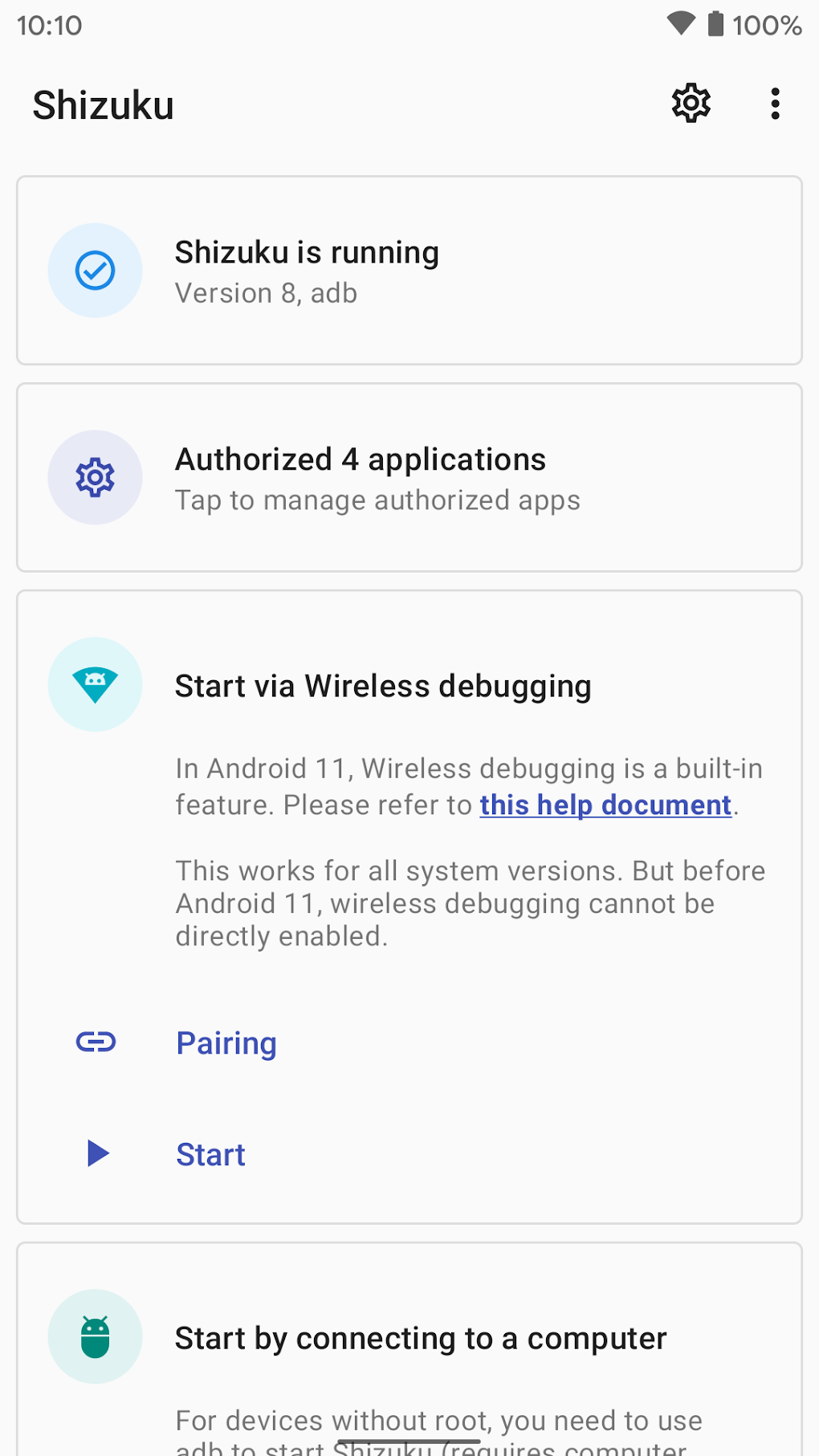
One of Shizuku’s most compelling features is its ability to maintain compatibility with the Android security framework. This is a crucial aspect that distinguishes it from root methods which often bypass or disable key security features. By working through the ADB interface, Shizuku avoids the drastic system-wide modifications that are characteristic of rooting. This means that crucial security mechanisms remain active, protecting the device from potential vulnerabilities and unauthorized access. This careful approach ensures the user’s device remains secure and functional without compromising the user experience.
Bridging the Gap Between User Needs and Android Security
Shizuku effectively bridges the gap between the user’s need for enhanced app functionality and the inherent security restrictions of the Android operating system. It caters to users who require certain apps to access system resources, like modifying system settings or accessing sensitive data, but who also prioritize the safety and stability of their devices. This targeted approach to privilege elevation, without resorting to a complete system overhaul, is a significant advancement in Android utility tools. The sophisticated yet user-friendly implementation allows for a balance between functionality and security, which is highly desirable for many Android users.
However, this balance does not come without some compromises. While Shizuku strives for a seamless experience, its reliance on ADB and the initial setup process might present a challenge for users unfamiliar with command-line interfaces or ADB configuration. This initial technical hurdle could deter less tech-savvy users who might prefer a more user-friendly, albeit less secure, method of granting app privileges.
Addressing Potential Challenges and Limitations
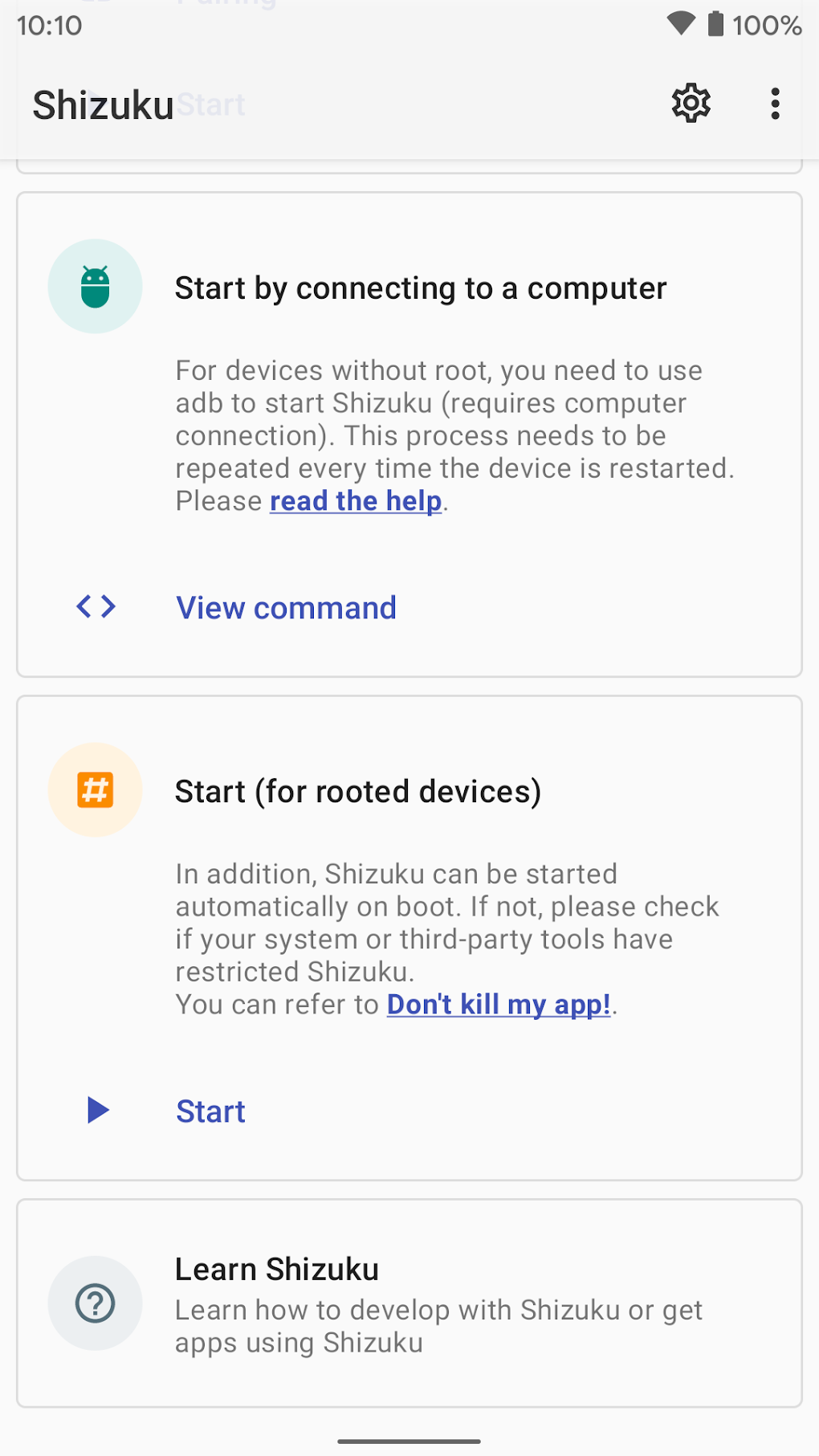
The requirement of using ADB to initiate and manage Shizuku is a double-edged sword. While it contributes to the security and reliability of the system, it also raises the barrier to entry for users lacking technical expertise. Understanding the nuances of ADB and successfully configuring it to interact with the Android device requires a degree of technical knowledge and understanding. While there are numerous online resources and tutorials available, this initial setup process can be daunting for the average Android user.
Furthermore, while Shizuku aims for maximum compatibility, it may not support every application requiring elevated privileges. Specific app compatibility needs to be checked before relying on Shizuku to enable enhanced functionality. Some apps may require other methods of privilege elevation, while others might not be compatible at all. This means that Shizuku’s effectiveness is dependent on the compatibility of the target applications. Users should therefore carefully check the compatibility of the desired apps before implementing Shizuku.
Shizuku: A Powerful Tool for Tech-Savvy Users
In conclusion, Shizuku offers a robust and secure solution for users needing elevated app privileges without compromising the integrity of their Android device. It represents a powerful alternative to traditional rooting methods, prioritizing security and compatibility with the Android framework. While the initial setup process presents a potential barrier to entry for less tech-savvy users, its ability to maintain system stability and security makes it an excellent choice for power users seeking advanced control and functionality over their devices. For users comfortable with the technical aspects of ADB configuration and willing to navigate the initial setup, Shizuku offers a safe and effective method of enhancing the capabilities of their Android apps.
Advantages of Shizuku:
- Enhanced Security: Shizuku avoids the widespread system modifications associated with rooting, preserving the integrity of the device’s security features.
- System Stability: By working within the Android framework, Shizuku minimizes the risk of system instability or crashes that often accompany rooting.
- App Compatibility: Shizuku is designed to work seamlessly with a broad range of compatible applications requiring elevated privileges.
- Retains Warranties: Unlike rooting, using Shizuku does not typically void device warranties, offering peace of mind for users.
- Targeted Privilege Elevation: Shizuku provides the necessary permissions only to specific apps, ensuring a more controlled environment and minimizing potential risks.
Disadvantages of Shizuku:
- Technical Expertise Required: The initial setup involving ADB configuration can be challenging for less tech-savvy users.
- Limited App Compatibility: Shizuku may not be compatible with all applications requiring elevated privileges.
- ADB Dependency: The reliance on ADB introduces a dependency on a computer and a basic understanding of the command-line interface.
Ultimately, Shizuku’s effectiveness hinges on the user’s technical proficiency and the specific needs of their applications. While the technical hurdle might deter some users, for those comfortable with the process, it offers a powerful and secure way to elevate app privileges without the drawbacks associated with traditional root methods. It serves as a valuable tool for power users who prioritize both functionality and security. Its sophisticated design and carefully considered implementation demonstrate a commitment to bridging the gap between enhanced app functionality and maintaining the integrity of the Android operating system.
File Information
- License: “Free”
- Latest update: “March 25, 2025”
- Platform: “Android”
- OS: “Android 13.0”
- Downloads: “138.1K”
- Size: “3.47 MB”
- Download Options: “APK, Google Play”
- Filename: “moe-shizuku-privileged-api-1066-69979481-e4e7303a4db8e9230c1cf897db1dc276.apk”


