
ShowKeyPlus is a free, portable utility developed by Superfly Inc. designed to simplify the process of retrieving your Windows product key. Unlike some more complex methods requiring command-line inputs or deep system knowledge, ShowKeyPlus offers a user-friendly interface accessible to both technically proficient users and those with limited computer expertise. Its standout feature, absent in many competitor applications, is its ability to both save and verify your product key, providing an extra layer of security and convenience. This makes it a strong contender against established software like NirSoft’s ProduKey.
Effortless Product Key Retrieval and Verification
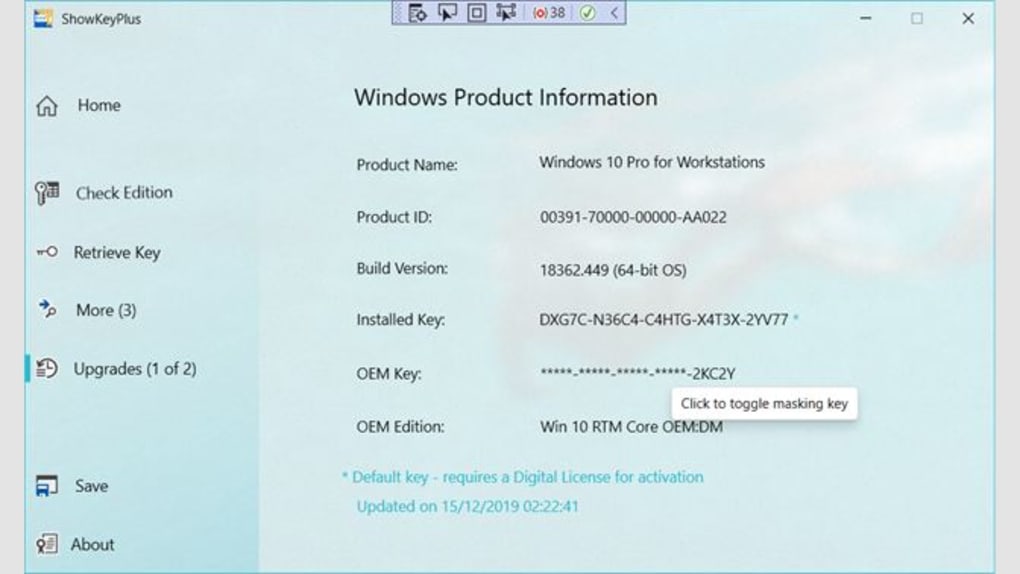
ShowKeyPlus’s core functionality revolves around its ability to quickly and easily identify your Windows product key. The software’s portable nature eliminates the need for installation; a simple download is sufficient to begin using the program. This portability is further enhanced by the ability to run ShowKeyPlus from a removable USB drive, making it readily accessible wherever you need it. The program’s intuitive interface requires minimal user interaction. Upon launching, ShowKeyPlus automatically detects and displays your Windows product key without any additional steps. For security purposes, a toggle switch allows users to hide the displayed key, preventing unauthorized access.
Beyond retrieving the current Windows product key, ShowKeyPlus provides additional valuable information. It can display details about previous operating systems installed on your computer before upgrading to the current version. This feature is particularly helpful for users who have upgraded from an older version of Windows and need to retain information about their previous licenses or installations.
Furthermore, ShowKeyPlus extends its functionality to include the retrieval of product keys from backup files. Users can browse their file system to locate a backup file containing their Windows product key. It’s important to note that the program will only identify a product key if the backup file contains a dedicated Windows folder. This feature enhances the utility for users who maintain regular backups of their system data.
The data retrieved by ShowKeyPlus can also be saved for future reference. However, the output is currently limited to TXT (plain text) format. While this straightforward format offers broad compatibility, the absence of more structured file formats (such as CSV or XML) may limit the flexibility for users needing to integrate the data into other applications or databases.
User-Friendly Design and Broad Appeal
ShowKeyPlus’s design prioritizes ease of use. The simple and intuitive interface ensures effortless operation regardless of technical expertise. Whether you’re a seasoned computer user or a novice, accessing your Windows product key is a straightforward process. This ease of use differentiates ShowKeyPlus from alternative methods that may require navigating complex system settings or using command-line interfaces.
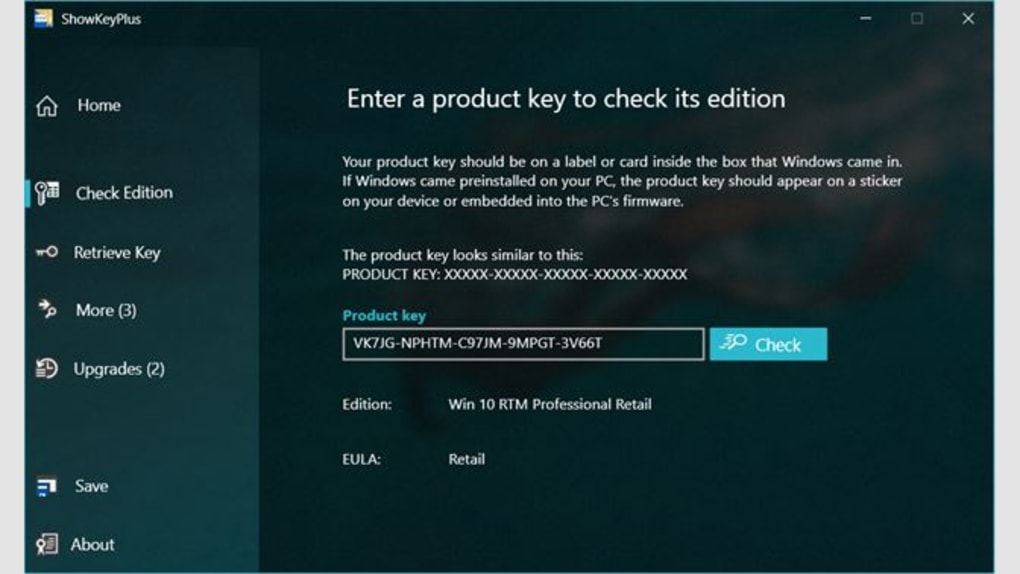
The program’s ability to save and verify product keys sets it apart from similar utilities. This feature contributes significantly to its overall usability and security. The option to save the product key provides a convenient record of your license information, while the verification capability enhances confidence in the key’s authenticity.
ShowKeyPlus’s portability further enhances its accessibility. The absence of an installation process makes it ideal for use on multiple computers or in situations where installing software isn’t feasible. The ability to run from a USB drive increases its practicality and convenience. This flexibility is particularly useful for IT professionals, system administrators, or users who need to access product keys on different machines.
Advantages and Disadvantages of ShowKeyPlus
ShowKeyPlus offers several significant advantages:
- Ease of Use: The simple and intuitive interface makes the program accessible to all users, regardless of technical expertise.
- Portability: The program is portable and does not require installation, allowing for easy use on multiple computers or from a USB drive.
- Key Verification: ShowKeyPlus can verify the authenticity of the retrieved product key.
- Backup File Support: The program can retrieve product keys from backup files.
- Previous OS Information: Displays information about previous Windows operating systems installed on the computer.
- Free Software: ShowKeyPlus is available for free download.
Despite its strengths, ShowKeyPlus does have some limitations:
- Single Output Format: Currently, the program only supports saving the output in TXT format, which may limit its compatibility with other applications. Support for additional formats, such as CSV or XML, would enhance its versatility.
- Dependency on Windows Folder in Backups: The retrieval of keys from backup files is contingent on the presence of a Windows folder within the backup. The absence of this folder will prevent the program from identifying the product key.
ShowKeyPlus: A Comparative Perspective
ShowKeyPlus’s position within the product key retrieval software landscape is worth considering. While other tools exist, ShowKeyPlus’s combination of user-friendly design, portability, and key verification sets it apart. Tools like ProduKey, while functional, may present a steeper learning curve for less technically inclined users. ShowKeyPlus aims to bridge this gap, providing a seamless experience for a broader range of users. Its free and open-source nature further enhances its appeal, offering a cost-effective alternative to commercial solutions.
The comparison with other tools is primarily centered around ease of use and additional features. While some alternatives might offer a wider array of output formats or handle various types of product keys, ShowKeyPlus focuses on delivering a simple and reliable solution specifically for retrieving Windows product keys.
Conclusion: A Powerful and Accessible Tool
ShowKeyPlus offers a simple yet effective solution for accessing your Windows product key. Its combination of ease of use, portability, key verification, and backup file support makes it a valuable tool for users of all technical skill levels. While the limited output format presents a minor drawback, the program’s overall functionality and user-friendly interface make it a highly recommended option for quickly and securely retrieving your Windows product key. The ongoing development of ShowKeyPlus suggests future updates may address current limitations and potentially expand its capabilities. For users seeking a straightforward and hassle-free method of accessing this critical information, ShowKeyPlus delivers on its promise.
File Information
- License: “Free”
- Version: “1.1.15.0”
- Latest update: “July 15, 2022”
- Platform: “Windows”
- OS: “Windows 7”
- Language: “English”
- Downloads: “53.3K”
- Size: “3.83 MB”


