
Shutter Encoder is a powerful and versatile multimedia encoding application for Windows. Its user-friendly interface belies its extensive capabilities, making it suitable for both novice users and experienced professionals alike. This detailed guide explores Shutter Encoder’s features, functionality, and advantages, providing a comprehensive overview of this valuable tool for managing and processing various media files.
User-Friendly Interface and Workflow
Shutter Encoder’s strength lies in its intuitive design. The interface is clean and uncluttered, allowing users to quickly navigate its features without a steep learning curve. The core functionality revolves around a straightforward process: add files, select output settings, and initiate the encoding process. This simplicity makes it accessible to users of all technical skill levels.

Adding files is as simple as drag-and-drop or browsing your file system. Once added, users can view a preview of the files, allowing for a quick confirmation before processing. The program supports a wide range of input file types, including various video, audio, and image formats, ensuring compatibility with a vast library of media.
Shutter Encoder’s built-in timeline provides real-time feedback on the encoding progress. Users can monitor the conversion speed and estimated completion time, giving them an understanding of the processing time required. This feature is particularly useful for large files or batch processing, allowing users to manage their time effectively. The ability to compare different files within the application allows for a quick analysis of output quality based on chosen settings.
The output settings offer granular control over the encoding process. Users can adjust parameters such as bitrate, resolution, frame rate, and codec to optimize the output quality and file size. These customizable settings allow users to tailor the encoding process to specific needs, whether prioritizing quality or minimizing file size. Predefined presets are also available for common use cases, simplifying the configuration process for less experienced users.
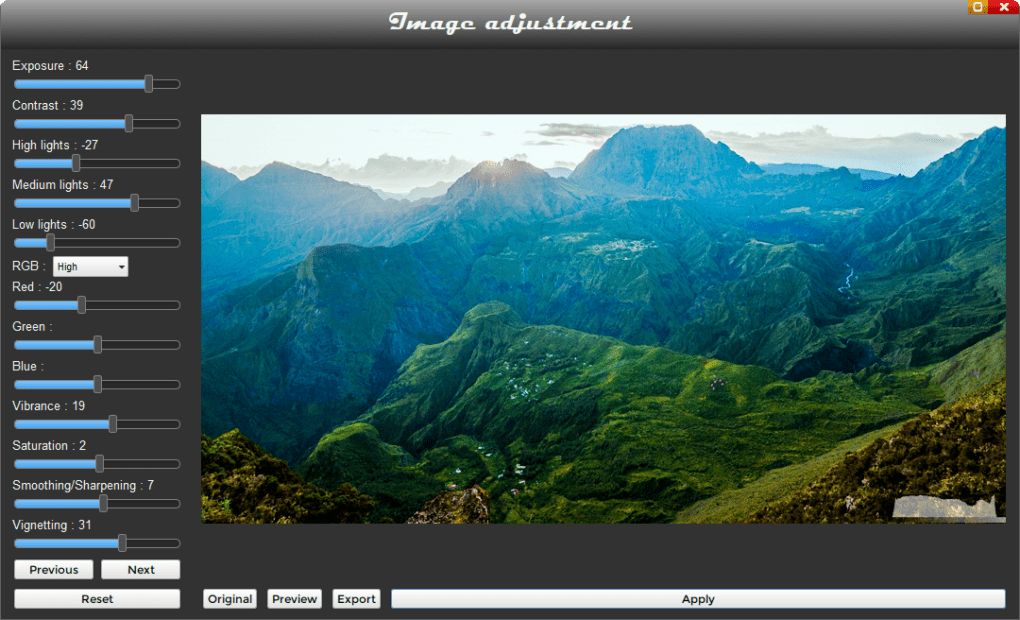
The final step involves specifying the output directory for the processed files. The application allows users to choose a specific folder for the encoded media, maintaining organized file management. Upon completion, the encoded files are neatly stored in the designated location, streamlining the post-processing workflow.
Extensive Format Support and Capabilities
Shutter Encoder’s versatility extends to its broad support for various file formats. It handles a wide array of video codecs (like H.264, H.265, VP9, etc.), audio codecs (MP3, AAC, FLAC, WAV, etc.), and image formats (JPEG, PNG, GIF, etc.). This wide compatibility eliminates the need for multiple applications to handle different media types, making it a one-stop solution for multimedia encoding needs.
Beyond basic encoding, Shutter Encoder offers additional functionalities. It includes tools for managing metadata, allowing users to edit information associated with the media files, such as titles, descriptions, and artist information. This feature is crucial for organizing and cataloging large media libraries.
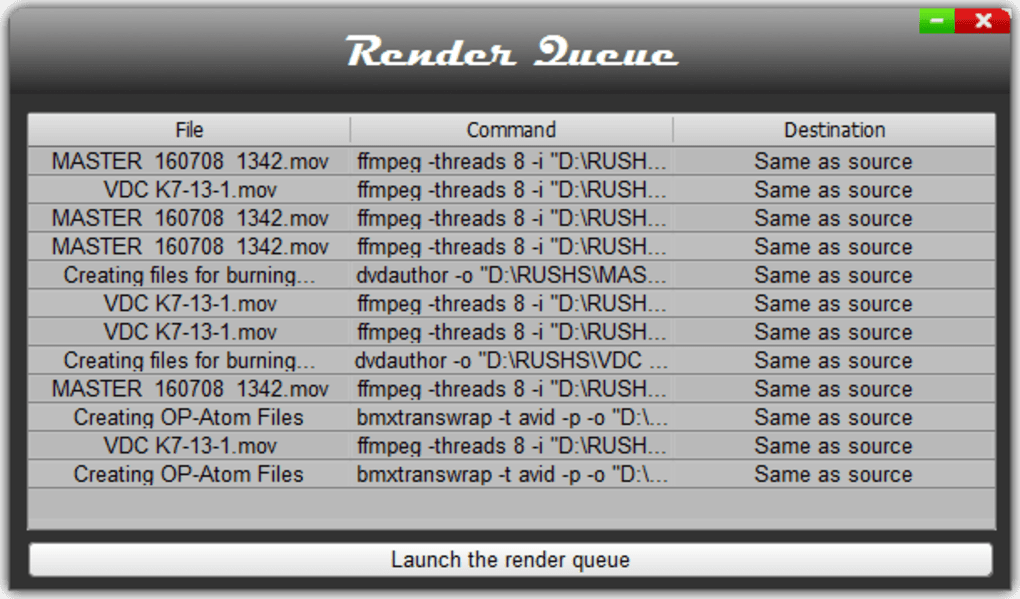
The application also boasts robust batch processing capabilities, allowing users to encode multiple files simultaneously. This feature significantly reduces the overall processing time for large batches of media, saving valuable time and effort. For users with extensive media libraries, this batch processing feature is a significant time-saver.
Furthermore, Shutter Encoder supports the creation and management of presets. Users can save their custom encoding settings as presets, which can be quickly recalled for future use. This feature is particularly beneficial for users who frequently employ the same encoding settings, streamlining their workflow and ensuring consistency in output quality.
Advanced Features and Customization Options
For experienced users, Shutter Encoder offers advanced customization options. These options allow for fine-tuning of encoding parameters, enabling users to optimize the encoding process for specific hardware and software configurations. This fine-grained control ensures optimal performance and output quality based on individual system capabilities.
The application’s flexibility allows users to adjust the encoding speed, balancing processing time with output quality. This balance allows users to customize the encoding process based on their priorities, whether it’s speed or absolute quality. The option to prioritize speed is beneficial for users with time constraints, while the focus on quality ensures the best possible output for archival or professional purposes.
Shutter Encoder also offers advanced options for handling subtitles and closed captions. Users can embed subtitles directly into the encoded files, ensuring accessibility and compatibility with various playback devices. This feature is essential for multilingual media or content targeted towards viewers with hearing impairments.
The application’s support for various output resolutions allows users to optimize their media for different devices and platforms. Whether it’s encoding for high-resolution displays or mobile devices, Shutter Encoder ensures compatibility across a wide range of screen sizes and resolutions.
Comparison with Alternative Encoding Solutions
While several alternative encoding solutions exist, Shutter Encoder distinguishes itself through a combination of user-friendliness, extensive format support, and powerful features. Some competitors might excel in specific areas, such as specialized codecs or hardware acceleration, but Shutter Encoder provides a balanced approach, catering to a broader range of users and use cases. Its intuitive interface and robust feature set make it a strong contender in the multimedia encoding landscape. Direct comparisons with specific alternative solutions would require a detailed analysis of their individual capabilities and limitations, which is beyond the scope of this general overview. However, the key differentiator for Shutter Encoder remains its accessibility combined with advanced capabilities.
Conclusion: A Versatile Tool for All Your Multimedia Needs
Shutter Encoder stands out as a comprehensive and user-friendly multimedia encoding solution. Its intuitive interface, extensive format support, and powerful features make it a valuable asset for anyone working with video, audio, and image files. Whether you are a casual user or a professional, Shutter Encoder offers a robust and efficient way to manage and process your multimedia content. The ability to customize settings, create presets, and handle batch processing significantly improves workflow efficiency, while the broad range of supported formats and codecs ensures compatibility across diverse media libraries. The ease of use and the powerful features combined make Shutter Encoder a top choice for multimedia encoding needs.
File Information
- License: “Free”
- Latest update: “July 18, 2025”
- Platform: “Windows”
- OS: “Windows 7”
- Language: “English”
- Downloads: “2.6K”
- Size: “116.87 MB”


