
Silhouette Studio is a free graphic design software program developed by Silhouette America, specifically designed to work in tandem with their range of electronic cutting machines. It acts as the bridge between digital design and physical creation, allowing users to design intricate projects on their computers and then seamlessly transfer those designs to a Silhouette machine for precise cutting. This review will delve into the software’s functionalities, strengths, weaknesses, and overall user experience.
Design Capabilities and User Interface
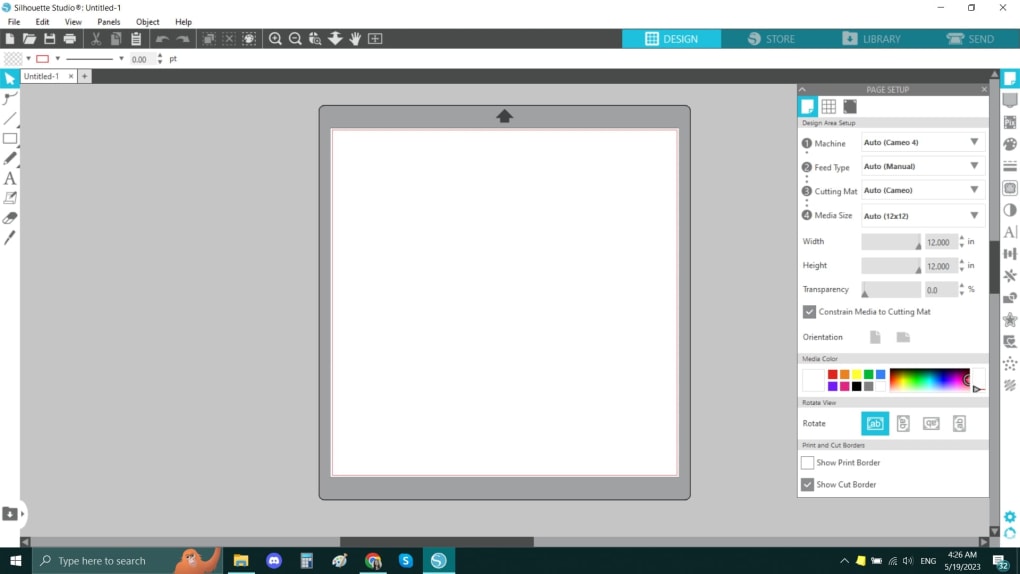
Silhouette Studio offers a surprisingly robust set of design tools, considering its free status. The interface, while not as polished as some professional-grade design programs like Adobe Illustrator, is intuitive and generally easy to navigate, even for beginners. The software’s strength lies in its straightforward approach to creating cuttable designs, rather than complex graphic manipulation.
Users can create designs from scratch using a range of tools, including drawing tools for creating shapes and lines, text tools for adding typography, and the ability to import and manipulate images. The software supports various file formats, including SVG, a crucial format for vector-based designs widely used in crafting and design communities. This import functionality allows for a degree of design flexibility, allowing users to work with designs created in other programs. Silhouette Studio’s ability to handle SVG files efficiently is a significant advantage, streamlining the workflow for users who prefer designing in other vector editing programs.
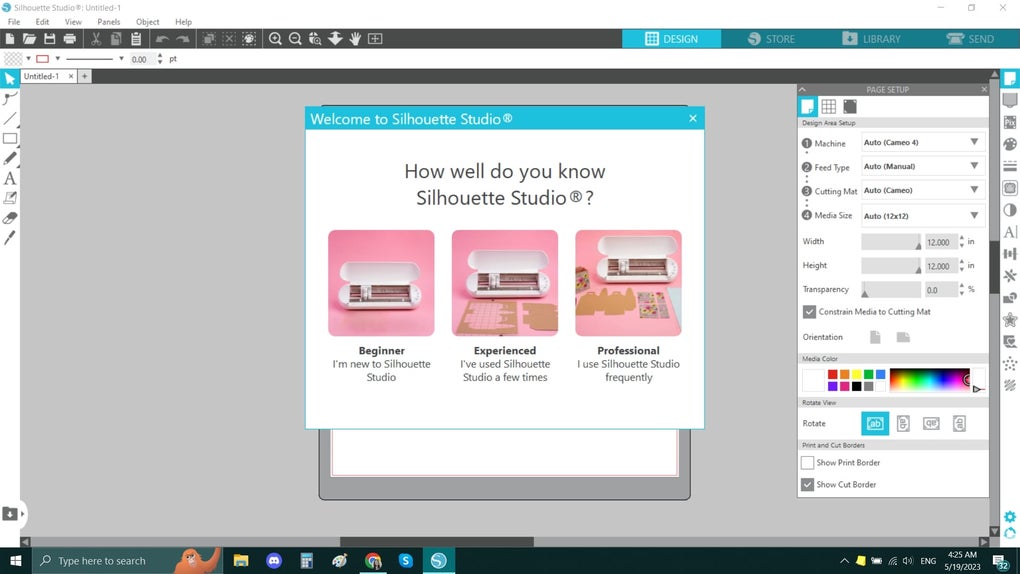
Beyond the basic drawing and text tools, Silhouette Studio offers a library of pre-made designs, fonts, and other resources, available for purchase through the Silhouette Design Store. While some content is free, much of the more extensive and specialized content requires a purchase, a factor to consider for users with stringent budgetary concerns. The availability of the Design Store, however, adds an enormous amount of creative potential, catering to a wide range of projects and styles. This online store acts as a thriving marketplace for users to extend the software’s capabilities beyond its basic functionalities.
The software’s versatility extends to its multilingual support, catering to a global user base. This internationalization aspect enhances accessibility for a broader range of users, regardless of their primary language. The incorporation of multiple language options reflects a commitment to inclusivity and broad market reach. However, the overall user experience might still benefit from some refinements in terms of interface design and tool organization, particularly for users accustomed to more advanced graphic design software.
System Requirements and Compatibility
One of Silhouette Studio’s significant advantages is its low system requirements. The software runs smoothly on most modern Windows machines (Windows 8.1 and above), requiring minimal RAM and storage space. This broad compatibility ensures accessibility for a wider range of users, even those with older or less powerful computers. This emphasis on accessibility is a key factor in its widespread adoption within the crafting and DIY communities.
However, it’s crucial to understand that Silhouette Studio’s primary function is to prepare designs for Silhouette cutting machines. It’s not a standalone graphic design program suitable for all design tasks. While capable of basic image manipulation and vector editing, it lacks the advanced features found in professional-grade software. It is fundamentally a design tool tailored to a specific hardware ecosystem, not a universal design solution.
An internet connection is recommended for accessing the Silhouette Design Store, downloading updates, and accessing online support resources. While not strictly required for basic operation, a stable internet connection significantly enhances the user experience and unlocks the full potential of the software’s online features. This integration of online resources underscores the software’s focus on community and ongoing support.
Support and Resources
Silhouette America provides extensive support resources for Silhouette Studio users, including online tutorials, FAQs, and a dedicated community forum. The abundance of online tutorials, readily available on various platforms like YouTube and the official Silhouette website, caters to users of all skill levels, offering comprehensive guidance on using the software’s features and troubleshooting common issues. This proactive approach to user support contributes significantly to the software’s overall positive user experience.
The inclusion of installation CDs with the software provides an offline resource for users who might not always have access to the internet. This provision of offline documentation reflects a thoughtful approach to accommodating users with varying levels of internet access and tech proficiency. The combined approach of online and offline support materials maximizes the accessibility of help for users who may be encountering challenges.
Limitations and Considerations
While Silhouette Studio offers a commendable array of features for its price (free), it does have limitations. Its primary limitation is its exclusive compatibility with Silhouette cutting machines. Users with other brands of cutting machines cannot utilize this software. This brand-specific nature restricts its versatility for users who may be invested in other brands or wish to experiment with various cutting machine technologies.
Furthermore, while the core software is free, accessing premium content and advanced features within the Silhouette Design Store necessitates payment. This pay-walled model, while common in software with extensive online resources, could be a significant consideration for users seeking completely free software, or those with limited budgets. Users should carefully weigh the cost of additional resources against their design needs.
Finally, as mentioned earlier, Silhouette Studio is not a fully featured graphic design program. It lacks advanced editing capabilities and features present in professional software such as Adobe Illustrator or CorelDRAW. Users seeking advanced tools for illustration, complex vector manipulation, or sophisticated graphic design tasks would need to look elsewhere. The software’s focus remains on creating designs specifically for cutting, not comprehensive graphic design.
Conclusion
Silhouette Studio is a valuable tool for users of Silhouette cutting machines. Its intuitive interface, robust design tools, low system requirements, and extensive online support make it an excellent choice for a wide range of crafting and DIY projects. While the limitations related to brand exclusivity and paid content should be considered, the software’s ease of use, broad accessibility, and powerful features for its intended purpose make it a highly recommended asset for users who want to bring their digital designs to life through precise cutting. The software’s success lies in its efficient integration with the Silhouette hardware ecosystem, effectively bridging the gap between digital design and physical creation. It’s a strong example of software designed to serve a niche market effectively and efficiently.
File Information
- License: “Free”
- Latest update: “May 28, 2025”
- Platform: “Windows”
- OS: “Windows 10”
- Language: “English”
- Downloads: “152.7K”
- Size: “410.50 MB”


