
SiSoft Sandra Lite is a comprehensive system information and diagnostics tool designed for Windows users. While many built-in Windows utilities offer basic system information, Sandra Lite goes significantly further, providing in-depth analysis of both hardware and software components, enabling users to perform detailed comparisons and identify potential performance bottlenecks. This detailed analysis extends to both high-level overviews and granular low-level specifics, giving users an unprecedented level of insight into their computer’s inner workings.
Unveiling the Power of System Diagnostics
Sandra Lite’s functionality extends far beyond a simple display of system specifications. It acts as a powerful diagnostic suite capable of identifying potential problems and offering valuable insights into system performance. Its modular design allows users to focus on specific areas of interest, such as CPU performance, memory usage, storage capacity, network connectivity, and more. This granular approach allows for precise performance tuning and troubleshooting, empowering users to optimize their systems for peak efficiency.
The program’s intuitive interface guides users through the process, presenting information in a clear and organized manner. While some users may find certain aspects of the data presentation cryptic, the extensive help file within the program provides detailed explanations and definitions, helping to demystify the more technical aspects of the analysis. This combination of detailed data and user-friendly presentation ensures that both novice and experienced users can benefit from the insights provided by Sandra Lite.
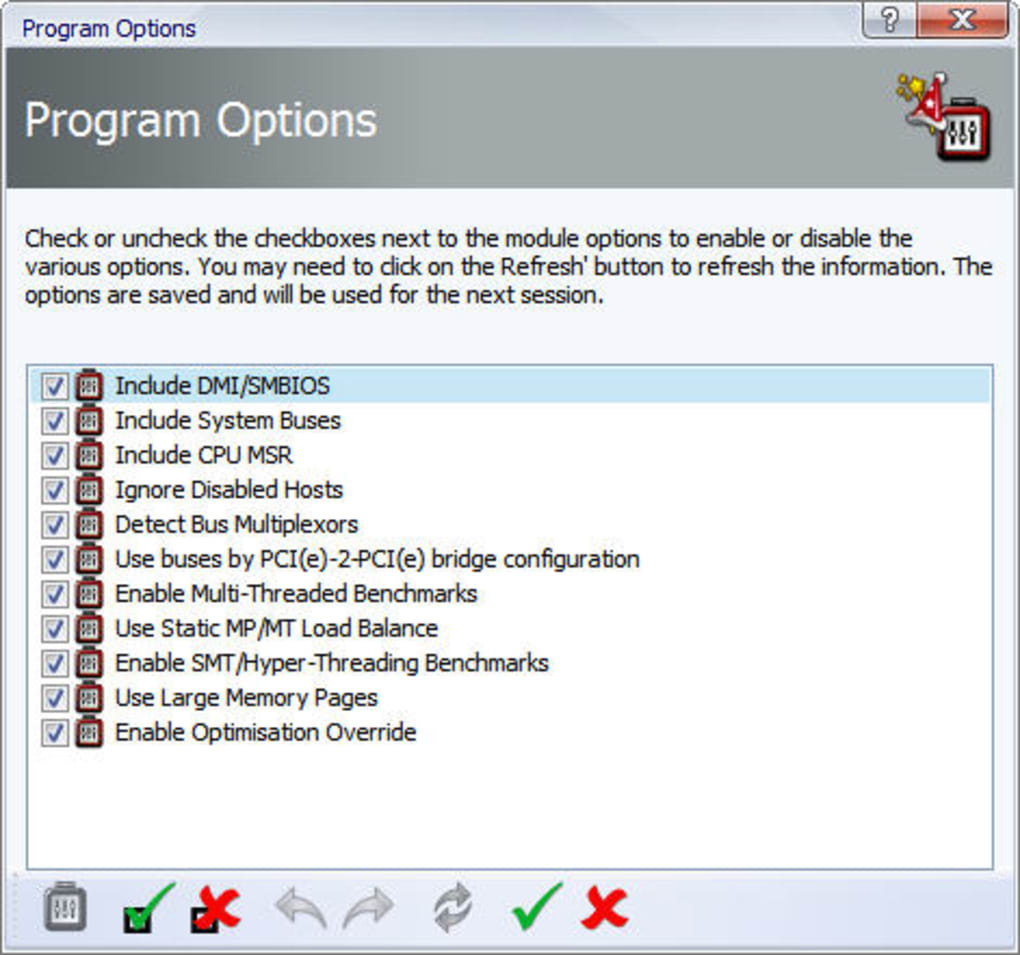
One of the key strengths of SiSoft Sandra Lite is its benchmarking capabilities. Users can run various benchmarks to assess the performance of different components within their system, allowing for comparisons between various configurations and identifying areas for potential improvement. These benchmarks provide quantitative data that can be used to measure the effectiveness of system tweaks and optimizations, offering a scientific approach to performance tuning. However, it’s worth noting that interpreting the benchmark results may require some technical knowledge, as the data is presented in a format that will be more easily understandable to those familiar with computer hardware and performance metrics.
Hardware and Software Deep Dive: A Comprehensive Analysis
SiSoft Sandra Lite’s diagnostic capabilities extend to a wide range of system components, providing detailed information about:
-
Central Processing Unit (CPU): Sandra Lite offers extensive details regarding the CPU, including its core count, clock speed, cache size, instruction set, and various other specifications. It also provides performance benchmarks that allow for accurate performance comparisons against other CPUs and potential optimization analysis.
-
Chipset: The program meticulously analyzes the system’s chipset, providing details on its capabilities and functionality. This information is crucial for understanding the overall system architecture and identifying potential compatibility issues.
-
Video Adapter (GPU): SiSoft Sandra Lite offers detailed information about the graphics card, including its specifications, driver version, and performance capabilities. This analysis is particularly valuable for gamers and users involved in graphics-intensive tasks.
-
Ports and Peripherals: Sandra Lite provides a comprehensive list of connected ports and peripherals, including USB, FireWire, and other interface types. This feature is particularly helpful for identifying and troubleshooting connectivity issues.
-
Printers and Sound Cards: Information regarding installed printers and sound cards is also provided, along with their specifications and driver versions.
-
Memory (RAM): Sandra Lite meticulously assesses system memory, providing details on RAM type, capacity, speed, and timing parameters. This information is invaluable for identifying potential memory bottlenecks and optimizing system performance.
-
Network Interfaces: A detailed analysis of network interfaces, including their specifications and current status, is provided, offering insights into network performance and connectivity.
-
Windows Internals: The program extends its analysis to the internal workings of the Windows operating system itself, providing detailed information about system processes, services, and drivers. This level of detail is extremely valuable for advanced troubleshooting and system optimization.
-
AGP, USB 2.0, and 1394/Firewire: Support for older technologies is included, providing information about the system’s capabilities related to these interfaces. This backwards compatibility ensures that Sandra Lite can effectively analyze a broader range of system configurations.
-
ODBC Connections: SiSoft Sandra Lite provides information about Open Database Connectivity (ODBC) connections, which are crucial for many database applications. This information aids in troubleshooting database connectivity issues.
Beyond the individual component analysis, Sandra Lite provides an overall system summary, integrating the information gathered from each component into a cohesive representation of the computer’s capabilities. This holistic view helps users understand the interplay between different components and identify potential system bottlenecks.
Limitations and Considerations
While SiSoft Sandra Lite offers a wealth of information and capabilities, it’s not without its limitations. Some users have reported difficulties in interpreting certain results, particularly the more technical data. Additionally, the program doesn’t allow for direct editing of any of the displayed information, potentially frustrating users who wish to make changes to system settings directly through the program’s interface. This necessitates manual adjustments through the Windows Registry, which may not be ideal for users lacking sufficient technical expertise. In addition, the program’s IP test function has been known to encounter occasional issues, potentially entering an endless loop requiring manual intervention. While these limitations exist, they don’t significantly detract from the program’s overall usefulness as a comprehensive system analysis tool.
Conclusion: A Powerful Tool for System Understanding
SiSoft Sandra Lite remains a powerful and valuable tool for anyone seeking a deep understanding of their PC’s hardware and software configuration. Its comprehensive diagnostics, detailed specifications, and benchmarking capabilities make it an indispensable asset for performance tuning, troubleshooting, and system optimization. Despite some minor limitations, such as the potential for cryptic information and the inability to directly edit data, its advantages significantly outweigh these shortcomings. The program’s extensive capabilities and user-friendly interface, coupled with a helpful help file, make it an excellent choice for both technical users and those seeking a more in-depth understanding of their computer’s capabilities. Whether you need to determine your processor’s cache size, troubleshoot connectivity issues, or benchmark your system’s performance, SiSoft Sandra Lite provides the tools and information needed to effectively manage and optimize your Windows PC.
File Information
- License: “Trial version”
- Latest update: “January 31, 2025”
- Platform: “Windows”
- OS: “Windows 2003”
- Language: “English”
- Downloads: “107.6K”
- Size: “141.53 MB”


