
Sketch Pro: Create Paint Art is a free Android application designed to empower users to explore their artistic talents. This comprehensive digital art studio provides a range of tools and features to create stunning sketches, paintings, and digital artwork. Whether you’re a seasoned artist or just starting out, Sketch Pro offers a user-friendly interface and a powerful set of capabilities to help you bring your creative visions to life. This detailed review will delve into the app’s features, usability, and overall effectiveness.
App Overview and Features
Sketch Pro: Create Paint Art, available for download on Android devices running version 13.0 and above, provides a robust platform for digital art creation. The app boasts a clean, intuitive interface designed to minimize distractions and maximize creative flow. Users will find a wealth of tools at their fingertips, including a customizable brush system, various blending modes, layer management capabilities, and a selection of pre-set color palettes.
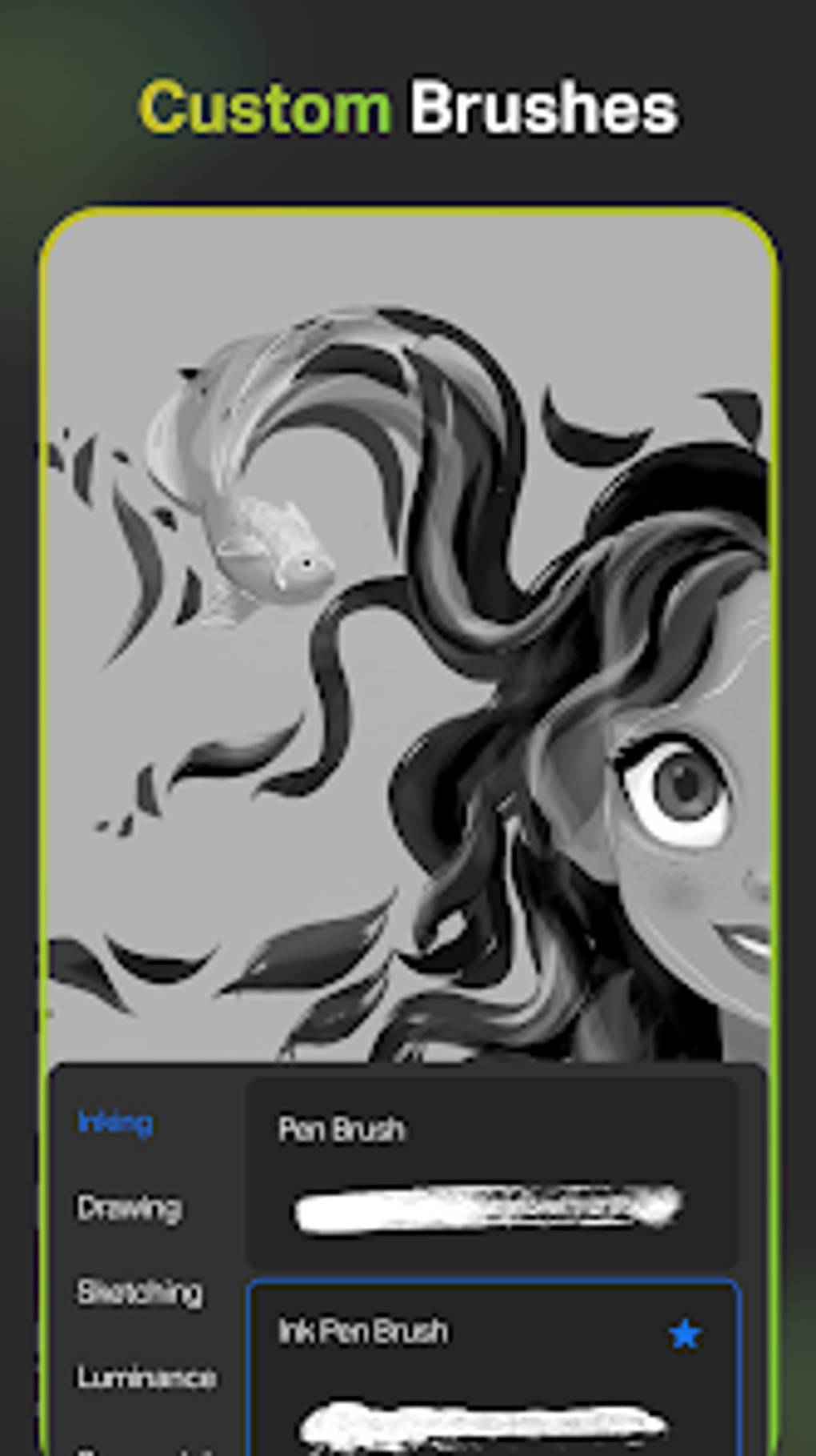
The core functionality revolves around the extensive brush customization options. Users can adjust brush size, opacity, hardness, and flow, allowing for precise control over line weight and texture. The app also supports different brush types, offering versatility for various artistic styles, from delicate line drawings to expressive impasto effects. The availability of blending modes allows artists to experiment with different color combinations and create complex visual effects, enhancing the depth and richness of their artwork.
Layer management is a crucial aspect of digital art creation, and Sketch Pro handles it seamlessly. Users can easily add, delete, rearrange, and manipulate individual layers, allowing for precise control over composition and detail. This non-destructive editing approach allows for experimentation without fear of permanently altering the base artwork. The ability to adjust layer opacity provides additional flexibility, enabling artists to blend elements seamlessly or create subtle effects.
Ease of Use and User Interface
Sketch Pro’s design prioritizes user-friendliness. The app boasts a minimalist interface, avoiding unnecessary clutter and allowing users to focus on their creative process. The tools are logically organized and easily accessible, minimizing the learning curve for both beginners and experienced users. Navigation is intuitive, and the app’s responsive nature ensures a smooth workflow, even on devices with lower processing power.
The app’s simplicity doesn’t compromise functionality. Despite its intuitive design, Sketch Pro packs a wealth of powerful features that are readily available to the user. The app avoids unnecessary complexity while providing robust control over the creative process. This balance of simplicity and functionality contributes to its overall user-friendliness, making it an excellent choice for a broad range of users, regardless of their experience level.
Performance and System Requirements
Sketch Pro: Create Paint Art is optimized for performance on Android devices running Android 13.0 and higher. While the specific system requirements may vary depending on the complexity of the artwork being created, the app is generally responsive and efficient, even on devices with moderate processing power. The developers have focused on creating an application that prioritizes a smooth user experience without compromising the quality of the artistic tools.
The app’s efficient use of resources ensures that even intricate projects can be handled without significant lag or performance issues. The developers have prioritized optimization to ensure a positive user experience, even on devices with limited processing power.
Community and Support
While specific community features within the app itself may be limited at this stage, the broader online community surrounding digital art provides a valuable resource for users seeking inspiration, tutorials, and support. Many online forums and social media groups are dedicated to digital art creation using various applications, including Sketch Pro. These platforms offer opportunities to share artwork, learn new techniques, and connect with other artists.
Further information regarding official support channels for Sketch Pro can be found on the app’s download page or the developer’s website. Although specific contact details may not be readily available on the app listing itself, seeking assistance through general Android app support forums or exploring online digital art communities can be helpful resources.
Comparison with Other Apps
Sketch Pro: Create Paint Art occupies a niche in the Android digital art app market by offering a powerful set of features within a user-friendly interface. Compared to some heavyweight competitors, it may lack certain advanced features or extensive library support. However, its focus on intuitive usability and robust core functionalities makes it a compelling option for users who prioritize ease of use without sacrificing artistic control.
Unlike some more complex apps that cater to professional artists with advanced needs, Sketch Pro provides a more accessible entry point for casual users and hobbyists. Its straightforward approach avoids overwhelming beginners with complex settings and functions. While professional-grade applications may offer more specialized tools and features, Sketch Pro effectively balances functionality and accessibility. It is a strong contender for artists looking for a versatile and easy-to-use mobile drawing application.
Conclusion
Sketch Pro: Create Paint Art is a commendable free Android application that effectively bridges the gap between simplicity and functionality. Its intuitive interface, customizable brush system, and layer management capabilities make it a suitable choice for artists of all skill levels. While it may not match the feature set of more complex, professional-grade applications, its focus on usability and efficient performance makes it a highly recommendable option for anyone seeking a convenient and effective digital art creation tool on their Android device. The app’s continued development and potential inclusion of additional features further solidify its position as a valuable addition to the Android app ecosystem for digital artists. The free availability of the app makes it accessible to a wide audience, encouraging experimentation and exploration of digital art.
File Information
- License: “Free”
- Version: “1.3.8”
- Latest update: “June 30, 2025”
- Platform: “Android”
- OS: “Android 13.0”
- Language: “English”
- Downloads: “163”
- Download Options: “Google Play”


