
SketchBook Pro, now under the ownership of Sketchbook Inc. following its transition from Autodesk, remains a highly regarded graphic and design application favored by illustrators and designers worldwide. Its availability across multiple platforms, including Windows, macOS, iPad, and Android, ensures accessibility for a broad range of artists, from casual sketchers to seasoned professionals. This review delves into the strengths and weaknesses of SketchBook Pro, examining its features, usability, and overall value proposition.
A Powerful and Versatile Toolset for Digital Artists
SketchBook Pro’s enduring popularity stems from its comprehensive suite of tools designed to meet the diverse needs of digital artists. The application boasts an intuitive interface that is relatively easy to navigate, even for beginners. This ease of use, combined with a powerful feature set, makes it suitable for both casual sketching and professional illustration work.
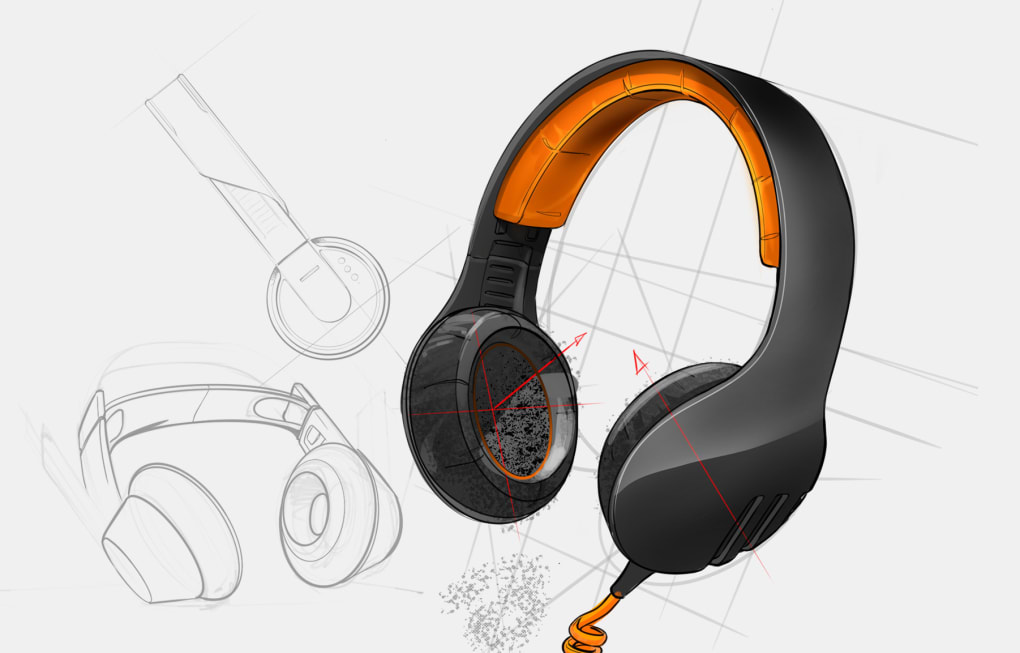
At its core, SketchBook Pro offers a vast library of customizable brushes, providing artists with an exceptional level of control over line weight, texture, and opacity. The brush engine is highly responsive, providing a natural and fluid drawing experience, particularly when used with a stylus or digital pen. This responsiveness is further enhanced by features like the Steady Stroke tool, which minimizes hand tremors and ensures smoother, more consistent lines.
Beyond the basic brush functionalities, SketchBook Pro incorporates a range of advanced features to streamline the creative process. These include robust layer management capabilities, allowing artists to work non-destructively and easily organize complex compositions. The inclusion of clipping masks provides precise control over blending and masking, facilitating intricate details and effects. Furthermore, the addition of versatile blend modes extends creative possibilities, allowing artists to experiment with different visual combinations and layer interactions.
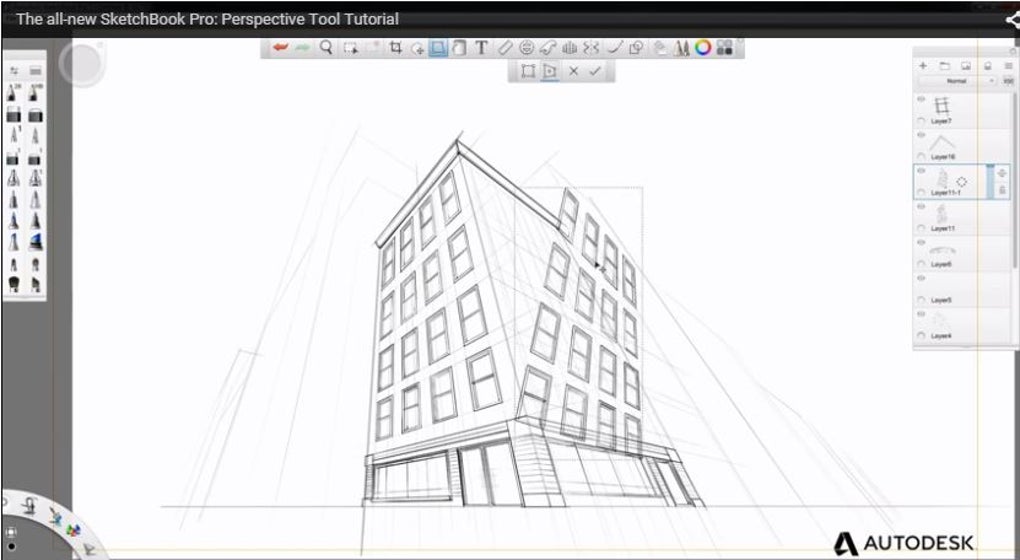
The application also integrates several tools that assist with perspective and composition. Perspective Guides offer easy creation of 1-point, 2-point, 3-point, and fisheye perspectives, significantly aiding in the creation of realistic and believable scenes. A built-in Flipbook animation tool allows artists to experiment with simple animation, adding another dimension to their creations.
Seamless Integration and Export Capabilities
SketchBook Pro supports the export of files in the industry-standard PSD (Photoshop Document) format, enabling seamless integration with Adobe Photoshop and other design software. This cross-application compatibility is a significant advantage, allowing artists to effortlessly transition their work between different programs and leverage the unique capabilities of each application. This interoperability expands workflow options and enhances the overall efficiency of the creative process.
The software’s ability to work well with various hardware is another key strength. The application’s intuitive interface is complemented by exceptional stylus support, ensuring a natural and precise drawing experience for users employing digital pens and styluses, including the Apple Pencil. This responsiveness and precision are crucial for creating fine details and expressive linework.
Addressing Limitations and Potential Drawbacks
Despite its considerable strengths, SketchBook Pro is not without limitations. While the interface is generally intuitive, the sheer number of features and tools can be overwhelming for beginners. The learning curve may be steeper than some other digital art applications, requiring time and effort to master the full range of functionalities. A more comprehensive tutorial system or improved onboarding process might assist new users in navigating this complexity more effectively.

Another notable drawback is the absence of a built-in cloud storage service. This means that all artwork is stored locally on the user’s device. While this approach ensures privacy, it can present challenges for users who switch devices frequently or need cross-platform accessibility. The lack of cloud integration limits workflow flexibility and can lead to potential data loss if a device is damaged or lost. The inclusion of cloud synchronization would significantly enhance the user experience and address this crucial limitation.
Freemium Model and Pricing Considerations
SketchBook Pro follows a freemium model, offering a free version with a core set of tools and functionalities. The premium version unlocks advanced tools and features, justifying the upgrade cost for serious artists who require the full range of capabilities. However, some users have expressed concerns regarding the frequency of updates and the value proposition of the premium upgrade. While the premium features are undeniably useful, the perceived lack of significant updates between versions might lead to user dissatisfaction, especially given the ongoing cost. A clearer communication strategy around update schedules and the value added by premium features would address these concerns.
SketchBook Pro’s Performance Across Devices
While SketchBook Pro generally delivers a smooth and responsive experience, users have reported performance inconsistencies across different devices. Some users have encountered issues with lag, crashes, or unexpected behavior. The variability of performance across different hardware configurations might point to optimization challenges or compatibility issues with specific drivers or operating systems. Addressing these performance inconsistencies through rigorous testing and optimization would significantly improve the user experience and broaden the software’s appeal.
The infrequent updates despite the upgrade cost are another point of contention. Users feel that more frequent updates are warranted given the premium price, especially with regard to bug fixes and addressing performance issues. A more robust update strategy focusing on user feedback and addressing critical issues promptly would demonstrate a stronger commitment to user satisfaction.
Comparison with Alternative Digital Art Applications
SketchBook Pro competes with several other digital art applications in the market, each with its strengths and weaknesses. Applications like Krita, MyPaint, and MediBang Paint Pro offer powerful features at no cost, appealing to budget-conscious artists. However, these free alternatives may lack the polish, responsiveness, and integration capabilities of SketchBook Pro’s premium version. Sketchable, on the other hand, focuses on a more streamlined interface and intuitive tablet integration.
The choice between SketchBook Pro and its competitors often depends on individual needs and priorities. While SketchBook Pro excels in its robust toolset and cross-platform compatibility, the premium cost and lack of cloud integration might make alternative free or less expensive options more attractive to certain users.
Conclusion: A Solid Choice with Room for Improvement
SketchBook Pro remains a powerful and versatile digital art tool, offering a rich set of features suitable for artists of all skill levels. Its intuitive interface, excellent stylus support, and relatively affordable premium version make it a worthy contender. However, limitations such as the lack of cloud syncing, inconsistent performance on some devices, and infrequent updates despite an upgrade cost represent opportunities for improvement. Addressing these drawbacks would solidify SketchBook Pro’s position as a leading choice for digital artists seeking a reliable and feature-rich application. The developers should prioritize addressing user concerns regarding performance consistency, cloud integration, and the frequency and value of premium updates to fully realize the software’s potential and enhance its overall user experience.
File Information
- License: “Full”
- Latest update: “May 22, 2025”
- Platform: “Windows”
- OS: “Windows 11”
- Language: “English”
- Downloads: “297.2K”


