
Skype, Microsoft’s flagship instant messaging application, once enjoyed widespread popularity. Its availability as a Chrome browser extension and for Chrome OS, alongside its presence on Windows, macOS, and other platforms, made it a convenient choice for communication. This review will delve into its strengths, weaknesses, and overall usability in the context of its Chrome incarnation, considering its evolution and the competitive landscape.
Skype’s Core Features and Functionality
At its core, Skype for Chrome offered a familiar suite of features expected from a mature instant messaging service. Users could engage in text-based chats, voice calls, and video conferences, all from within their Chrome browser. The ease of access—no separate application download needed—was a major draw for many users, particularly those who preferred a streamlined digital environment. The interface was generally intuitive, allowing users to easily navigate contacts, initiate conversations, and manage settings. For those already familiar with the Skype desktop application, the transition to the Chrome extension was seamless. Features like file sharing, screen sharing, and group chats were also available, enhancing its versatility for both personal and professional communication.
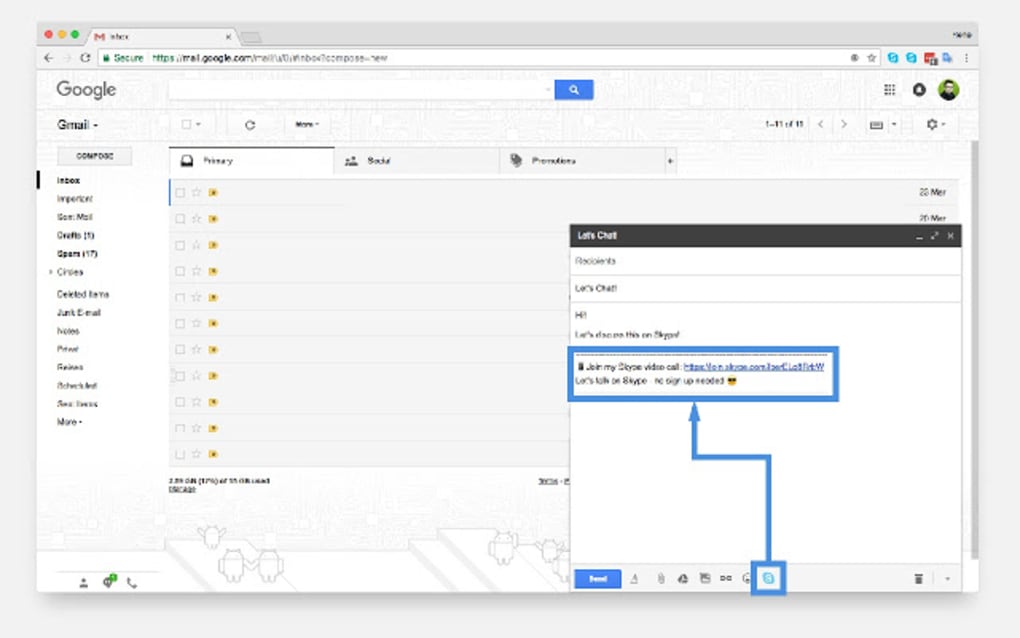
The Chrome extension version maintained parity with the desktop application in many respects, though some limitations inevitably arose from the browser environment. For instance, resource management within a browser can lead to performance differences compared to a dedicated application. This is especially pertinent for resource-intensive operations like high-definition video calls. The extension, therefore, mirrored the functionality but may not have always matched the performance of the desktop version.
Performance and User Experience: Strengths and Weaknesses
While Skype’s core functionality translated well to the Chrome browser, performance was a significant point of contention for many users. The browser extension, unlike a dedicated application, is subject to the limitations of the browser itself and the overall system resources. This sometimes led to issues with speed, especially during periods of heavy usage or when multiple tabs and extensions were open simultaneously. Users often reported slow loading times, lag during video calls, and occasional crashes, particularly in earlier versions of the extension.
Another concern was the overall user experience, which, while generally intuitive, lacked the polish of some competing applications. While the basic functions worked reliably, the design and responsiveness of the interface were sometimes criticized as dated or cumbersome compared to more modern messaging apps. The frequent updates aimed at improving stability and adding features often introduced temporary disruptions, compounding user frustration.
The shrinking user base mentioned in the original text highlights a critical aspect: While Skype’s core functionality remained competitive, the rise of newer platforms like Discord offered advantages in terms of user experience, community features, and overall platform optimization. Discord, for example, catered to specific user segments, like gamers, providing a highly specialized and integrated community experience. This fragmented the market and impacted Skype’s broader appeal.
Comparison with Competitors and the Evolving Landscape
Skype faced increasing competition from several messaging applications, each offering unique strengths. Discord, mentioned previously, established itself as a powerful contender, especially within the gaming community, providing robust voice chat, server-based organization, and a highly engaged user base. Other players such as WhatsApp, Telegram, and Microsoft Teams also carved out significant market share, offering features like end-to-end encryption, superior group management tools, and tight integration with other services.
Skype’s limitations in terms of speed, interface design, and community features paled in comparison to these competitors. While its reliability for basic voice and video calls remained a strength, its overall user experience lagged behind. The lack of innovation in recent years further contributed to its decline in popularity, leaving it struggling to keep up with the rapid evolution of the instant messaging landscape.
The Decline of Skype and Lessons Learned
The decline of Skype’s dominance highlights the importance of continuous innovation and adaptation in a rapidly evolving technological landscape. While Skype’s initial success was built on offering a reliable and accessible platform for communication, its failure to consistently innovate and address user concerns led to its eventual decline in market share. The rise of competitors who focused on user experience, community features, and platform optimization demonstrated the need for a more holistic approach to application development.
The lessons learned from Skype’s experience can be applied broadly to any technology company. The importance of staying ahead of the curve in terms of technological advancements, paying close attention to user feedback, and constantly adapting to the ever-changing demands of the market cannot be overstated. A successful technology product requires not only functional excellence but also a focus on usability, community building, and a commitment to ongoing improvement. Skype’s story serves as a cautionary tale—a reminder that even dominant players can be overtaken if they fail to innovate and adapt.
In conclusion, Skype for Chrome provided a functional, if somewhat dated, instant messaging experience. While its ease of access as a browser extension was appealing, performance issues and the rise of more modern and feature-rich competitors ultimately contributed to its reduced popularity. The Chrome extension represented an attempt to maintain relevance, but it ultimately couldn’t overcome the challenges posed by a shifting technological landscape and the increasing demands of users. The experience of Skype highlights the critical importance of sustained innovation and responsiveness to user needs in the highly competitive world of technology.
File Information
- License: “Free”
- Version: “varies-with-device”
- Latest update: “October 30, 2017”
- Platform: “Windows”
- OS: “Windows 8.1”
- Language: “English”
- Downloads: “38.4K”


