
SlimCleaner is a free, community-supported PC cleaning and optimization utility designed to enhance system performance and stability by removing unnecessary files and optimizing system settings. Unlike many automated cleaning tools, SlimCleaner incorporates a unique element: it leverages user ratings from its developer community to assist users in deciding which applications or files should be removed. This crowdsourced approach aims to improve accuracy and user confidence in the cleaning process. However, as we’ll explore, this innovative feature also presents some limitations.
SlimCleaner’s Core Functionality: Cleaning, Optimization, and Security
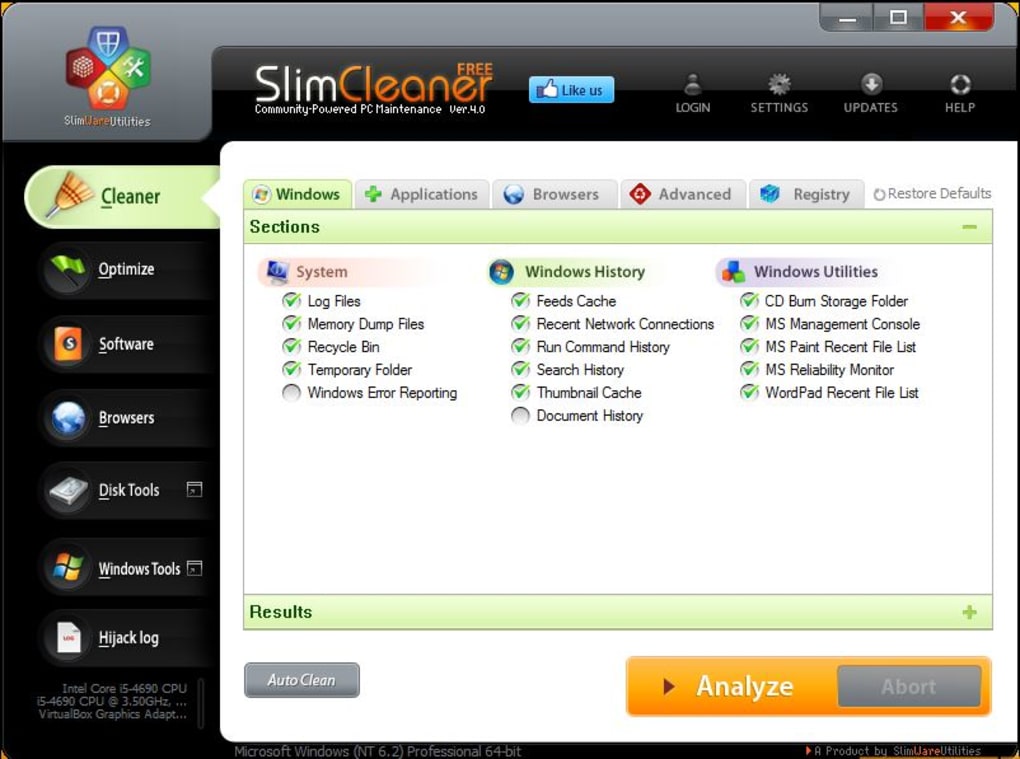
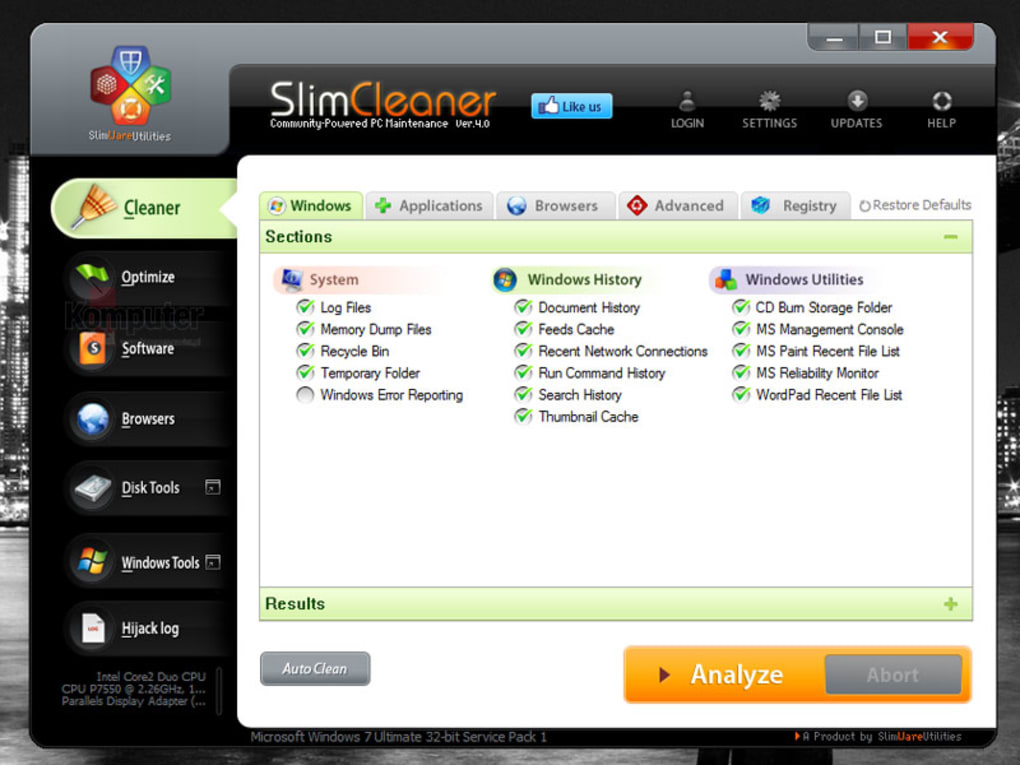
The heart of SlimCleaner is its comprehensive cleaning tool. This feature meticulously scans the system, identifying and targeting various types of temporary files, history logs, lists of recently opened documents, and other extraneous data. The cleaning process is generally described as fast and efficient, contributing to a noticeable improvement in system responsiveness. Beyond simply removing unwanted files, SlimCleaner offers a range of additional utilities.
System Optimization: The optimization tool within SlimCleaner analyzes startup items and active services, helping users identify processes that consume excessive resources or might be unnecessary. By managing startup programs and services, users can improve boot times and overall system performance. This functionality proves particularly beneficial for older systems or those with limited RAM.
Uninstaller and Data Shredder: SlimCleaner includes a robust uninstaller that goes beyond basic Windows uninstall functionality. It ensures the complete removal of applications and their associated files, preventing residual data from cluttering the system. Furthermore, SlimCleaner integrates a data shredder, providing users with a secure method of permanently deleting files and preventing their recovery. This is a crucial feature for protecting sensitive information.
Hijack Log and Windows Tools Integration: The Hijack Log in SlimCleaner meticulously catalogs toolbars, browser helper objects, ActiveX plugins, and other potentially unwanted components. This provides transparency into system modifications, allowing users to identify and remove any intrusive or suspicious elements. Additionally, SlimCleaner offers a consolidated view of native Windows system analysis and optimization tools, presenting them within a more user-friendly interface. This improves accessibility to built-in system utilities for users who might not be familiar with their location or operation within the standard Windows environment.
User Interface and Design: A Blend of Aesthetics and Functionality
SlimCleaner’s user interface is lauded for its visually appealing design, characterized by bright colors, large animated icons, and intuitive menus. This design choice aims to make the application accessible to a broader range of users, irrespective of their technical expertise. The inclusion of user ratings alongside identified items contributes to the user-friendly nature of the application, allowing users to gauge the safety and necessity of removing specific files or programs. This crowdsourced approach is innovative and promotes community involvement, reducing the reliance on solely automated decisions. However, this feature also has limitations.
Limitations and Drawbacks: The Need for Further Development
Despite its strengths, SlimCleaner has some significant drawbacks that warrant attention. The most prominent is the inconsistency of user ratings. While the concept of community-based validation is laudable, a considerable number of programs and files still lack ratings. This absence of community feedback leaves users with limited guidance on whether to remove certain items, potentially hindering the effectiveness and safety of the cleaning process. The lack of comprehensive user reviews for each item further undermines this unique approach.
Another notable limitation is the scarcity of advanced configuration options. This restricts users who prefer fine-grained control over the cleaning and optimization processes. The limited customization might not be suitable for users with advanced technical knowledge or specific system requirements, especially in circumstances where a highly personalized cleaning approach is necessary to avoid unintended consequences. A more granular control over the cleaning process would improve the user experience and increase confidence for advanced users.
Furthermore, the reported experiences from user reviews paint a concerning picture of the application’s reliability and customer support. Several reviews detail critical system issues allegedly caused by SlimCleaner, including problems with security software, display malfunctions, and the inability to uninstall the program itself. These serious issues are amplified by reports of unresponsive or unhelpful customer support, which further diminishes the trust users can place in the application. The inability to readily contact support and resolve issues quickly is particularly damaging, as it raises concerns about accountability and the overall integrity of the product.
User Reviews: A Mixed Bag of Experiences
The user reviews for SlimCleaner showcase a wide spectrum of experiences. While some users report positive outcomes, praising the software’s cleaning capabilities and ease of use, many others have shared negative experiences. These range from minor inconveniences to severe system-crippling problems. It’s imperative to approach the software with caution, carefully evaluating the potential risks against the purported benefits.
Some users have reported the software’s incompatibility with their existing security software, leading to vulnerabilities. Others have experienced complete system failures and a dramatic reduction in computer functionality after running SlimCleaner. These reviews highlight the potential dangers of relying solely on an automated cleaning utility without a thorough understanding of its implications. The recurring theme of difficulties in uninstalling the software adds another layer of concern, suggesting possible issues with the application’s code or installation processes.
The inconsistent user ratings for various applications and files highlight a critical weakness in the software’s core design. The reliance on community contributions to determine which files to remove is laudable but inherently prone to incompleteness and potential errors. This flaw can lead to unexpected outcomes, especially for users who lack technical expertise to identify and manually review the items flagged by the software.
Conclusion: Weighing the Pros and Cons
SlimCleaner presents a unique approach to PC cleaning and optimization, incorporating a community-driven element that enhances transparency and, ideally, accuracy. Its intuitive interface and comprehensive functionality, including uninstallation and data shredding tools, are significant advantages. However, the inconsistent user ratings, limited configuration options, and concerning user reviews regarding system instability and support raise serious reservations.
Potential users must carefully weigh these pros and cons. The innovative community-based rating system holds promise, but its current incompleteness significantly limits its practical value. The reported negative experiences highlight the risk of unforeseen system problems and the potential lack of adequate support. Therefore, it’s strongly recommended to thoroughly research and consider alternatives before using SlimCleaner, especially for users who lack advanced technical skills. The potential risks outweigh the benefits for many, especially considering readily available alternatives with stronger reputations and support systems. Furthermore, preventative measures, such as regularly scanning your system with reliable antivirus software and maintaining good file management habits, might offer a safer and more effective approach to PC maintenance than relying on potentially unreliable cleaning utilities.
File Information
- License: “Free”
- Latest update: “May 23, 2023”
- Platform: “Windows”
- OS: “Windows Vista”
- Language: “English”
- Downloads: “80.3K”
- Size: “801.09 KB”


