
SlimDrivers is a free driver updater and backup tool designed for Windows 7 and later operating systems. Developed by SlimWare Utilities, a company known for its system optimization tools, SlimDrivers provides a straightforward approach to identifying, updating, and backing up device drivers on your computer. This review delves into the software’s features, functionality, and overall effectiveness, exploring its strengths and weaknesses compared to other driver update solutions available on the market.
What is SlimDrivers?
SlimDrivers is a user-friendly application that simplifies the often-complex process of updating device drivers. Instead of manually searching manufacturer websites or relying on potentially unreliable sources, SlimDrivers offers a centralized platform to scan your system, identify outdated or malfunctioning drivers, and download the latest versions. This streamlined process minimizes the risk of installing incompatible or corrupted drivers, a common concern when updating drivers manually. The software boasts a large database of drivers, regularly updated to ensure compatibility with the latest hardware and software releases. This database is augmented by community-based support, allowing for rapid identification and resolution of issues related to less common or recently released hardware components.
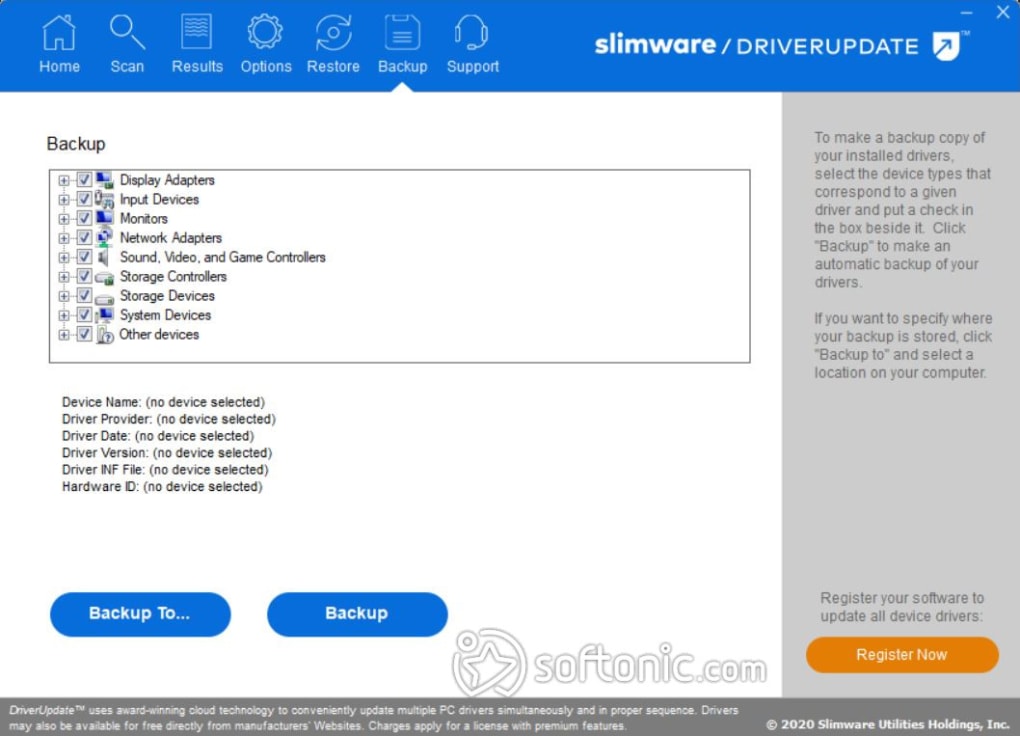
SlimDrivers provides two key functionalities: driver updates and driver backups. The driver update feature allows users to quickly identify outdated drivers and download and install their updated versions. The driver backup feature allows users to create a complete backup of their current drivers, enabling easy restoration to a previous state if any issues arise after an update. This backup capability is crucial, acting as a safety net in case a driver update causes system instability or malfunctions. This functionality is especially beneficial for users who frequently update their drivers or experiment with new hardware.
The software is presented in two versions: a free version (SlimDrivers) and a paid version (DriverUpdate). While both versions offer essentially the same core functionalities, DriverUpdate includes enhanced support and automatic updates, features absent in the free version. This tiered approach allows users to choose the version that best fits their needs and technical expertise. The free version is ideal for users who are comfortable managing updates manually, while the paid version offers a more hands-off, automated solution.
How SlimDrivers Works: A Deep Dive into the Process
SlimDrivers utilizes a cloud-based system that leverages crowd-sourced data to maintain a comprehensive database containing over a million device drivers. This vast library ensures that the software can identify and update drivers for a wide array of hardware components, from common peripherals to specialized devices. The system’s reliance on crowd-sourcing contributes to its accuracy and ability to keep pace with the ever-evolving landscape of hardware and software releases.
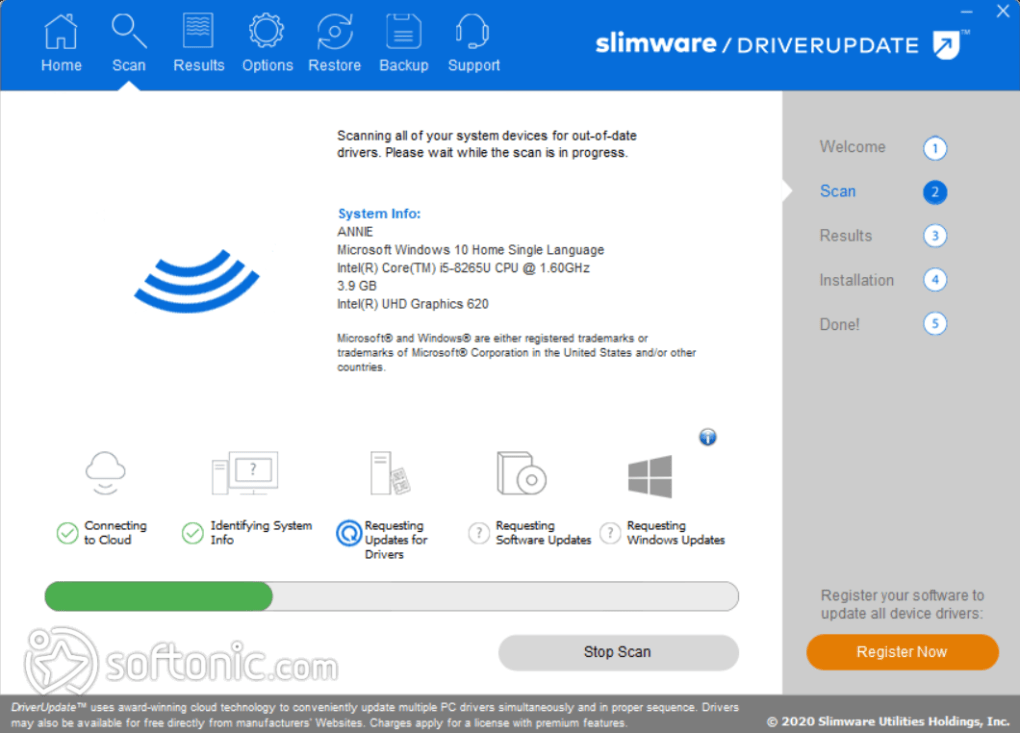
Upon launching the application, SlimDrivers initiates a scan of your system. This scan meticulously identifies all installed drivers and compares them against the software’s extensive database. The software intelligently determines which drivers are outdated or require updates, considering factors like version numbers, release dates, and compatibility with your specific operating system. The results are then presented in a clear and concise manner, allowing users to quickly assess the state of their drivers.
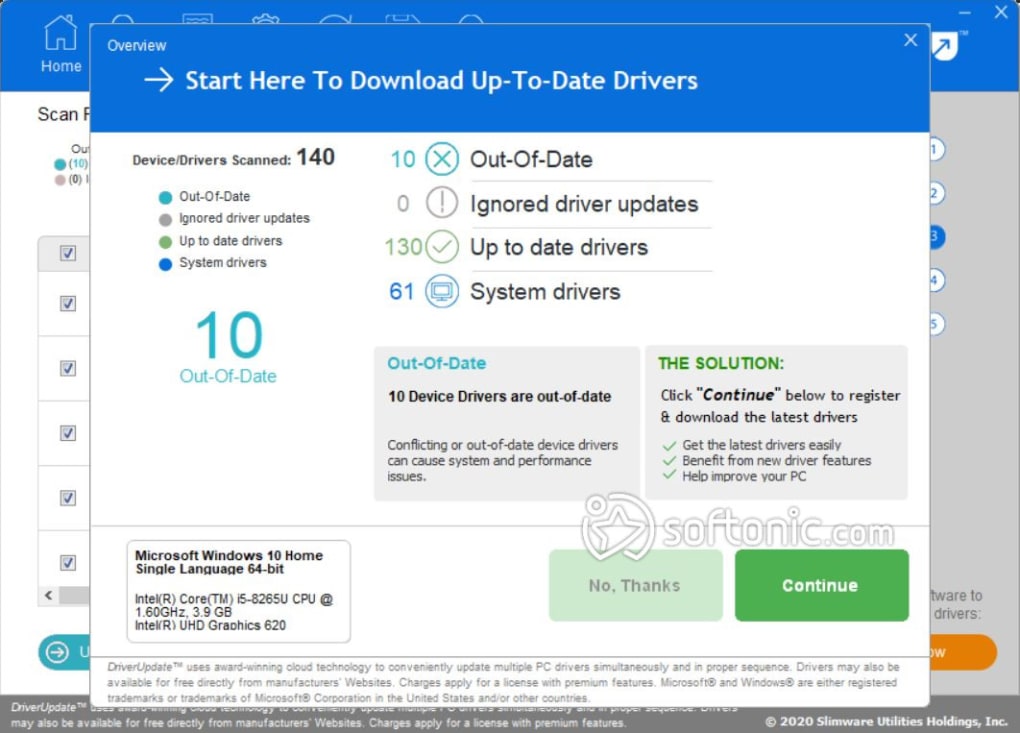
Once the scan is complete, SlimDrivers displays a list of available updates. Users can then selectively choose which drivers to update, providing control and flexibility over the update process. The software guides users through the update process, downloading and installing the selected drivers seamlessly. The intuitive interface makes the update process accessible even for users with limited technical experience.
A critical feature of SlimDrivers is its built-in driver backup functionality. This allows users to create a comprehensive backup of their existing drivers before initiating any updates. This backup serves as a safety measure, enabling users to quickly restore their system to its previous state if any issues arise after an update. The backups created are compatible across different versions of Windows, meaning a backup created on Windows XP can be restored on Windows 10. This cross-version compatibility significantly enhances the backup’s utility.
User Interface and Functionality: Simplicity Meets Power
SlimDrivers boasts a clean and intuitive user interface, emphasizing simplicity and ease of use. The software’s primary function is prominently displayed with a large “Scan” button positioned centrally on the main screen. This straightforward design facilitates quick access to the core functionality, reducing the learning curve for new users. The software’s settings allow users to schedule scans at predetermined times, enabling automated monitoring of driver updates and ensuring proactive maintenance of the system’s stability.
Beyond the main scan function, the software provides access to detailed information about each driver. This information includes the driver’s name, version number, date, and manufacturer. The detailed information helps users understand the nature of each update and make informed decisions about which drivers to update. The software also displays the location of the latest driver version, helping users understand the source of the update and verify its legitimacy.
Speed and Efficiency: How Quickly Does SlimDrivers Work?
SlimDrivers is designed for speed and efficiency. The initial scan of your system is typically quite fast, even on machines with a large number of installed drivers. The speed of the scan is largely dependent on the system’s hardware specifications and the number of drivers installed. Once the scan is complete, the software promptly identifies outdated drivers and provides options for updating them.
The download and installation process for individual drivers is also relatively quick, thanks to the software’s efficient download manager and streamlined installation process. While users must update drivers one by one, a process that might be considered time-consuming compared to fully automatic solutions, the individual update times are generally short. The process is largely automated, reducing manual intervention to a minimum.
Legitimacy and Security Concerns: Addressing Common Questions
SlimWare Utilities, the creator of SlimDrivers, is a reputable software company with a history of developing reliable system utility tools. The company’s software is generally considered safe and free from malware. However, as with any software download, it is crucial to download SlimDrivers from the official SlimWare Utilities website to mitigate the risk of downloading malicious software. Downloading from unofficial sources increases the risk of exposure to malware or other security threats.
The software itself has a good security record and is generally considered safe to use. The software does not bundle additional unwanted software, a common practice among some less reputable software companies. Moreover, SlimDrivers incorporates a backup function, ensuring that users can revert to a previous state if issues occur after a driver update. This safety net further enhances user confidence in the software’s safety and reliability.
Alternatives to SlimDrivers: A Comparative Overview
Several alternative driver updater tools exist in the market, each with its strengths and weaknesses. Popular alternatives include Driver Booster Free, Driver Easy, and DriverPack Solution Online. These tools offer similar functionality to SlimDrivers, including scanning for outdated drivers, downloading updated versions, and, in some cases, providing automated updates.
However, each tool has its unique features and differences. Some tools may boast larger driver databases, while others may offer more comprehensive system diagnostics. Some tools offer automated updates, unlike SlimDrivers’ free version which requires manual updates. The choice of driver updater ultimately depends on individual user preferences and needs.
Should You Download SlimDrivers? A Final Verdict
SlimDrivers is a valuable tool for users seeking a straightforward and reliable way to update and manage their device drivers. The software’s clean interface, comprehensive driver database, and built-in backup functionality make it a compelling option, especially for users who prefer a more hands-on approach to managing updates. While the free version lacks automatic updates, a feature offered by some competing software, the manual update process remains simple and efficient.
The software’s overall ease of use, combined with its robust functionality and security, makes it a solid choice for users of all technical skill levels. If you value simplicity and control, and prefer a more manual approach to driver management, SlimDrivers is a worthy consideration. The paid version, DriverUpdate, would be a suitable option for users preferring a fully automated solution with enhanced support. If you prioritize full automation, other driver update tools offering this feature should be considered. However, for users who value a balance between ease of use and control, SlimDrivers remains a strong contender in the driver updater market.
File Information
- License: “Free”
- Latest update: “July 11, 2023”
- Platform: “Windows”
- OS: “Windows 10”
- Language: “English”
- Downloads: “1.2M”


