
SmadAV Antivirus, also known as Smadav Antivirus 2023 and Smadav 2023, is a free, secondary antivirus program designed to bolster your existing security software. It’s not intended to replace your primary antivirus solution but rather to act as an additional layer of protection, particularly focusing on USB drives and local file threats. While its origins trace back to 2016 (as reflected in the original title), SmadAV continues to be updated and remains a relevant option for users seeking enhanced security without significant performance overhead. This review delves into its strengths, weaknesses, and overall effectiveness.
SmadAV’s Role as a Secondary Antivirus
The core concept behind SmadAV is its role as a supplementary antivirus. Many users hesitate to install multiple antivirus programs due to concerns about resource conflicts and potential performance degradation. However, SmadAV addresses these concerns effectively. Its lightweight design ensures minimal impact on system resources, making it compatible with most primary antivirus solutions. This allows users to benefit from a second line of defense without sacrificing speed or efficiency.
The program’s primary focus is on detecting and removing viruses from local storage, especially USB flash drives. These drives often serve as vectors for malware propagation, making their protection crucial. SmadAV excels in this area, boasting a robust virus database and effective scanning capabilities, even for previously unknown threats. This makes it an excellent addition to a security suite, offering an extra layer of protection against localized threats that may bypass primary antivirus software. The ability to recover infected or hidden files is also a significant advantage, mitigating the potential for data loss.
However, it’s vital to understand SmadAV’s limitations. As a secondary antivirus, it primarily protects against locally stored threats and doesn’t provide real-time online protection against web-based attacks, phishing attempts, or other internet-borne malware. It acts as a powerful local scanner and cleaner but lacks the comprehensive real-time monitoring and web security features of full-fledged antivirus solutions. Therefore, it’s crucial to retain a primary antivirus program to handle online threats.
Features and Functionality: Free vs. Pro Versions
SmadAV offers both a free and a pro version, each with distinct features. The free version provides basic functionality, sufficient for many users. Its core strengths lie in its automatic external drive scanning, capable of identifying and neutralizing various types of viruses on USB drives and other removable media. This automatic scanning feature provides an invaluable layer of protection against the spread of malware through physical media.
The pro version, however, unlocks several additional features and benefits. These include a multi-computer license (allowing protection for multiple devices under a single subscription), enhanced protection settings, and additional scanning options. The pro version provides more granular control over security settings and a broader range of capabilities, making it a compelling option for users needing more robust protection or who want to protect multiple systems. This tiered approach allows users to choose the level of protection best suited to their needs and budget. The free version provides a solid baseline of protection, while the pro version delivers enhanced security and convenience.
Performance and System Impact
One of SmadAV’s significant advantages is its minimal impact on system performance. With a small installation footprint (typically under 10MB), it consumes minimal system resources. This makes it ideal for older or less powerful systems where resource-intensive software might cause noticeable slowdowns. Even on more modern machines, the lightweight nature of SmadAV ensures a smooth and uninterrupted user experience, even when combined with other resource-consuming applications. The program is designed to operate efficiently in the background, minimizing its impact on overall system responsiveness and allowing other programs to perform optimally. This lightweight nature is a key selling point for users concerned about performance impacts from multiple security programs.
User Interface and Ease of Use
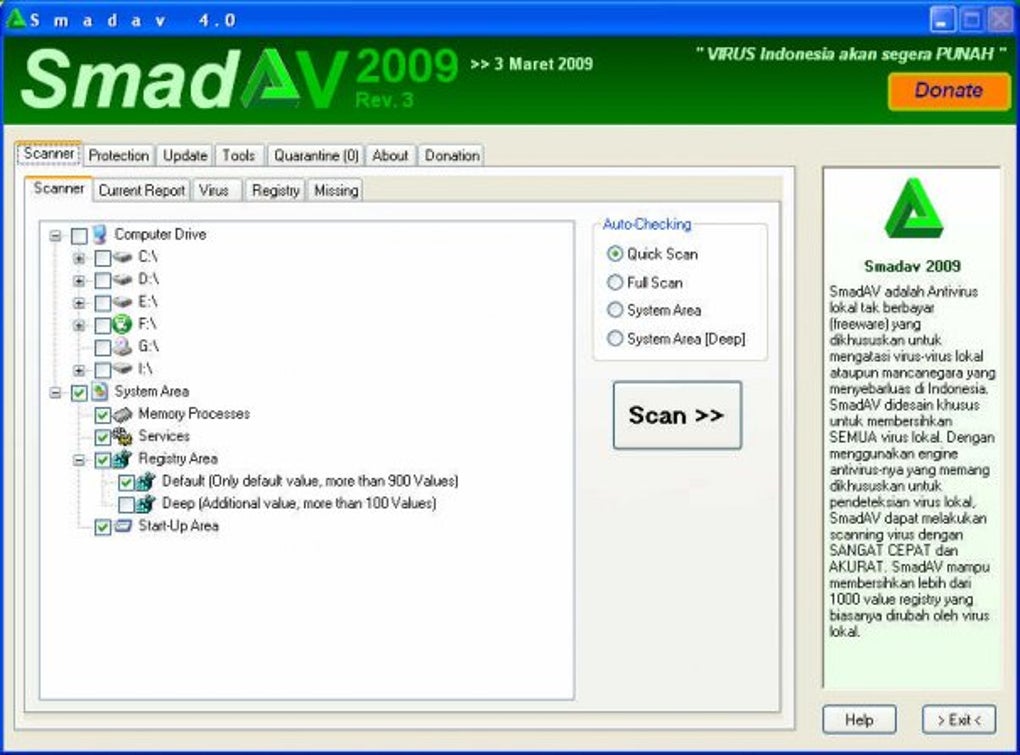
SmadAV boasts a user-friendly interface, making it accessible to users of all technical skill levels. The intuitive design simplifies the process of scanning, cleaning, and managing security settings. The straightforward layout and clear instructions facilitate quick and easy navigation, allowing users to quickly initiate scans, review results, and customize settings as needed. The program doesn’t overwhelm users with complex features or confusing terminology, making it accessible even to those with limited experience in security software. This simplicity makes SmadAV a practical choice for both casual and experienced users alike.

Virus Detection and Removal Capabilities
SmadAV’s strength lies in its comprehensive virus database and sophisticated scanning engine. Its ability to detect and remove various types of viruses, including those that may be unknown or hidden, makes it a valuable addition to any security strategy. The program’s ongoing updates ensure that its virus database remains current, capable of identifying and neutralizing the latest threats. Its ability to recover infected or hidden files is a notable advantage, safeguarding user data from potential loss. However, it is important to reiterate that its effectiveness is primarily focused on local file-based threats and not on real-time online protection.
Strengths and Weaknesses of SmadAV
Strengths:
- Lightweight and efficient: Minimal system resource consumption, ensuring optimal performance.
- Focus on USB drive protection: Effectively detects and removes viruses from flash drives.
- Infected file recovery: Allows restoration of infected or hidden files.
- User-friendly interface: Simple and intuitive design, easy for all users.
- Free version available: Provides a good level of protection at no cost.
- Regular updates: Keeps its virus database current.
Weaknesses:
- No real-time online protection: Does not protect against web-based threats.
- Limited functionality in the free version: Pro version offers more features and capabilities.
- Primarily a secondary antivirus: Not a replacement for a full-fledged antivirus solution.
- Reliance on local scanning: Lacks the real-time monitoring capabilities of many modern antivirus programs.
Conclusion: Who Should Use SmadAV?
SmadAV is a valuable tool for users seeking supplementary antivirus protection, particularly those who frequently use USB drives or other removable media. Its lightweight design and focus on local threat detection make it an excellent complement to a primary antivirus program, offering an additional layer of security without performance penalties. Users who prioritize local file protection and want an easy-to-use, resource-efficient scanner will find SmadAV beneficial. However, it is crucial to remember that SmadAV is not a replacement for a comprehensive antivirus solution that provides real-time online protection. Therefore, it should be used in conjunction with a full-fledged antivirus program to ensure complete system security. The free version provides a solid starting point, while the pro version offers enhanced features for users needing more robust protection. Overall, SmadAV fills a specific niche effectively, serving as a reliable and efficient secondary layer of security for those concerned about localized malware threats.
File Information
- License: “Free”
- Latest update: “January 22, 2025”
- Platform: “Windows”
- OS: “Windows 7”
- Language: “English”
- Downloads: “287.7K”
- Size: “2.84 MB”


