
Smart PC Locker Pro is a free Windows application designed to enhance your computer’s security by adding an extra layer of protection beyond your operating system’s password. This review delves into its features, ease of use, pros and cons, and compares it to similar software available in the market. The application aims to prevent unauthorized access to your PC and its contents, providing peace of mind for security-conscious users.
Enhanced Security Features: Locking Down Your PC
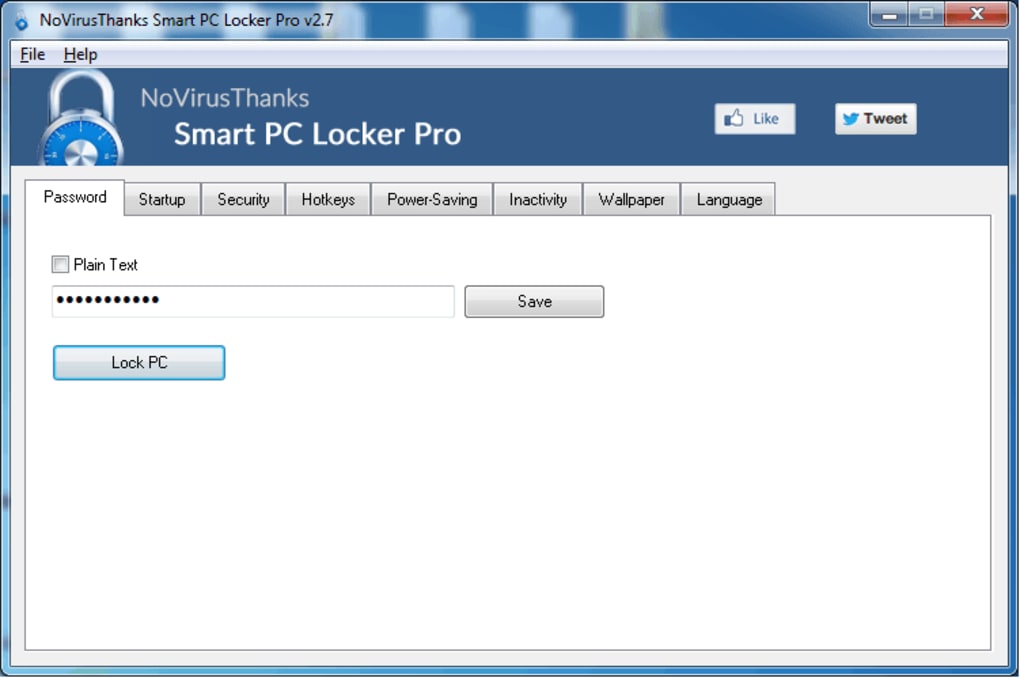
Smart PC Locker Pro offers a straightforward approach to securing your computer. Its primary function is to lock your PC, preventing access by anyone without the necessary authorization. This is achieved through a simple yet effective locking mechanism, triggered either by a customizable hotkey combination or via a direct application launch. Once activated, the application prevents access to the desktop and running applications, effectively halting any ongoing work.
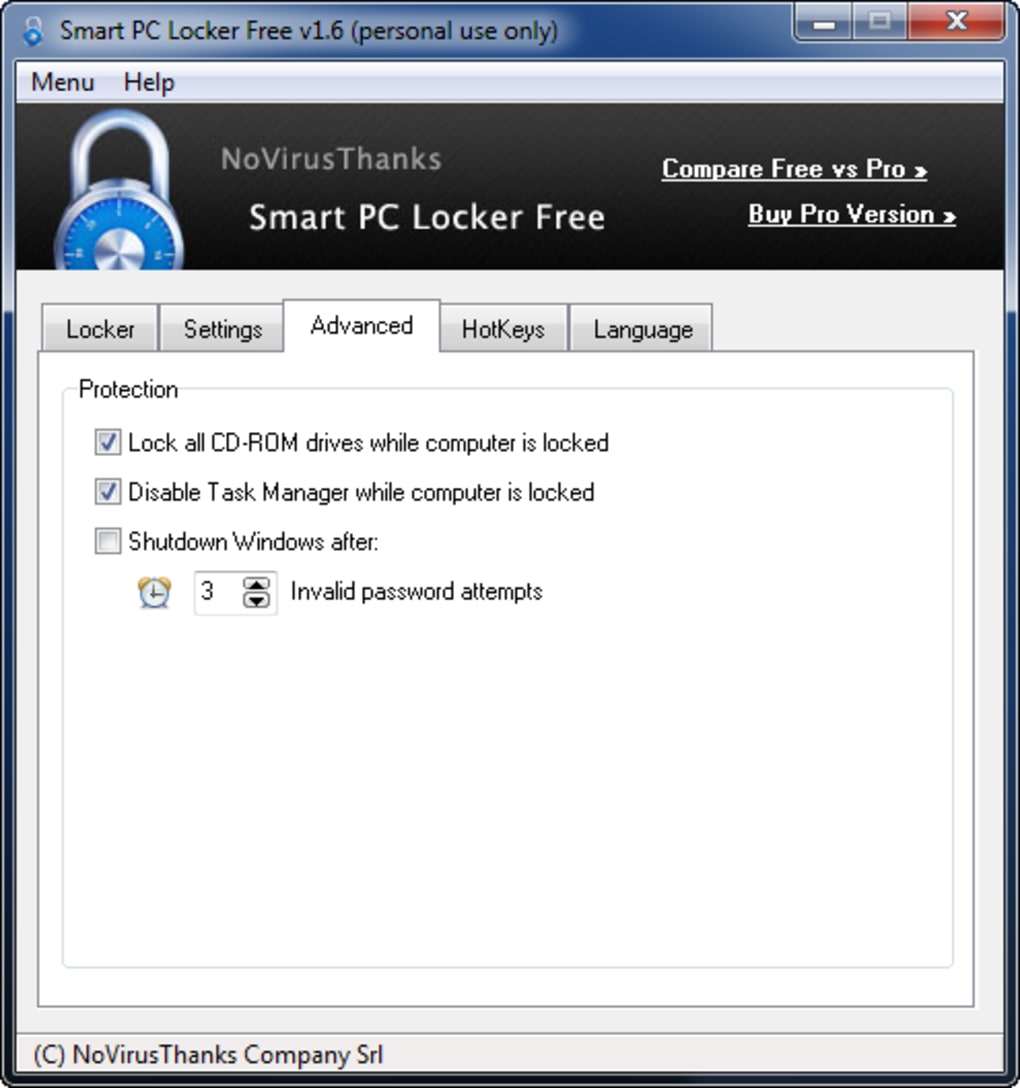
Beyond basic locking, Smart PC Locker Pro incorporates several advanced features to bolster security. Crucially, it disables the task manager and prevents access to safe mode, making it significantly harder for unauthorized users to bypass the lock. This measure blocks common methods used to circumvent standard password protection or access system files. Furthermore, the application allows you to disable CD-ROM access, further limiting potential entry points for malicious software or unauthorized users attempting to boot from external media.
User-Friendliness and Ease of Configuration
One of Smart PC Locker Pro’s key strengths lies in its user-friendly interface and simple configuration process. The application eschews complex settings and options, making it accessible even to users with limited technical expertise. The setup involves a few straightforward steps, primarily focused on selecting your preferred hotkey combination for quick locking and ensuring your password is secure and easily remembered. This straightforward design reduces the learning curve, allowing users to quickly implement the application and benefit from enhanced security without needing extensive technical knowledge. The clear and concise layout contributes to a stress-free user experience, making it a practical choice for casual and experienced computer users alike.
Pros and Cons of Smart PC Locker Pro
Like any software, Smart PC Locker Pro presents both advantages and disadvantages.
Pros:
- Enhanced Security: Provides a robust additional layer of security beyond the operating system’s password protection. The disabling of the task manager and safe mode significantly increases the difficulty of unauthorized access.
- Simple Configuration: The setup process is straightforward and easily understandable, requiring minimal technical knowledge. This ensures ease of use for a wide range of users.
- Hotkey Functionality: The ability to lock the PC using a custom hotkey combination offers rapid and convenient access to the locking mechanism. This adds to the overall ease of use and provides immediate security when needed.
- Free of Charge: The application is offered free of charge, making it an attractive option for budget-conscious users who still need robust security.
- Lightweight Application: The small application size ensures minimal impact on system performance, unlike resource-intensive security programs.
Cons:
- Potential for Accidental Locking: The reliance on hotkeys increases the risk of accidental locking, potentially disrupting workflow if the chosen key combination is activated inadvertently.
- Lack of Password Recovery: The application currently lacks a built-in password recovery system. Losing the password could result in complete lockout from the PC, potentially requiring a system reinstall.
- Emergency Access Difficulty: Disabling access to safe mode and task manager might hinder access to the computer during an emergency situation where immediate system intervention is necessary.
- Increased Log-on Time: Implementing an additional security layer naturally extends the overall log-on time compared to using only the operating system’s password.
- Limited Features: Compared to some commercial security suites, Smart PC Locker Pro offers a more focused set of security features.
Alternatives and Comparisons
While Smart PC Locker Pro offers a solid solution, several alternatives exist, each with its own set of strengths and weaknesses. These alternatives often provide a broader range of features, including remote locking, advanced user management, and more sophisticated security protocols. However, they may also come with a higher price tag or more complex interfaces.
Here’s a comparison with some prominent alternatives:
-
AppLocker: A built-in Windows feature, AppLocker focuses primarily on controlling application access rather than overall system locking. While it doesn’t offer the same level of PC lockdown as Smart PC Locker Pro, it’s a valuable tool for managing application permissions within a corporate environment.
-
Folder Lock: Folder Lock offers strong file and folder encryption and access control. While it doesn’t directly lock the entire PC, it provides robust protection for sensitive data stored on the computer. It typically has a more complex interface compared to the simple design of Smart PC Locker Pro.
-
Lock My PC: Another PC-locking utility, Lock My PC provides similar functionality to Smart PC Locker Pro but may offer additional customization options or remote locking capabilities (depending on the specific version).
-
Matrix Screen Locker: Similar to Smart PC Locker Pro, Matrix Screen Locker provides a simple way to lock your PC. The comparison would focus on features and the simplicity of the UI, as both strive for ease of use.
- PC Locker Pro: Another option in the PC locking software market, this application likely overlaps in functionality with Smart PC Locker Pro. Key differentiators would include feature sets, user interface design, and overall performance.
The choice between Smart PC Locker Pro and its alternatives hinges on individual needs and priorities. If a simple, free, and easy-to-use PC locking utility is paramount, Smart PC Locker Pro serves this purpose well. However, users requiring more advanced features, like remote management or enhanced data protection, might find more comprehensive solutions in the commercial alternatives.
Conclusion
Smart PC Locker Pro provides a straightforward and effective way to enhance PC security by adding a simple yet robust locking mechanism. Its ease of use and lack of complexity make it an attractive option for users seeking basic yet reliable protection against unauthorized access. While some limitations exist, such as the absence of a password recovery system and potential for accidental locking, the application remains a valuable free tool for those who want to add an extra layer of security to their computer. The decision to use Smart PC Locker Pro should be based on a thorough consideration of its pros and cons, a comparison with alternative solutions, and a realistic assessment of individual security needs. For users who prioritize simplicity and free access over an extensive feature set, Smart PC Locker Pro stands as a worthy contender in the realm of PC security utilities.
File Information
- License: “Free”
- Latest update: “July 11, 2023”
- Platform: “Windows”
- OS: “Windows 8”
- Language: “English”
- Downloads: “63.1K”
- Size: “2.67 MB”


