
Snapdrop for Android is a free, trusted application that simplifies the process of transferring files between your Android device and other devices, including computers and other smartphones. Developed by a team of dedicated developers committed to enhancing user experience, Snapdrop offers a fast and intuitive method for sharing files, eliminating the complexities often associated with traditional file transfer methods. Whether you need to send documents, photos, videos, or other files from your phone to your computer, or vice-versa, Snapdrop provides a streamlined solution that’s both efficient and user-friendly.
How Snapdrop Works: Effortless File Sharing
The core functionality of Snapdrop centers around its browser-based approach. This means that the application doesn’t require complex setups or intricate configurations. Instead, it leverages the power of your web browser to facilitate seamless file transfers. The process is incredibly straightforward:
-
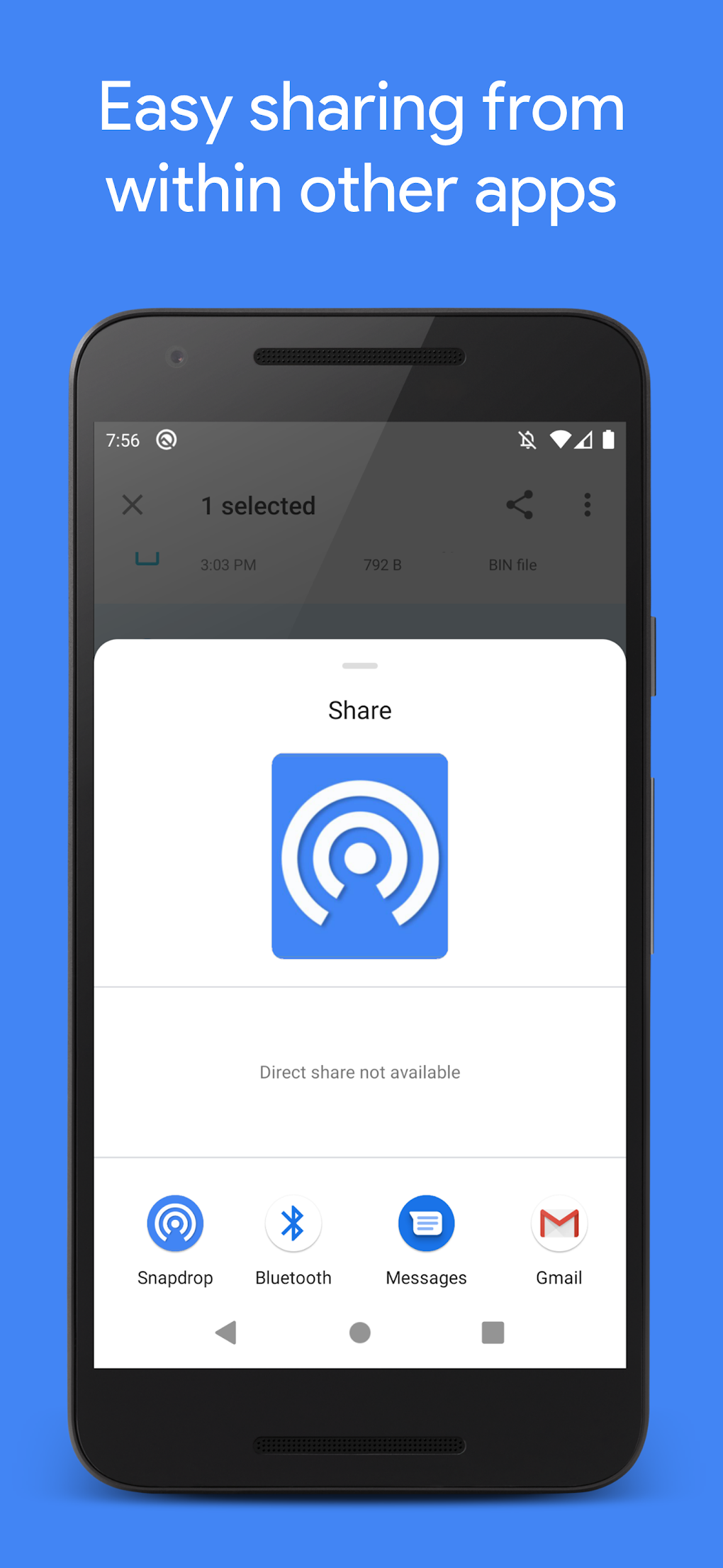
Initiate the Transfer: On your Android device, select the file(s) you wish to transfer. Instead of using traditional methods like email attachments or cloud storage services, select Snapdrop as your sharing option.
-
Select the Receiving Device: Snapdrop displays a list of available devices on the same network. Choose the device to which you’d like to send the file(s). This could be a computer, another Android device, or even an iOS device, making it highly versatile.
-
Complete the Transfer: Once the receiving device is selected, Snapdrop initiates the transfer process. The speed of the transfer depends on your network connection; however, the process is generally significantly faster than methods that rely on uploading files to a server before downloading.
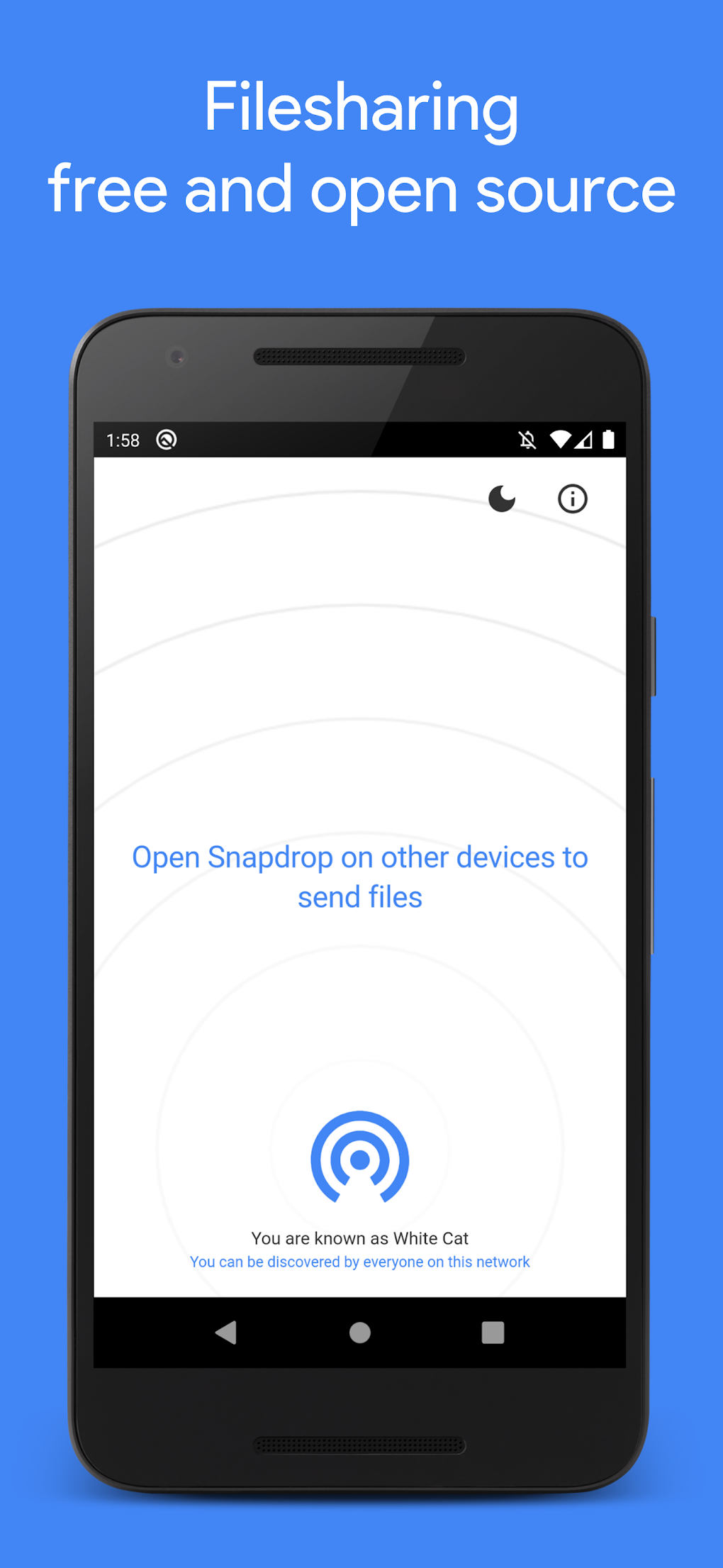
The interface is deliberately designed to be intuitive and easily navigable, even for users who aren’t tech-savvy. Once installed, the app requires minimal explanation or instruction. Simply open your browser on the receiving device, and the transfer will be initiated from your Android device when you select the Snapdrop option. This simplicity makes Snapdrop an ideal choice for both experienced and novice users.
Key Features and Benefits of Snapdrop
Snapdrop’s ease of use isn’t its only advantage. The application boasts several key features that contribute to its overall efficiency and appeal:
-
Speed and Efficiency: Snapdrop utilizes your local network to transfer files, resulting in significantly faster transfer speeds compared to cloud-based solutions. This is especially advantageous for larger files, where uploading and downloading to a server would consume considerable time.
-
Privacy and Security: Because Snapdrop primarily transfers data within your local network, it significantly enhances privacy and security. Unlike some other methods that require uploading to external servers, Snapdrop minimizes the risk of data interception or unauthorized access.
-
Cross-Platform Compatibility: Snapdrop supports a wide range of devices and operating systems. You can seamlessly transfer files between Android devices, computers (Windows, macOS, Linux), and even iOS devices, making it a truly versatile file transfer solution. This broad compatibility is a significant strength, allowing for greater flexibility in managing your files.
-
Simple and Intuitive Interface: The user interface is exceptionally user-friendly, prioritizing ease of use and minimizing any unnecessary complexity. The streamlined design ensures that the file transfer process is as smooth and effortless as possible.
-
No Account Required: Unlike cloud-based services, Snapdrop does not require you to create an account or log in. This eliminates the extra steps and enhances the speed of the transfer process.
-
Open Source: Snapdrop is an open-source project, meaning its code is publicly available for review and modification. This transparency fosters trust and allows for community contributions to enhance the application’s capabilities and security.
Snapdrop: A Superior Alternative to Traditional Methods
Snapdrop provides a welcome alternative to traditional file transfer methods that often prove cumbersome and inefficient. Methods such as emailing large files can be slow and unreliable. Cloud services, while offering convenience, often require account creation, upload times, and raise privacy concerns about data storage. Snapdrop circumvents these issues by facilitating direct, peer-to-peer transfers within your local network.
Snapdrop’s Impact on Productivity and Workflow
For both personal and professional use, Snapdrop’s efficiency significantly enhances productivity and streamlines workflows. In personal use, quickly sharing photos and videos between devices becomes effortless. Professionally, this is especially useful for workers who need to quickly share files between their phones and computers, reducing delays and increasing overall work efficiency. The speed and simplicity of Snapdrop contribute to a smoother workflow and improved productivity, irrespective of the user’s technical expertise.
Addressing Potential Concerns and Limitations
While Snapdrop offers numerous advantages, it’s essential to address potential limitations. The primary constraint is its reliance on a local network. This means that files cannot be transferred between devices that aren’t on the same network. However, this is a common limitation of local network-based transfer solutions and doesn’t detract significantly from its efficiency within its intended use-case. The open-source nature of Snapdrop allows the community to contribute to addressing such limitations and introducing new features.
Conclusion: Why Choose Snapdrop?
In the landscape of file transfer applications, Snapdrop stands out due to its unique combination of speed, simplicity, and security. Its intuitive design and cross-platform compatibility make it suitable for a wide range of users, from tech novices to experienced professionals. The absence of account requirements and the focus on local network transfers contribute to a private and efficient file transfer experience. If you seek a fast, reliable, and user-friendly way to share files between your Android device and other devices, Snapdrop is a highly recommended solution. It significantly simplifies file transfer, enhancing productivity and minimizing the complexities associated with traditional methods. The open-source nature of the project guarantees its continued development and improvement by the community, ensuring it remains a valuable tool for years to come.
File Information
- License: “Free”
- Latest update: “March 25, 2025”
- Platform: “Android”
- OS: “Android 13.0”
- Language: “English”
- Downloads: “3.6K”
- Download Options: “Google Play”


