
Softi-FreeOCR is a powerful and user-friendly optical character recognition (OCR) software designed for Windows operating systems. This comprehensive guide delves into its features, functionality, and advantages, comparing it to similar applications and exploring its place within the broader OCR software landscape. We’ll examine its strengths and weaknesses, helping you determine if it’s the right choice for your document conversion needs.
Understanding Optical Character Recognition (OCR) and Softi-FreeOCR’s Role
Optical Character Recognition (OCR) is the process of converting scanned documents, images, or PDFs into editable text. This technology bridges the gap between physical documents and digital formats, allowing users to easily manipulate and share information from paper-based sources. Traditional methods involved manually typing out text, a time-consuming and error-prone process. OCR software automates this, significantly improving efficiency and accuracy.
Softi-FreeOCR plays a crucial role in this process by providing a free and readily accessible OCR solution for Windows users. Unlike many commercial OCR programs which often come with hefty price tags and complex interfaces, Softi-FreeOCR offers a straightforward approach, making it accessible even to users with minimal technical experience. It leverages the Tesseract OCR engine, a well-regarded open-source project known for its accuracy and performance. However, Softi-FreeOCR goes beyond simply integrating Tesseract, adding several crucial features that enhance its usability and capabilities.
Key Features and Functionality of Softi-FreeOCR
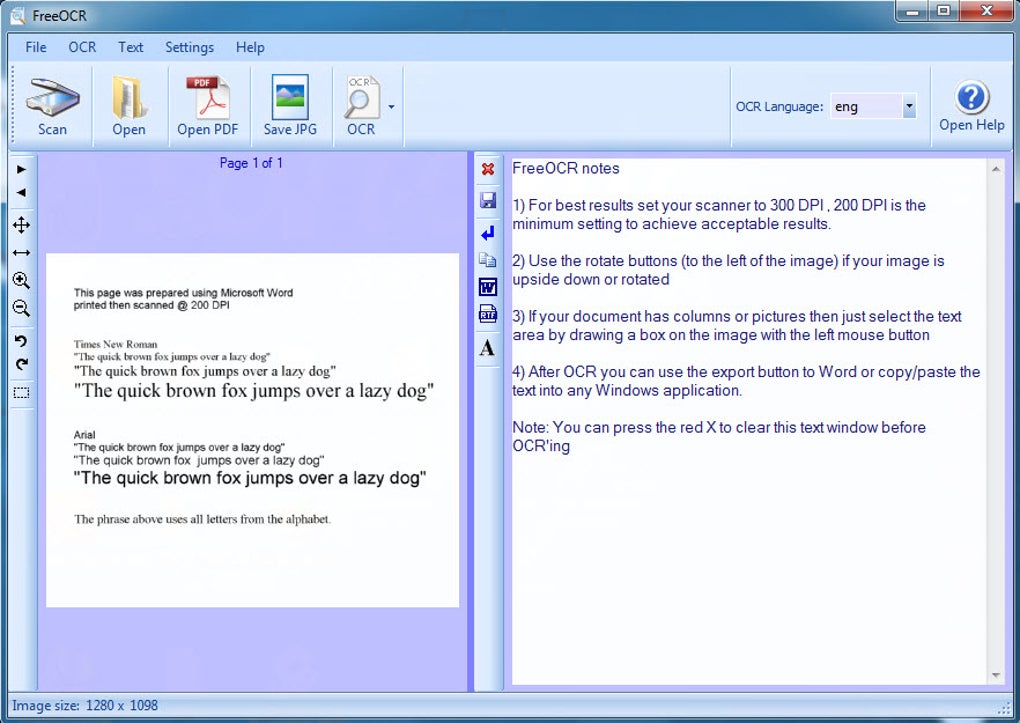
Softi-FreeOCR stands out due to its comprehensive feature set, extending beyond the core OCR functionality provided by the Tesseract engine. Key features include:
- Multi-page TIFF Support: This is a significant advantage over basic Tesseract implementations. Many OCR tools struggle with multi-page TIFF files, often requiring processing each page individually. Softi-FreeOCR handles these efficiently, streamlining the conversion of large documents. This is particularly beneficial for handling scanned documents from fax machines or high-volume scanners.
-
Fax Document Compatibility: Similarly, its support for fax documents, often characterized by low resolution and various formatting inconsistencies, demonstrates its robustness. Successfully processing fax documents often presents a challenge for less sophisticated OCR software. Softi-FreeOCR’s inclusion of this functionality greatly expands its potential applications.
-
Wide Image Format Support: Beyond TIFF files, Softi-FreeOCR supports a wide range of popular image formats, including JPEG and PNG. This versatility ensures compatibility with most scanned documents and digital images, increasing its accessibility.
-
Integrated Twain Scanning: The inclusion of TWAIN scanning functionality allows direct scanning from compatible desktop scanners, eliminating the need for intermediate steps like saving scans as images before processing. This integrates the scanning and OCR processes seamlessly, simplifying the workflow significantly.
-
Plain Text and Word Export: The processed text can be exported as plain text or directly into Microsoft Word, enabling easy integration with other applications and documents. This facilitates further editing and formatting, allowing for seamless incorporation into existing documents or workflows.
-
Free and Open-Source Foundation (Tesseract): The software’s reliance on the Tesseract OCR engine provides a solid foundation, ensuring accuracy and benefiting from ongoing development and improvements within the open-source community. This open-source nature also means ongoing community support and continuous improvements to the underlying technology.
-
Simple and Intuitive User Interface: The software boasts a user-friendly interface, making it accessible to users regardless of their technical expertise. The straightforward design ensures efficient processing without overwhelming the user with complex settings or options.
Comparing Softi-FreeOCR to Other OCR Solutions
While Softi-FreeOCR provides a robust and free OCR solution, it’s important to compare it to other available options to understand its strengths and weaknesses relative to the market. Commercial OCR solutions such as ABBYY FineReader often provide superior accuracy, particularly with complex layouts or heavily stylized fonts. However, these tools typically come with significant costs. Free online OCR services might also offer a quick and easy solution for smaller documents, but they may lack the features and versatility of Softi-FreeOCR, and often raise concerns regarding data privacy and security.
Softi-FreeOCR occupies a unique position by offering a balance between functionality and cost. Its limitations might lie in its accuracy compared to paid, sophisticated software when handling very complex documents, however, its ease of use and feature set make it an excellent choice for most common OCR tasks.
Limitations and Potential Issues
While Softi-FreeOCR offers considerable advantages, it’s crucial to acknowledge some limitations:
- Accuracy: While leveraging Tesseract, which is a highly capable OCR engine, the accuracy of Softi-FreeOCR might not always match that of commercial, more sophisticated OCR applications. The accuracy can vary depending on factors such as the quality of the scan, the complexity of the document layout, and the type of font used. Poor quality scans can dramatically affect OCR accuracy regardless of the software used.
-
Scanner Compatibility: The software’s reliance on TWAIN drivers means compatibility with certain scanners may be limited. Users should ensure their scanner has compatible drivers before using Softi-FreeOCR. Older or less common scanner models may not be fully compatible.
-
Support: As a free and open-source-based application, the level of formal support might be less extensive than what is typically offered with commercial products. Community forums or online resources may provide assistance, however, direct technical support from a dedicated team might not always be immediately available.
Conclusion: Is Softi-FreeOCR Right for You?
Softi-FreeOCR presents a compelling option for users seeking a free, effective, and user-friendly OCR solution for Windows. Its ability to handle multi-page TIFFs, fax documents, and a range of image formats, coupled with the integrated TWAIN scanning functionality and simple interface, makes it a valuable tool for various tasks. While it may not outperform high-end commercial software in terms of accuracy with highly complex documents, its ease of use and comprehensive feature set make it a strong contender for many common OCR needs. If you’re looking for a free and easy-to-use solution that can handle everyday document conversions without breaking the bank, Softi-FreeOCR is definitely worth considering. However, users needing the highest accuracy for highly complex documents might find more advanced (and typically paid) alternatives more suitable. Weighing your specific needs and tolerance for potential limitations will help determine whether Softi-FreeOCR is the optimal choice for your OCR requirements.
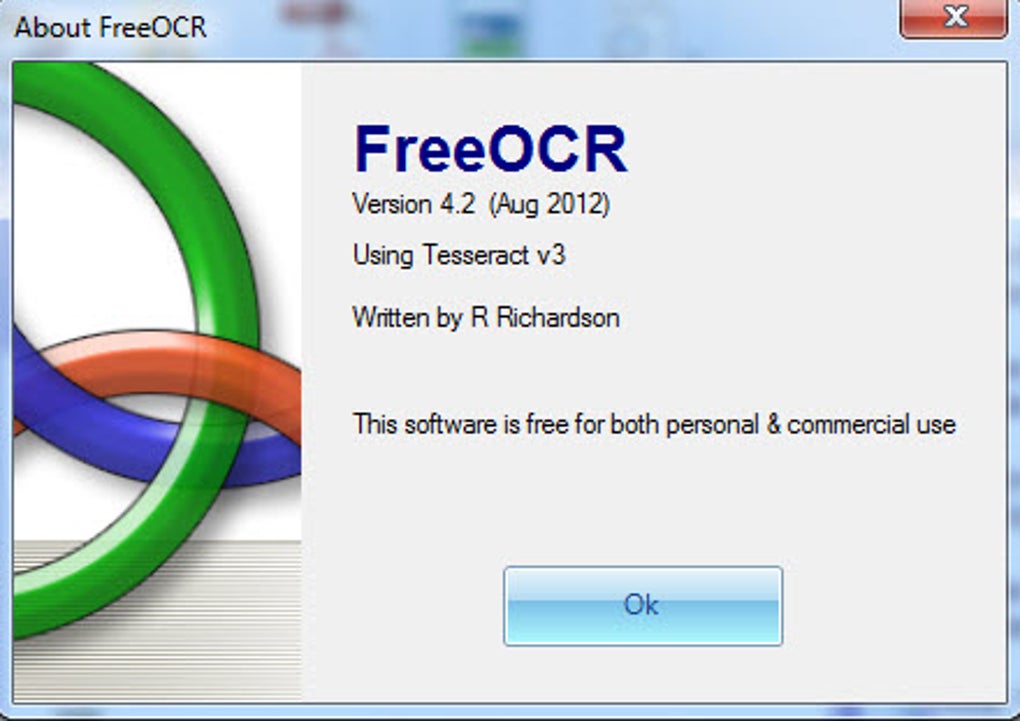
File Information
- License: “Free”
- Latest update: “May 24, 2023”
- Platform: “Windows”
- OS: “Windows 8”
- Language: “English”
- Downloads: “297.4K”
- Size: “11.32 MB”


