
SolarWinds TFTP Server is a free, multi-threaded Trivial File Transfer Protocol (TFTP) server designed for reliable and secure network file transfers. Primarily aimed at network administrators and engineers, it facilitates the transfer of configuration files, firmware updates, and other essential data to network devices such as routers, switches, and other network appliances. While not as feature-rich as full-fledged FTP clients, its simplicity and focus on security make it a valuable tool for managing smaller networks. This comprehensive guide explores the software’s features, setup, advantages, limitations, and alternatives.
Understanding the SolarWinds TFTP Server
The SolarWinds TFTP Server leverages the Trivial File Transfer Protocol (TFTP), a network protocol used for transferring files. While similar to the File Transfer Protocol (FTP), TFTP is designed for specific tasks, notably network booting, operating system installations over the network, and firmware upgrades for network devices. Unlike FTP, which offers more complex features like user authentication and directory navigation, TFTP is streamlined for efficient file transfers, making it ideal for situations where speed and simplicity are prioritized over extensive functionality.
This TFTP server’s primary use case is managing network equipment. It excels at tasks such as:
- Storing and retrieving configuration files: Network administrators can securely store and access configuration files for routers, switches, and other devices, facilitating backups and restoration processes.
- Distributing firmware updates: The server allows for efficient deployment of firmware updates to multiple devices simultaneously, minimizing downtime and ensuring consistency across the network.
- Managing IOS files: This includes backing up and restoring Cisco IOS images and configurations, a crucial aspect of network maintenance.
- Supporting multi-vendor devices: SolarWinds TFTP Server is not limited to a single vendor’s equipment. It supports file transfers to and from a variety of network devices from different manufacturers, offering flexibility in network management.
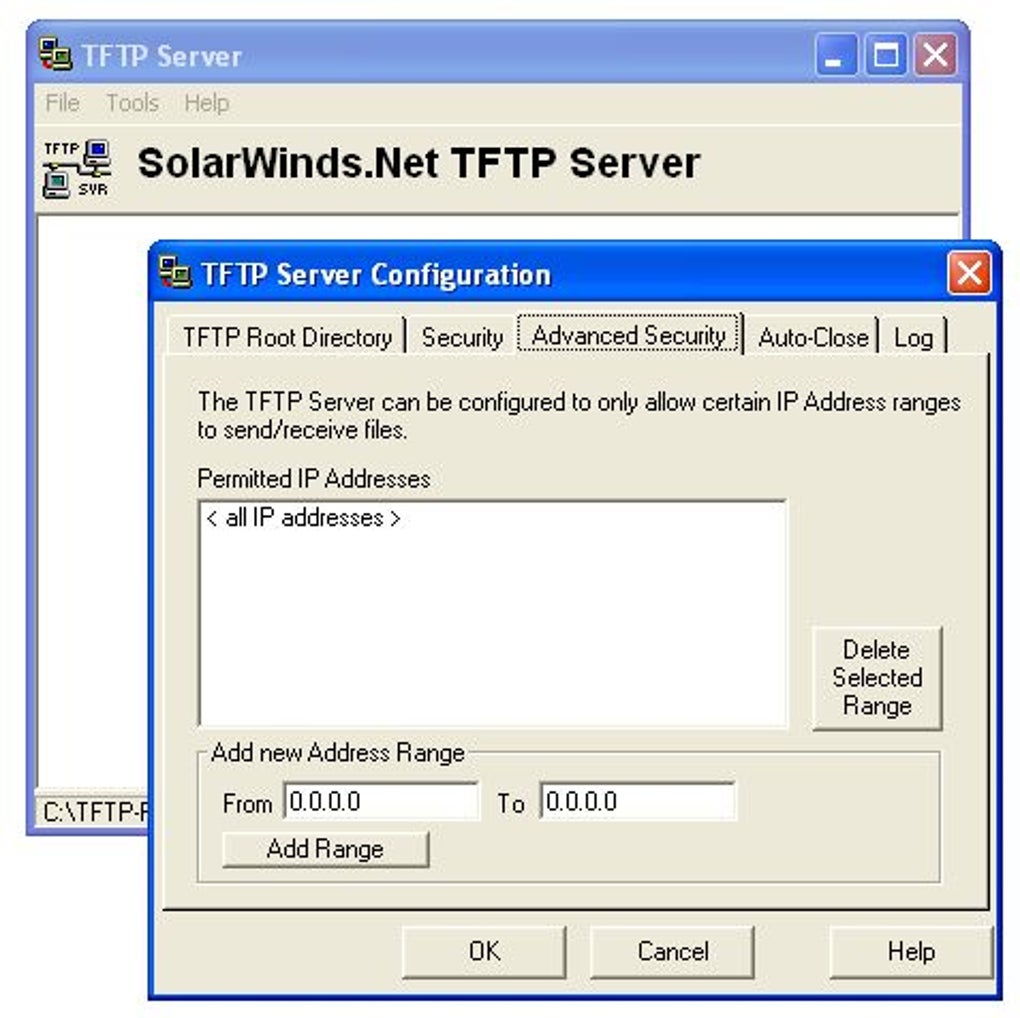
The server supports file transfers up to 4GB, sufficient for most configuration files and firmware updates. Importantly, it incorporates security measures, allowing administrators to specify authorized IP addresses or ranges, restricting access to trusted devices and enhancing network security. Its multi-threaded architecture enables concurrent uploads and downloads from multiple devices, significantly improving efficiency when managing larger networks.
Setting Up and Using the SolarWinds TFTP Server
The SolarWinds TFTP Server boasts a simple and intuitive interface, making it relatively easy to set up and use, even for users with limited technical expertise. However, some initial configuration is necessary before it can function correctly.
The key step is defining the root server directory. This directory will act as the central repository for files transferred to and from the server. This requires specifying the folder path within the server’s settings. Once the root directory is set, the server can be started. The main window displays the server’s status and the configured root directory, providing real-time visibility into its operation.
The server typically runs in the system tray, minimizing its footprint on the desktop and allowing for background operation. The minimalist design reflects the software’s focus on core TFTP functionality; it lacks many of the advanced features found in more complex FTP clients. While this simplicity contributes to its lightweight nature and ease of use, it also imposes certain limitations.
Advantages and Disadvantages of SolarWinds TFTP Server
SolarWinds TFTP Server presents a compelling combination of advantages and disadvantages that users should carefully consider.
Advantages:
- Ease of use: Its simple interface and straightforward setup process make it accessible to a wide range of users, including those with limited experience in network administration.
- Multi-threaded operation: This capability allows for simultaneous uploads and downloads from multiple devices, significantly boosting efficiency, especially in large networks.
- Security features: The ability to restrict access to specific IP addresses or ranges enhances network security by limiting unauthorized access to sensitive files.
- Free of charge: The software is available at no cost, making it an attractive option for organizations with limited budgets.
- Lightweight: Its minimal resource consumption minimizes its impact on system performance.
- Windows Compatibility: SolarWinds TFTP Server is designed to work seamlessly with various Windows operating systems, ensuring broad compatibility within common network environments.
Disadvantages:
- 4GB file size limit: This restriction may be insufficient for transferring very large files, limiting its applicability in certain situations.
- LAN-only operation: The server is not designed for internet-based file transfers, restricting its use to local area networks.
- Limited functionality: Compared to full-featured FTP clients, it lacks advanced features such as user authentication, directory browsing, and file manipulation capabilities beyond simple uploads and downloads.
- Not highly user-friendly for non-technical users: While the interface is simple, understanding its functionalities and configuring settings still requires some technical knowledge. It’s more suited for system administrators than casual users.
Alternatives to SolarWinds TFTP Server
While SolarWinds TFTP Server is a solid choice for many network administrators, several alternatives cater to different needs and preferences. Some popular options include:
- FileZilla: A well-established and highly versatile FTP client offering a broader range of features and functionalities than SolarWinds TFTP Server. It supports various protocols, including FTP, FTPS, and SFTP, and is known for its reliability and ease of use.
- CuteFTP: Another popular FTP client that provides a user-friendly interface and a comprehensive set of features, including support for various protocols, scheduling capabilities, and advanced security options.
- WinSCP: A free and open-source SFTP client that excels in secure file transfers. It’s particularly suited for scenarios demanding high levels of security.
- Tera Term: While primarily a terminal emulator, Tera Term also includes a TFTP client, making it a versatile option for users who need both terminal access and file transfer capabilities.
- zFTPServer Suite: A comprehensive FTP server offering advanced features and customization options. This is a suitable alternative for those requiring a more feature-rich solution than SolarWinds TFTP Server, but with a steeper learning curve.
The choice of a TFTP or FTP client depends on the specific requirements of the user and their network environment. While SolarWinds TFTP Server’s simplicity and ease of use are strong selling points for smaller networks, those needing more advanced features or internet-based file transfers might find alternatives more suitable. Factors such as file size limitations, security needs, and the required level of technical expertise should all be considered when selecting the appropriate software. Consider the trade-offs between simplicity and functionality when making your choice.
File Information
- License: “Free”
- Latest update: “February 28, 2025”
- Platform: “Windows”
- OS: “Windows XP”
- Language: “English”
- Downloads: “115.3K”
- Size: “1.10 MB”


