
Songr is a popular music download application designed to simplify the process of acquiring MP3s from various online sources. Unlike methods involving manual torrent searches or navigating countless links, Songr employs a unique approach, leveraging multiple search engines concurrently to locate and present a comprehensive list of results for your desired music. This article delves into the features, ease of use, advantages, and limitations of Songr, providing a thorough assessment for potential users.
Songr’s Core Functionality: Effortless Music Downloads
At its core, Songr aims to streamline the music acquisition experience. Its primary function is to provide a centralized platform for searching and downloading MP3 files. Instead of relying on a single search engine, Songr simultaneously queries over ten different sources, significantly broadening the scope of its search and increasing the likelihood of finding the desired track. This parallel search strategy, while potentially yielding varying results depending on song popularity and availability, ultimately accelerates the search process. The download process itself is remarkably straightforward and fast, contributing to the app’s user-friendly appeal.
Songr’s design philosophy prioritizes simplicity and ease of use. It’s intended as a one-stop solution, replacing the need for multiple music sharing applications or complex searches across numerous websites. The user interface is intuitive, allowing for quick and efficient searches using various parameters like song titles, artist names, or even lyrics. This flexibility makes it accessible to users with varying levels of technical expertise. Notably, Songr extends its capabilities to include downloading songs directly from YouTube, a feature significantly enhancing its functionality. This YouTube integration streamlines the process, requiring only the pasting of a YouTube URL into the application for a swift download.
User Experience and Interface: Simplicity and Efficiency

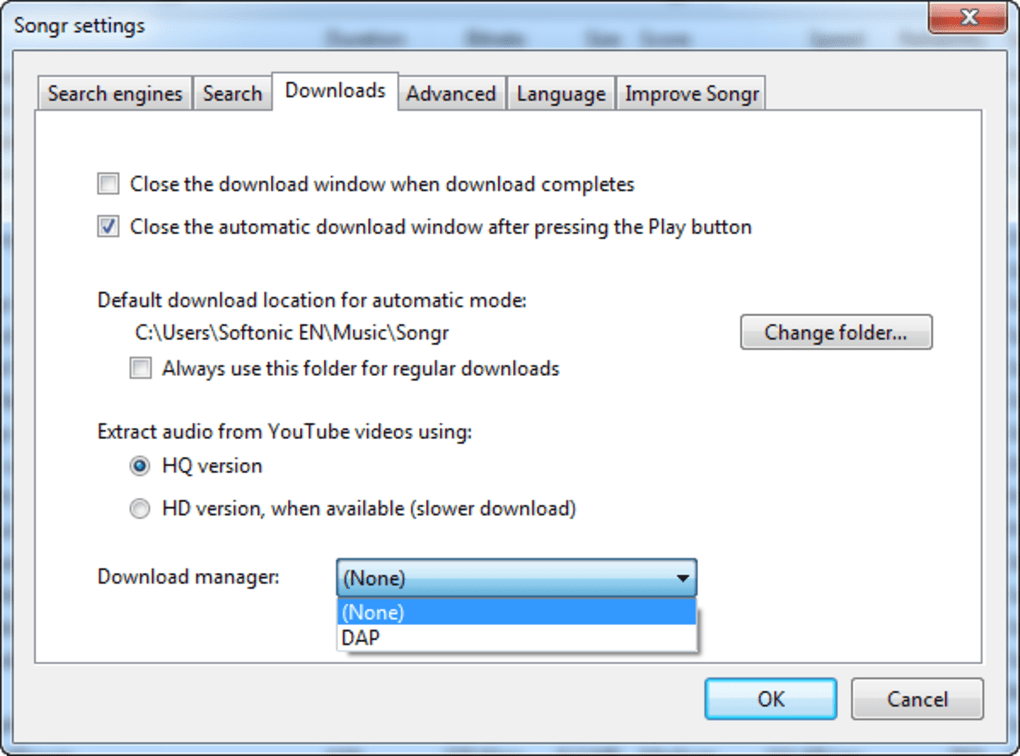
Compared to similar applications, Songr distinguishes itself through its streamlined interface. The installation is exceptionally quick and lightweight, minimizing the time and effort required to begin using the application. The program’s compact size and rapid installation contribute to a seamless onboarding experience. For users requiring greater control, Songr provides a “Preferences” section allowing customization of several settings. This includes the selection of specific search engines to prioritize or the simultaneous utilization of all available engines. Additionally, users can specify the desired MP3 quality, directly influencing the size of the downloaded file. The integration of Google Spell Check further enhances the user experience by minimizing errors related to misspelled song titles or artist names.
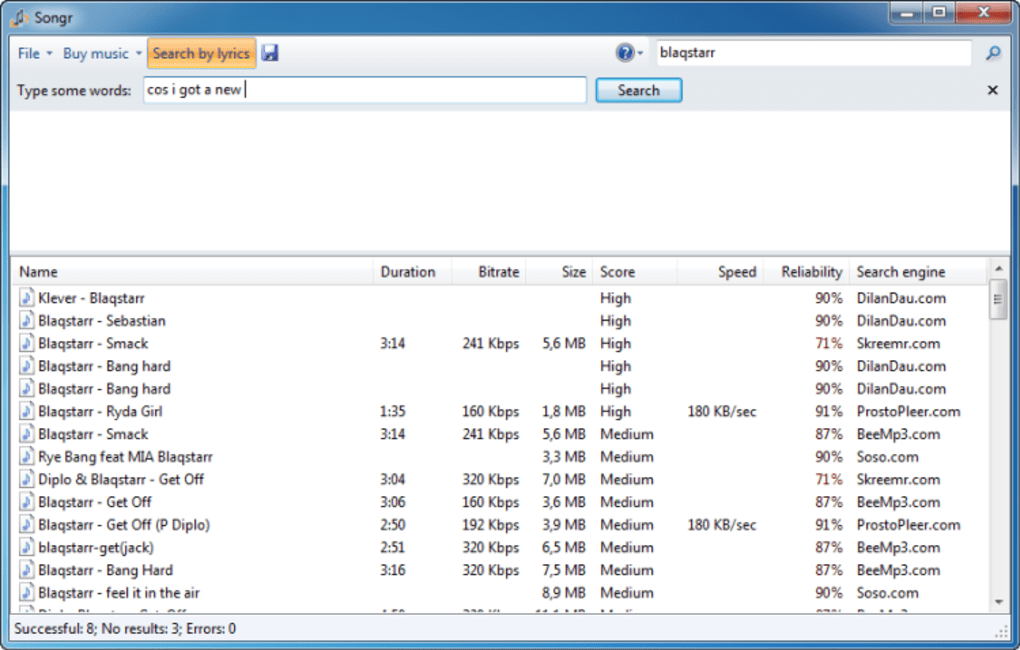
Songr’s interface facilitates efficient navigation through search results. Users can quickly locate albums, individual tracks, or playlists. Furthermore, the application provides a preview function, allowing users to listen to songs directly on their PC before committing to a download. This feature enhances the user experience by reducing the risk of downloading unwanted or low-quality tracks. Songr also supports searching using song lyrics, a unique and invaluable feature for users who might only know a portion of the song’s lyrics. This capability significantly distinguishes Songr from many competing applications.
Advanced Features and Unique Capabilities
Beyond its basic functionality, Songr boasts several advanced features that enhance its overall utility. The ability to search using lyrics sets it apart from many competitors, proving particularly useful when the artist or song title is unknown. The integrated media player, running seamlessly in the background, allows users to browse their library while simultaneously listening to their favorite songs, creating a fluid user experience. This multitasking capability enhances overall efficiency. Further enhancing organization and access, Songr automatically records frequently played tracks, creating a personalized archive of favorite songs for quick access. Finally, Songr provides detailed descriptions of artists, songs, and other relevant metadata, providing a comprehensive music listening experience.
Songr’s “Discover Music” option introduces users to new music, artists, and genres, expanding their musical horizons. This feature caters to users seeking to discover new content beyond their established preferences, encouraging exploration and discovery. This proactive approach to content discovery distinguishes Songr from simpler music download applications, transforming it into a more comprehensive music exploration tool.
Customization Options and User Preferences
Songr empowers users with extensive customization options for downloads. Settings allow users to configure the program to automatically shut down upon completion of downloads, optimizing resource management. Users can also automatically enable track previews, facilitating efficient browsing and selection of music. Further customization allows for selection of high-definition (HD) quality for downloads, maximizing the audio quality of downloaded tracks. The application also allows for convenient organization of music files, simplifying the management of the user’s music library and facilitating the transfer of music to other devices like smartphones. This multifaceted approach to customization allows users to tailor the application to their specific needs and preferences, contributing to a personalized user experience.
Songr’s Limitations and Potential Drawbacks
Despite its numerous advantages, Songr does present a few minor limitations. The application occasionally suggests paid music, particularly when searching through platforms like Amazon. While this is not a significant impediment, users should be mindful of potential costs associated with downloading from certain sources. A more significant limitation is Songr’s inability to resume interrupted or broken downloads. This requires users to restart the download process from the beginning if a download is interrupted, potentially resulting in time wasted.
Conclusion: A Valuable Tool for Music Enthusiasts
Songr provides a fast, reliable, and easy-to-use solution for downloading music to Windows PCs. Its clean and intuitive interface, combined with its extensive search capabilities and advanced features, makes it an attractive choice for music lovers. The ability to search via lyrics, utilize a built-in media player, and customize download settings significantly enhances user experience. While the inability to resume broken downloads and occasional suggestions of paid content present minor drawbacks, these do not significantly detract from Songr’s overall value as a powerful and efficient music download application. For those seeking a streamlined and efficient method of acquiring MP3s from various online sources, Songr presents a compelling and user-friendly option.
File Information
- License: “Free”
- Latest update: “May 23, 2023”
- Platform: “Windows”
- OS: “Windows XP”
- Language: “English”
- Downloads: “1.3M”
- Size: “1.35 MB”


