
Songsmith, a now-defunct but historically significant Microsoft application, offered a unique approach to music creation, empowering even the musically untrained to compose and record their own songs. Released as a trial version, it provided a surprisingly intuitive and accessible platform for aspiring musicians, tapping into the growing popularity of karaoke and music-based video games like SingStar and Rock Band. This deep dive explores the capabilities, impact, and legacy of Songsmith, a program that aimed to democratize music creation.
The Songsmith Experience: From Idea to Audio File
At its core, Songsmith functioned like a sophisticated, albeit simplified, digital music workstation. The program’s user interface was designed for simplicity, prioritizing ease of use over advanced features. Users began by selecting a pre-set musical style, ranging from diverse genres such as techno and hip hop to bluegrass and salsa. This style selection immediately provided a basic instrumental backing track with a pre-determined tempo.
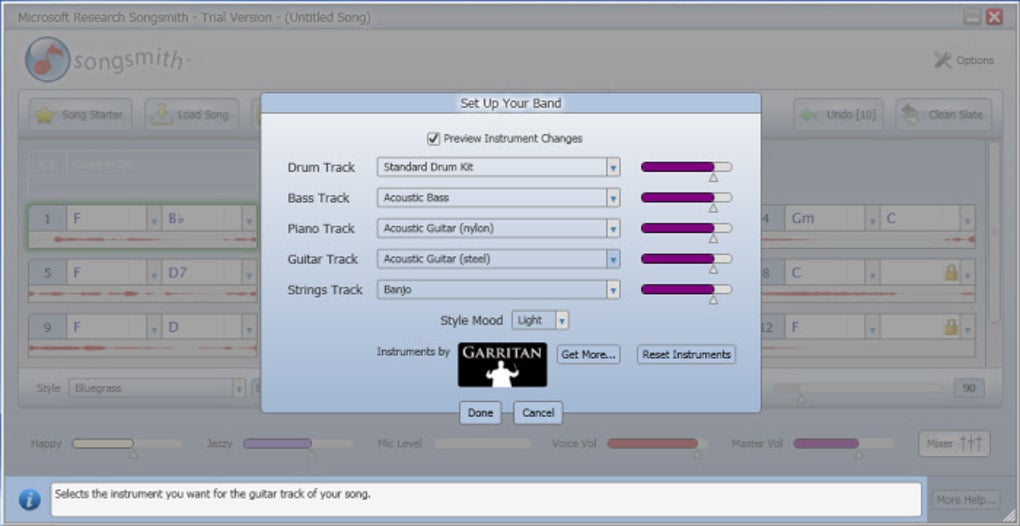
The next step involved crafting lyrics and a melody. Unlike traditional music software requiring musical notation or complex input methods, Songsmith relied on direct vocal input. Users simply sang their lyrics into a microphone, following the established tempo of the chosen style. This aspect of Songsmith was revolutionary for its time; it didn’t require musical expertise or formal training. The application’s true magic, however, lay in its ability to intelligently process the user’s vocal input, regardless of pitch accuracy.
Even if the user’s vocal performance was far from perfect, the software would analyze the melody, automatically generating accompanying instrumentation that harmonized with the sung vocals. This essentially reversed the traditional karaoke experience. Instead of singing along to pre-recorded music, Songsmith enabled users to create their own unique backing tracks based on their own, potentially imperfect, melodies.
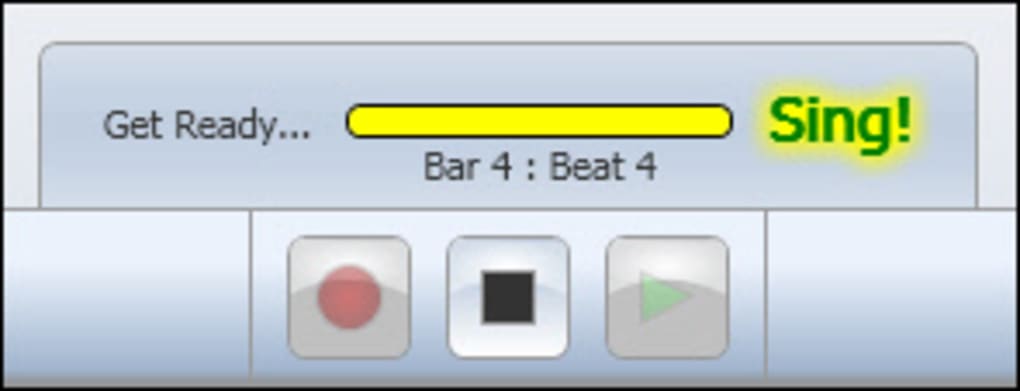
This process wasn’t merely limited to vocal input. The application was equally capable of processing other melodic inputs, such as a violin or other instruments played directly into the microphone. This versatility broadened the application’s appeal and expanded the possibilities for creative experimentation. Once the recording was complete, Songsmith offered basic mixing capabilities, allowing users to fine-tune the balance between the vocals and the generated instrumentation.
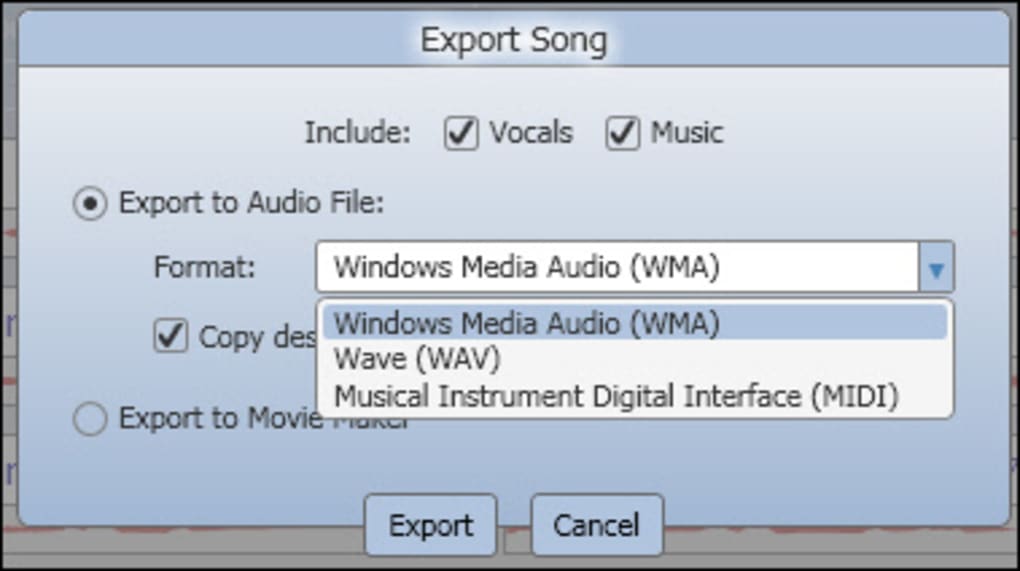
The final product could then be saved or exported in various formats, including WMA, WAV, and MIDI, allowing for versatile use and sharing options. This accessibility allowed users to share their creations easily with friends and family, use them in personal projects, or even (perhaps optimistically) aim for wider distribution.
Technical Specifications and System Requirements
Songsmith was designed for the Windows operating system, specifically targeting Windows XP during its initial release. The application required a microphone for vocal or instrumental input, and while specific system requirements are no longer readily available, it’s likely the hardware demands were relatively modest for its time. The software’s relatively small file size—around 103 MB—further suggests that it wasn’t a resource-intensive program.
The program’s version number, 2008.12.10.0, indicates its release date and provides insight into its development timeline. Later updates addressed bugs and added minor improvements, such as enhanced reverb effects applied to instrumentation. Additionally, fixes were implemented to mitigate rare instances where vocal audio would sound like static upon export. These updates show Microsoft’s ongoing commitment to improving the user experience and addressing any technical shortcomings.
The trial version offered a generous six-hour usage limit, though it should be noted that this time limit only applied to the actual recording time within the program. Users could potentially spend significantly more time experimenting with different styles, tempos, and lyrics without consuming the recording time limit.
Strengths and Weaknesses: A Balanced Perspective
Songsmith’s primary strength was its intuitive design and ease of use. The user interface was simple and uncluttered, making the application immediately accessible to those without prior music production experience. The ability to generate musical backing tracks from even imperfect vocal or instrumental input was a game-changer, lowering the barrier to entry for music creation significantly.
The variety of musical styles included in the application added a considerable layer of versatility, allowing users to explore different genres and experiment with various musical soundscapes. This capability broadened the application’s appeal and encouraged creative exploration.
However, Songsmith wasn’t without its limitations. The quality of the generated music, while surprisingly decent given its automatic nature, often fell short of professional standards. The generated music could occasionally sound “cheesy” or lack the nuance and complexity of music created by trained musicians. This should have been expected, however, given the algorithm’s role in automatically processing user input.
Another significant drawback was the lack of advanced features. Experienced musicians or producers might find the program’s simplistic approach limiting, as it lacked the depth and fine-grained control found in professional Digital Audio Workstations (DAWs). Songsmith was designed to be approachable, not a replacement for professional software.
Songsmith’s Place in Music Software History
Songsmith occupies a unique niche in the history of music software. While it might not have challenged professional DAWs or revolutionized the music industry, its impact was nonetheless significant. It proved that music creation could be democratized, making it accessible to a wider audience than ever before. The application’s focus on intuitive design and ease of use significantly lowered the barrier to entry for aspiring musicians.
The popularity of karaoke and music-based video games during Songsmith’s release period further fueled its relevance and contributed to its reception. Songsmith tapped into this existing cultural trend, effectively offering a means of creating personalized karaoke tracks or custom soundtracks for personal projects.
Although Songsmith is no longer available, its legacy remains. It stands as a testament to the potential of user-friendly technology to empower creativity and make music creation accessible to a broad range of individuals, regardless of their musical background or technical expertise. The application’s simplicity and innovative approach to music generation paved the way for future advancements in accessible music creation software. The ease of use and the focus on intuitive design continue to be important design principles in the field of music technology.
File Information
- License: “Trial version”
- Version: “2008.12.10.0”
- Latest update: “May 28, 2024”
- Platform: “Windows”
- OS: “Windows XP”
- Language: “English”
- Downloads: “51.3K”
- Size: “103.27 MB”


