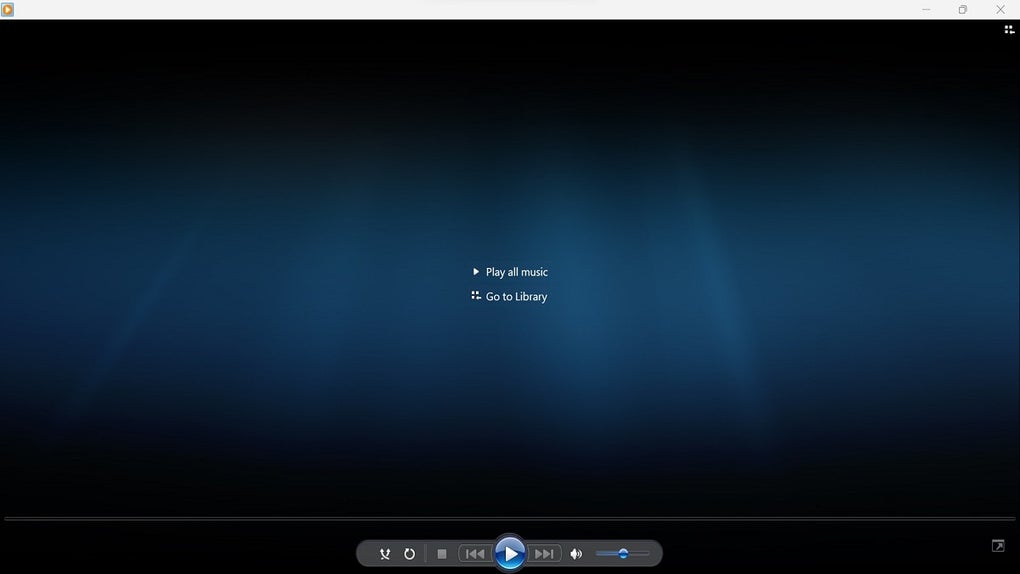
Sony | Music Center is a free audio management software application developed by Sony Home Entertainment Sound Products Inc., a leading manufacturer of televisions, video equipment, audio devices, and peripherals. This software provides a centralized platform for organizing, transferring, and playing music on various Sony audio devices, most notably the WALKMAN series. Its capabilities extend to high-resolution audio playback, making it a versatile tool for audiophiles and casual listeners alike. This review will delve into the software’s features, user experience, pros and cons, and compare it to alternative applications.
Intuitive Interface and User Experience
Sony | Music Center boasts a highly intuitive graphical user interface (GUI), making it remarkably easy to navigate and use, even for users unfamiliar with similar software. The layout is clean and uncluttered, with a straightforward menu system at the top and a comprehensive music player at the bottom. This player includes a powerful equalizer for fine-tuning audio settings to match personal preferences and a song list panel for easy browsing and selection of tracks. The overall design prioritizes ease of use and efficient workflow. Users familiar with Sony’s Media Go application will find the interface immediately recognizable, though Sony | Music Center offers broader support for newer audio formats and a more pronounced focus on audio management.
The main window presents a clear and organized display of the user’s music library. Adding music to the library is straightforward, allowing users to import files from their computer’s storage or directly from their connected Sony audio devices, such as a WALKMAN. The software efficiently handles the import process, automatically categorizing and organizing the music based on artist, album, genre, and other relevant metadata. This eliminates the need for manual sorting and organizing, streamlining the overall music management process. The ability to seamlessly import and export playlists and even lyrics adds to the software’s convenience and appeal.
Comprehensive Music Management Capabilities
Beyond simple playback, Sony | Music Center offers extensive music management capabilities. Users can create and edit playlists, organize their music collections into custom folders, and search for specific tracks or artists using a built-in search function. The software supports various audio formats, including high-resolution audio files, ensuring compatibility with a wide range of music collections. This ability to handle high-resolution audio is a key advantage, catering to users who prioritize audio quality. Furthermore, the software’s ability to transfer files between the computer and a connected Sony audio device is seamless and efficient. The transfer speeds are generally quick, minimizing the wait time between transferring files and enjoying them on the audio device. This feature is particularly useful for managing large music libraries and ensuring that the desired music is readily available on the go.
High-Resolution Audio Support and Playback
One of the standout features of Sony | Music Center is its support for high-resolution audio. The software can handle and playback audio files with significantly higher bitrates and sampling frequencies than standard CD-quality audio. This means users can experience their music with greater detail, clarity, and dynamic range. This feature enhances the overall listening experience, making it particularly appealing to audiophiles and those who appreciate the finer nuances of high-fidelity audio. The software’s ability to handle these large files efficiently, without compromising playback quality or introducing lag, is a testament to its robust design and optimization.
Seamless Integration with Sony Audio Devices
Sony | Music Center’s primary strength lies in its seamless integration with various Sony audio devices. The software is designed to work specifically with these devices, providing a cohesive and streamlined experience for users. This targeted approach results in a superior user experience compared to more general-purpose media players that may not offer the same level of compatibility or specialized features. The connection process between the software and the Sony audio device is intuitive and straightforward, typically involving a USB connection or Wi-Fi connection depending on the device. Once connected, the software automatically detects the device and allows users to effortlessly transfer files, manage playlists, and control playback. This tight integration reduces the need for complex configurations and ensures a smooth workflow for managing music across multiple devices.
Pros and Cons of Sony | Music Center
Pros:
- Intuitive Interface: The software’s user-friendly interface makes it accessible to users of all technical skill levels.
- Comprehensive Music Management: The software provides a complete set of tools for organizing, managing, and playing music.
- High-Resolution Audio Support: Sony | Music Center supports high-resolution audio playback, ensuring high-fidelity sound quality.
- Seamless Device Integration: The software seamlessly integrates with Sony audio devices, providing a streamlined user experience.
- Easy File Transfer: Transferring music files between the computer and Sony devices is quick and straightforward.
- Playlist and Lyric Management: The software simplifies the creation, management, and transfer of playlists and lyrics.
- Powerful Equalizer: The built-in equalizer allows users to customize audio settings to their preferences.
Cons:
- Sony Device Exclusivity: The software’s primary limitation is its exclusive use with Sony audio devices. Users of other brands’ devices cannot utilize its features.
- Limited Platform Support: While available on Windows, Android, and iOS, its availability on other operating systems may be limited.
Comparison with Alternative Applications
While Sony | Music Center offers a user-friendly interface and seamless integration with Sony devices, several alternative applications provide similar functionality with broader device and platform compatibility. Applications such as iTunes, VLC Media Player, and others offer music management, playback, and transfer capabilities. However, none of these alternative applications provide the same level of seamless integration with Sony audio devices that Sony | Music Center offers. This makes Sony | Music Center the preferred choice for users who own Sony audio devices and prioritize a streamlined, intuitive user experience tailored to their specific hardware. The choice of software ultimately depends on individual preferences, device ownership, and the need for specialized features.
Conclusion
Sony | Music Center is a robust and user-friendly audio management application ideal for users who own Sony audio devices, particularly WALKMAN players. Its intuitive interface, high-resolution audio support, and seamless device integration make it a powerful tool for managing and enjoying music collections. While its exclusivity to Sony devices is a limitation, for the target audience, the advantages outweigh the drawbacks. For users seeking a straightforward, effective solution for managing their music on Sony devices, Sony | Music Center is a strong contender.
File Information
- License: “Free”
- Version: “2.4.0”
- Latest update: “July 15, 2022”
- Platform: “Windows”
- OS: “Windows 10”
- Language: “English”
- Downloads: “4K”
- Size: “128.94 MB”