
Sound Lock is a free utility software designed to manage and control the audio output of your Windows PC. It provides a simple yet effective solution for users who want to limit the maximum volume level, preventing sudden loud bursts of sound from movies, games, or other applications while still ensuring quieter audio remains audible. This comprehensive guide will explore its functionality, features, ease of use, and whether it’s the right tool for your audio needs.
What is Sound Lock and How Does it Work?
Sound Lock functions as a real-time audio limiter. It operates by monitoring the audio output of your computer and dynamically adjusting the system volume to stay below a pre-defined threshold. Unlike simply setting a maximum volume in your operating system’s settings, Sound Lock works on a per-channel basis (up to 14 channels), providing more precise control and a smoother audio experience. This means that during loud scenes in a movie or game, the software automatically lowers the volume to prevent sudden, jarring increases in sound levels. Once the loud audio segment ends, the volume smoothly returns to its previous level. This intelligent approach ensures both loud and quiet sounds are balanced for comfortable listening, preventing the need for constant manual volume adjustments. Essentially, Sound Lock acts as a sophisticated volume buffer, smoothing out audio peaks without affecting the overall audio quality. It’s designed to work seamlessly in the background, making it a discreet yet highly effective solution for audio management.
The software achieves this by interacting directly with the Windows audio system. It doesn’t require integration with specific media players or applications, making it compatible with virtually any audio source on your computer. Whether you’re playing a game, watching a video, or listening to music, Sound Lock actively manages the volume to maintain a consistent listening level. This compatibility extends to various audio output devices, such as built-in speakers, headphones, and external speakers, providing consistent volume control across all connected devices.
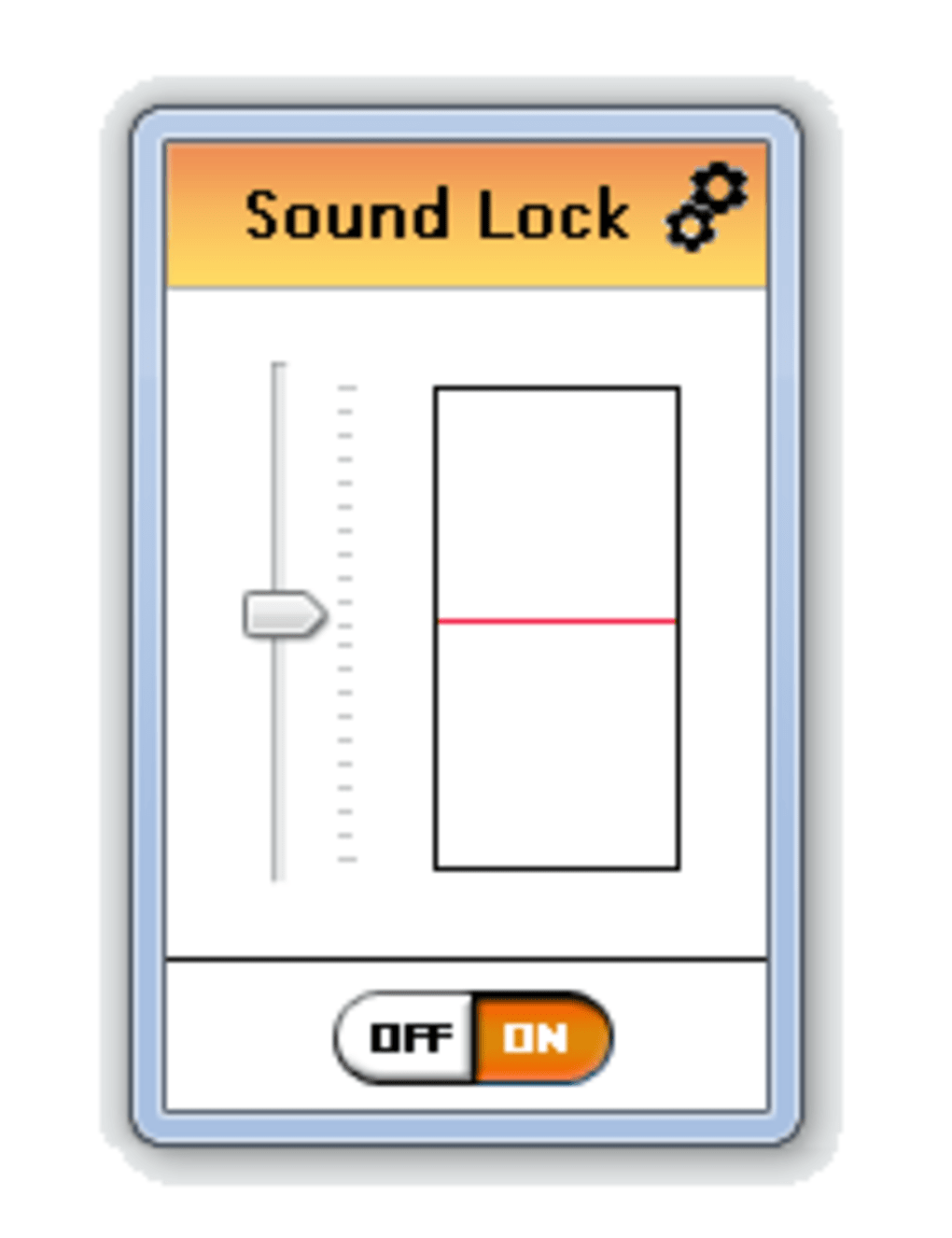
User-Friendliness and Interface
Sound Lock boasts an exceptionally user-friendly interface designed for intuitive operation. Setting the maximum volume is as simple as dragging a slider bar to your desired level. This straightforward approach makes the software accessible to users of all technical skill levels. Once the limit is set, Sound Lock actively monitors and adjusts the volume, requiring no further user interaction.
For more advanced customization, users can access the settings menu. This menu allows for detailed configuration of multiple audio channels, providing fine-grained control over specific audio streams. Users can choose to apply volume limiting to individual channels or the master channel, offering flexibility to tailor the audio experience according to individual preferences. The settings also allow users to configure Sound Lock to launch automatically with Windows, eliminating the need to manually start the software each time the computer boots up. This combination of simplicity and advanced customization options ensures that Sound Lock effectively meets the needs of both casual and demanding users.
Features and Capabilities
Sound Lock’s feature set is designed for comprehensive audio control within the Windows environment. Its core functionality revolves around its real-time volume limiting capability, but it extends beyond that with several key features:
-
Channel-Based Volume Control: Unlike simpler volume limiters, Sound Lock offers control over individual audio channels. This is particularly valuable for situations where specific sounds within a program need more fine-tuned adjustments. For example, in a movie, dialogue may be kept at a higher volume, while background effects might be limited more aggressively.
-
Multiple Output Device Support: Sound Lock works with various audio output devices connected to your computer, including headphones, speakers, and other audio peripherals. This feature guarantees consistent volume management regardless of the chosen output.
-
Configurable Settings: The software allows users to customize various parameters, such as selecting the preferred channel type (master or individual channels) and defining distinct volume limits for different devices. This flexibility enables users to fine-tune the program to perfectly match their audio preferences and system configuration.
-
Lightweight and Efficient: Designed with minimal system resource usage in mind, Sound Lock operates efficiently in the background without significantly impacting overall system performance. This efficiency makes it suitable for use on a broad spectrum of Windows systems, including those with lower specifications.
-
System Tray Integration: Sound Lock resides discreetly in the system tray, allowing quick access to its settings and controls without cluttering the desktop. This design prioritizes minimal disruption to workflow.
-
Compatibility: Sound Lock is compatible with most versions of Windows, making it readily accessible to a wide user base.
Sound Lock vs. Alternatives
Several alternative audio control applications are available for Windows. However, Sound Lock distinguishes itself through its combination of ease of use, effective volume limiting, and channel-specific control. While other applications may offer similar basic volume limiting features, Sound Lock’s ability to manage volume on a per-channel basis provides a more refined and tailored experience. Some alternatives may lack this level of precision or require more complex configuration. Sound Lock prioritizes simplicity without sacrificing powerful functionality. The lack of complex settings or advanced options might be a disadvantage for advanced users seeking highly specialized audio adjustments, but for most users, this simplicity is a key strength.
Should You Download Sound Lock?
The decision of whether to download and use Sound Lock largely depends on your specific audio needs and preferences. If you frequently experience jarring volume fluctuations while using your computer, Sound Lock is an excellent solution. Its ability to smooth out these peaks and maintain a comfortable listening level makes it invaluable for watching movies, playing games, or simply listening to audio content. The software’s ease of use and lightweight nature are additional benefits that make it a convenient and unobtrusive tool for managing your audio experience.
However, if you require highly specialized audio processing capabilities beyond simple volume limiting, you may need to explore other, more feature-rich applications. Sound Lock excels as a straightforward and effective volume management tool but doesn’t replace dedicated audio editing or mastering software.
Conclusion
Sound Lock offers a streamlined and effective approach to managing the audio output of your Windows PC. Its simple interface, powerful volume limiting capabilities, and support for multiple output devices make it a worthwhile addition for any user experiencing unwanted volume fluctuations. Its lightweight design ensures it operates efficiently without impacting system performance, and its free availability makes it accessible to everyone. While it might not be the ultimate solution for users requiring sophisticated audio adjustments, its effectiveness in addressing the common problem of inconsistent audio levels makes it a highly valuable and user-friendly tool.
File Information
- License: “Free”
- Latest update: “May 23, 2023”
- Platform: “Windows”
- OS: “Windows 7”
- Language: “English”
- Downloads: “269.1K”
- Size: “958.98 KB”


