
Sound Normalizer is a Windows-based audio processing software designed to improve the sound quality of various audio file formats. Developed by Kanz Software and first appearing in their catalog in 2007, it has garnered significant popularity, boasting over 37,000 downloads. While the last official update was in 2015, its enduring appeal stems from its user-friendly interface and effective audio normalization capabilities, making it a valuable tool for both casual users and audio enthusiasts. This guide will delve into the features, capabilities, and overall utility of Sound Normalizer.
Key Features and Functionality
Sound Normalizer offers a robust suite of tools aimed at standardizing audio volume levels and enhancing the overall listening experience. Its primary function revolves around normalizing audio files, ensuring consistent volume across different tracks or within a single track. This is crucial for creating a more pleasant listening experience, particularly when dealing with a diverse collection of audio files with varying volume levels. The software’s ability to handle various audio file formats adds to its versatility.
The software supports a wide range of audio file types, including MP3, MP4, FLAC, Ogg, APE, AAC, and WAV (PCM 8, 16, 24, 32 bits, DSP, GSM, IMA ADPCM, MS ADPCM, AC3, MP3, MP2, OGG, A-LAW, u-LAW). This broad compatibility allows users to process a wide variety of audio files without the need for format conversion. The ability to handle various WAV formats, encompassing diverse bit depths and compression techniques, highlights its adaptability to various audio sources.
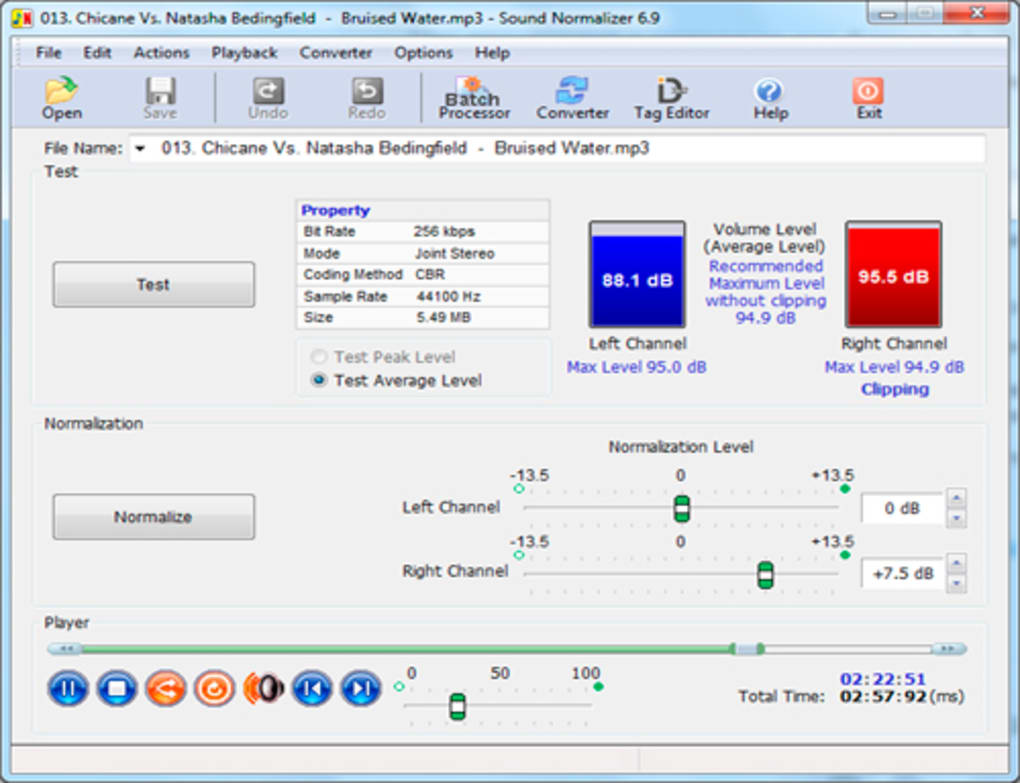
Beyond basic normalization, Sound Normalizer offers advanced features designed to further enhance audio quality and management. These include:
Batch Processing Capabilities
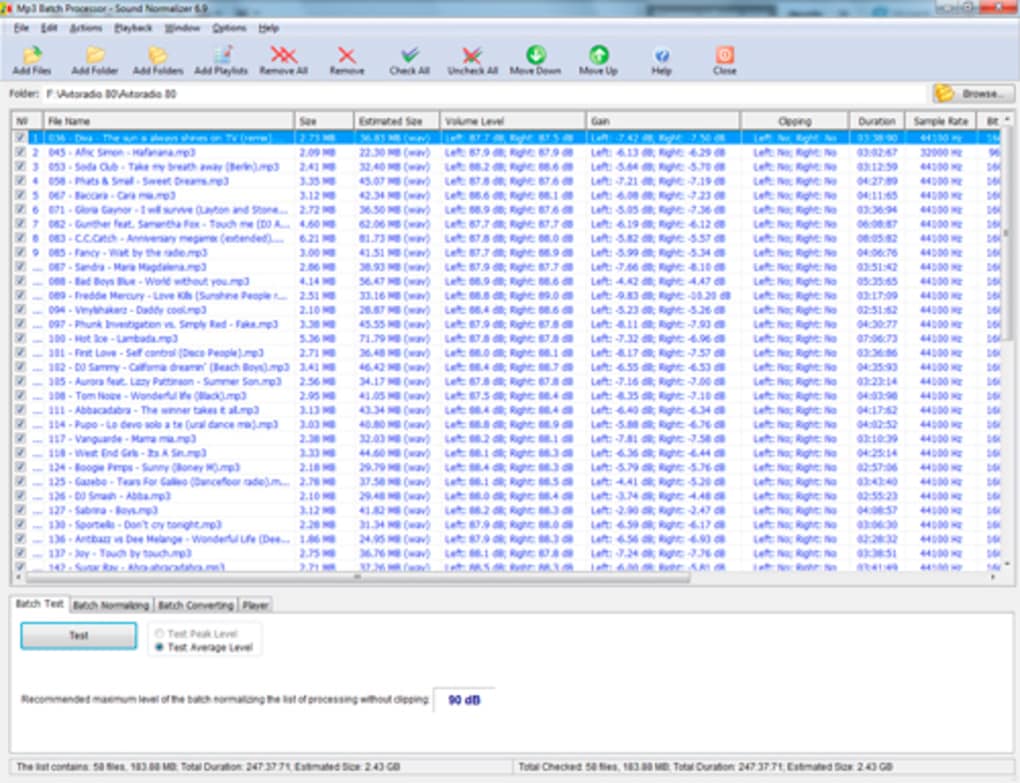
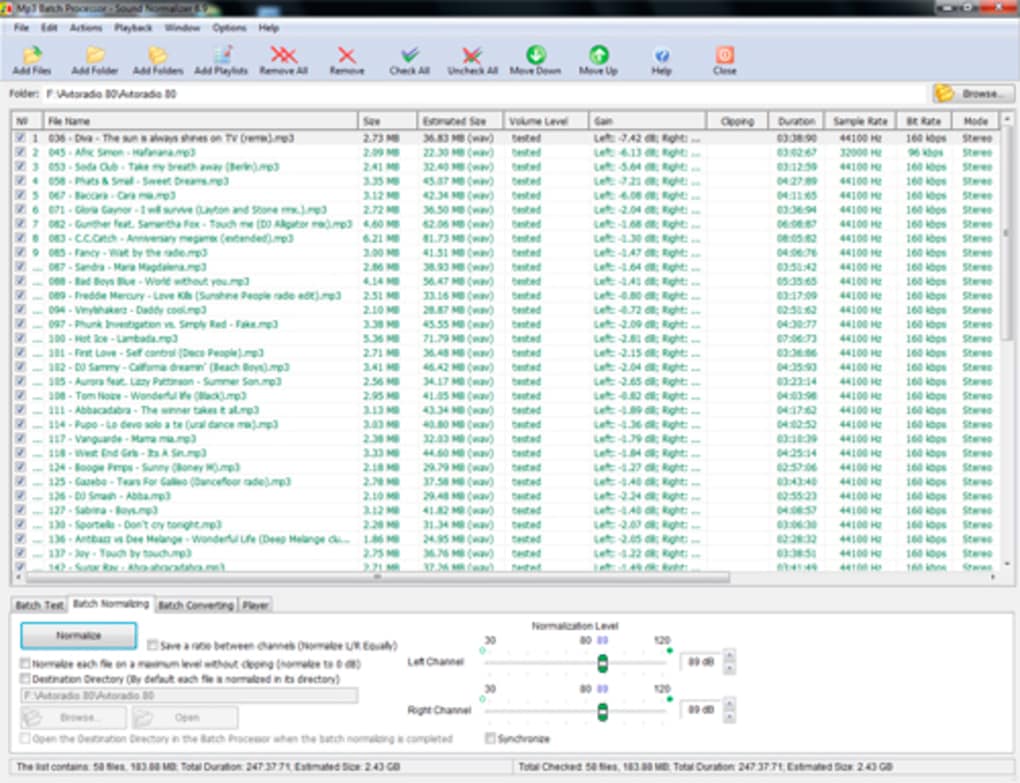
One of the most significant advantages of Sound Normalizer is its robust batch processing capability. This feature allows users to process multiple files simultaneously, significantly reducing processing time and enhancing overall efficiency. This is especially useful for large audio collections where manually processing each file would be time-consuming. The batch processing extends to normalization, testing, and conversion, streamlining workflows for users with extensive audio libraries. This batch function encompasses all supported file types, offering a comprehensive solution for bulk audio adjustments.
Peak and RMS Normalization
Sound Normalizer provides options for both peak normalization and RMS (Root Mean Square) normalization. Peak normalization focuses on adjusting the loudest peaks in the audio signal, ensuring that they don’t exceed a specified level. RMS normalization, on the other hand, considers the average power of the audio signal, resulting in a more consistent overall volume level. The software’s support for both methods offers users flexibility in achieving their desired level of volume consistency. MP3 files primarily utilize RMS normalization, whereas other formats offer the choice between peak and RMS methods.
Tag Editing and Conversion
In addition to its core normalization functions, Sound Normalizer offers comprehensive metadata editing capabilities, allowing users to modify ID3 tags (for MP3 files), and tags associated with MP4, FLAC, and Ogg files. This feature enables users to correct inaccurate tag information or add missing metadata, improving the organization and searchability of their audio libraries. Furthermore, the software includes built-in encoding capabilities, supporting the conversion of files between various formats using integrated encoders such as Lame MP3 Encoder, FLAC Encoder, Monkey’s Audio Encoder, Ogg Vorbis Encoder, and FAAC Encoder. This capability extends the software’s functionality beyond simple normalization, making it a versatile tool for audio file management.
Integrated Audio Player
For ease of use and previewing, Sound Normalizer incorporates a built-in audio player. This allows users to preview their audio files before and after normalization to assess the effectiveness of the adjustments. This feature is particularly useful for fine-tuning settings and ensuring the processed audio meets the user’s expectations. The inclusion of a built-in player eliminates the need for external audio players, simplifying the workflow.
User Interface and Ease of Use
Sound Normalizer is praised for its intuitive interface, making it accessible to users of all technical skill levels. The straightforward design ensures that users can quickly navigate the software’s features and perform necessary audio adjustments without needing extensive training. This ease of use contributes significantly to the software’s broad appeal among various user demographics. The clear visual representation of volume levels in percentage or decibels further enhances user understanding and control.
System Requirements and Compatibility
Sound Normalizer is designed for Windows operating systems, specifically supporting Windows 2000 and earlier versions. Although it’s an older program and hasn’t received updates since 2015, its compatibility with older operating systems makes it a viable choice for users who may be running older computer systems. It requires relatively minimal system resources, making it suitable for a wide range of computer configurations. However, users should ensure that their systems meet the minimum requirements to ensure smooth operation.
Alternatives to Sound Normalizer
While Sound Normalizer provides a robust set of features, several alternative audio normalization and enhancement tools are available on the market. These alternatives offer varying functionalities, user interfaces, and pricing models. Some popular alternatives include MP3Gain, which focuses solely on MP3 file normalization, and other audio editing software packages offering more comprehensive audio processing and editing tools, often at a higher price point. The choice of software depends on individual needs and preferences. Some alternatives may offer more advanced features, while others might prioritize ease of use.
Conclusion
Sound Normalizer remains a viable option for users seeking a straightforward and effective solution for audio normalization and enhancement. Its broad support for various audio file formats, combined with its batch processing capabilities and intuitive interface, makes it a user-friendly tool for managing and improving audio quality. Although it hasn’t been updated recently, its core functionality continues to be valuable for many users, particularly those working with large audio collections or needing efficient batch processing of various audio formats. The integrated features like tag editing and a built-in audio player further enhance its overall usability. While more modern alternatives exist, Sound Normalizer continues to hold a place for users prioritizing simplicity and effective audio level adjustments. Its legacy in ease of use and functionality makes it a noteworthy tool in the audio processing landscape.
File Information
- License: “Trial version”
- Latest update: “July 11, 2023”
- Platform: “Windows”
- OS: “Windows 10”
- Language: “English”
- Downloads: “22.2K”
- Size: “9.60 MB”


