
Soundpad, developed by Leppsoft, is a versatile application designed to enhance your voice chat and audio editing experience. More than just a simple media player, Soundpad empowers users to seamlessly integrate custom sounds into various communication platforms and games, transforming interactions with engaging audio cues. Its integrated audio editor allows for quick sound manipulation, while its hotkey functionality ensures smooth, distraction-free playback during live interactions. This in-depth review explores Soundpad’s features, functionality, compatibility, and overall user experience.
Core Functionality: Injecting Sounds into Voice Chats
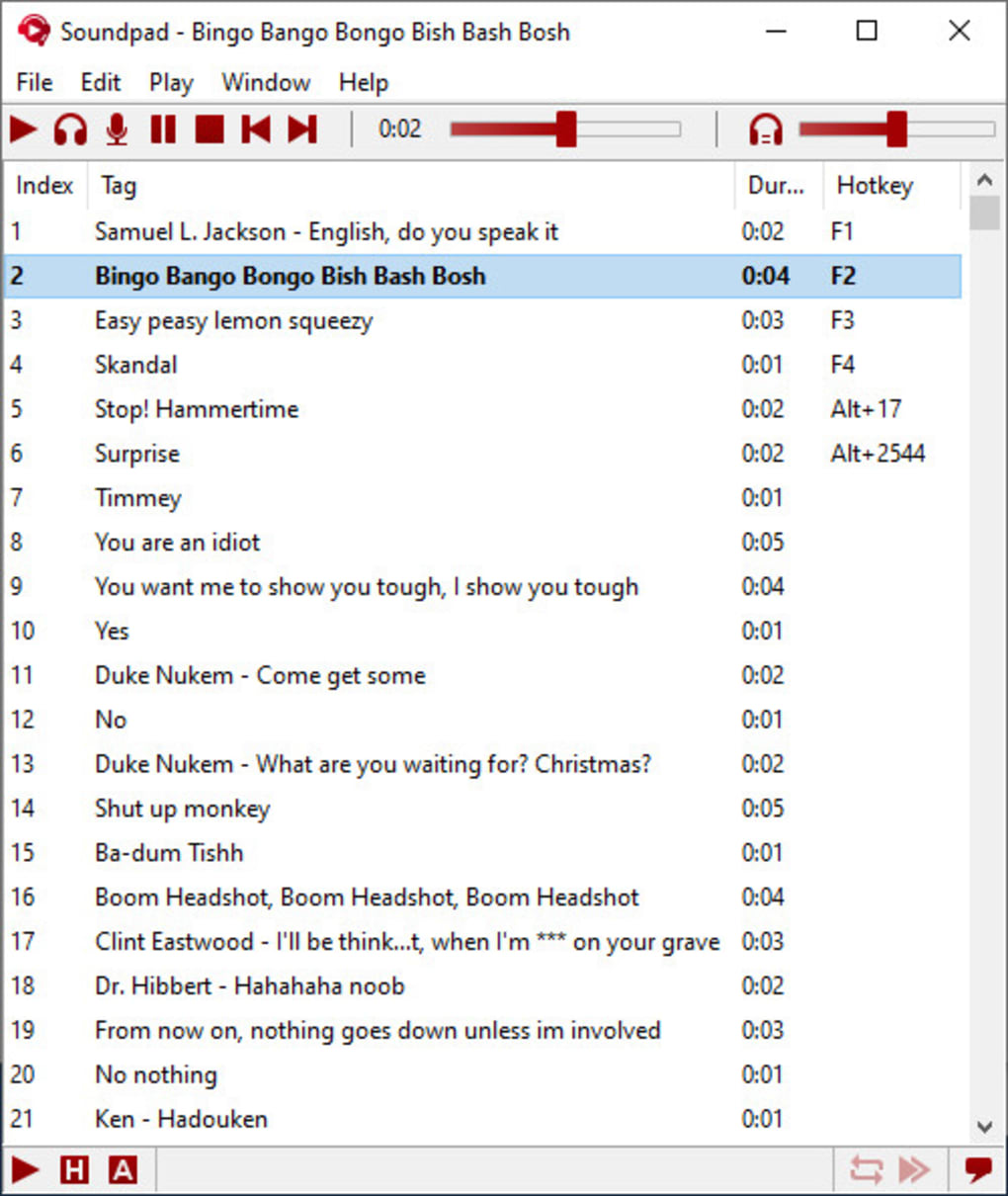
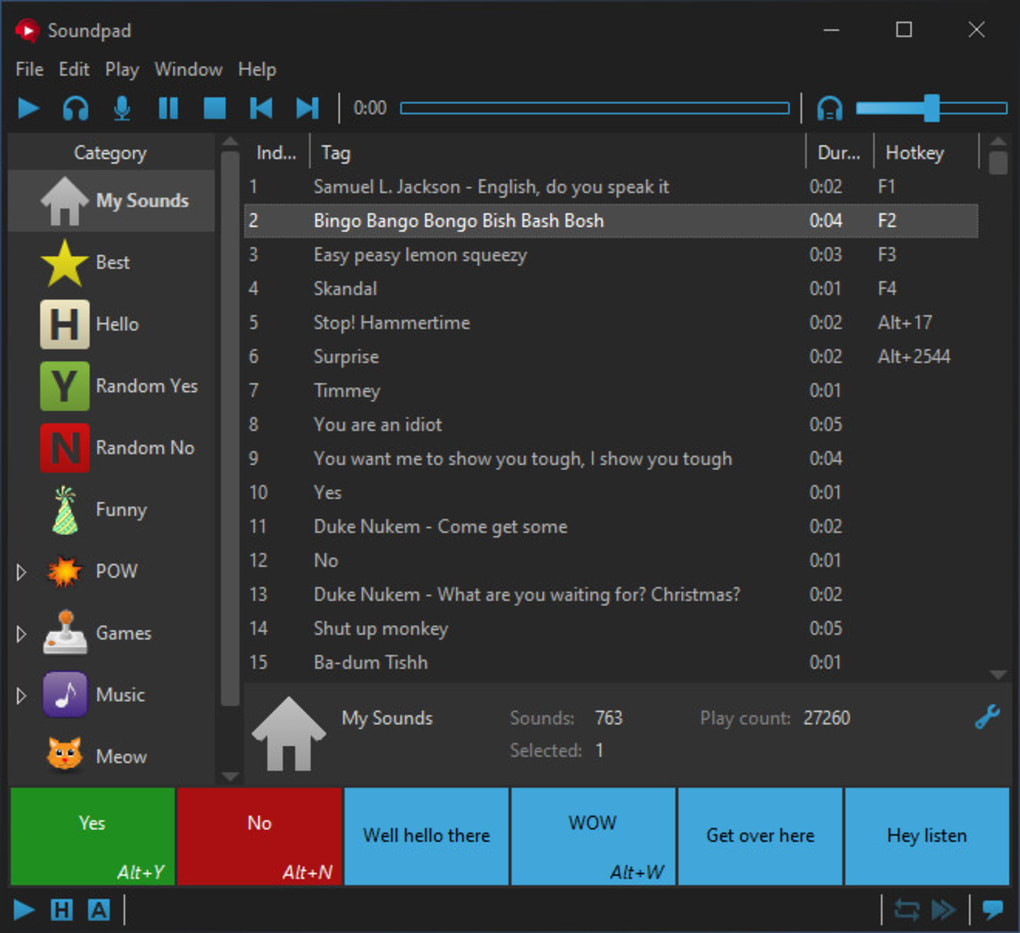
Soundpad’s primary function revolves around its ability to inject custom audio clips directly into voice chats, effectively acting as a sophisticated soundboard. This capability distinguishes it from standard media players, providing a unique and engaging interactive layer to online communication. Users can easily create playlists of their favorite sound effects, musical snippets, or voice lines, then assign custom hotkeys for quick and easy playback during gameplay or voice calls. This seamless integration eliminates the need to manually switch between applications, maintaining focus on the primary interaction.
The application’s design prioritizes ease of use. The intuitive interface allows users to quickly load, organize, and manage their audio libraries. The customizable hotkey system is highly configurable, catering to individual preferences and ensuring effortless access to specific sound effects. Soundpad’s strength lies in its ability to transform monotonous conversations into lively, dynamic interactions, adding a personalized touch to online experiences. The ability to trigger sound effects with a simple keystroke ensures that the user experience remains fluid and uninterrupted. This seamless transition makes Soundpad an indispensable tool for gamers, streamers, and anyone looking to enhance their online interactions.
Integrated Audio Editor: Shaping Your Soundscape
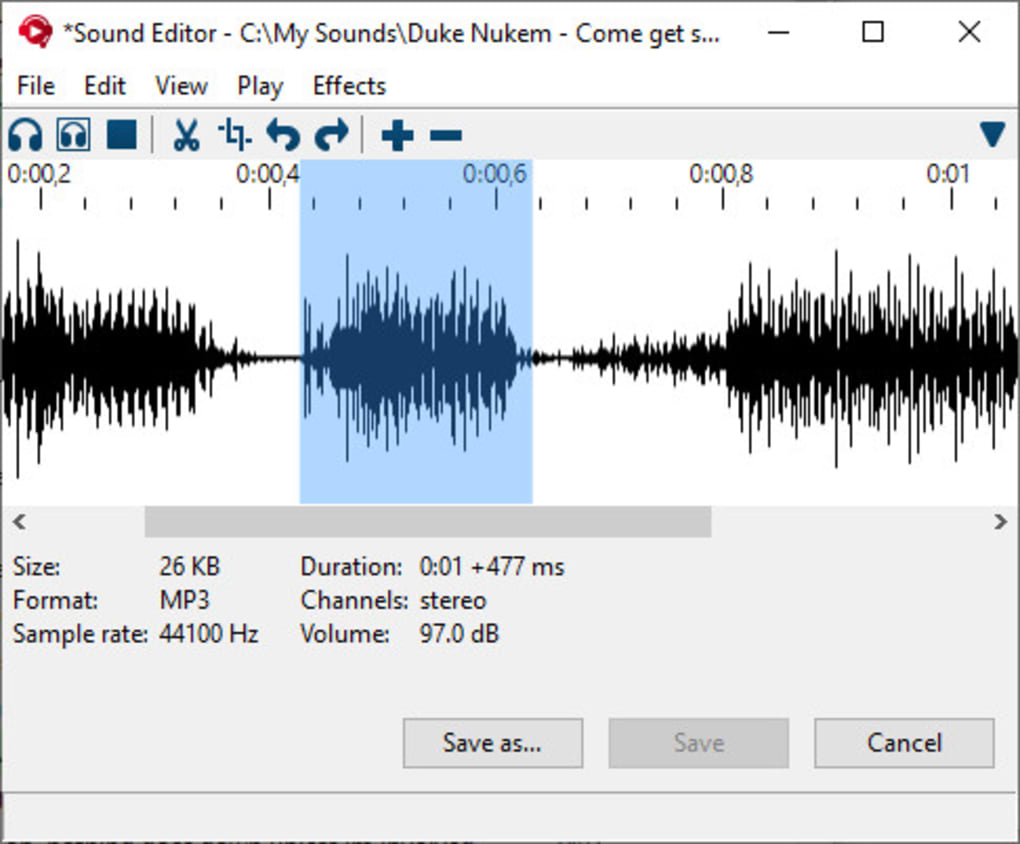
Beyond its soundboard functionality, Soundpad boasts a powerful built-in audio editor. This editor provides users with the tools to create, modify, and refine their audio clips, ensuring precise control over every sonic detail. The editing capabilities extend beyond simple trimming; users can manipulate sound levels, create seamless transitions between clips, and even layer multiple sounds to craft unique audio effects. This level of control allows for the creation of high-quality audio clips, enhancing the overall listening experience for both the user and their audience.
The integrated audio editor facilitates the creation of sophisticated audio effects and custom sound designs. Its intuitive interface simplifies complex tasks, making it accessible to users with varying levels of audio editing experience. This feature is particularly valuable for those creating custom sound effects for games, videos, or podcasts, as it eliminates the need for external audio editing software. The direct integration with the soundboard functionality streamlines the workflow, enabling users to quickly edit and deploy new sounds within a single application. This streamlined approach saves valuable time and effort, allowing for a more efficient and focused creative process.
Compatibility and Supported Applications
Soundpad’s compatibility is a key feature. It’s designed to work with a wide array of voice-related applications and games, ensuring broad accessibility. Leppsoft explicitly highlights support for popular communication platforms such as Discord, TeamSpeak, and Skype, as well as prominent game titles like Dota 2, Counter-Strike, PUBG, and Battle.net. While the specific list provided isn’t exhaustive, Leppsoft emphasizes that Soundpad is configurable with most voice-related applications, suggesting compatibility beyond the explicitly named titles. This versatility extends its usefulness to a wide range of online environments.
The broad compatibility significantly enhances Soundpad’s value. The ability to seamlessly integrate the soundboard functionality into diverse communication platforms and games opens doors for creative expression in various contexts. Users can personalize their gaming experience, adding sound effects that complement gameplay or enhance in-game communication. Similarly, streamers and content creators can utilize Soundpad to inject engaging sound effects into their broadcasts, enriching the viewer experience. This adaptability is a crucial factor contributing to the application’s widespread appeal and adoption among users across diverse online communities.
Soundpad’s Demo Version and Availability on Steam
Leppsoft offers a free demo version of Soundpad, allowing potential users to thoroughly test its functionality before purchasing the full version. This is particularly valuable given that audio configuration variations can sometimes cause compatibility issues. The demo version provides a complete picture of the application’s capabilities, eliminating uncertainty related to compatibility before investment. This strategy is a smart business approach, building user trust and reducing the risk of purchase dissatisfaction.
Furthermore, Soundpad is also available on Steam, providing another readily accessible platform for download. The Steam version offers identical performance and functionality to the standalone version, including the option to try the demo before purchasing the full license. The availability on Steam expands the application’s reach to a large user base, capitalizing on the platform’s popularity and reliability among gamers and digital content consumers. This multi-platform availability demonstrates a strong commitment to providing users with convenient and familiar access to the application.
Practical Applications and Use Cases
Soundpad’s applications are diverse and span various online activities. Gamers frequently employ Soundpad to inject entertaining sound effects and voice lines into voice chats, enhancing the social interaction and creating memorable moments. The quick access to custom audio clips allows for spontaneous and responsive sound injections, transforming in-game conversations into dynamic and interactive experiences.
YouTubers and content creators leverage Soundpad to inject personalized audio into their videos, adding an extra layer of engagement and humor. The application can be used for humorous in-game pranks, mimicking character voices, or simply adding background sounds to create a more immersive atmosphere. The precision editing tools allow for the creation of custom sound effects that align perfectly with the content, reinforcing the message and improving the overall viewing experience. The ability to seamlessly integrate custom audio enhances the quality and personality of online content, increasing viewership engagement.
Beyond gaming and content creation, Soundpad’s built-in audio editor makes it a useful tool for general audio editing. The ability to easily trim, combine, and manipulate audio clips simplifies soundbite creation for sharing with others. The quick audio recording feature adds further value, providing a handy tool for quick and easy recording of audio snippets directly from the microphone. The combination of soundboard, editor, and recorder creates a self-contained audio production suite.
Creating Dynamic and Engaging Voice Chats
Soundpad excels at simplifying the process of incorporating custom audio into voice chats. The application’s intuitive design and straightforward workflow allow users to begin using Soundpad within minutes after a quick system restart. The seamless integration of sound recording, editing, and playback capabilities makes it a truly all-in-one solution for managing and using custom audio in voice communication.
While the software is a paid application, Leppsoft’s commitment to providing a fully functional demo version allows potential buyers to assess its capabilities and ensure compatibility before making a purchase. The availability of this demo addresses potential concerns about compatibility and functionality, promoting transparency and user trust. The application provides significant value to users looking for a user-friendly and efficient method of injecting custom audio into voice chats.
Pros and Cons of Soundpad
Pros:
- Built-in sound recorder: Simplifies the process of creating and capturing custom audio clips.
- Integrated audio editor: Offers comprehensive tools for precise audio manipulation.
- Wide application compatibility: Works with various communication platforms and game titles.
- Supports various audio formats: Supports a wide range of audio files, enhancing flexibility.
- Customizable hotkeys: Enables seamless and distraction-free sound playback.
- Easy to use: Straightforward interface makes the application accessible to all users.
- Free demo version: Allows thorough testing before purchasing.
Cons:
- Does not work with Windows Audio DRM: Limits the use with DRM-protected content.
- Sound equalizer bug: Reported inconsistencies in equalizer functionality.
- Requires purchase: While a demo is available, the full functionality requires payment.
In conclusion, Soundpad is a highly effective tool for enhancing voice chat experiences and managing custom audio. Its combination of features, ease of use, and broad compatibility make it a valuable asset for gamers, streamers, content creators, and anyone seeking a simple yet powerful way to integrate custom sounds into their online interactions. While minor drawbacks exist, the overall benefits significantly outweigh the limitations, making Soundpad a strong contender in the audio enhancement software market.
File Information
- License: “Trial version”
- Version: “3.4.1”
- Latest update: “July 12, 2023”
- Platform: “Windows”
- OS: “Windows 7”
- Language: “English”
- Downloads: “29.7K”
- Size: “6.67 MB”


