
SourceTree is a free Git client developed by Atlassian, designed to simplify the process of interacting with Git repositories. Instead of navigating the command line, users can manage their code through a user-friendly graphical user interface (GUI). This review will delve into the strengths and weaknesses of SourceTree for Windows, examining its functionality, ease of use, and overall suitability for both novice and experienced Git users.
Ease of Use and Interface
SourceTree’s primary advantage lies in its intuitive and streamlined interface. For users unfamiliar with the intricacies of command-line Git, the visual representation of branches, commits, and file changes is invaluable. The software presents a clear and organized structure, allowing users to easily navigate their repositories, browse history, and perform common Git operations with minimal effort. The main window displays a repository’s structure, showcasing branches, files, and the commit history. This visual representation significantly reduces the learning curve associated with Git, making it accessible to a wider range of users, including those without prior experience in version control systems.
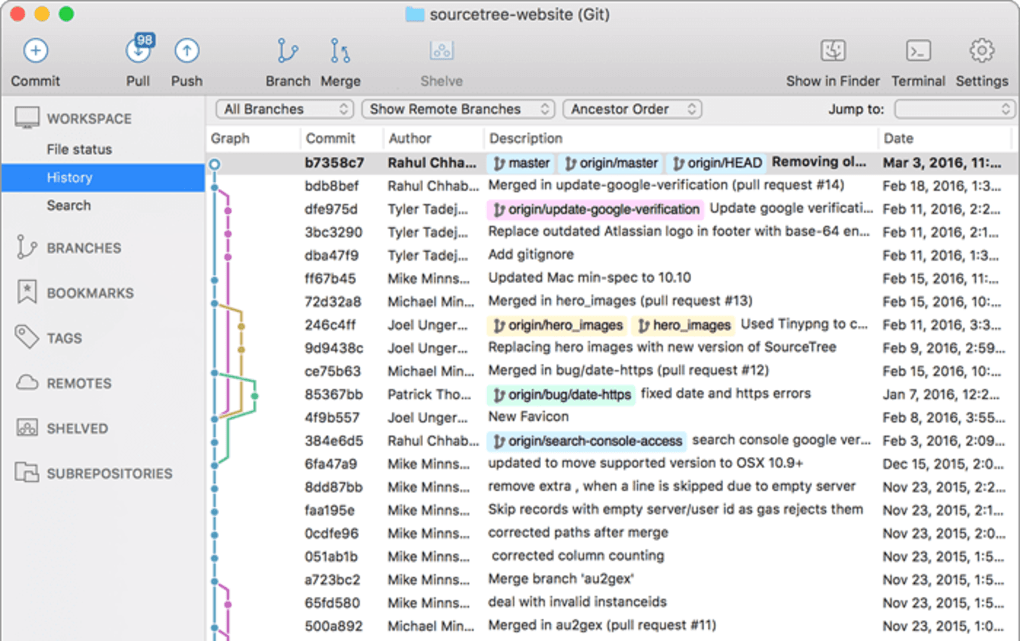
The software’s simplicity extends to the execution of core Git commands. Tasks like staging changes, committing modifications, pushing updates to remote repositories, and pulling updates from remote repositories are all handled through clearly labeled buttons and menus. The straightforward design ensures that even complex operations can be accomplished with a few clicks, minimizing the need for extensive command-line knowledge. This user-friendly approach makes SourceTree an excellent tool for both beginners and those seeking a more convenient alternative to the command line.
However, SourceTree’s simplicity can be a double-edged sword. While the streamlined interface is beneficial for beginners, experienced users familiar with the command line might find the limited customization options restrictive. The software doesn’t offer the same level of granular control as directly using Git commands. This may limit the ability of advanced users to perform specific or less common Git operations.
Core Functionality and Git Integration
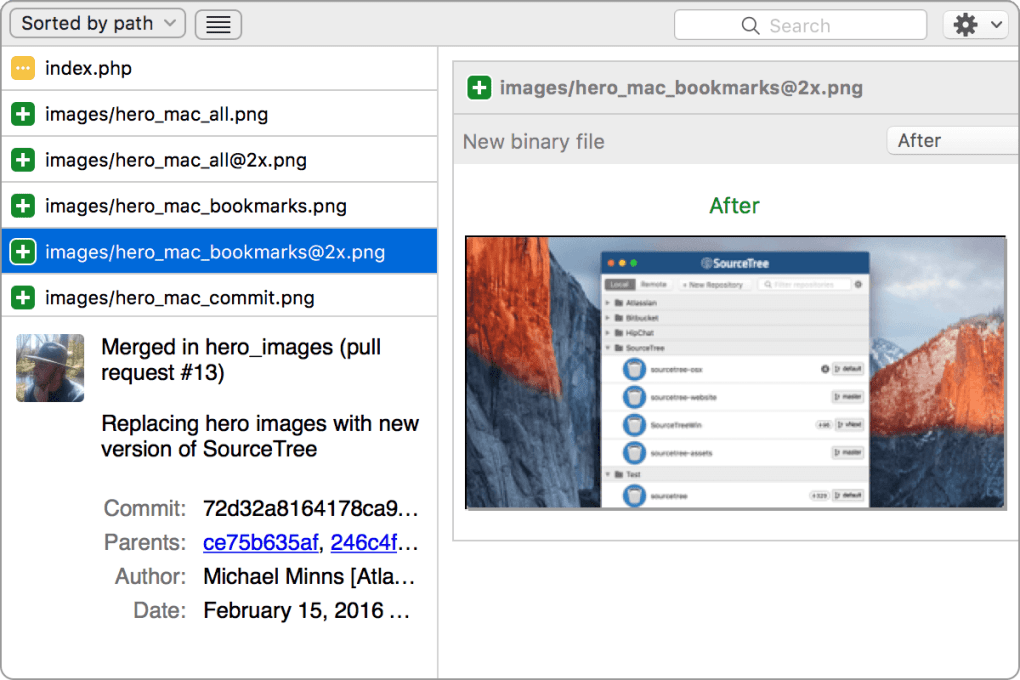
SourceTree provides comprehensive support for the core functionalities of Git. Users can perform all essential operations, including cloning repositories, creating branches, merging branches, resolving merge conflicts, creating and managing pull requests, and pushing and pulling changes to and from remote repositories. The software seamlessly integrates with popular Git hosting platforms like GitHub, Bitbucket, and GitLab, further simplifying the workflow for users already utilizing these services.
The integrated visual representation of the Git history is a significant feature, allowing users to trace the evolution of their codebase effectively. Visualizing branches, merges, and commits enables users to understand the project’s history more intuitively. This graphical representation is particularly beneficial for newcomers to Git, providing a clearer understanding of branching strategies and the impact of various Git commands. Furthermore, the ability to visualize merge conflicts before resolving them enhances the efficiency and accuracy of the process.
Limitations and Alternatives
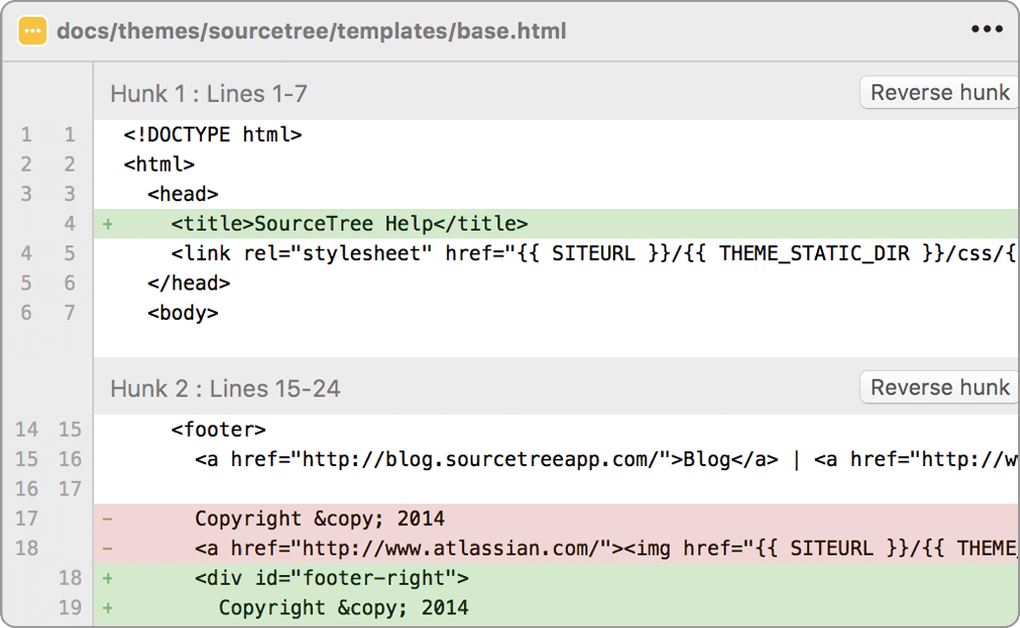
While SourceTree offers a compelling user experience for many users, it does have certain limitations. One notable drawback is its limited undo functionality. Unlike some alternative Git clients, SourceTree lacks a simple, one-click undo feature for common mistakes. Recovering from accidental commits or deletions can be more complex than in some competing applications. This lack of an easily accessible undo feature is a significant inconvenience for users prone to errors or those working on sensitive projects.
Another area where SourceTree falls short is in its handling of merge conflicts. While the software presents the conflicts visually, the process of resolving them can be cumbersome compared to some alternative GUI clients. The interface for resolving conflicts could be improved to offer more intuitive tools and better guidance, reducing the time and effort required for conflict resolution. Moreover, the limited customization options available in SourceTree can be frustrating for users seeking a more personalized experience. The lack of extensibility through plugins or add-ons restricts the software’s ability to adapt to specific workflows or integrate with specialized tools.
Comparison with Other Git Clients
Several other Git clients offer similar functionalities to SourceTree, each with its strengths and weaknesses. GitKraken, for example, is known for its aesthetically pleasing interface and more robust conflict resolution tools. GitHub Desktop, being directly integrated with the GitHub platform, is a popular choice for users primarily working with GitHub repositories. Sourcetree’s strength lies in its blend of simplicity and comprehensive functionality. However, its limited undo functionality and sometimes cumbersome merge conflict resolution might deter users who prioritize these features. The choice of the optimal Git client often depends on individual preferences and the specific requirements of the project.
Conclusion
SourceTree for Windows provides a user-friendly approach to Git management, significantly reducing the complexity of working with Git repositories. Its intuitive interface makes it ideal for novice users while still offering sufficient functionality for experienced developers. The software’s seamless integration with popular Git hosting platforms enhances its practicality. However, limitations in its undo functionality and merge conflict resolution, along with the lack of customization options, might make other clients a more suitable choice for some users. Ultimately, the decision of whether or not to use SourceTree depends on individual needs and priorities. It’s a solid, free option that excels at simplicity and ease of use, but users should be aware of its limitations before committing to it as their primary Git client. Those requiring advanced features or a highly customizable experience might find more suitable alternatives in the market. However, for users seeking a straightforward and user-friendly introduction to Git, SourceTree remains a compelling and viable option.
File Information
- License: “Free”
- Latest update: “July 11, 2023”
- Platform: “Windows”
- OS: “Windows 7”
- Language: “English”
- Downloads: “1.1K”
- Size: “26.01 MB”


