
SpaceTime 3D presented a unique approach to web browsing, offering a three-dimensional interface that diverged significantly from the standard two-dimensional experience of traditional browsers. This innovative design, while visually striking and potentially beneficial for specific tasks, came with notable limitations concerning system resource consumption and overall speed. This review delves into the features, advantages, drawbacks, and overall usability of SpaceTime 3D, providing a comprehensive assessment of its strengths and weaknesses.
A Novel Approach to Web Navigation
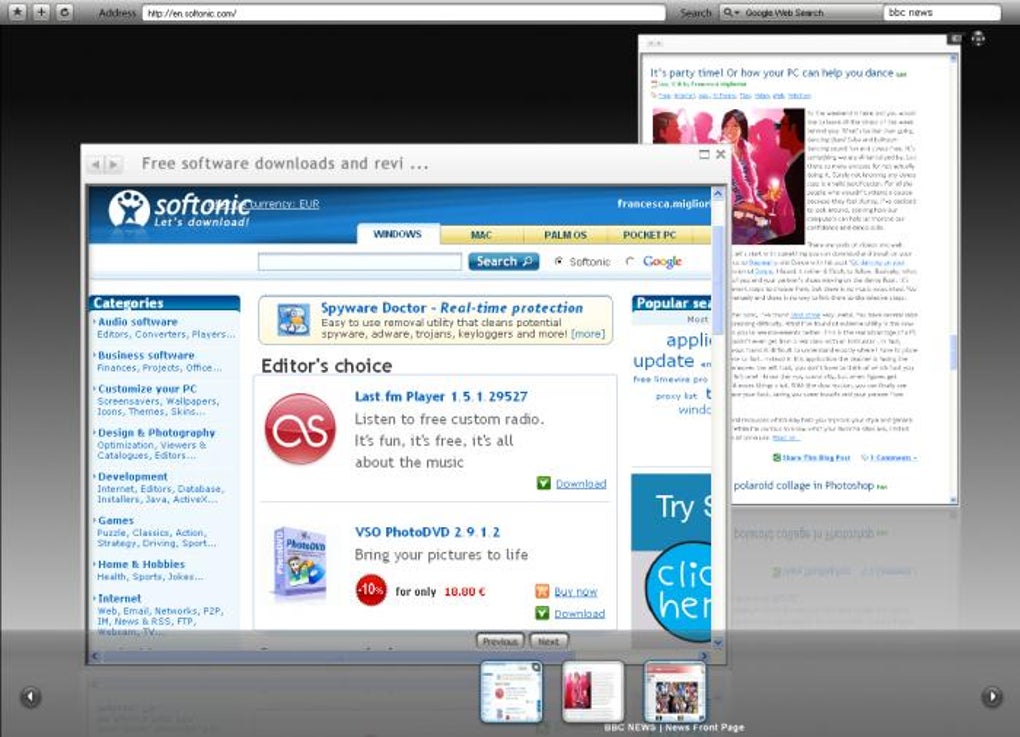
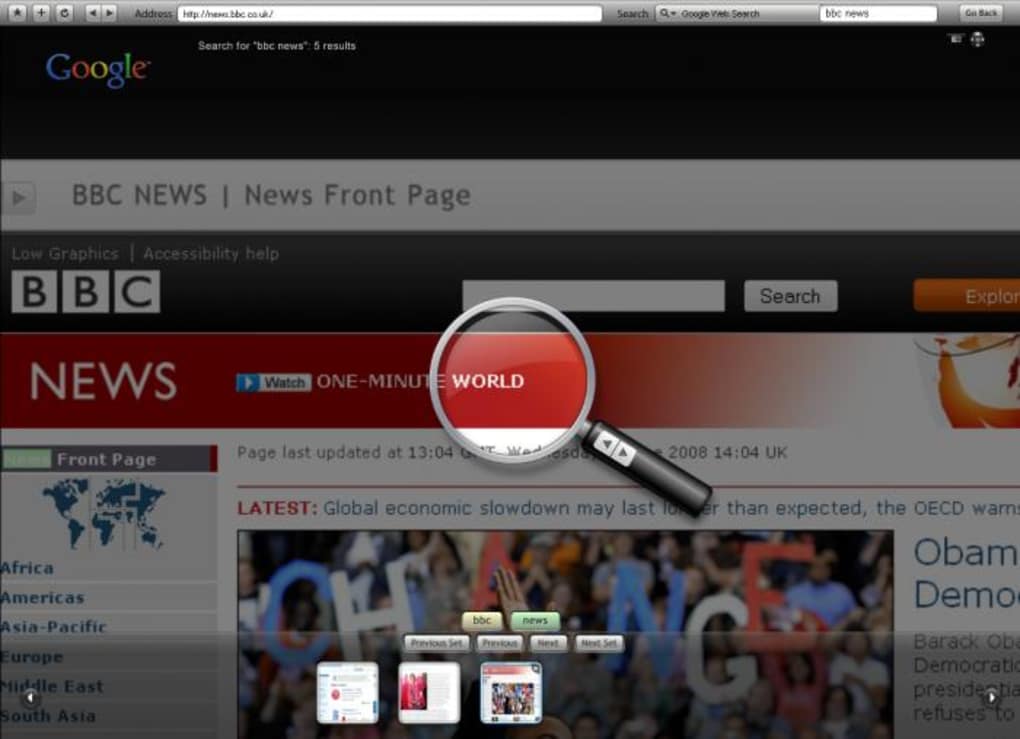
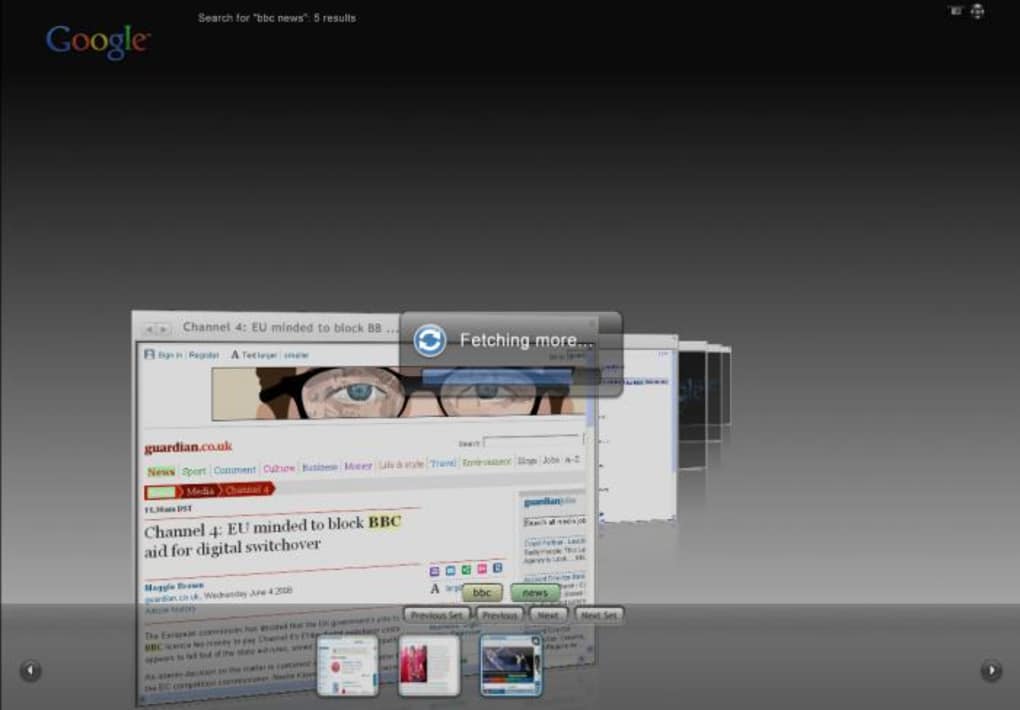
SpaceTime 3D distinguished itself by its departure from the conventional web browser design. Instead of the familiar tabbed or windowed interface, it presented a three-dimensional environment where web pages were displayed as individual frames within a virtual space. This spatial arrangement provided a novel way to manage multiple web pages simultaneously, allowing users to visually organize and compare information across different websites. The 3D effect was not merely cosmetic; it facilitated a more intuitive method of navigating between pages, providing a sense of depth and spatial context lacking in traditional browsers. The user could visually “move” through the 3D space, rotating and zooming to adjust their perspective, enhancing the experience beyond the limitations of a flat screen. This approach was particularly appealing to users seeking a more engaging and interactive browsing experience. Opening a new page was as simple as typing the URL, eliminating the need for keyboard shortcuts like Ctrl+T or Ctrl+N, further streamlining the navigation process. The inclusion of a carousel function, activated by hovering the mouse at the bottom of the screen, provided another intuitive method for page selection and management. This feature contributed to the overall user-friendliness, ensuring easy access to open web pages. The ability to zoom in and out on specific areas of a page was another significant advantage, especially for users working with detailed information or presentations. This functionality allowed for a more focused viewing experience, highlighting relevant sections of a web page without the need for excessive scrolling or window resizing.
Strengths: Presentation and Visual Appeal
The most significant advantage of SpaceTime 3D lay in its visual presentation and its suitability for presentations. The 3D interface, with its visually striking design, provided a unique and engaging way to interact with web content. The ability to display multiple web pages simultaneously in a three-dimensional space made it exceptionally well-suited for presentations, allowing users to seamlessly compare and contrast information from various sources. The intuitive navigation methods – including the carousel function and the simple URL input – further enhanced its suitability for presentations, ensuring a smooth and efficient workflow. The ease of zooming in and out on specific details provided a level of control and precision that could greatly benefit presenters. The immersive nature of the 3D environment could potentially capture the audience’s attention more effectively than a traditional presentation, making it a powerful tool for visual communication. The stylish design of the menus and the overall visual appeal set SpaceTime 3D apart from more mundane web browsers, providing a visually refreshing experience.
Weaknesses: System Resource Demands and Speed
Despite its innovative design and presentation capabilities, SpaceTime 3D faced significant limitations. The most notable drawback was its considerable system resource requirements. The 3D rendering process was computationally intensive, demanding a substantial amount of processing power and memory. This meant that SpaceTime 3D ran noticeably slower than conventional browsers, even on relatively powerful computers. The loading times for web pages were significantly longer, resulting in a frustrating user experience, particularly for users accustomed to the speed of modern browsers. The high resource demands limited its accessibility to users with older or less powerful machines, effectively excluding a substantial segment of the potential user base. This substantial limitation significantly hampered its widespread adoption, positioning it as a niche product rather than a viable alternative to mainstream browsers. This lack of performance rendered the browser impractical for everyday browsing tasks, thereby restricting its usability primarily to niche applications like presentations where the visual advantage could offset the performance drawbacks.
Comparison with Traditional Browsers
Compared to established web browsers such as Chrome, Firefox, or Edge, SpaceTime 3D lacked the breadth of features and functionality. While its 3D interface provided a unique visual experience, it fell short in areas like extension support, customization options, and overall speed. Traditional browsers offer a wide range of extensions and add-ons that enhance functionality and personalize the user experience. SpaceTime 3D lacked this ecosystem of extensions, limiting its adaptability and functionality. Furthermore, the limited customization options meant users had less control over the browser’s appearance and behavior. The significant performance deficit was a major point of comparison, with traditional browsers providing a significantly faster and more responsive browsing experience. The emphasis on visual appeal in SpaceTime 3D resulted in a trade-off with performance, making it less suitable for general web browsing tasks. While innovative, it was ultimately outmatched by mainstream browsers in terms of versatility and efficiency.
Conclusion: Niche Application, Limited Mainstream Appeal
SpaceTime 3D presented a unique and visually appealing approach to web browsing. Its 3D interface and intuitive navigation system made it particularly well-suited for presentations and situations requiring the simultaneous comparison of multiple web pages. However, its substantial system resource demands and slow loading times severely hampered its usability for everyday web browsing. This performance bottleneck positioned it as a niche tool rather than a mainstream browser alternative. Its strengths in presentation and visual appeal were counterbalanced by its weaknesses in speed and resource consumption. Ultimately, SpaceTime 3D may find a niche audience among users who prioritize visual presentation over speed and resource efficiency. However, for the majority of users seeking a fast, reliable, and feature-rich web browsing experience, traditional browsers would remain the more practical and efficient choice. The innovative concept of a 3D browser holds promise, but significant improvements in performance and resource management would be necessary to make it a truly viable alternative to established browsers. While SpaceTime 3D offered a visually striking deviation from the norm, its practicality was ultimately limited by its performance constraints.
File Information
- License: “Free”
- Version: “1.0”
- Latest update: “August 12, 2019”
- Platform: “Windows”
- OS: “Windows XP”
- Language: “English”
- Downloads: “17.8K”
- Size: “9.91 MB”


